00195642-01_IM-SetupCenter-3.0_EN.pdf - 第15页
System Requirements Supported Hardware Installation Manual SIPLACE Setup Center V3.0 15 4.4 Supported Hardware Supported barcode scanner Motorola/Symbol MC70 1D/2D barco de scanner toget h er with WLAN Client Module, W…
System Requirements
System Requirements
14 Installation Manual SIPLACE Setup Center V3.0
4.2 System Requirements
4.3 Supported Software
Programming system
SIPLACE Setup Center supports the following version in online and offline mode:
Stations software
SIPLACE Setup Center requires in online mode with forced setup verification the SIPLACE Setup Center
Station Package. This is used for installing the appropriate interface with the stations software:
Pre-Setup Unit for X-Tables
The pre-setup unit for X-tables (docking station) requires the following:
NOTE:
A hard disk with 500 MB or more free space should be used for installation.
Hard disk Main memory
Approx. 2500 MB for Windows
Approx. 90 MB for program files
Database = number of recorded packaging units x 1
KB
Approx. 200 MB for Windows
Approx. 150 MB for SQL server with Setup Center
database
Approx. 100 MB for Setup Center GUI
SIPLACE Pro Interface Version SIPLACE Pro Desk Version
3.2 SP1, 4.1 SP1, 5.0 SP1 or 5.2 3.2 SP1, 4.1 SP1, 5.0 SP1 or 5.2
Forced Setup Verification Unforced Setup Verification
SC Station Interface:
407.05, 505.05, 604.01 SP1, 605.01 and 701.02
10x, 40x, 50x, 60x, 70x
NOTE:
SMV Interface is not supported any more for forced setup verification from Setup Centr 3.0.
CAN-Bus PCI card X-FCU X feeder.
Sontheim PCI CAN driver 6.0.0.xy or
higher version (on the product CD)
Firmware 0.5.04.17 or higher
version,
BIOS 02.00
Firmware A.1.01.47 or higher,
BIOS 01.02
NOTE:
The CAN driver for the Docking stations, which are based on current CAN driver, are not
supported by Windows Vista.
System Requirements
Supported Hardware
Installation Manual SIPLACE Setup Center V3.0
15
4.4 Supported Hardware
Supported barcode scanner
Motorola/Symbol MC70 1D/2D barcode scanner together with WLAN Client Module, WLAN Access
Point and Belkin USB LAN-Adapter.
DATALOGIC DRAGON™ M101/D barcode scanner with DRAGON™ OM radio cradle or
DATALOGIC PowerScan® M8300-D barcode scanner (former DRAGON™ M131) with BC-8030
radio cradle
Supported barcode types
Supported machines
Motorola / Symbol MC70 Datalogic Dragon M101/ PowerScan ( M131)
1D Barcode
Codabar
Code 11, Code 39, Code 93, Code 128
D2OF5
EAN-8, EAN-13
I2OF5
RSS-14
RSS Expanded, RSS Limited
UPCA
UPCE0, UPCE1
2D Barcode
Data Matrix
Macro Micro PDF
Macro PDF
Maxi Code
Micro PDF
Micro QR
PDF417
QR Code
EAN 8/EAN 13/128
UPC A/UPC E
Interleaved 2of 5
Code 32, Code 39, Code 128, Code 93, Code 11,
Code 49
MSI / Plessey
Telepen
Codabar, ISSN / ISBN
Standard 2 of 5
ISBT128
Delta IBM
Codablock
Code 16K
Machine Stations software
SIPLACE 80 F4, F4-6, S20; F5, F5 HM, S23 40x.xx
SIPLACE S25 HM, S27 HM, HS50, HS 50+, HS60, HF, HF3 50x.xx
SIPLACE X2, X3, X4; D1, D2, D3, D4 60x.xx
SIIPLACE CF, CS 10x, 40x
SIPLACE X4I 70x.xx
NOTE:
NOTE: The programming system SIPLACE Pro and the Setup Center Station Package can
restrict this range of stations.
System Requirements
Device Recognition Unique Machine IDs
16 Installation Manual SIPLACE Setup Center V3.0
Supported Feeder Types
4.5 Device Recognition
4.5.1 Unique Machine IDs
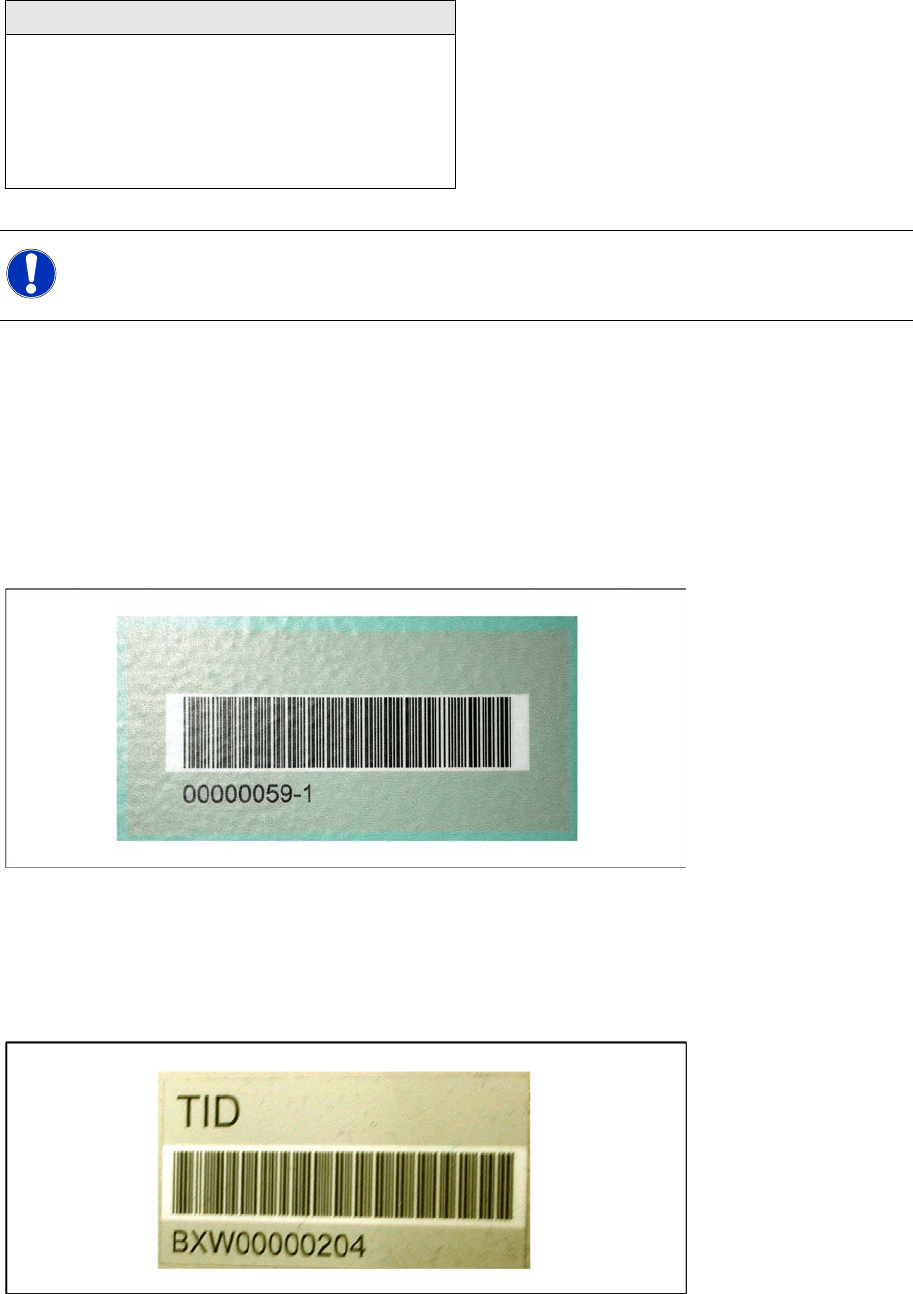
Unique machine IDs are attached to all X-Series machines ex factory.
For other machine series we recommend you order the unique machine IDs before installation and
attach them to each machine (item no.: 0303470-xx).
4.5.2 Unique Table ID
Unique table IDs are attached to all X-Series changeover tables ex factory.
For other machine series we recommend you order the unique table IDs before installation and attach
them to each table (item no.: 03046294-xx).
Feeder Types
WPC
MTC 1 & 2
All Tray Loader
All tape feeder types
All Linear feeders
X feeder adapter
NOTE:
NOTE: The programming system SIPLACE Pro and the hardware in use can restrict this range
of feeders.