00195642-01_IM-SetupCenter-3.0_EN.pdf - 第26页
Installation Hardware Installation Motorola / Symbol MC70 1D/2D barcode scanner 26 Installation Manual SIPLACE Setup Center V3.0 Install ActiveSync X Click on "Next" to proceed. X Accept the licen sing agreemen…
Installation
Motorola / Symbol MC70 1D/2D barcode scanner Hardware Installation
Installation Manual SIPLACE Setup Center V3.0
25
6.2.3 Motorola / Symbol MC70 1D/2D barcode scanner
6.2.3.1 System Requirements
The following components are required for the operation of the scanner:
WLAN-infrastructure (not included)
MC70 Scanner with firmware 05.43 or higher
MC70 scanner integrated in WLAN-infrastructure and accessible with "ping" windows-command.
SIPLACE Setup Center 3.0 or higher
6.2.3.2 Configurate WLAN on Scanner
Please configurate the barcode scanner for the operation within WLAN network - as described in
document Installation Manual WLAN Infrastructure for SIPLACE (item no. 00195606-xx).
6.2.3.3 MC70 Prerequisites installation
The installation for MC70 Prerequisites is located in the root directory of the Installation CD:
"\MobileScanner\MC70 Prerequisites\".
X Execute the file "Setup.exe" to start the installation.
Step 1: ActiveSync / Mobile Device Center
Windows XP: ActiveSync
If ActiveSync is not installed on the system, the installation of Microsoft ActiveSync will be executed.
Make sure that the scanner is not yet connected to the basic station.
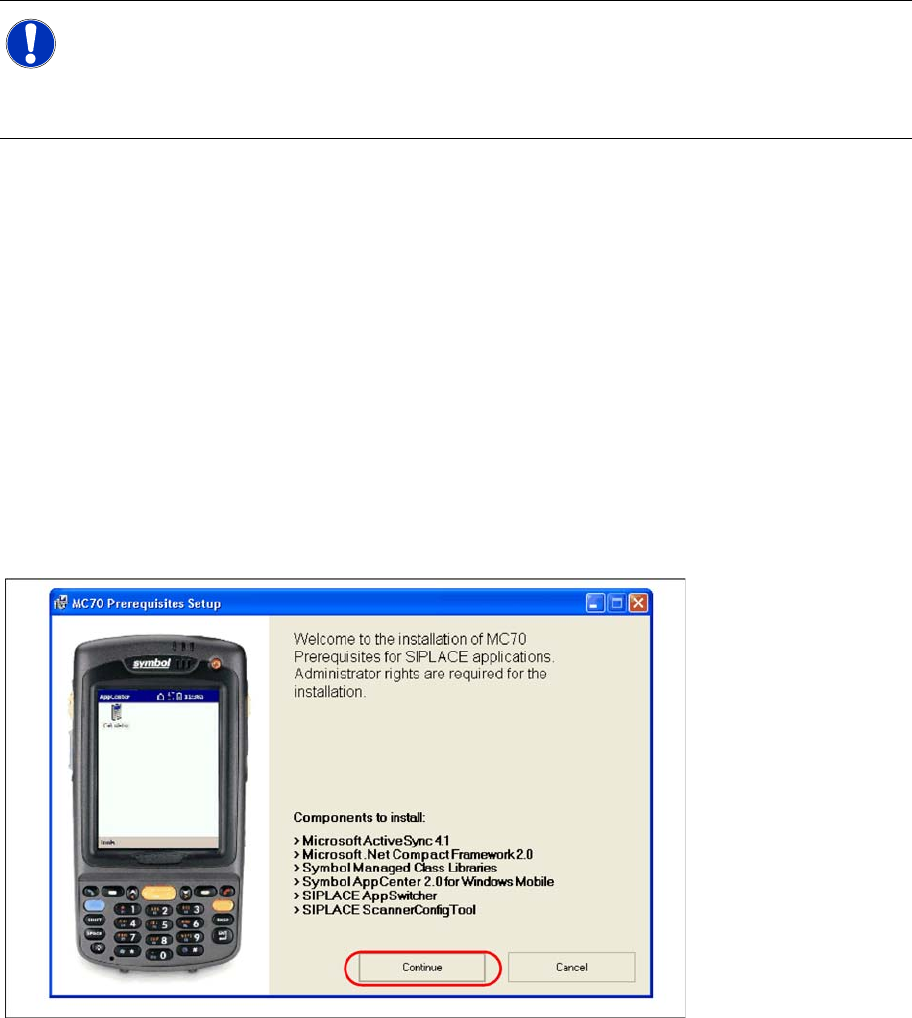
X Select "Continue" to proceed with the installation.
NOTE:
The MC70 might be delivered with a different firmware version. Please install the firmware
version listed above. It is located on the software CD "SIPLACE Setup Center" in directory
"\3rdparty installer\Symbol MC70\". Please observe by all means the enclosed
documentation.
Installation
Hardware Installation Motorola / Symbol MC70 1D/2D barcode scanner
26 Installation Manual SIPLACE Setup Center V3.0
Install ActiveSync
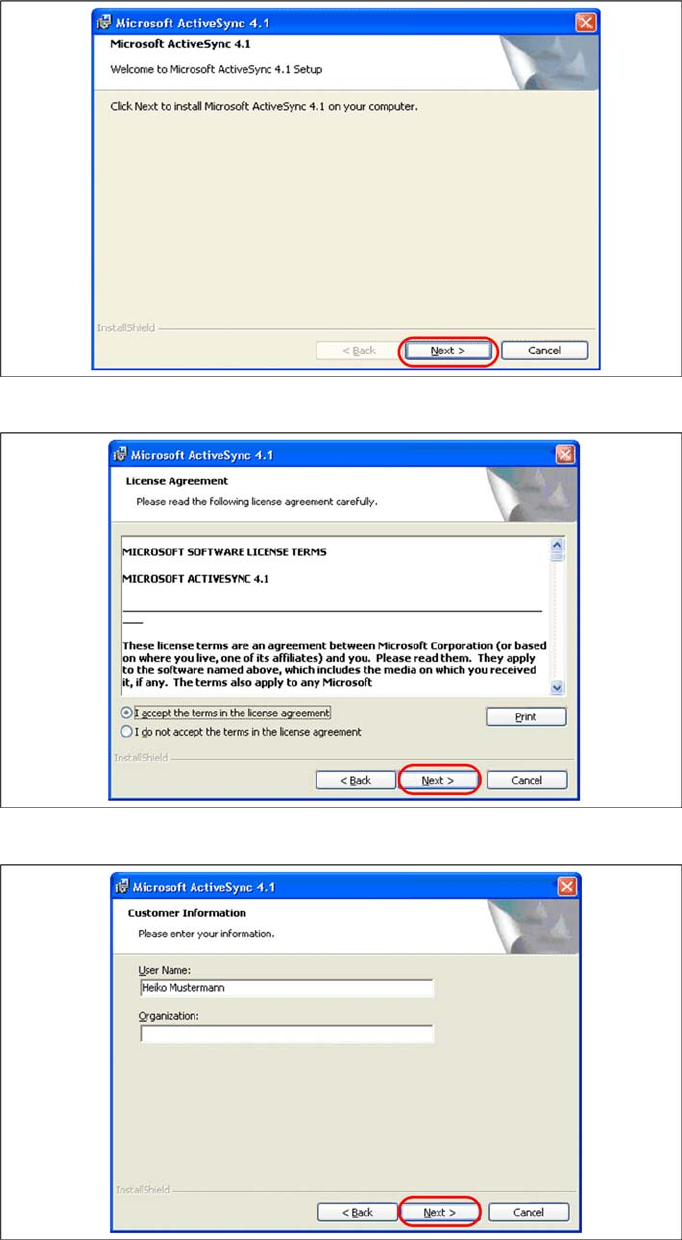
X Click on "Next" to proceed.
X Accept the licensing agreements and select "Next".
X Enter your user information and select "Next".
Installation
Motorola / Symbol MC70 1D/2D barcode scanner Hardware Installation
Installation Manual SIPLACE Setup Center V3.0
27
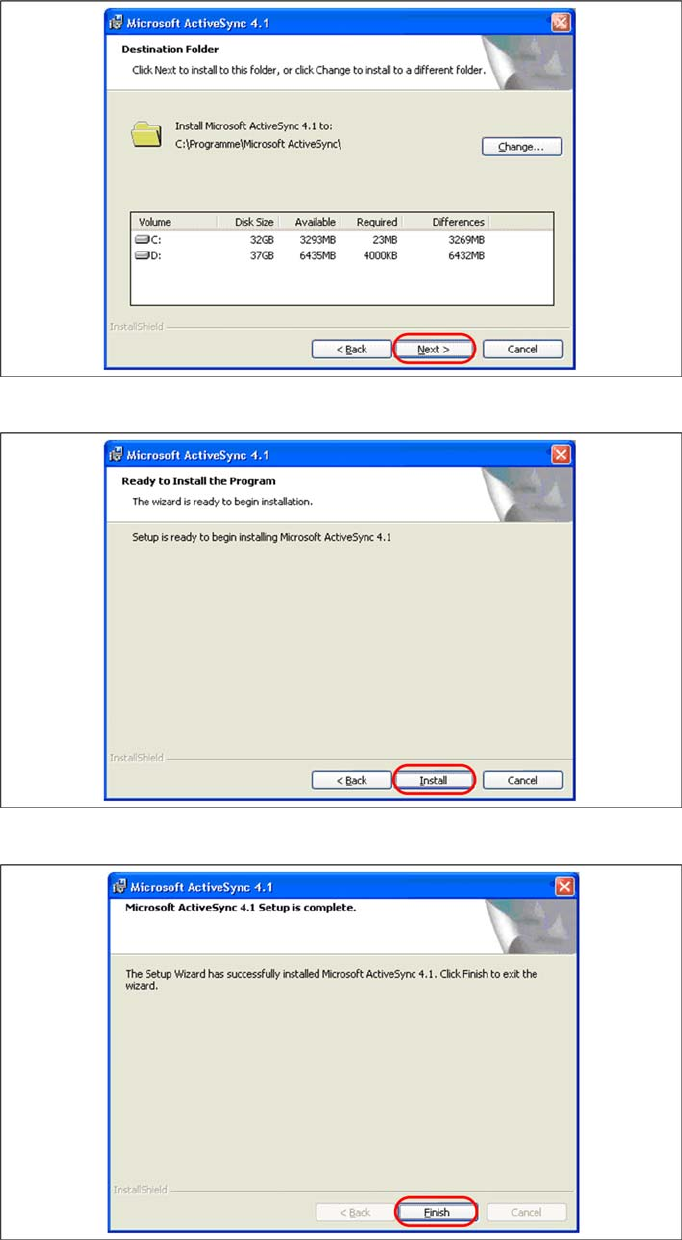
X Select the path for copying the installation files and select "Next".
X Select "Install" to start with the installation of Microsoft ActiveSync.
X Click on "Finish" to terminate the Microsoft ActiveSync Installation.