00195642-01_IM-SetupCenter-3.0_EN.pdf - 第31页
Installation Motorola / Symbol MC70 1D/2D barco de scanner Hardware Installation Installation Manual SIPLACE Setup Center V3.0 31 6.2.3.4 Setup Center Client Inst allation The installation for Setup Center – MobileScan n…
Installation
Hardware Installation Motorola / Symbol MC70 1D/2D barcode scanner
30 Installation Manual SIPLACE Setup Center V3.0
X After completion of the data transfer to the device click on OK to close the window.
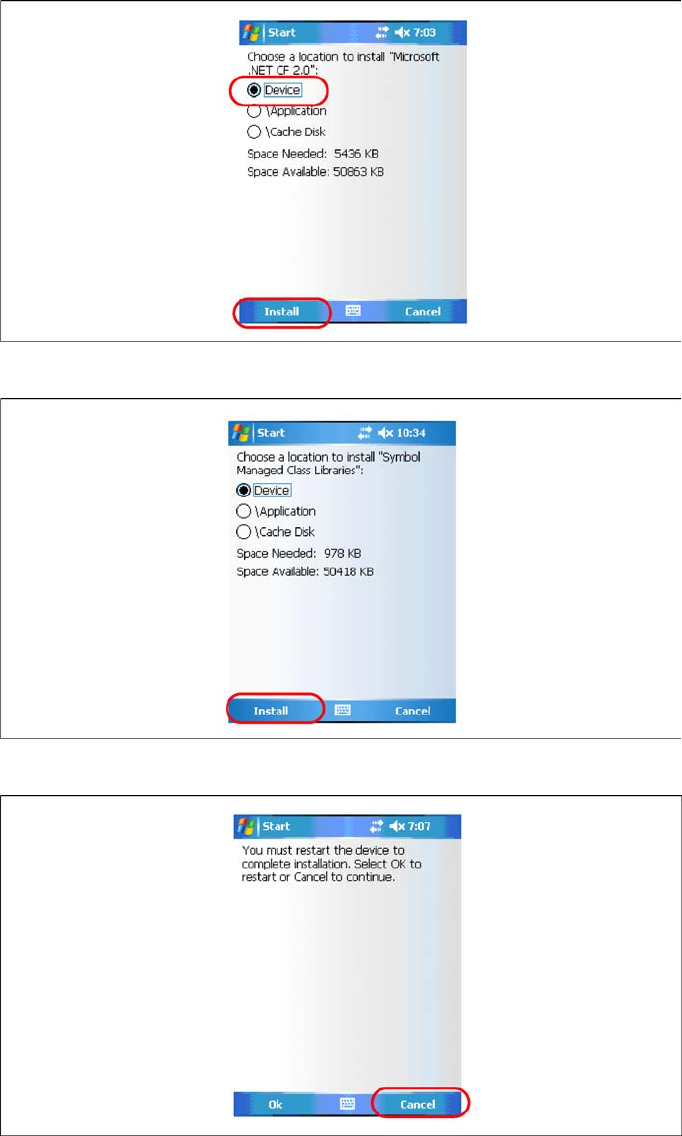
Steps on MC70 screen
The following steps must be carried out on the scanner to complete the installation. If all components
were successfully transferred to the scanner the installation of the components will start automatically.
X Press Install to continue with Microsoft Compact Framework 2.0 installation.
X Press Install to continue with Symbol Managed Class Libraries installation.
X The installation of Symbol AppCenter has finished. Press Cancel to continue with Setup Center
MobileScanner installation.
See also:
J
6.2.3.4 Setup Center Client Installation [
J
31]
Installation
Motorola / Symbol MC70 1D/2D barcode scanner Hardware Installation
Installation Manual SIPLACE Setup Center V3.0
31
6.2.3.4 Setup Center Client Installation
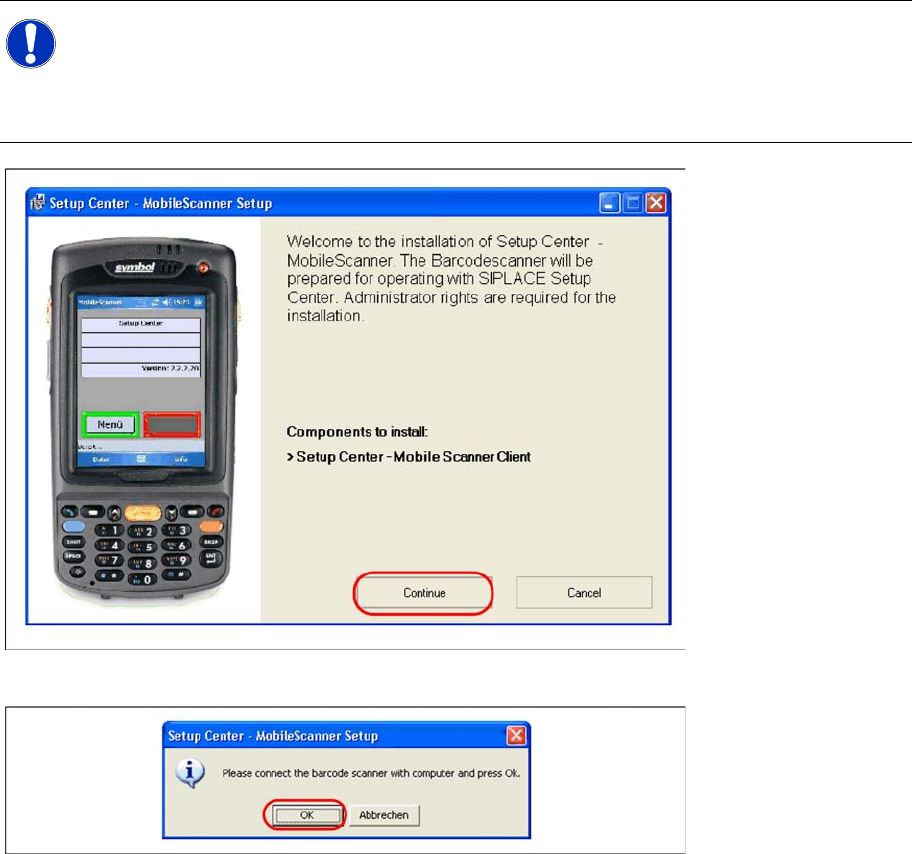
The installation for Setup Center – MobileScanner is located in the root directory of the CD
"\MobileScanner\MC70\". Execute the file "Setup.exe" to start the installation.
Setup Center Mobile Scanner Client will be installed.
X Select "Continue" to proceed with the installation.
X Make sure that the scanner is placed in the basic station and connected to Setup Center.
X Select "OK" start the transfer of the software components to the scanner.
NOTE:
In case of a upgrade installation exit the Setup Center Client before you start with the
installation procedure.
X Exit Setup Center Client with "File → Exit".
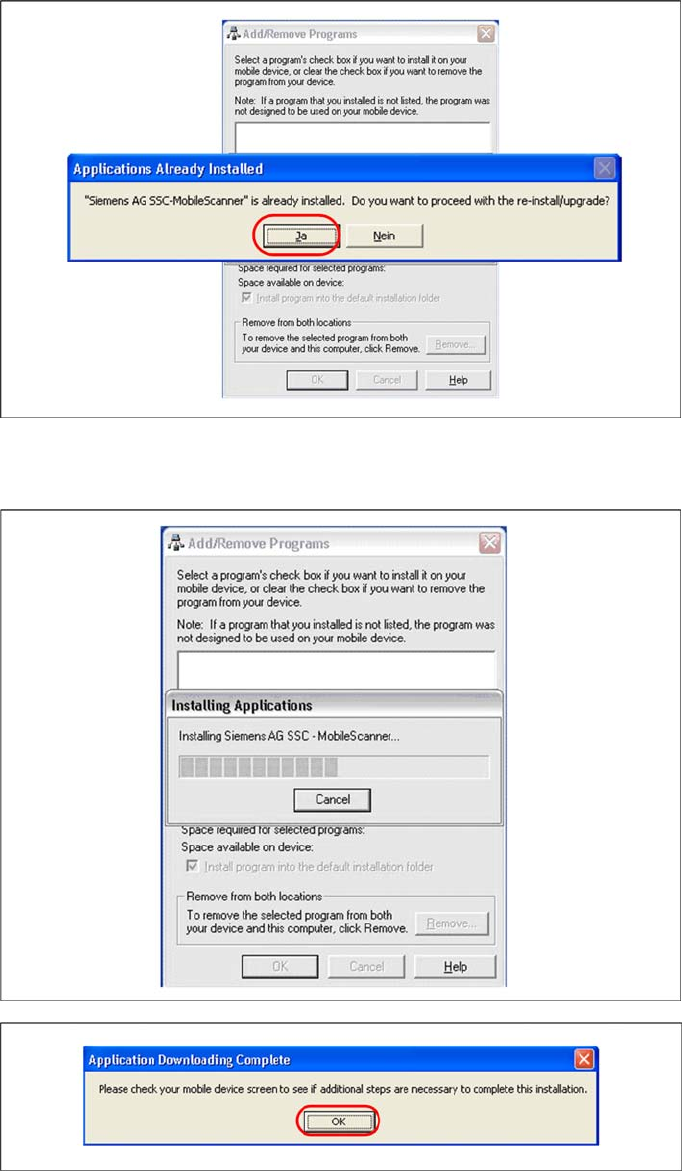
X Confirm any upcoming message which refers to a upgrade installation with "Yes" or "OK".
Installation
Hardware Installation Motorola / Symbol MC70 1D/2D barcode scanner
32 Installation Manual SIPLACE Setup Center V3.0
X In case of a upgrade installation confirm the upgrade of Siemens SSC Mobile Scanner with "Yes".
The transfer of the components to the scanner is beginning.
X After completion of the data transfer to the device click on "OK" to close the window.
The installation of MC70 Setup Center Client is beginning.