00195642-01_IM-SetupCenter-3.0_EN.pdf - 第40页
Installation Hardware Installation Optional: Docking Station 40 Installation Manual SIPLACE Setup Center V3.0 X Click on Next to c ontinue. X Click on the Next to install into t he default folder. To c hange the destinat…
Installation
Optional: Docking Station Hardware Installation
Installation Manual SIPLACE Setup Center V3.0
39
6-10: hardware wizard
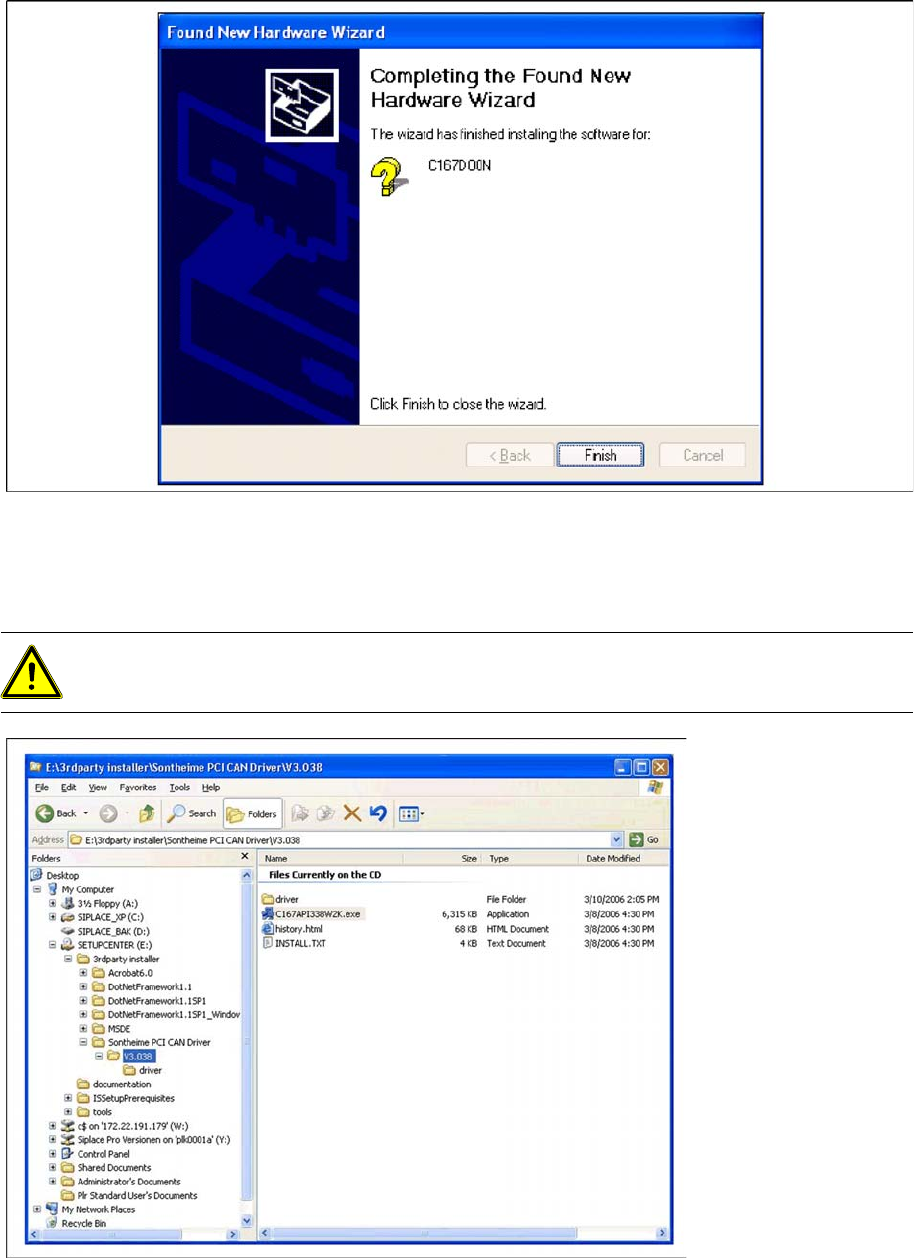
X Click on Finish to finish the installation.
6.2.4.3 Installing the CAN Bus API
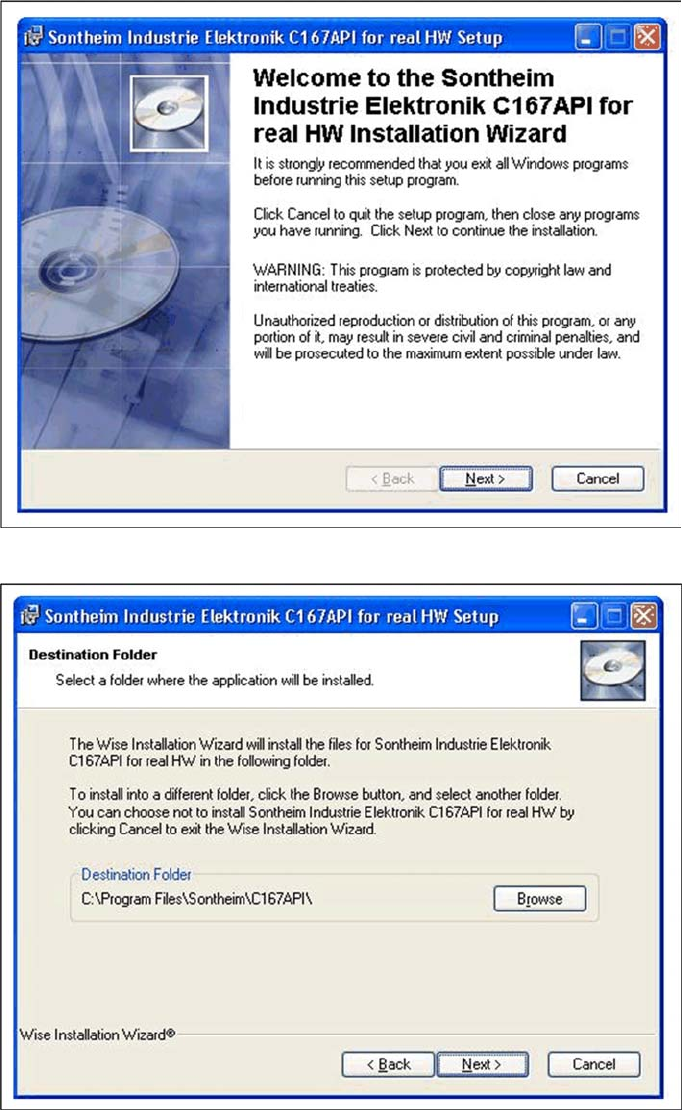
X Open the folder \3rdparty installer\Sontheime PCI CAN Driver\V3.038 and select the application
C167API338W2K.exe on the Setup Center installation CD.
ATTENTION:
The old CAN Bus API must be uninstalled before you install the new one.
Installation
Hardware Installation Optional: Docking Station
40 Installation Manual SIPLACE Setup Center V3.0
X Click on Next to continue.
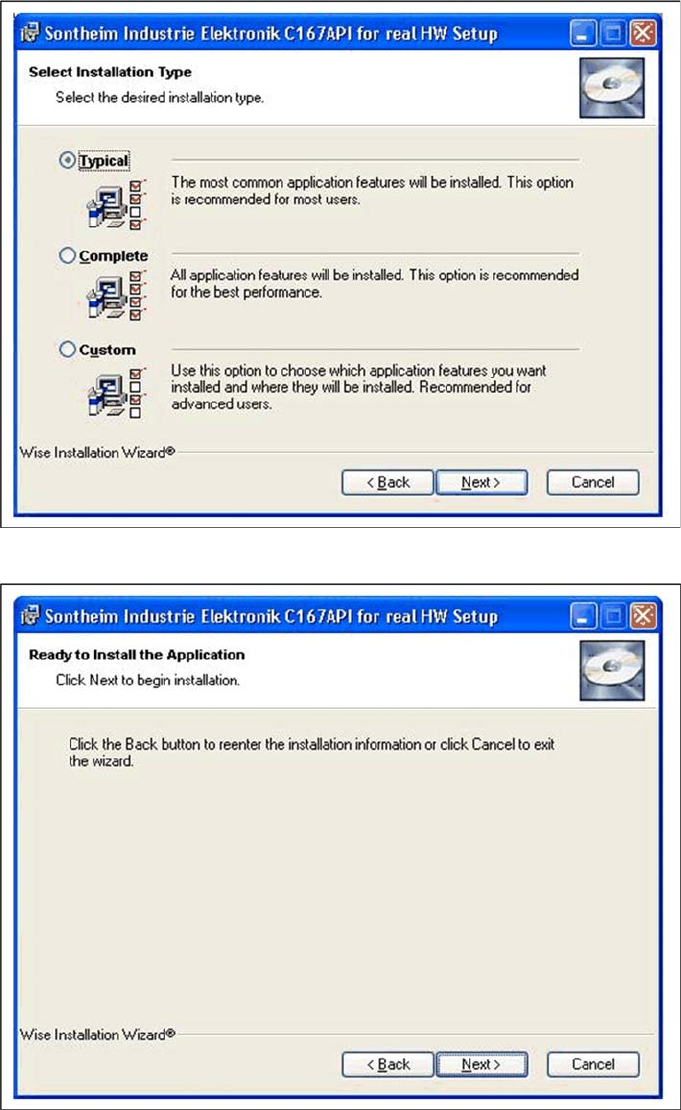
X Click on the Next to install into the default folder. To change the destination location, click the Browse
button.
Installation
Optional: Docking Station Hardware Installation
Installation Manual SIPLACE Setup Center V3.0
41
X Select the Typical installation Type and then click Next
X Click on Next to continue. The CAN Bus API software will be installed