00195642-01_IM-SetupCenter-3.0_EN.pdf - 第43页
Installation Optional: Docking Station Hardware Installation Installation Manual SIPLACE Setup Center V3.0 43 6.2.4.4 Insta lling Docking S t ation Safety Instructions Setting the CAN Bus Address You need to set a CAN Bu…
Installation
Hardware Installation Optional: Docking Station
42 Installation Manual SIPLACE Setup Center V3.0
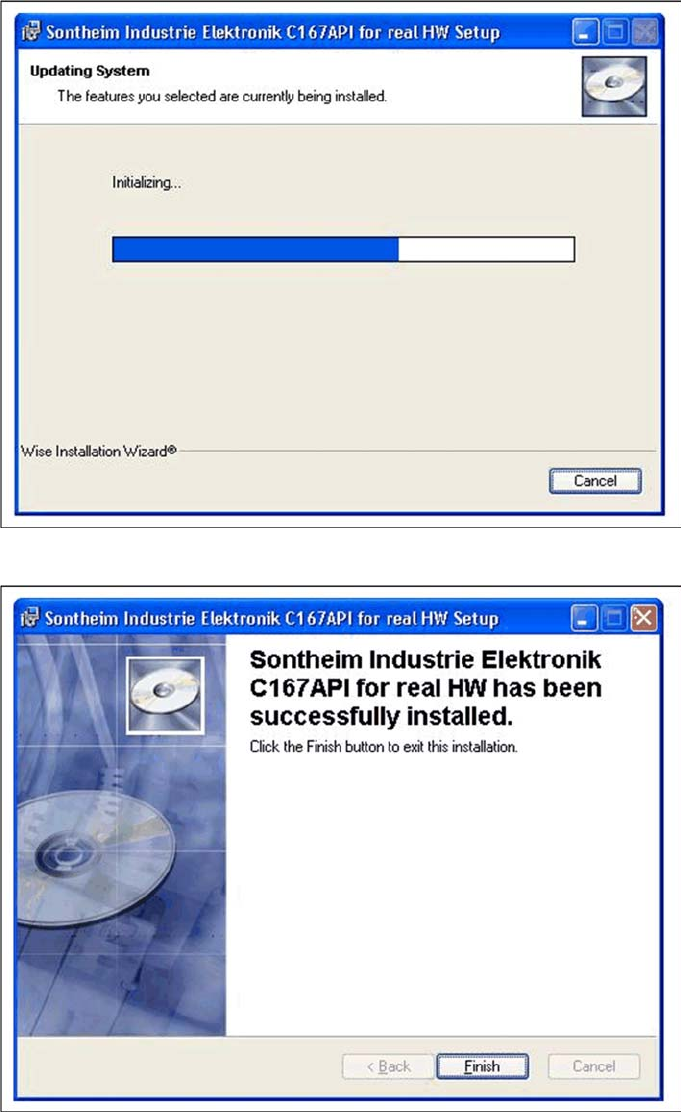
After the installation has been completed, the following dialog box will be opened.
X Click on Finish to finish the installation.
Installation
Optional: Docking Station Hardware Installation
Installation Manual SIPLACE Setup Center V3.0
43
6.2.4.4 Installing Docking Station
Safety Instructions
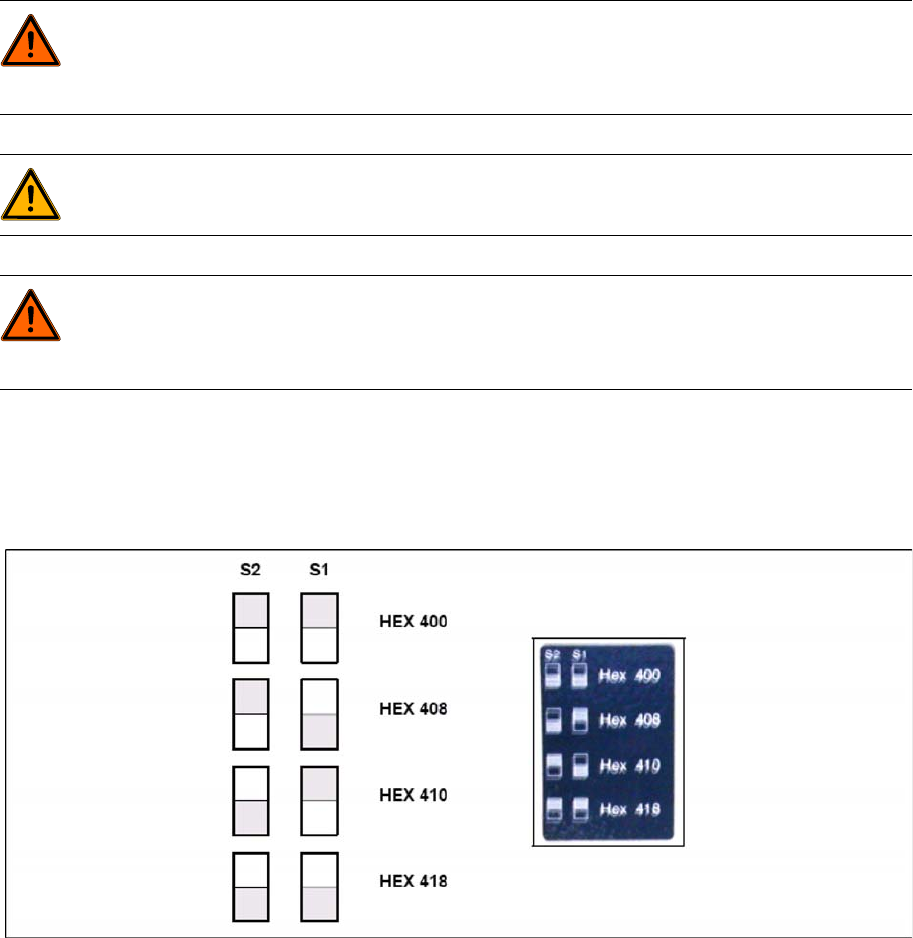
Setting the CAN Bus Address
You need to set a CAN Bus address for each docking station. This CAN Bus address must be different
for each docking station.
X Set the CAN Bus address for the docking station.
6-11: Docking station: CAN bus addresses
X Make sure that you only assign each address once, when setting the CAN Bus address.
Establishing a Data Connection
Establish a data connection between the docking station and the Setup Center PC. This data connection
is realized via a CAN Bus. Ensure that you have already installed the CAN card in your PC.
Connect the CAN cable to the docking station and the PC. This CAN cable has 5 connections, one of
which you can use for the PC. This leaves 4 other connections, allowing you to connect up to 4 docking
stations with this cable.
X Connect the CAN cable to the CAN connection at your docking station. This can be found on the
back of the docking station.
X Connect the CAN cable to the CAN card on the PC (CAN Bus 1 or 2).
DANGER:
Make sure that nobody is using the connected component trolley, when you switch the power
on.
The device must not be opened or tampered with.
WARNING:
Do not connect the device during placement or when installed inside the placement machine.
DANGER:
Never cover the air discharge opening in the integrated fan and the ventilation slits on the side
of the device!
Covering these could lead to overheating and destruction of the power pack.
Installation
Hardware Installation Optional: Docking Station
44 Installation Manual SIPLACE Setup Center V3.0
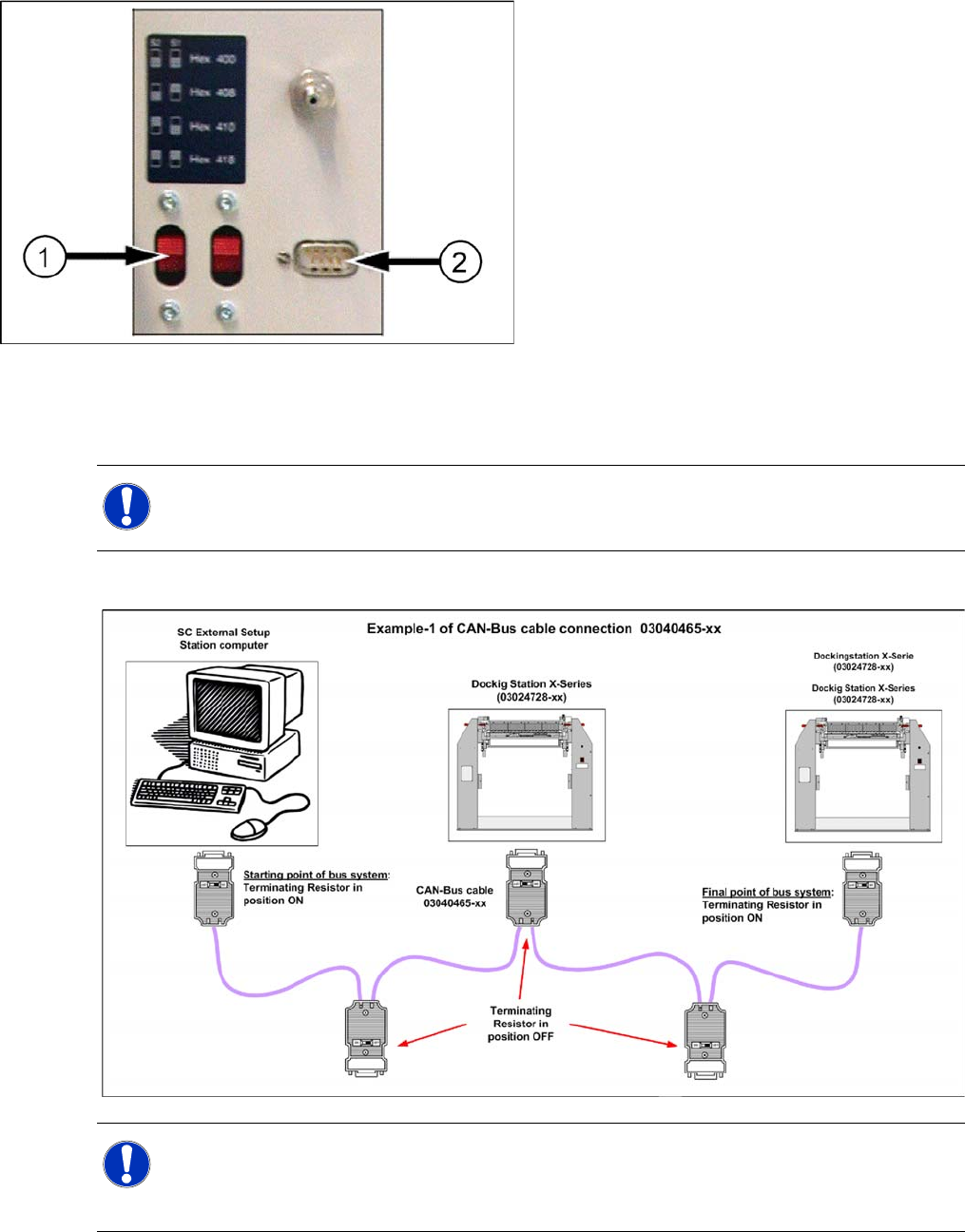
See the connection scenarios below for CAN Bus cable connection.
CAN Bus Cable Connection Examples
Connection Example 1
Legend:
1. CAN Bus Address Switch
2. CAN Connection
NOTE:
The first and the last terminating resistor must always be switched ON and the other switched
OFF independent of the number of docking stations.
NOTE:
The integrated terminal resistor can be connected and simultaneously connects / disconnects
the outgoing bus cable when deactivating / activating. This allows an easy start up of the bus
system one segment at a time.