00195642-01_IM-SetupCenter-3.0_EN.pdf - 第82页
Installation Steps to perform after Installation Motorola / Symbol MC70 Scanner Configuration 82 Installation Manual SIPLACE Setup Center V3.0 You can change the following scan pa rameters here: Aiming Duration (ms): S…
Installation
Motorola / Symbol MC70 Scanner Configuration Steps to perform after Installation
Installation Manual SIPLACE Setup Center V3.0
81
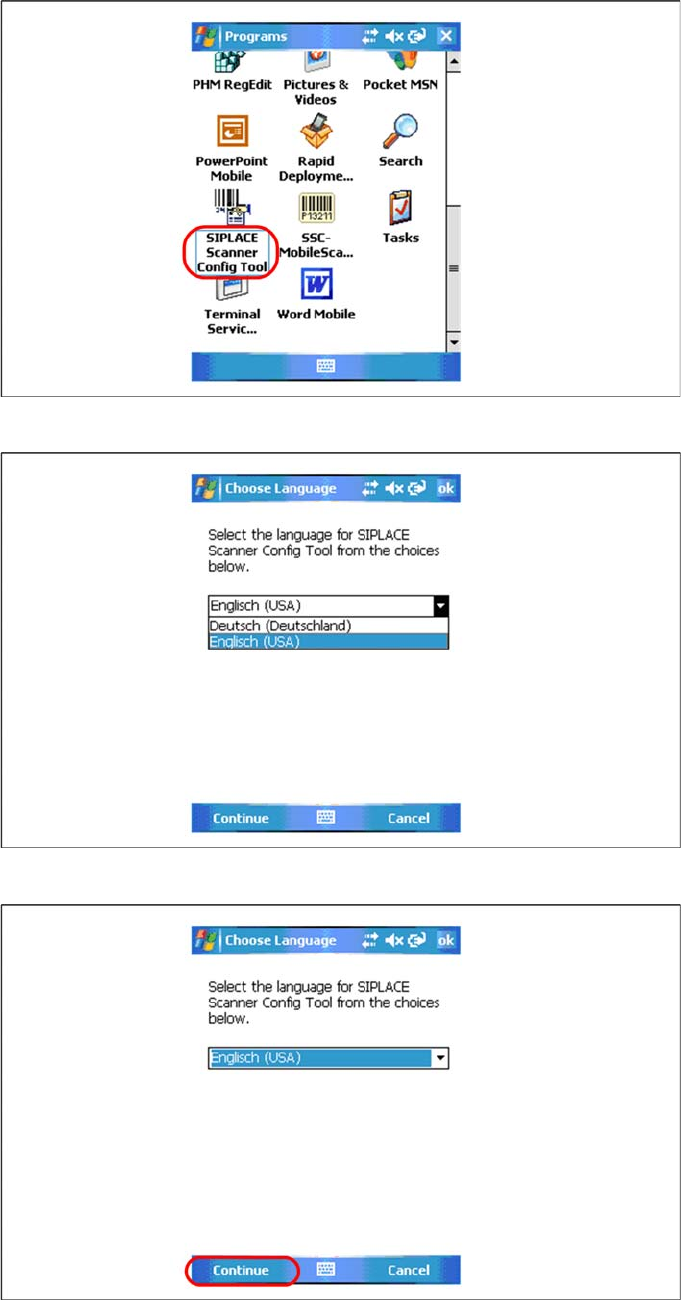
X Select SIPLACE Scanner Config Tool to continue.
X Choose the language from list.
X Press Continue to proceed.
Installation
Steps to perform after Installation Motorola / Symbol MC70 Scanner Configuration
82 Installation Manual SIPLACE Setup Center V3.0
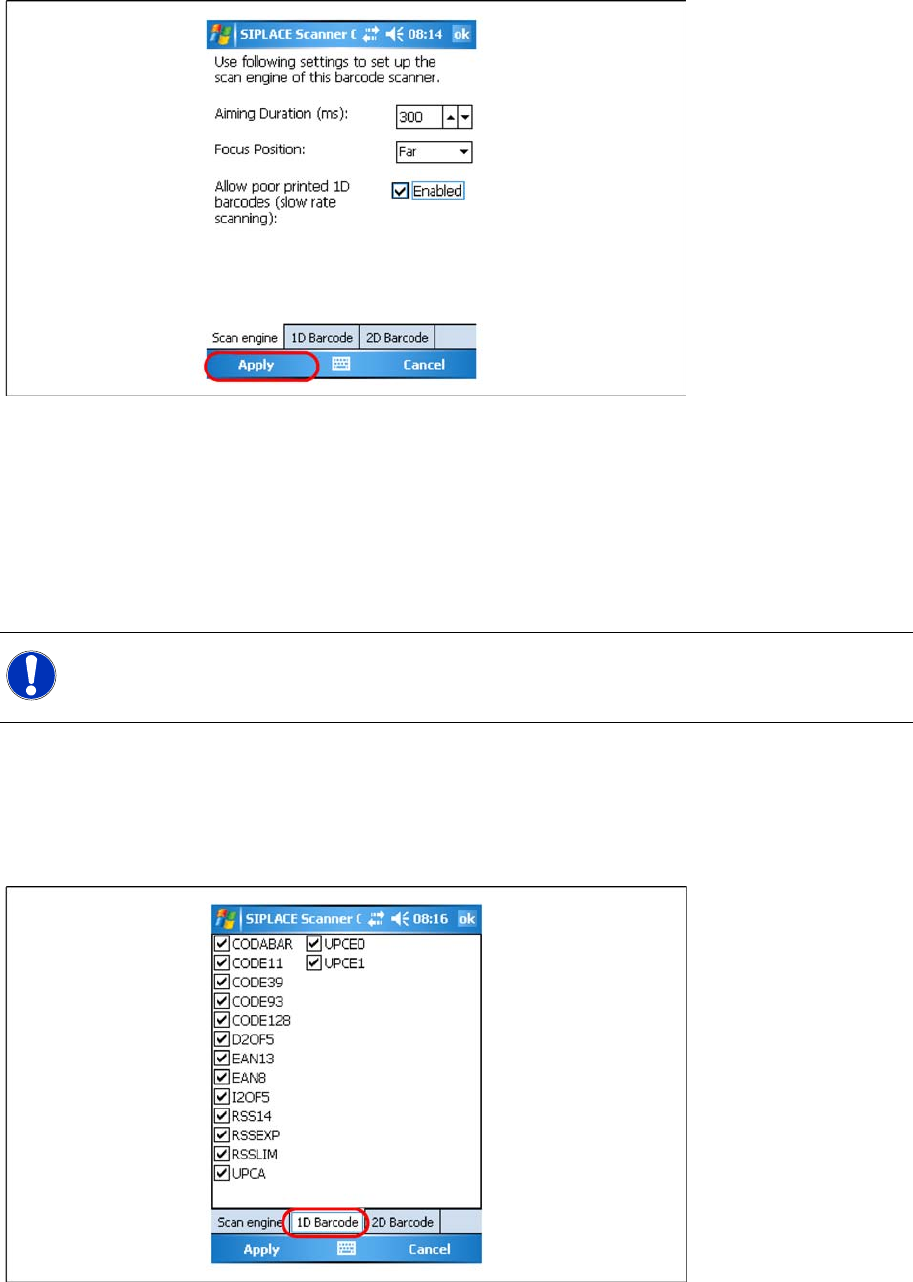
You can change the following scan parameters here:
Aiming Duration (ms):
Sets the time, how long a user is able to target a barcode with target laser.
Focus Position:
– Far: You have to focus a barcode in scan range of about 23 cm (9 inches).
– Near: You have to focus a barcode in scan range of about 13 cm (5 inches).
Allow poor printed 1D barcodes (slow rate scanning):
Use this setting, if most of your barcodes cannot be read in case of light damage.
X Press Ok or Apply to save the settings.
Setting 1D or 2D barcodes for MC70 Scanner
X Choose the allowed 1D barcodes for your MC70 Scanner here.
NOTE:
This setting is depending on barcode size. If you have problems to read your 1D barcodes with
small size, change the setting to “Near”.
Installation
Motorola / Symbol MC70 Scanner Configuration Steps to perform after Installation
Installation Manual SIPLACE Setup Center V3.0
83
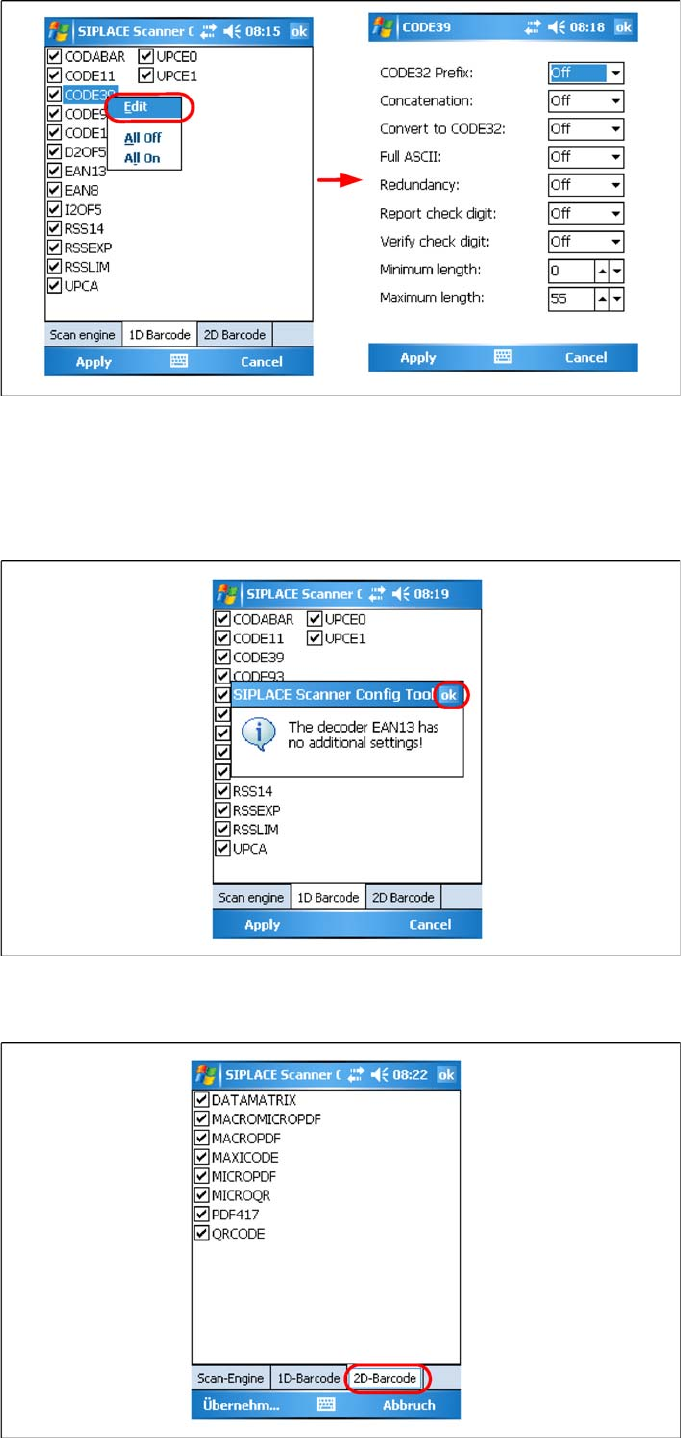
X Right click on a barcode to open the context menu:
Edit: Additional barcode settings
All Off: Select none of the barcodes in the list
All On: Select all the barcodes in the list
X If there is no addional settings for this barcode available, press Ok to close the window.
X Press Ok or Apply to save the settings.