YC8_Mainte_E.pdf - 第46页
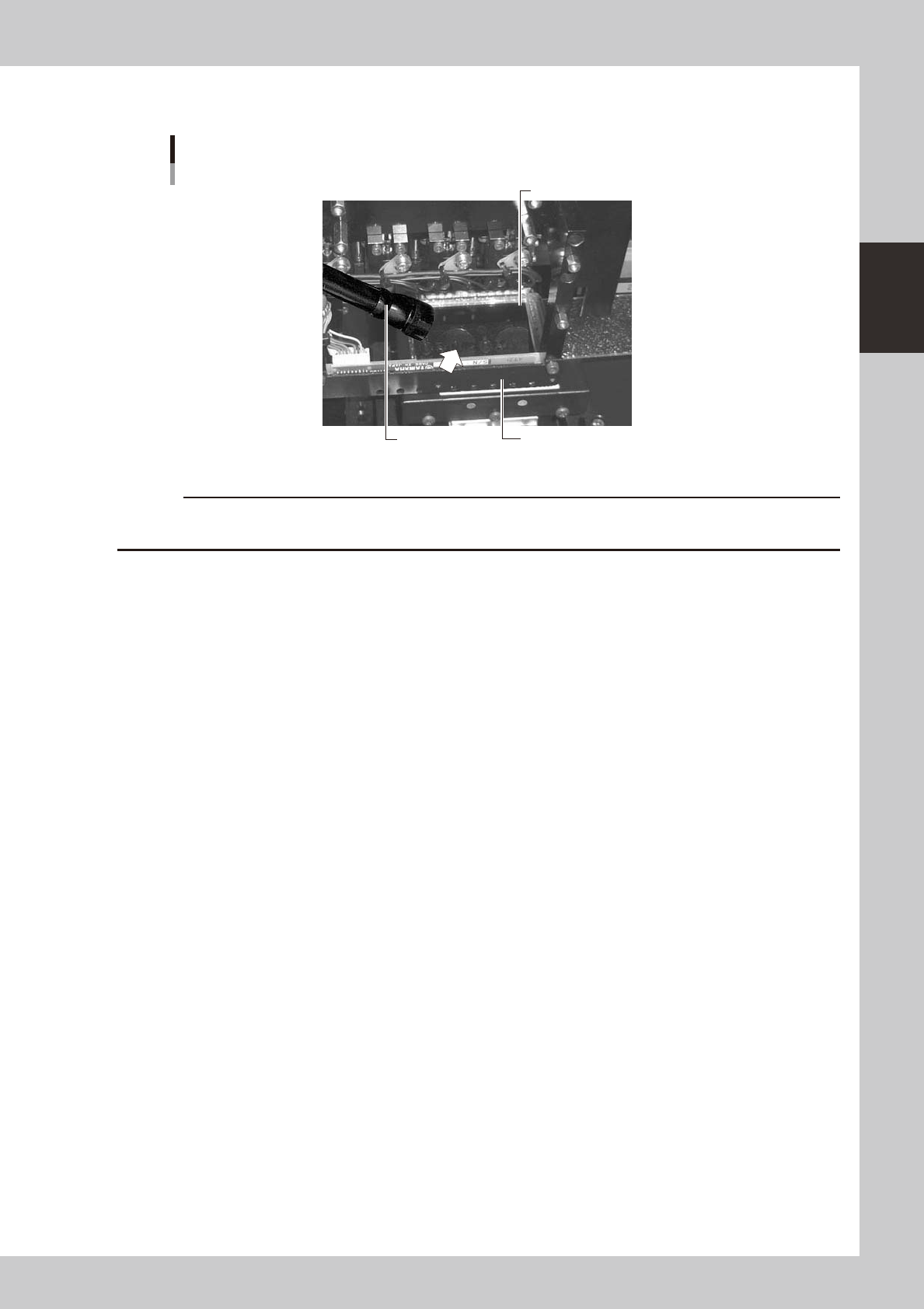
2-3 2 Daily maintenance items n Leave the nozzle installed and check with a hand mirror and flashlight. Hand mirror Multi-vision camera Flashlight Check with a hand mirror . 53201-N8-00 c …
2-2
2
Daily maintenance items
1. Checking the nozzle
Solder sticking to the nozzle tip or a clogged nozzle hole can cause component pickup errors and
recognition errors. Poor nozzle spring action can also cause pickup and mounting errors. To prevent such
problems periodically inspect and clean each nozzle.
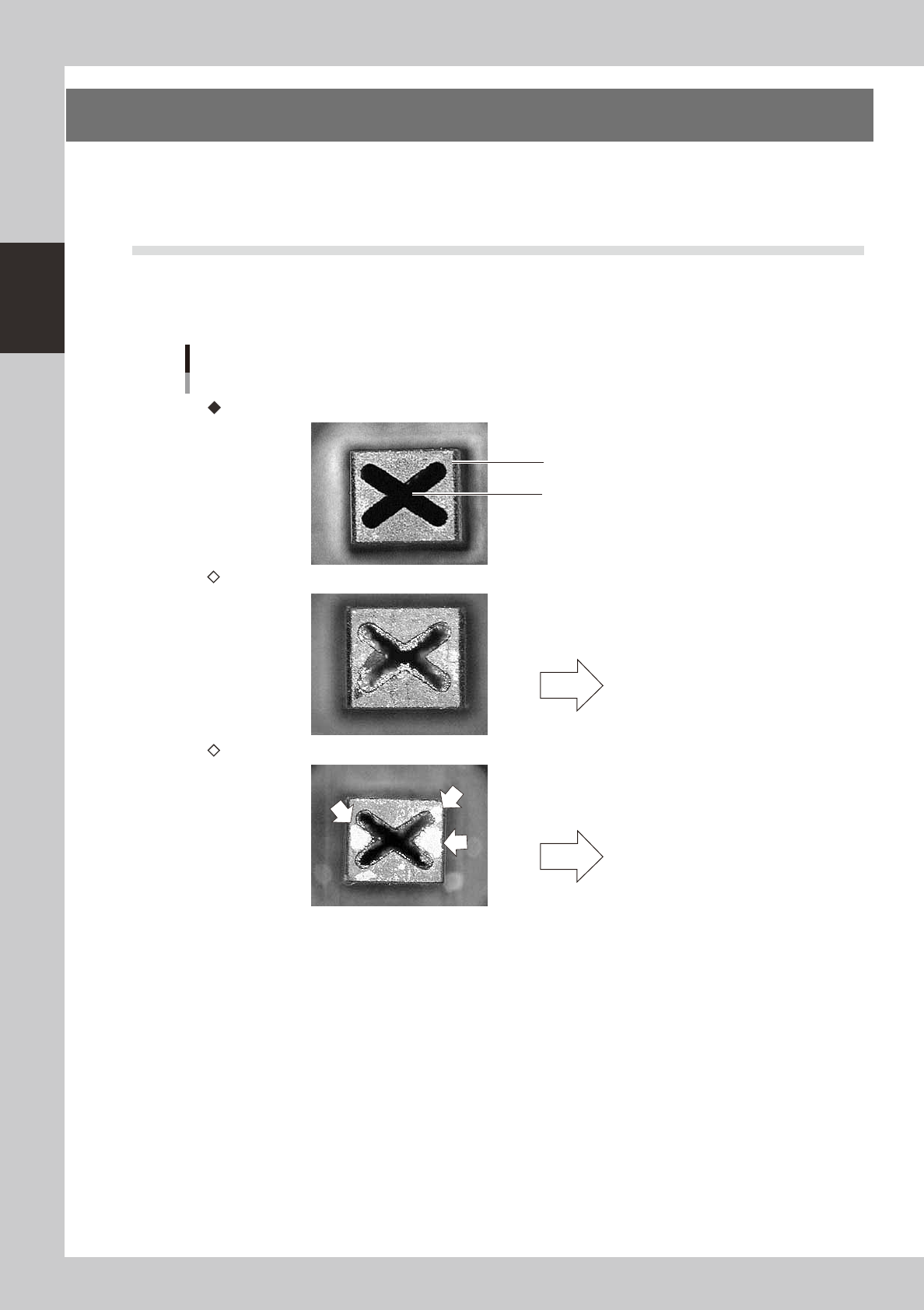
1.1 Checking the nozzles visually
Use either of the following two methods to check the nozzle tip visually.
n
Remove the nozzle and check with a magnifying glass or similar tool.
Nozzle tip
Solder is sticking to nozzle hole.
Solder is sticking to nozzle tip
Nozzle hole
Nozzle state
This causes pickup or
mounting errors.
This causes recognition
errors.
Normal condition
Clogged nozzle (NG)
Shiny material on tip (NG)
53200-N8-00
2-3
2
Daily maintenance items
n
Leave the nozzle installed and check with a hand mirror and flashlight.
Hand mirror
Multi-vision camera
Flashlight
Check with a hand mirror.
53201-N8-00
c
2-4
2
Daily maintenance items
2. Cleaning the feeder plate
Chips or foreign matter falling on the feeder plate may bite into the surface during feeder setting and cause
the pickup position to deviate. Periodic inspection and cleaning are recommended to prevent this problem.
n
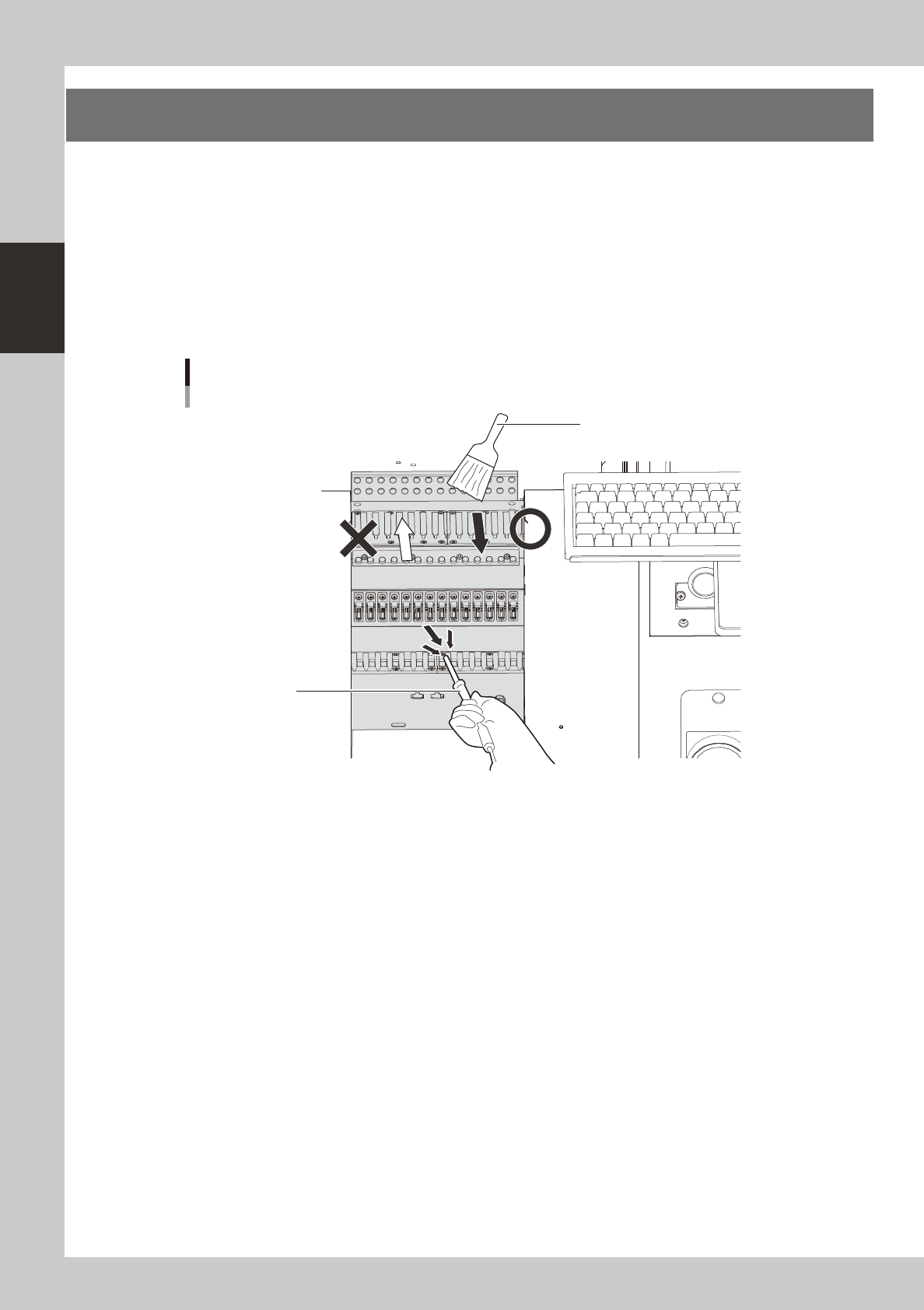
Cleaning with the brush
Clean the feeder plate with the optional brush as shown in the figure below.
n
Cleaning with the vacuum ASSY
Connect the optional vacuum ASSY (KHY-M88V0-A0X) to the air connector on the front of the machine and suck in fine
dust particles to clean the feeder plate.
Cleaning the feeder plate
Cleaning brush
Vacuum ASSY
53202-N8-00