YC8_Mainte_E.pdf - 第47页
2-4 2 Daily maintenance items 2. Cleaning the feeder plate Chips or foreign matter falling on the feeder plate may bite into the surface during feeder setting and cause the pickup position to deviate. Periodic inspection…
2-3
2
Daily maintenance items
n
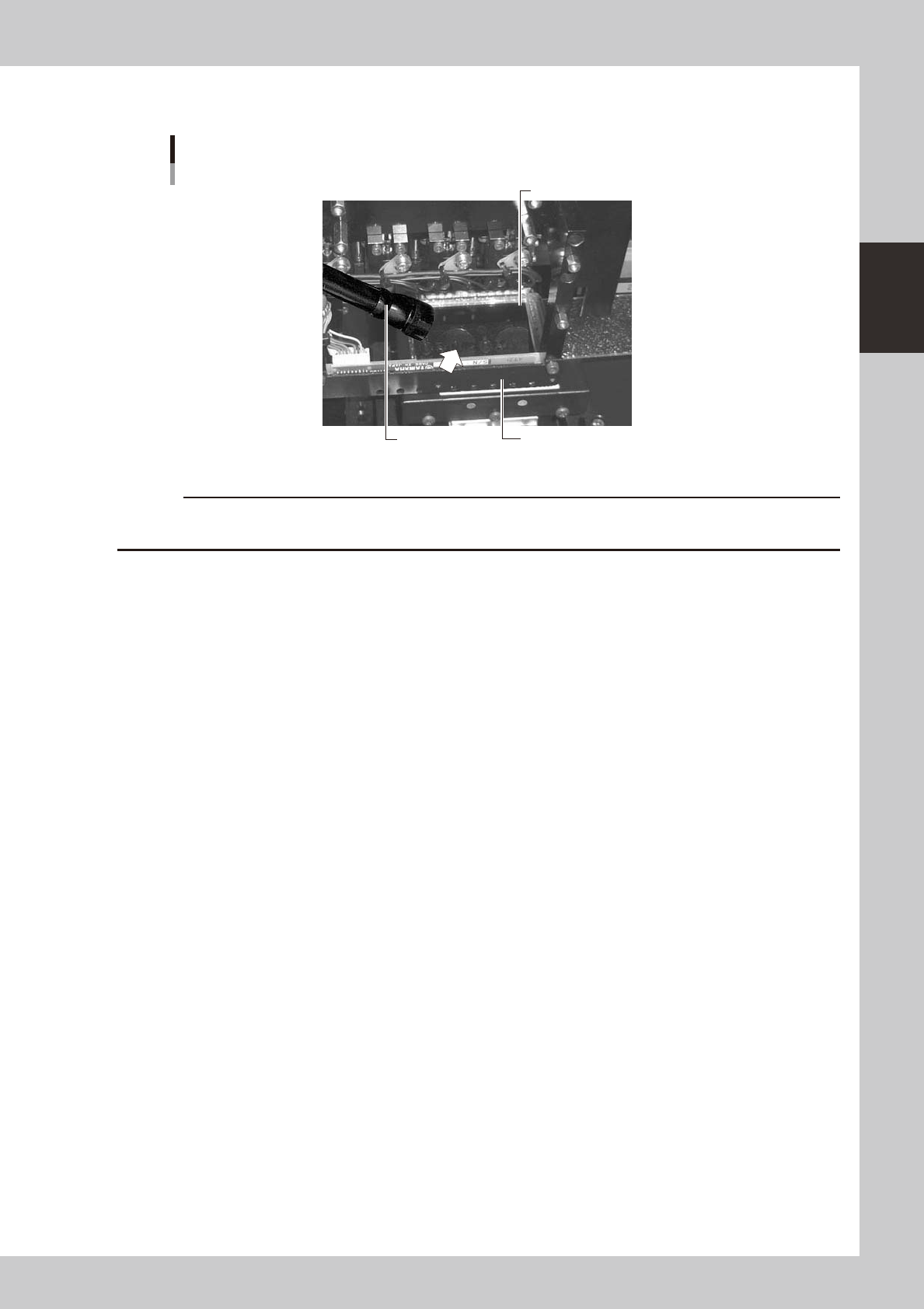
Leave the nozzle installed and check with a hand mirror and flashlight.
Hand mirror
Multi-vision camera
Flashlight
Check with a hand mirror.
53201-N8-00
c
2-4
2
Daily maintenance items
2. Cleaning the feeder plate
Chips or foreign matter falling on the feeder plate may bite into the surface during feeder setting and cause
the pickup position to deviate. Periodic inspection and cleaning are recommended to prevent this problem.
n
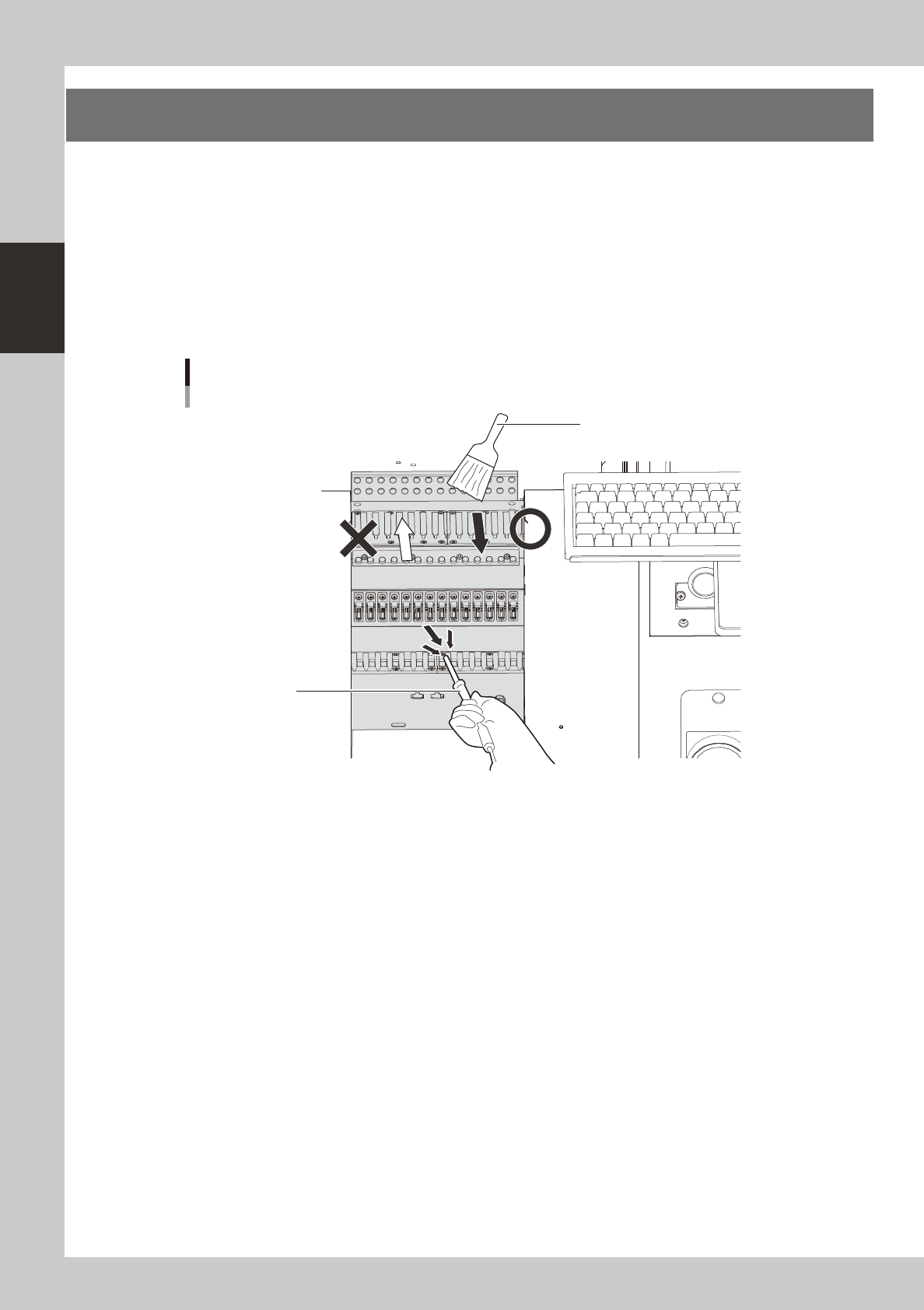
Cleaning with the brush
Clean the feeder plate with the optional brush as shown in the figure below.
n
Cleaning with the vacuum ASSY
Connect the optional vacuum ASSY (KHY-M88V0-A0X) to the air connector on the front of the machine and suck in fine
dust particles to clean the feeder plate.
Cleaning the feeder plate
Cleaning brush
Vacuum ASSY
53202-N8-00
2-5
2
Daily maintenance items
3. Cleaning the camera protective glass
Dirt or dust particles sticking to the protective glass of the multi-view camera may cause recognition errors.
Periodic inspection and cleaning are recommended to prevent this problem.
e
To ensure the safety, make sure that the emergency stop button is pressed or the machine power switch is
turned off before starting this work.
n
Items to be prepared
• Lens blower brush (option)
• Lint-free cleaning cloth or paper towel
• Lens cleaner (option)
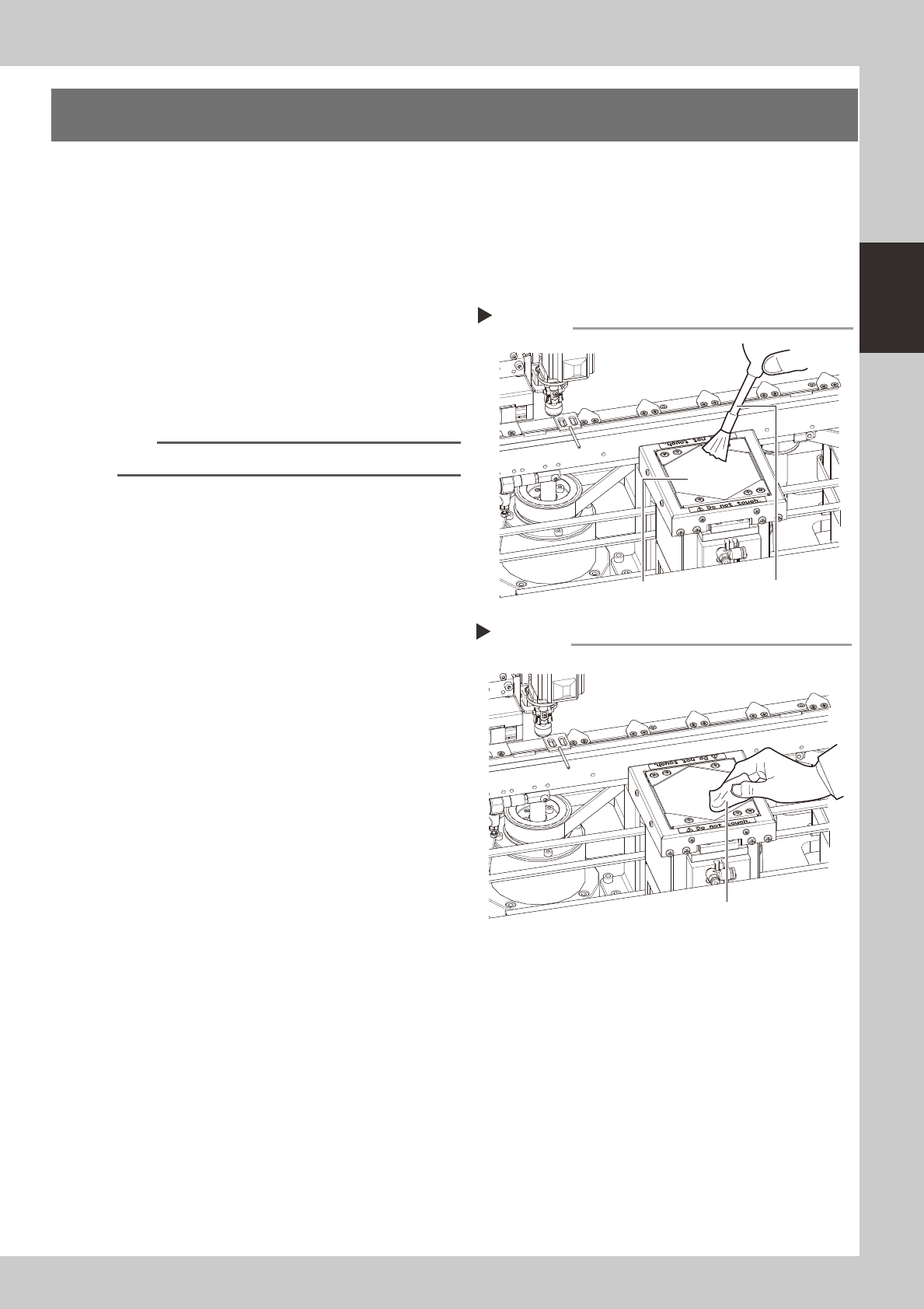
1
Remove dust on the protective glass
with the lens blower brush.
53203-N8-00
TIP
The lens blower brush is an optional part.
2
Wipe the protective glass with a
lint-free cleaning cloth.
Apply a few drops of lens cleaner to a
lint-free cleaning cloth and wipe the
protective glass.
53204-N8-00
Blowing off dust with the blower brush
Step 1
Lens blower brushProtective glass
Wiping the protective glass with a lint-free cleaning cloth
Step 2
Lint-free cleaning cloth