YC8_Mainte_E.pdf - 第52页
3-3 3 Periodic maintenance items 1.1.3 Inspecting the nozzle holding force P eriodically inspect the nozzle holding condition of the leaf springs. • If the holding force of the nozzle leaf springs is unstable, this ma y …
3-2
3
Periodic maintenance items
1.1.2 Cleaning Type 64A and 65A nozzles
n
Required tools
• Air blow tool (option)
• IPA (isopropyl alcohol)
• Fine brush (toothbrush, etc.)
• Cleaning rag (clean rag)
• Precision slotted screwdriver
c
e
1
Remove the nozzle from the head.
Always first press the emergency stop button
and then remove the nozzle from the head.
The machine must be in emergency stop to
ensure safety during work.
2
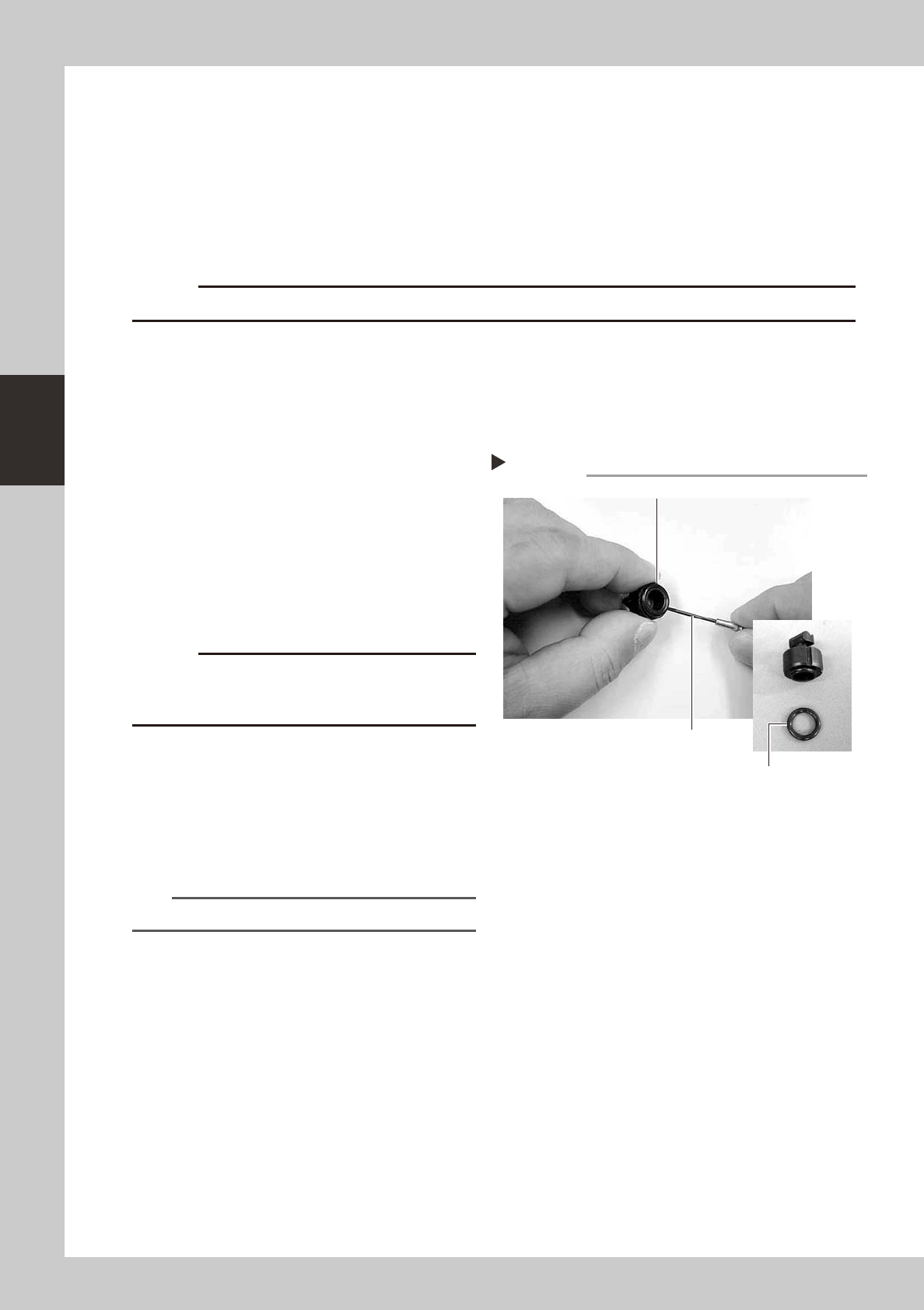
Remove the O-ring.
Using a precision slotted screwdriver, remove
the O-ring from the nozzle tip while being
careful not to damage the O-ring.
53308-L6-00
3
Clean the nozzle.
Immerse the nozzle in isopropyl alcohol and
then clean it with a fine brush. Wipe the
O-ring with a cleaning rag.
c
when immersed in alcohol.
4
Blow air through the nozzle.
Using an air blow tool, blow air through the
nozzle.
5
Reattach the nozzle to the head.
Fit the O-ring to the nozzle tip and reattach
the nozzle to the head.
n
NOTE
Replace the O-ring if it is worn or damaged.
Removing O-ring from the nozzle
Step 2
Removed O-ring
Precision slotted screwdriver
Remove O-ring.
3-3
3
Periodic maintenance items
1.1.3 Inspecting the nozzle holding force
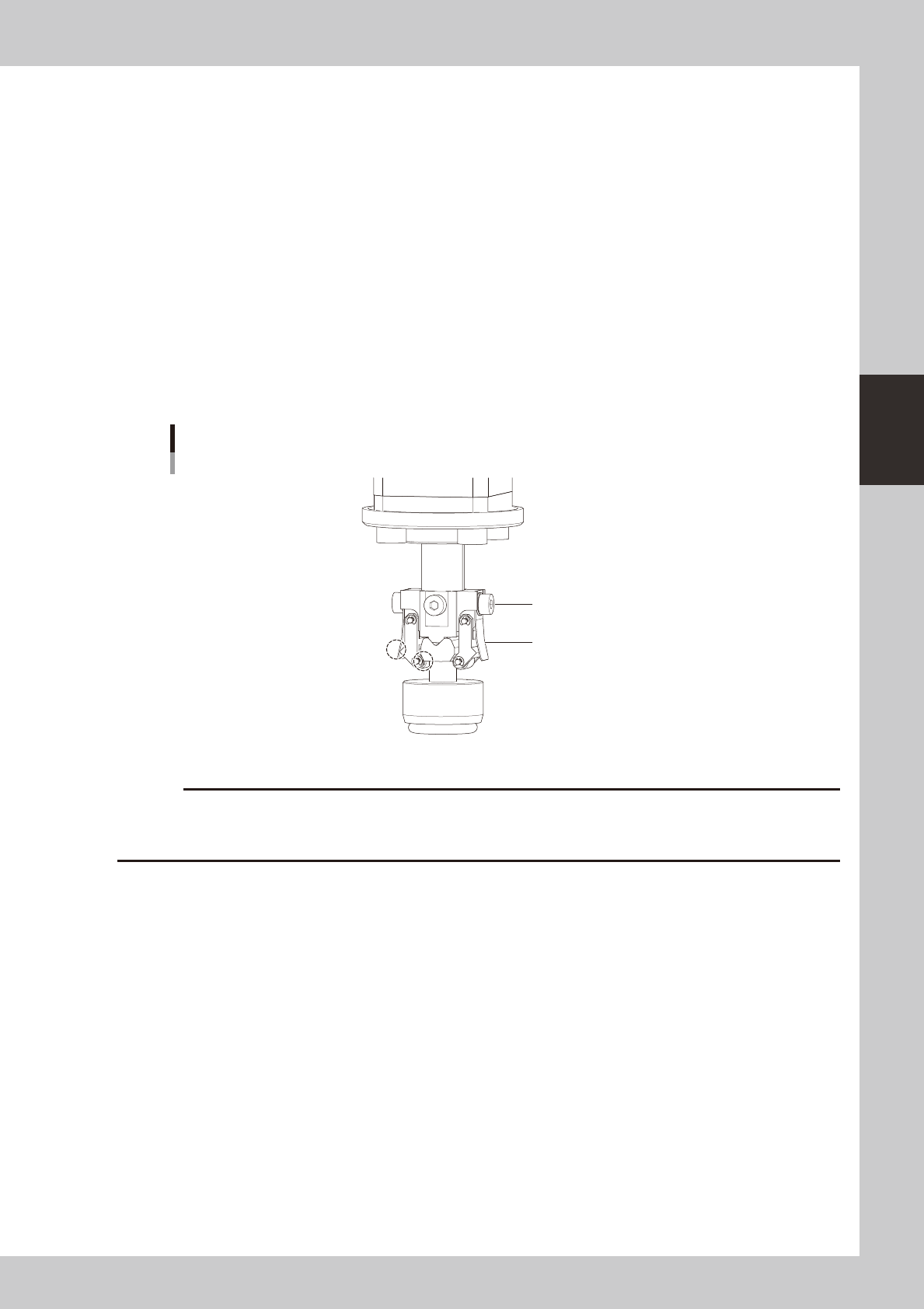
Periodically inspect the nozzle holding condition of the leaf springs.
• If the holding force of the nozzle leaf springs is unstable, this may adversely affect the pickup, recognition, and
mounting.
• If the roller lock is loose, this may adversely affect the nozzle holding force.
• If the roller is scratched, this may cause recognition errors.
n
Leaf spring and roller inspection points
Check the following points by removing the nozzle and reattaching it to the nozzle holder.
• The leaf spring has enough holding force.
• With the nozzle attached, there are no gaps between the leaf springs and the rollers and between the rollers and the
nozzle
• No nozzle leaf springs are deformed.
• No screws are loose.
• No rollers are scratched.
Checking the leaf spring condition
Screw should
be tightened.
Leaf spring should not be
warped or deformed.
There should be
no gap.
53303-N8-00
c
3-4
3
Periodic maintenance items
1.2 Checking the conveyor sensor condition and operation
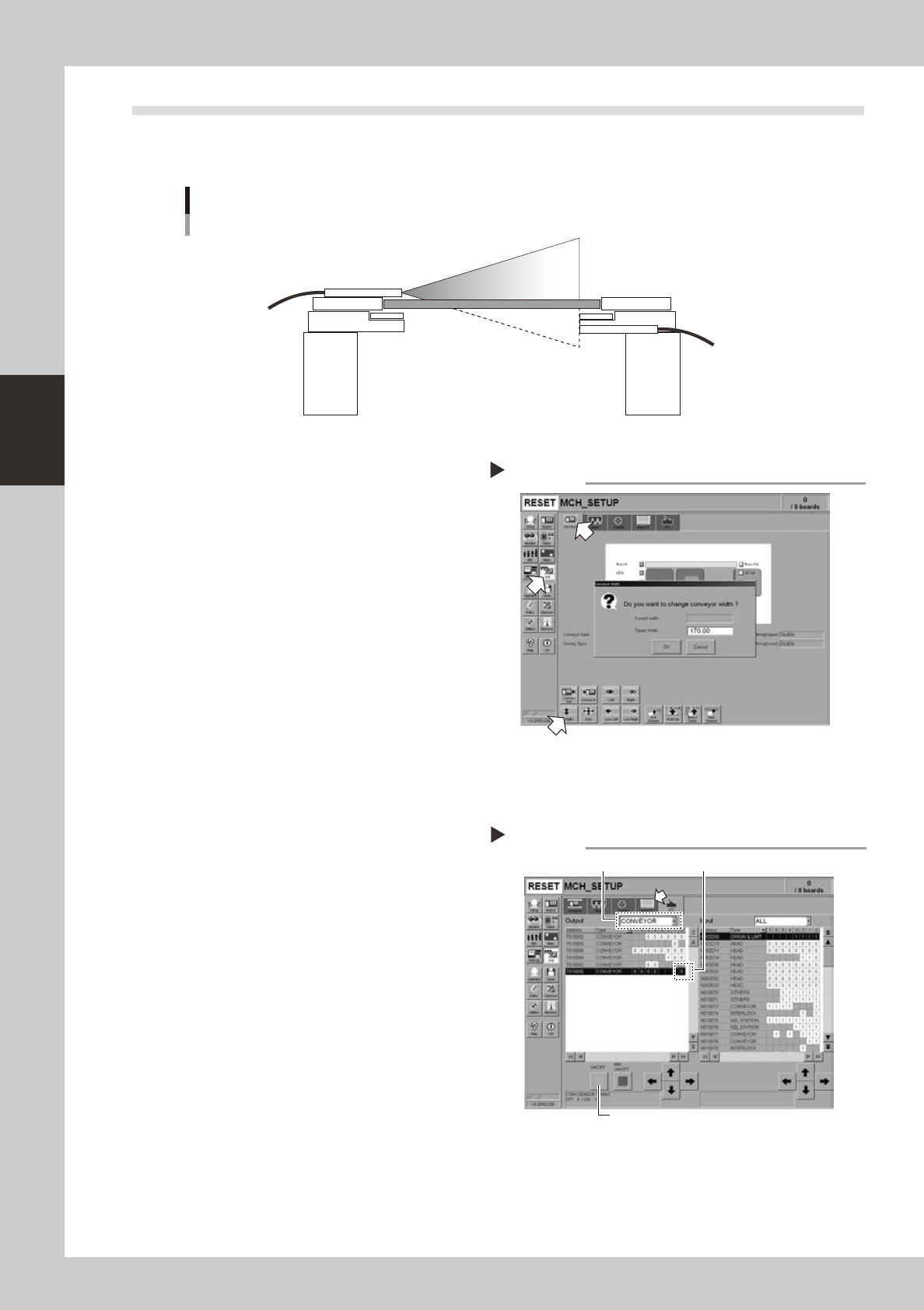
This machine uses a transmission mode fiber sensor as the conveyor sensor.
Check whether the sensor operates correctly even when the conveyor rail width is changed.
Checking the conveyor sensor condition and operation
Light emitter
Light
sensor
53304-N8-00
1
Open the [Unit] – [Conveyor] tab.
2
Press the [Width] button to change
the conveyor width.
In the "Conveyor Width" dialog box that
appears, enter a conveyor width and press
[OK].
The conveyor is changed to the width that
was just entered.
3
Check whether an error has
occurred.
The conveyor sensor is operating properly
unless an error message appears when the
conveyor width is changed. No further check
is necessary.
54301-N8-00
n
If an error message appears, then adjust the sensor with the procedure below.
· Adjusting the conveyor sensor
If an error occurred when the conveyor width was
changed, check the output status of the conveyor
sensor.
1. Open the [Unit] – [I/O] tab.
2. From the "Output" drop-down list, select
"CONVEYOR".
3. Select "CONV SENSOR TUNING" (T01000E) in the
output I/O list.
4. Press the [ON/OFF] button to switch the I/O status
from "0" (OFF)
→
"1" (ON)
→
"0" (OFF) to perform
auto tuning.
5. On the [Unit] – [Conveyor] tab, press the [Axis]
button again and change the conveyor width. The
sensor is operating properly unless an error message
appears.
54302-N8-00
Checking the conveyor sensor
Step 1-3
Conveyor sensor tuning
2
3
4