YC8_Mainte_E.pdf - 第72页
3-23 3 Periodic maintenance items 3.1.7 Cleaning and greasing the Z and CZ axis ball screws n Required tools • Lint-free cleaning cloth or paper towel • Specified grease: NSL • Square cloth c Always wear protecti…
3-22
3
Periodic maintenance items
3.1.6 Checking the negative pressure
After cleaning the spline shafts, check the negative pressure (vacuum level) generated in each head.
1
After assembly, check the vacuum
levels.
1. Leave nozzles detached from the heads.
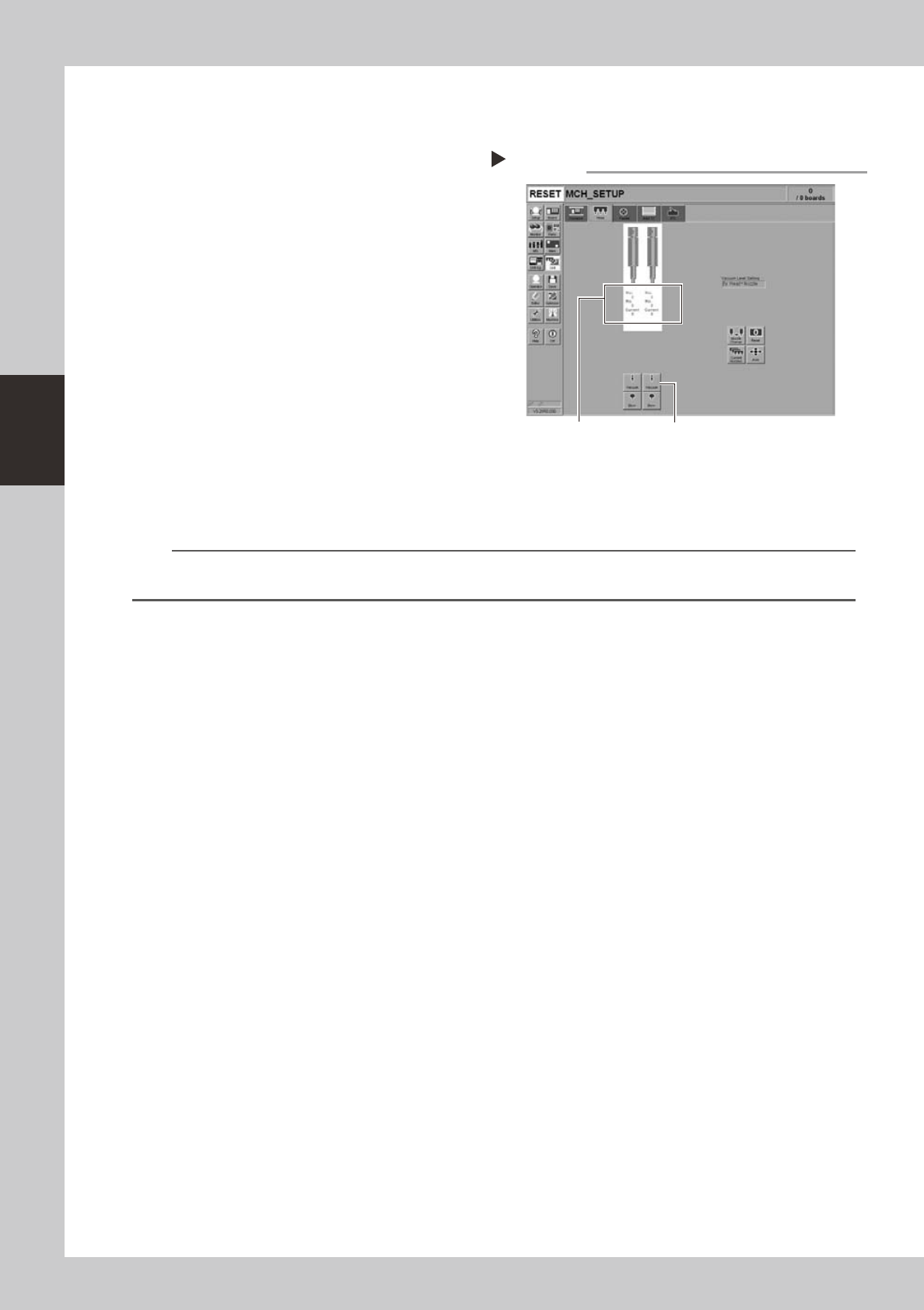
2. Open the [Unit]-[Head] tab screen and
press the [Vacuum] button to generate a
negative pressure. Read the "Max" values
shown on the screen and determine
whether the vacuum levels are
appropriate by referring to the criteria
below.
54310-N8-10
2
Reattach the nozzles.
Attach the nozzles by hand back to the
heads.
n
Vacuum level criteria in spline air path
When nozzle is open : 70 or less
When nozzle is sealed : 190 or more
n
NOTE
The vacuum level in the spline shaft air path might sometimes differ slightly depending on the air source and operating
conditions. Use the above criteria for reference during maintenance.
Checking the vacuum level
Step 1
[Vacuum] buttonRead "Max" values.
3-23
3
Periodic maintenance items
3.1.7 Cleaning and greasing the Z and CZ axis ball screws
n
Required tools
• Lint-free cleaning cloth or paper towel
• Specified grease: NSL
• Square cloth
c
Always wear protective goggles and gloves when using grease.
c
e
1
Make the preparations for the
work.
1. Put square bandages a square cloth on
the conveyor.
2. Remove all nozzles.
3. Press the emergency stop button to put
the machine in the emergency stop
state.
2
Clean the ball screws.
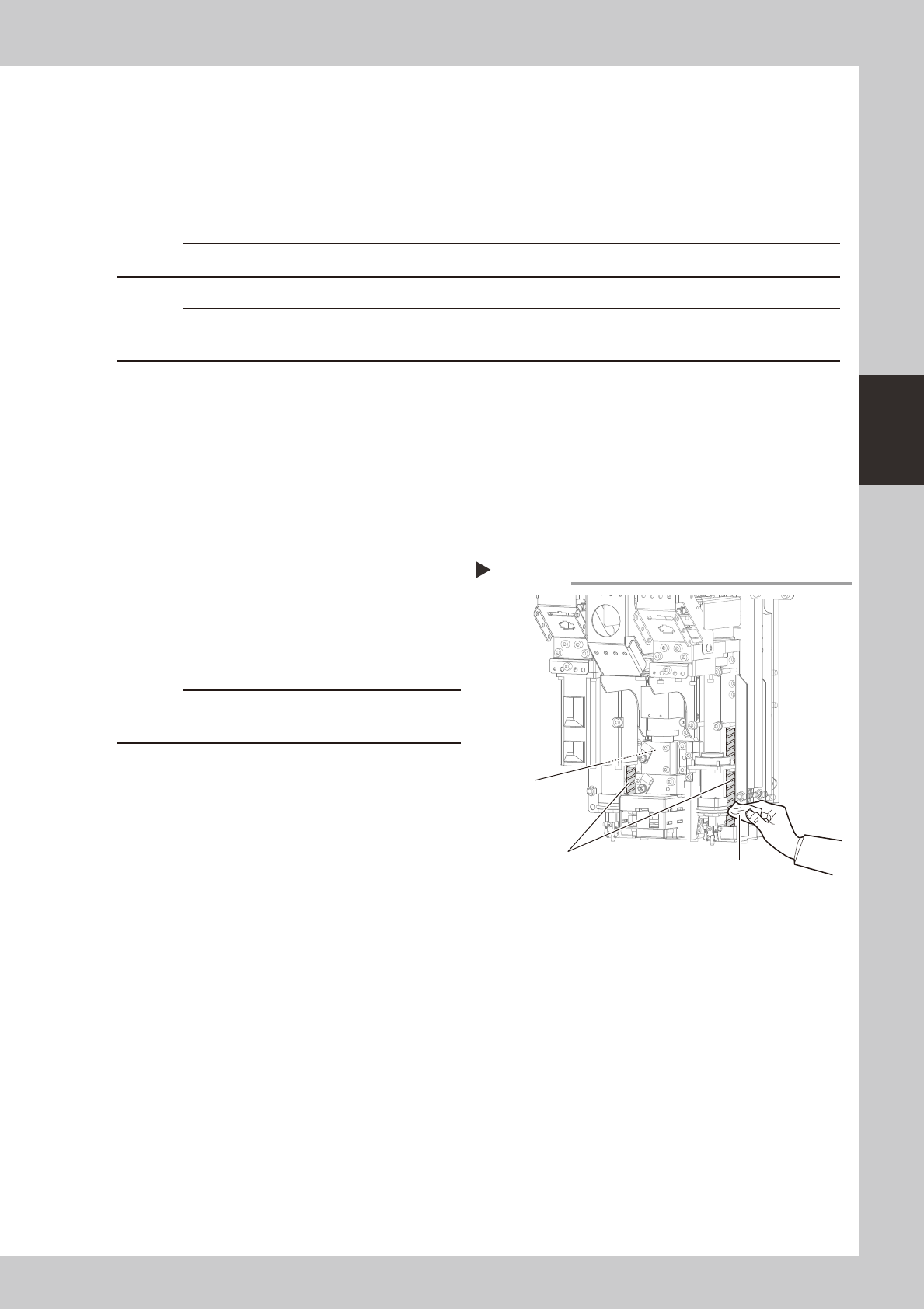
1. Move the head to the upper end.
2. Wipe the entire ball screw with a
cleaning paper.
53324-N8-00
c
Wipe away thoroughly the old grease in the grooves of
the ball screw.
3
Apply grease to the ball screws.
Apply grease to the entire ball screw by
hand.
4
Wipe away excess grease.
Move the head up and down several times
by hand, and then wipe away excess
grease.
Cleaning the Z, CZ-axis ball screws
Step 2
Z-axis ball screws
CZ-axis
ball screws
Cleaning cloth
3-24
3
Periodic maintenance items
3.2 Base and other units
3.2.1 Inspecting and cleaning the air/mist filters
Air/mist filters are used to prevent oil, mist and other impurities in the air compressor from penetrating into the
machine. These filters should be inspected and cleaned periodically as instructed below.
c
the air coupler.
n
Required tools
• Neutral detergent
• Air blow tool
• Cleaning rag
c
n
Cleaning the filter cup
1
Check the inside of the filer cup.
Check for oil or water deposits in the filter
cup through the window. If the window is
dirty, follow the steps below to clean the
filter cup.
TIP
The drain cock at the bottom of the filter cup is an
auto-drain type. It automatically drains the oil or water
when deposited in the cup. We recommend
connecting a hose to this drain cock.
2
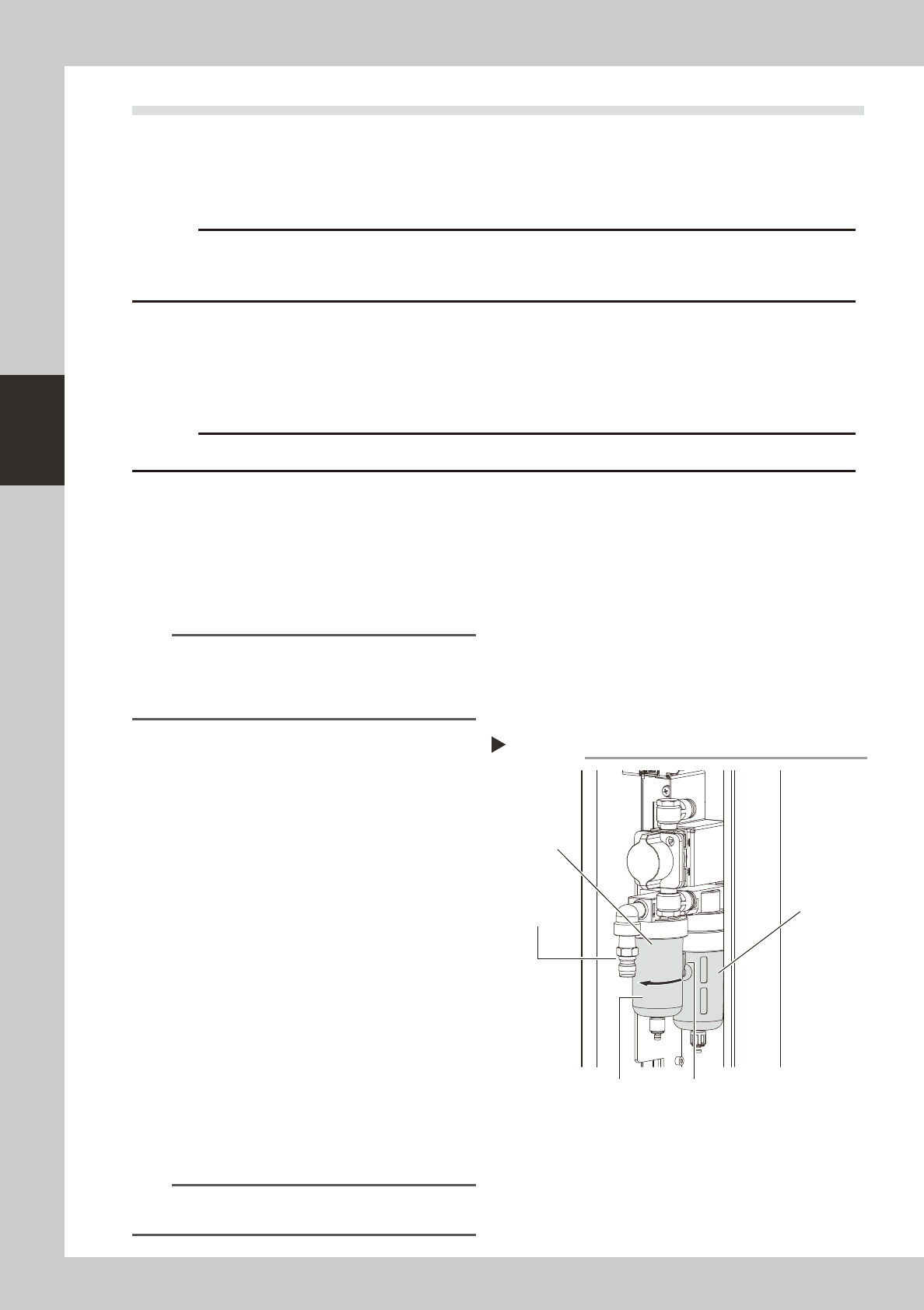
Remove the filter cup.
While pressing the button on the side of the
filter cup, turn it clockwise, and pull the filter
cup downwards. The cup you have removed
has a double structure. The inner transparent
cup should be cleaned.
53326-N8-00
3
Clean the inside of the filter cup.
1. Lightly clean the filter cup with water.
2. Then, pour water-diluted neutral
detergent into the filter cup and clean
the inside while shaking it.
3. Air blow the filter cup and wipe away
any moisture with clean cloth or paper.
4
Reattach the filter cup.
1. Align the button on the side of the cup
with the attach/detach position and
push the cup upwards.
2. Turn the cup counterclockwise until you
hear a click.
n
NOTE
Leave the filter cup removed to clean the air filter as
explained in the next procedure.
Removing the filter cup
Step 2
Filter cup
Disconnect the
air coupler.
Button
Air filer
Oil mist filter