00900068-02_SM_ASM_ProcessLens_EN.pdf - 第19页
ASM Proces sLens Single - l ane 03/2020 Edit ion 19 Ke y: 1) Screw (4 x) Figure 3-5 : Opt i cal head 10 . Uns crew the screws (1) f ixing th e opti cal head at the m achine using an Alle n key si ze 2 .5 . St art from th…
ASM ProcessLens Single-lane 03/2020 Edition
18
3. Place the dismantled cover on a service table.
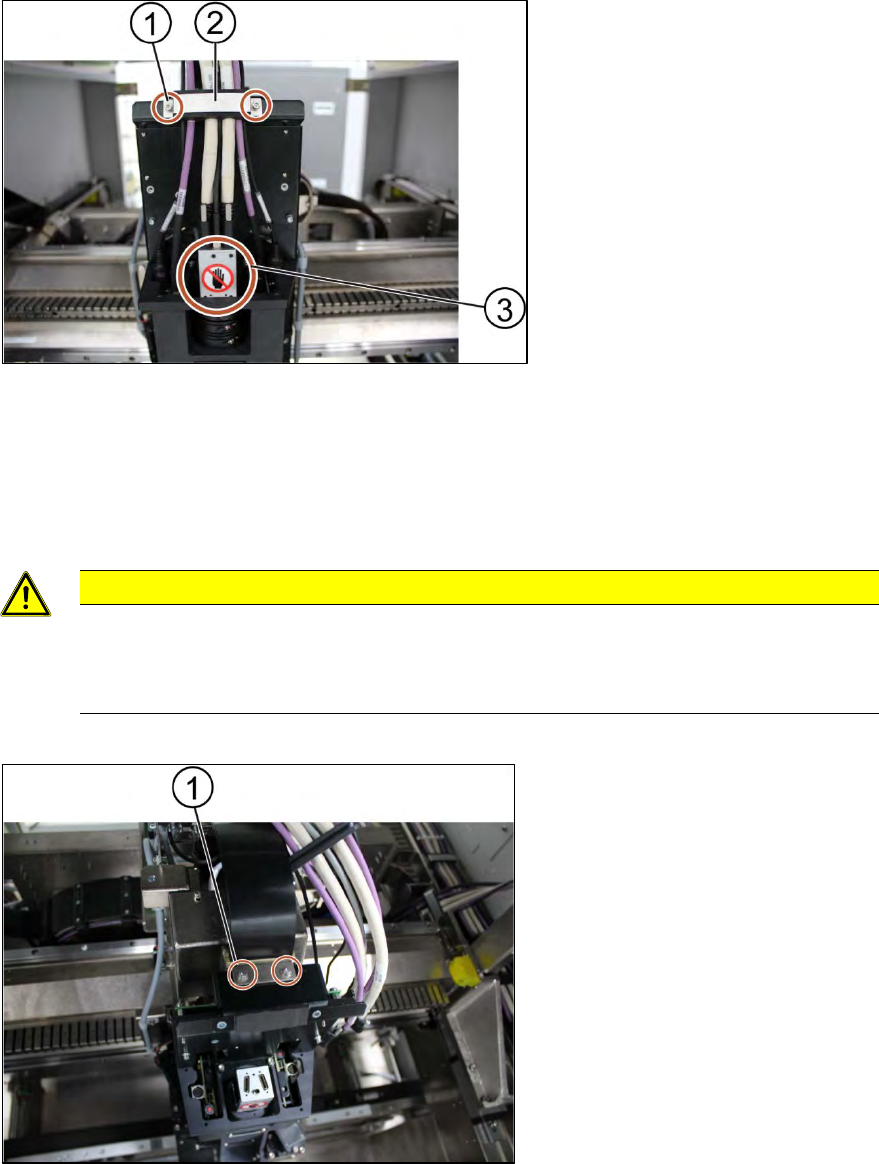
Key:
1) Screw (2 x)
2) Cable clamp
3) Camera system
Figure 3-3:Cable clamp
4. Remove the cable clamp (2) that fixes the cables by unscrewing the screws (1) using an Allen
key size 2.5.
5. Place the dismantled cable clamp (2) on a service table.
6. Unplug the cables.
CAUTION
Sensitive camera system.
The camera system is very sensitive.
Therefore do not touch the camera system to avoid damage to it.
7. Carefully put the cables aside.
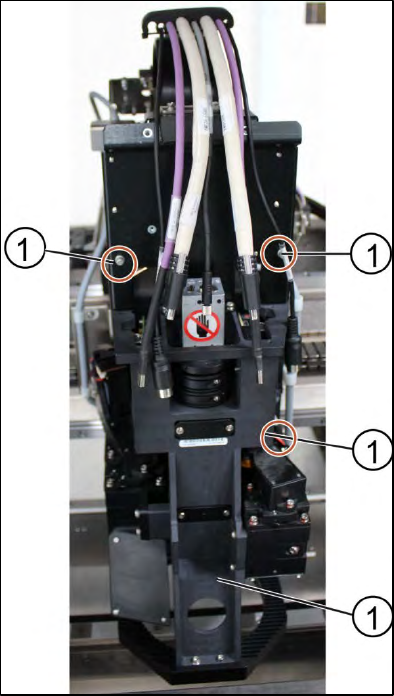
Key:
1) Screw (2 x)
Figure 3-4: Optical head
8. Unscrew the screws (1) mounted on top of the optical head fixing the ribbon cable connectors
using an Allen key size 2.5.
9. Remove the ribbon cable connectors out of the sockets by pulling the clamps apart.
ASM ProcessLens Single-lane 03/2020 Edition
19
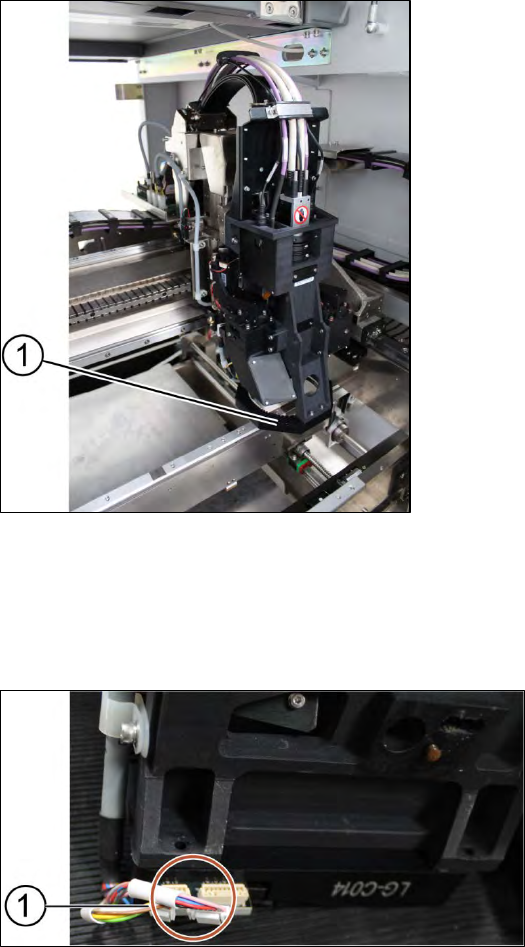
Key:
1) Screw (4 x)
Figure 3-5: Optical head
10. Unscrew the screws (1) fixing the optical head at the machine using an Allen key size 2.5. Start
from the bottom.
11. Carefully unscrew all screws. Make sure you don’t drop the optical head.
Installation
Follow the removal instructions in reverse order for installation.
3.2.1 Check the calibration of the optical head
When the optical head is removed from the machine the optical head needs to be calibrated again.
Refer to chapter "4 Machine - Calibrations".
ASM ProcessLens Single-lane 03/2020 Edition
20
3.3 Changing the low Ringlight assembly
Key:
1) Low Ringlight assembly
Figure 3-6: Low Ringlight assembly
Requirement:
● Machine is switched off.
● Use a T shaped Allen key to carry out this job.
Key:
1) Connectors
Figure 3-7: Connectors at low Ringlight assembly
1. Unplug the connectors (1) at the back of the low Ringlight assembly.