00900068-02_SM_ASM_ProcessLens_EN.pdf - 第24页
ASM Proces sLens Single - l ane 03/2020 Edit ion 24 3.4.1 Change the high Ringlight board Require ment: ● High R ing lig ht ass embl y is dism antled . Ke y: 1) Connec tor 2) Scre w (4 x) and washers (4 x) Figure 3- 12 :…
ASM ProcessLens Single-lane 03/2020 Edition
23
3.4 Change the high Ringlight assembly
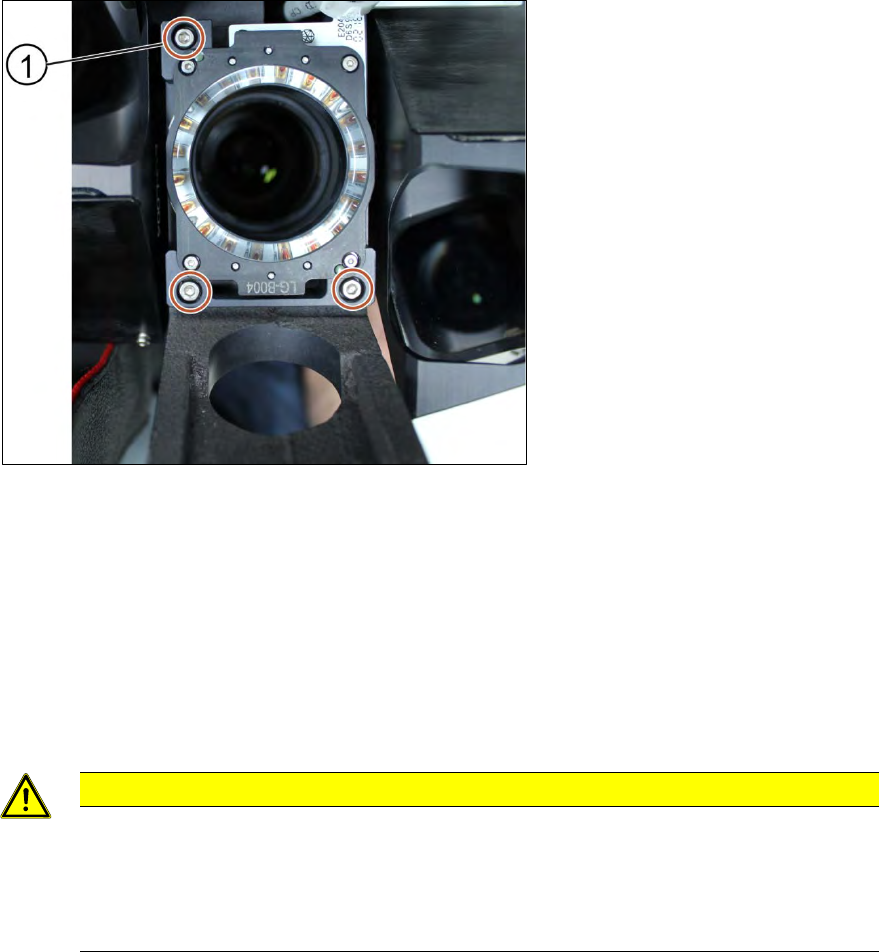
Key:
1) Screw (3 x)
Figure 3-11: High Ringlight assembly (from below)
Requirements:
● Machine is switched off.
● It is advisable to dismantle the low Ringlight assembly as well for better access.
● Use a T shaped Allen key to carry out this task.
1. Unplug the connector
2. Unscrew the screws (1) using an Allen key size 2.5.
CAUTION
Small screws
The screws are very small. When the screws fall into the machine they may damage it.
Make sure the screws don’t fall into the machine.
Make sure no screw is left behind inside the machine.
Installation
Follow the removal instructions in reverse order for installation.
ASM ProcessLens Single-lane 03/2020 Edition
24
3.4.1 Change the high Ringlight board
Requirement:
● High Ringlight assembly is dismantled.
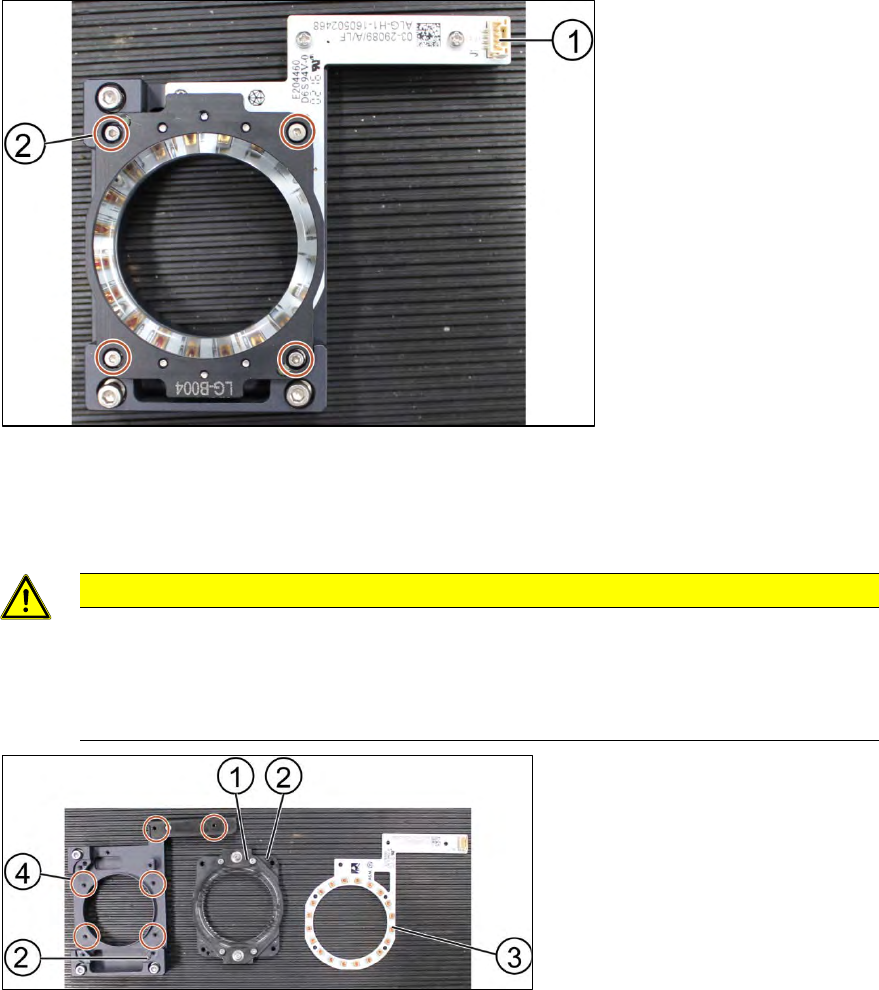
Key:
1) Connector
2) Screw (4 x) and washers
(4 x)
Figure 3-12: High Ringlight assembly (dismantled)
1. Unscrew the screws (1) using an Allen key size 1.5.
2. Separate the high Ringlight assembly.
CAUTION
Ringlight assembly
The two parts of the Ringlight assembly are hold together by two dowel pins. When
separating the two parts the Ringlight assembly may get damaged.
To separate the two parts, carefully pull the parts apart.
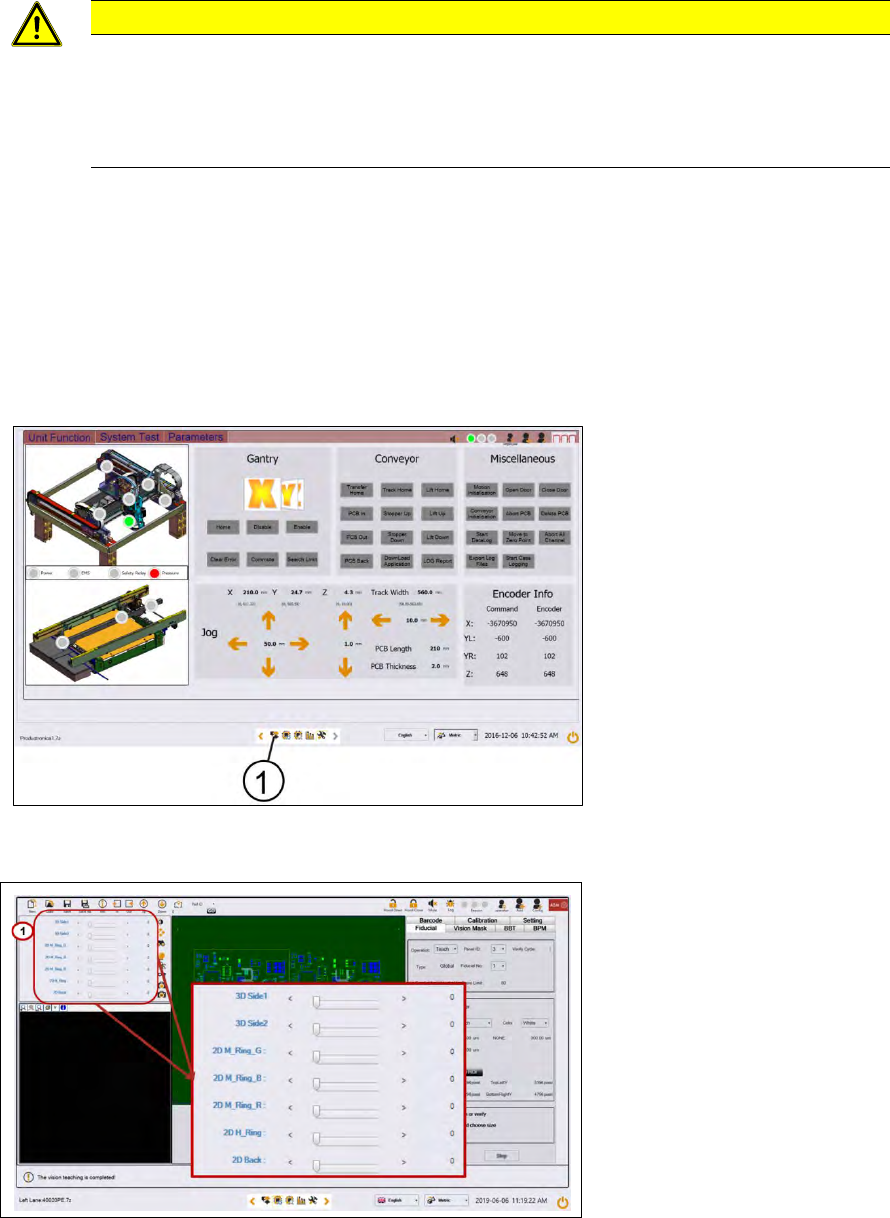
Key:
1) High Ringlight assembly
2) Dowel pin
3) High Ringlight board
4) Screw (6 x)
Figure 3-13: High Ringlight assembly (dismantled)
3. Unscrew the screws (4) that hold the high Ringlight board (3) in place using a Philips
screwdriver.
4. Remove the high Ringlight board (3).
Installation
Follow the removal instructions in reverse order for installation. Also observe the following
instructions:
ASM ProcessLens Single-lane 03/2020 Edition
25
CAUTION
Screws of the Ringlight board
When the high Ringlight board is reassembled, one must not overtighten the screws, as
this may damage the high Ringlight board.
Do not overtighten the screws (4).
3.4.2 Check the function of the low ring light and the high ring light
Requirement:
● Machine is switched on.
● Machine doors are open.
● The low ring light and the high ring light are mounted.
Key:
1) Control button
Figure 3-14: Diagnostic page
1. Go to the diagnostic pages and press the control button.
Key:
1) Lighting control button
Figure 3-15: Lighting control page
2. Start with M-Ring_G to check the green light of the low ring light.
3. Check if all LEDs are function and flashing by using a mirror or view from underneath the
optical head.
4. Approach the same for all other slider bars under 2D lightings bar.