00900068-02_SM_ASM_ProcessLens_EN.pdf - 第30页
ASM Proces sLens Single - l ane 03/2020 Edit ion 30 Figure 3- 23 : DLP Upgrade Tool 2. Enter the number 00 for the left DL P module or 01 for the rig ht DLP m odule to test the left or the right D LP m odule and pres s c…
ASM ProcessLens Single-lane 03/2020 Edition
29
3. If the connector and the pin are in line a noticeable click sound can be heard when the
connector is pressed down.
3.6 Check the software version of the DLP module
When the DLP module and the DMD module have been changed, a software check for the latest
Version is needed.
Requirement:
● Machine is switched on.
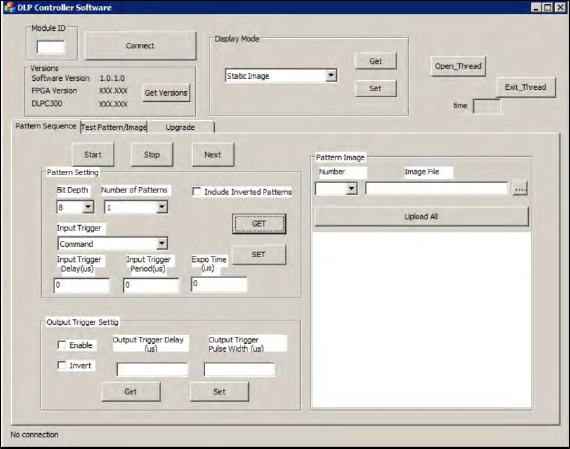
1. Open the DLP controller software on the computer.
2. Double click on the application to run the software.
Figure 3-22: DLP Controller Software
3. Enter the number 00 for the left DLP module or 01 for the right DLP module to test the left or
the right DLP module and press connect.
4. Check if the software version is running the latest version.
5. Go to the ASM internal website to check the software version.
3.7 Upgrade the firmware of the DLP module
When the firmware of the DLP module is not running the latest firmware, it needs to be updated.
Requirement:
● Machine is switched on.
● The .rbf file is downloaded from the ASM internal website.
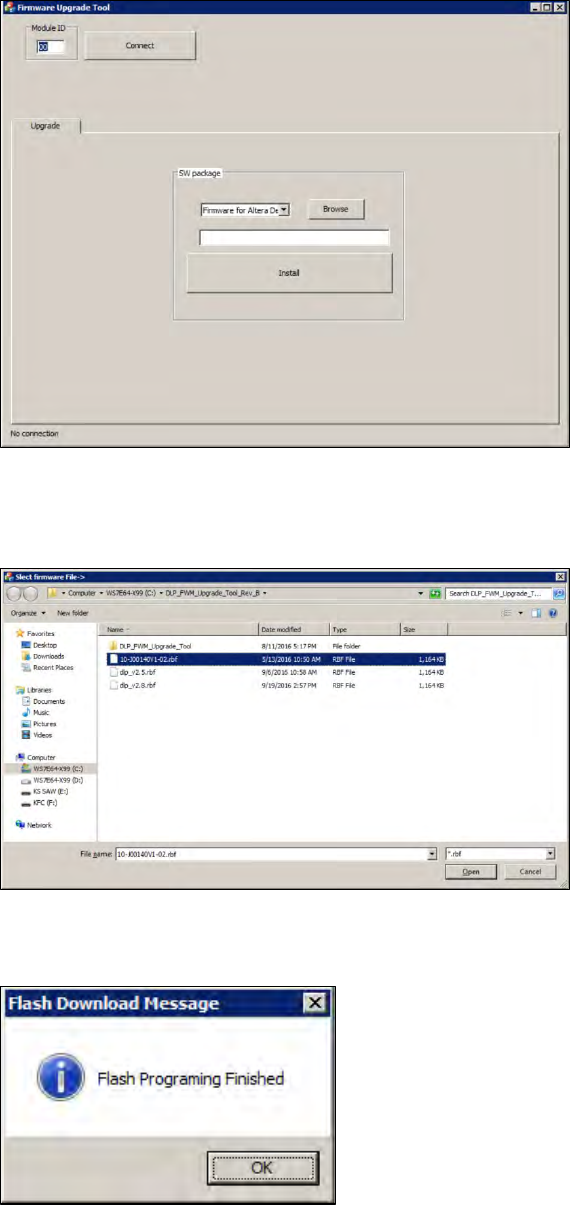
1. Open the DLP firmware upgrade software on the computer.
ASM ProcessLens Single-lane 03/2020 Edition
30
Figure 3-23: DLP Upgrade Tool
2. Enter the number 00 for the left DLP module or 01 for the right DLP module to test the left or
the right DLP module and press connect.
Figure 3-24: DLP Upgrade Tool
3. Click on the browse button to browse the needed .rbf file and open it.
4. Click on the install button to install the latest version.
5. The DLP module is now running the latest version.
ASM ProcessLens Single-lane 03/2020 Edition
31
3.8 Change the encoder reader at the x, y and z gantry
Requirement:
● Machine is switched off.
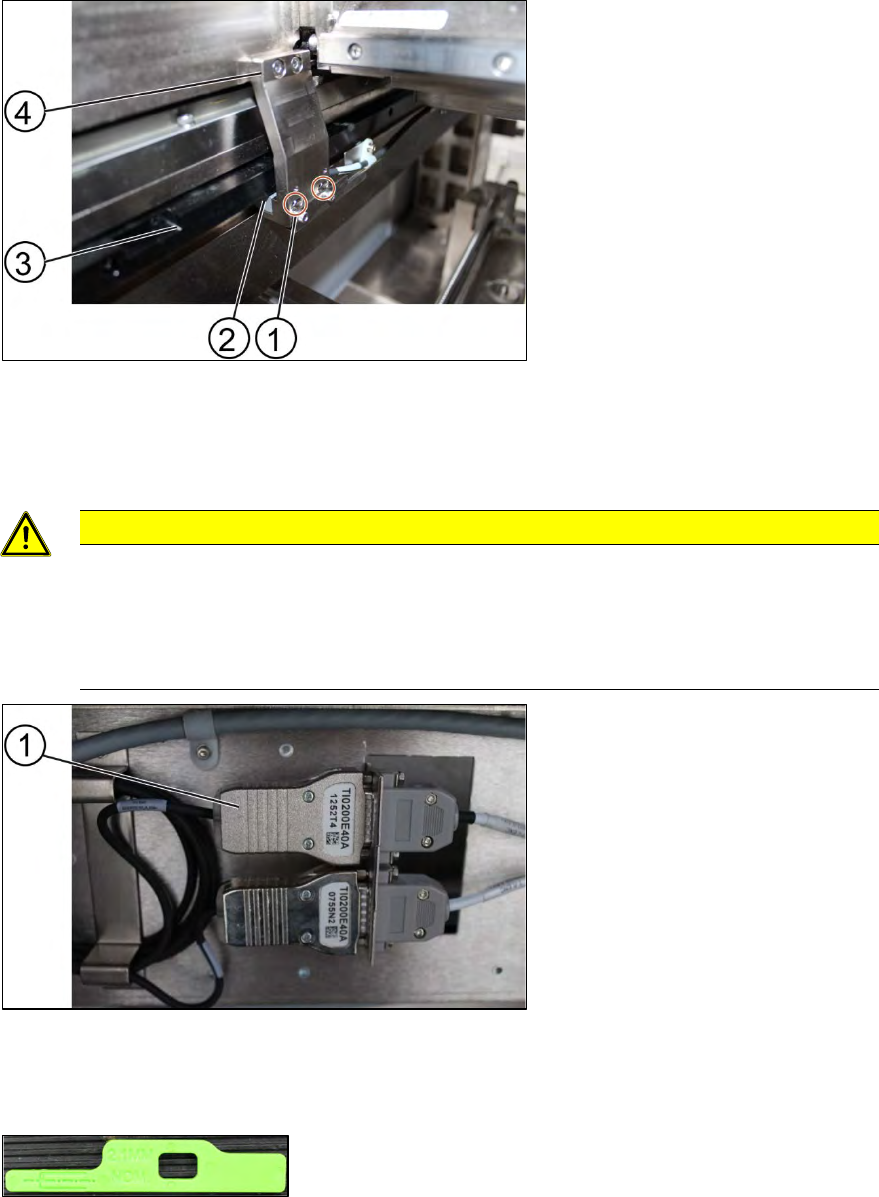
Key:
1) Screw (2 x)
2) Encoder Reader
3) Y scale bar
4) Holder
Figure 3-25: Reader
1. Unscrew the screws (1) using an Allen T shaped Allen key size 2.0.
2. Carefully pull out the encoder reader (2).
CAUTION
The scale of the scale bars
Fingerprints or scratches damage the scale bars which then need to be exchanged.
Do not touch or scratch the scale of the scale bars.
Be careful when pulling out the reader and when putting it back again.
Key:
1) Encoder
Figure 3-26: Encoder
3. Change the reader including the encoder and all cables.
4. Replace the encoder and the reader.
Figure 3-27: Spacer
5. Check the gap between the reader and the scale bar by using the spacer provided.