00900068-02_SM_ASM_ProcessLens_EN.pdf - 第32页
ASM Proces sLens Single - l ane 03/2020 Edit ion 32 Figure 3- 28 : Pos ition of spac er Ke y: 1) Encoder reader 2) Y scal e ba r 3) Positio n of spac er 6. The gap b etween t he reade r and the s cale b ar m ust be 2.1 m…
ASM ProcessLens Single-lane 03/2020 Edition
31
3.8 Change the encoder reader at the x, y and z gantry
Requirement:
● Machine is switched off.
Key:
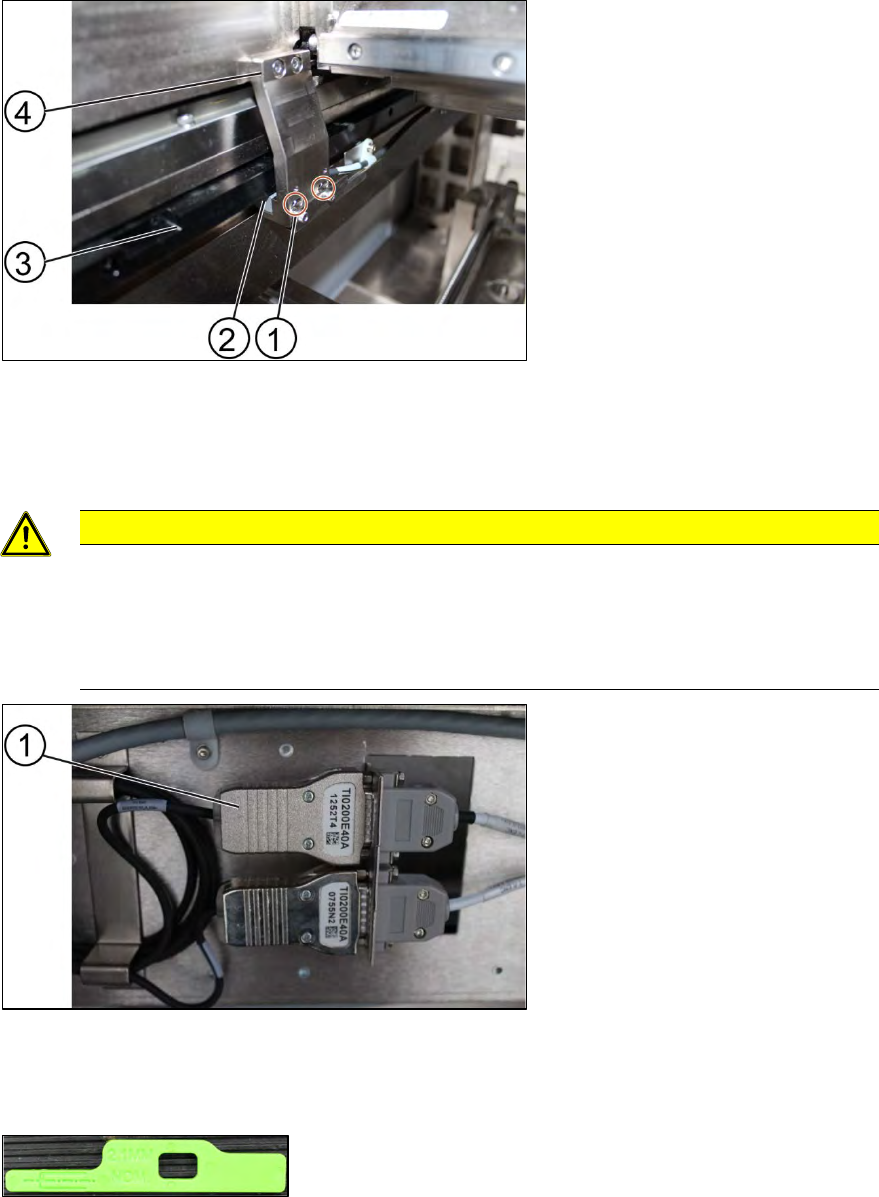
1) Screw (2 x)
2) Encoder Reader
3) Y scale bar
4) Holder
Figure 3-25: Reader
1. Unscrew the screws (1) using an Allen T shaped Allen key size 2.0.
2. Carefully pull out the encoder reader (2).
CAUTION
The scale of the scale bars
Fingerprints or scratches damage the scale bars which then need to be exchanged.
Do not touch or scratch the scale of the scale bars.
Be careful when pulling out the reader and when putting it back again.
Key:
1) Encoder
Figure 3-26: Encoder
3. Change the reader including the encoder and all cables.
4. Replace the encoder and the reader.
Figure 3-27: Spacer
5. Check the gap between the reader and the scale bar by using the spacer provided.
ASM ProcessLens Single-lane 03/2020 Edition
32
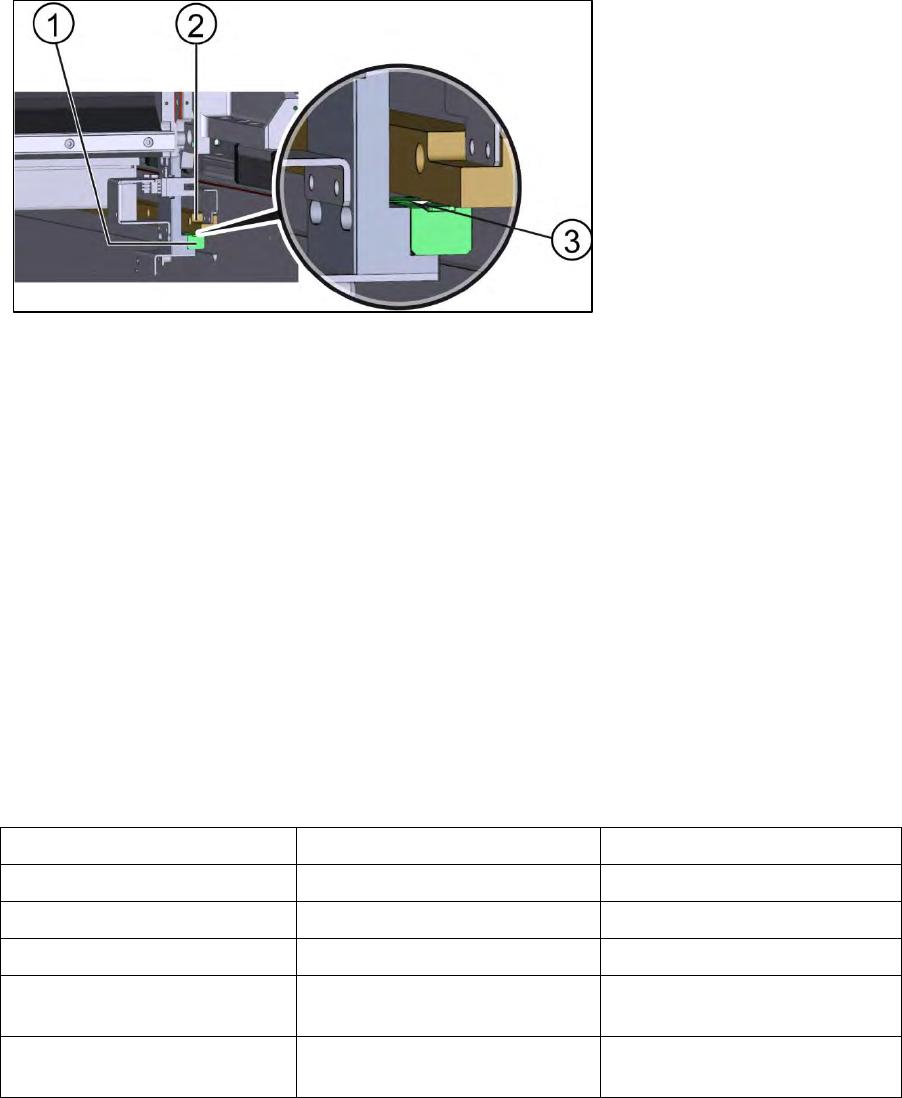
Figure 3-28: Position of spacer
Key:
1) Encoder reader
2) Y scale bar
3) Position of spacer
6. The gap between the reader and the scale bar must be 2.1 mm.
7. Calibrate the new reader. See the external Power Point file “Y1Y2 ENC install & adjust
procedure”.
8. Move the gantry slowly the whole travel range backwards. Whilst doing that check the light at
the indicator.
9. If the lights are not within the color range the holder needs adjustments. See 3.9 Color code for
the encoder readers.
10. Proceed the same way with all other encoder readers.
Installation
Follow the removal instructions in reverse order for installation.
3.9 Color code for the encoder readers
Color Indication Adjustment requirement
Purple Optimum set-up No
Blue Good set-up No
Green Good set-up No
Orange Acceptable set-up but below
recommendation level.
Yes, angle and gap.
Red Poor set-up, signal maybe too
low for reliable operation
Yes, angle and gap.
Table 3-2: Color code for the encoder readers
ASM ProcessLens Single-lane 03/2020 Edition
33
3.10 Check the alignment of the encoder reader of the Y gantry
Whenever the encoder readers have been removed, the readers need to be realigned.
Requirements:
● Machine is switched on.
● Optical head is centered on the X position.
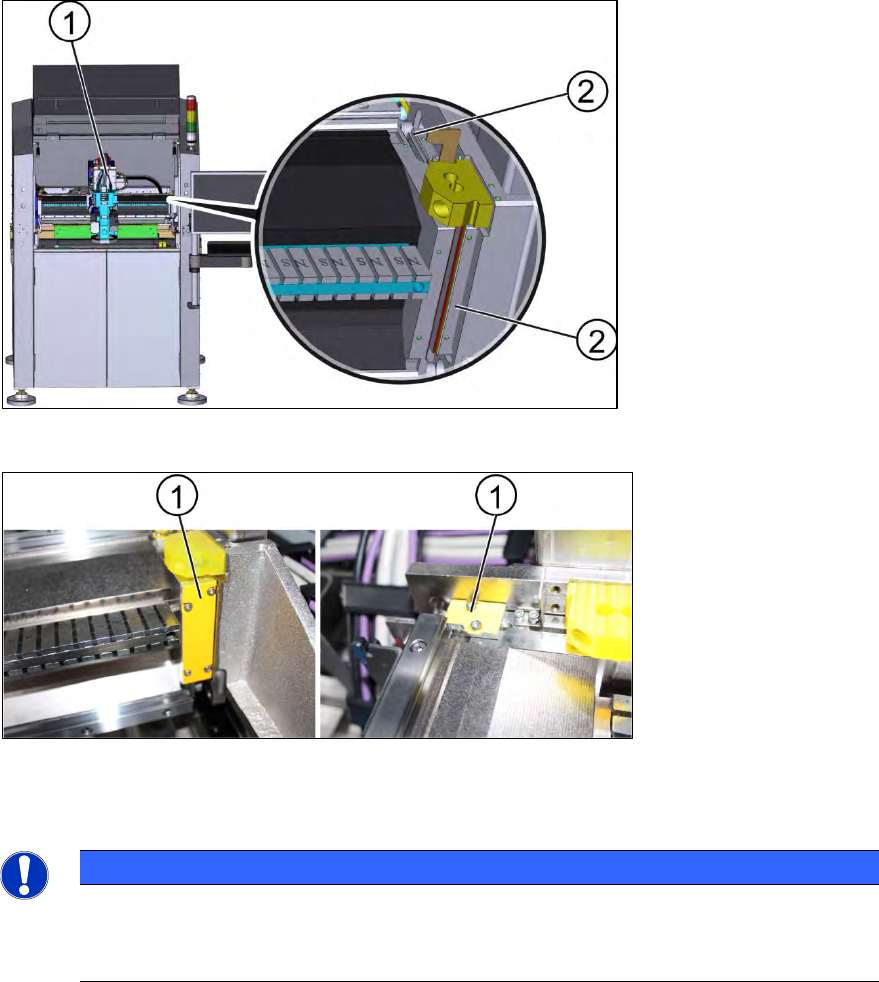
Figure 3-29: Position of the flexures and the optical head
Key:
1) Optical head
2) Flexures
Key:
1) Flexures
Figure 3-30: Flexures
1. Install the flexures (1) at the gantry.
NOTICE
Flexures
Without the flexures the gantry can be moved in slightly different positions. The flexures
help to hold the gantry in the same position so that both sides are align to each other.