00900068-02_SM_ASM_ProcessLens_EN.pdf - 第36页
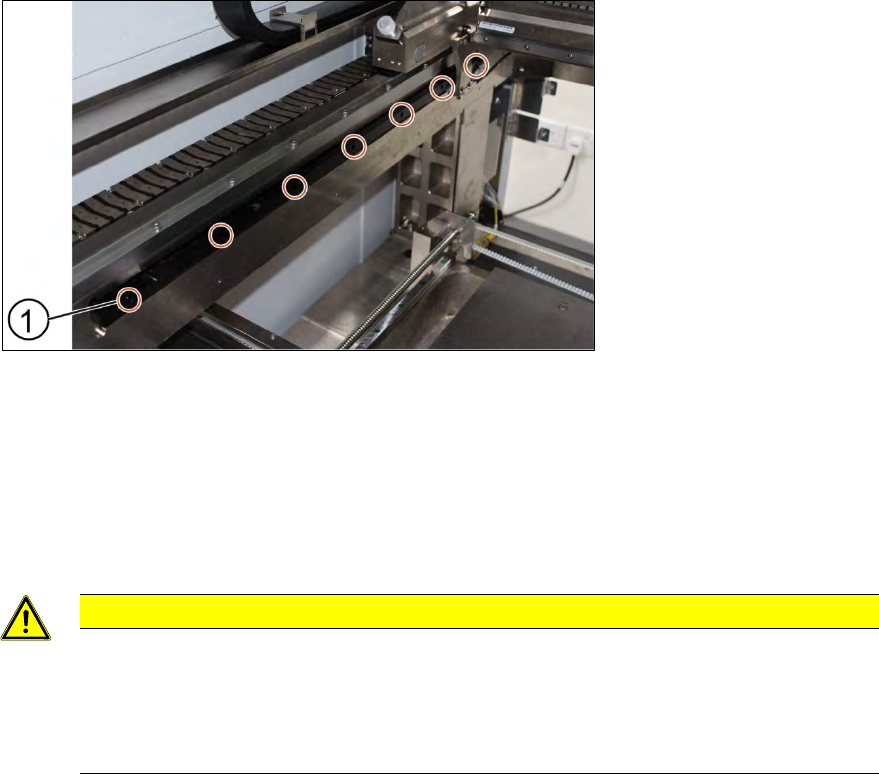
ASM Proces sLens Single - l ane 03/2020 Edit ion 36 Ke y: 1) Screw (7 x) Figure 3- 34 : Y s cale bar 1. Unscrew t he screws (1) off the s cale bar usin g an T shaped A llen k ey size 2.5. 2. Carefull y pull out the sc al…
ASM ProcessLens Single-lane 03/2020 Edition
35
3.11 Check the alignment of the x, y and z encoder reader
Furthermore the alignment of the x, y and z readers need to be checked whenever the readers or
the scale bar has been changed.
Requirement:
● Machine is switched on.
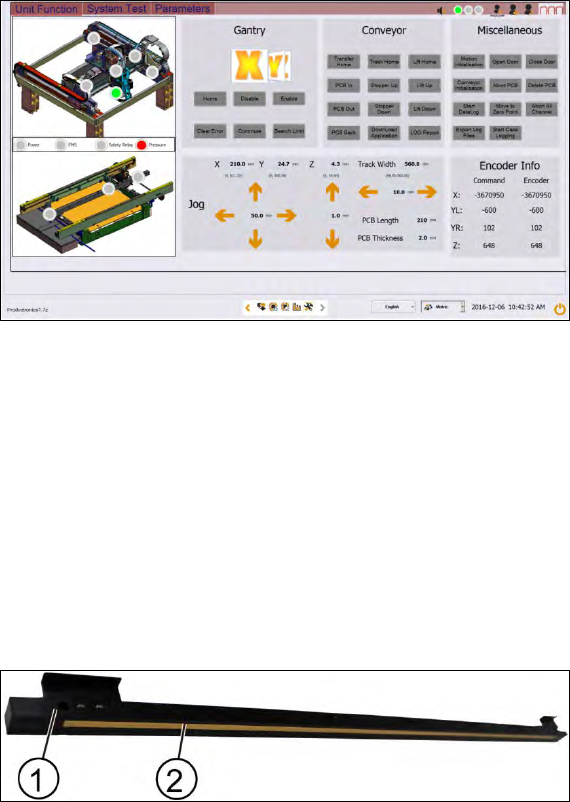
Figure 3-32: Diagnostic page
1. Go to the diagnostic page.
2. Click on the tab "Unit function".
3. Go to the section "Gantry".
4. Select the X button and click on the "Home" button.
5. Approach the same for the y and z readers.
3.12 Changing the Y scale bars
Key:
1) Y scale bar
2) Scale
Figure 3-33: Y scale bar
Requirement:
● Machine is switched off.
ASM ProcessLens Single-lane 03/2020 Edition
36
Key:
1) Screw (7 x)
Figure 3-34: Y scale bar
1. Unscrew the screws (1) off the scale bar using an T shaped Allen key size 2.5.
2. Carefully pull out the scale bar.
3. Do not damage the encoder reader. The sensitive reader may be protected by using a piece of
paper.
4. Put in the new scale bar.
CAUTION
The surface of the scale bars
Fingerprints or scratches damage the scale bars which then need to be exchanged.
Do not touch or scratch the surface of the scale bars.
Be careful when pulling out the reader and when putting it back again.
Installation
1. Tighten the screws (1).
2. Check the space between the reader and the scale bar by using the 2.1 mm spacer provided.
3. Check the lights of the encoder at the back of the machine.
4. Slowly move the gantry backwards and forwards. See section 3.9 Color code for the encoder
readers.
5. Adjust the brackets when the lights indicate to do so.
6. The steps to change the other scale bar are identical.
7. Check the alignment of the y scale bar. Go to section 3.10 Check the alignment of the encoder
reader of the Y gantry and section 3.11 Check the alignment of the x, y and z encoder reader.
ASM ProcessLens Single-lane 03/2020 Edition
37
3.13 Changing the conveyor belt
Requirement:
● Machine is switched off.
● Tension meter.
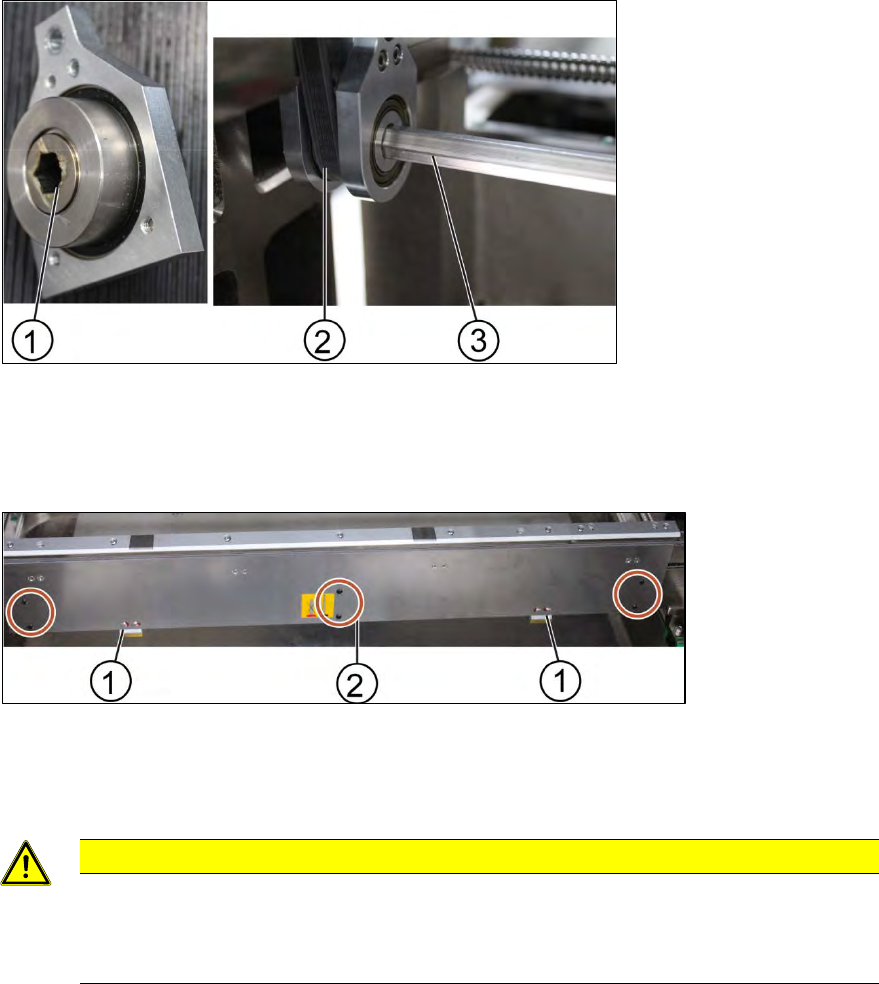
Key:
1) Screw (1 x)
2) Belt
3) Rod
Figure 3-35: Gear and conveyor rod
1. Remove the screw (1) to remove the rod (3). Use a spanner size 10 and a short Allen key size
4 to remove the screw.
2. Move the rod backwards.
Key:
1) Clamps
2) Screw (6 x)
Figure 3-36: Clamping plate
3. Remove the clamping plate off the conveyer system by unscrewing the screws (2) using an
Allen key size 2.0.
CAUTION
Springs inside the clamps
The clamps of the conveyer system bear springs.
Make sure all parts are retained.