00900068-02_SM_ASM_ProcessLens_EN.pdf - 第39页
ASM Proces sLens Single - l ane 03/2020 Edit ion 39 Ke y: 1) Measur em ent point Figure 3- 39 : Conveyor belt 11 . Chec k the tens ion of the be lt at the m easur ement poi nt us ing a tens ion m eter. T he tension shoul…
ASM ProcessLens Single-lane 03/2020 Edition
38
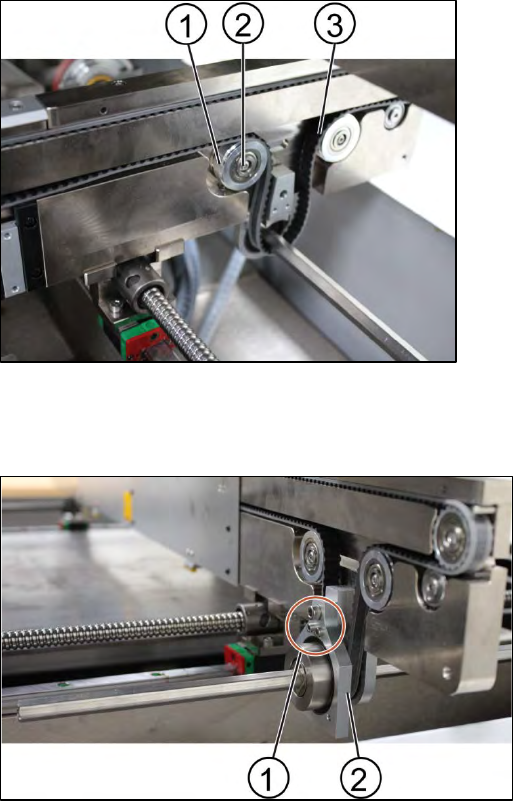
Key:
1) Tension ring
2) Screw
3) Belt
Figure 3-37: Tension ring of the conveyor unit
4. Loose the fastening ring of the belt to release the tension of the belt. Unscrew the screw (1) by
using an Allen key size 2.5.
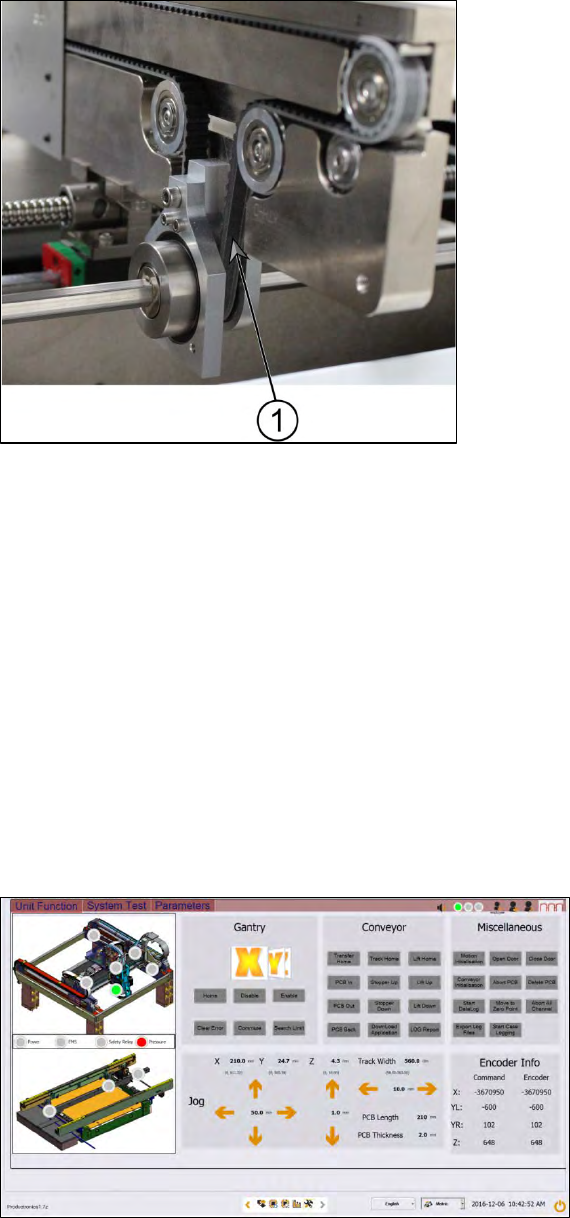
Key:
1) Screw (3 x)
2) Gear
Figure 3-38: Gear
5. Remove the gear (2).
6. Change one screw using an Allen Key size 4.0 and 2 screws using an Allen key size 2.5.
7. Remove the belt and replace it with a new one.
8. Put back the gear by tighten the screws (3 x).
9. Put back the clamping plate by tighten the screws (6 x).
10. Put back the tension ring and fasten the belt by tighten the screw (1 x).
ASM ProcessLens Single-lane 03/2020 Edition
39
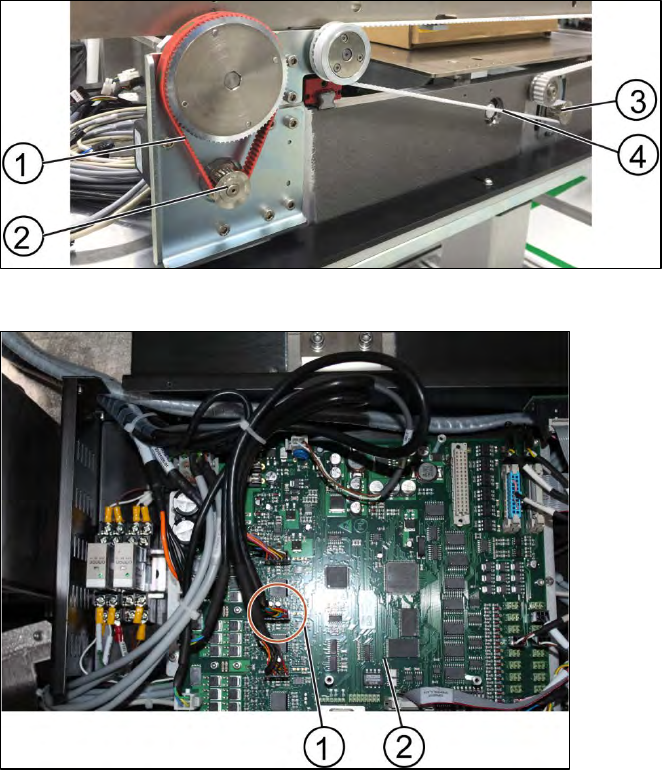
Key:
1) Measurement point
Figure 3-39: Conveyor belt
11. Check the tension of the belt at the measurement point using a tension meter. The tension
should be 250 +/- 10 Hz.
12. The steps for the other conveyor system are the same.
Installation
Follow the removal instructions in reverse order for installation.
3.13.1 Check the function of the conveyor belt
Requirements:
● Machine is switched on.
● Inspection circuit board is placed at the beginning of the machine.
Figure 3-40: Diagnostic page
1. Go to the diagnostic page.
2. Click on the tab "Unit function".
3. Go to the section "Conveyor".
4. Click the button "PCB In" and the button "PCB Out".
ASM ProcessLens Single-lane 03/2020 Edition
40
3.14 Changing the conveyor motor
Requirement:
● Machine is switched off.
Figure 3-41: Overview of the conveyor motor
Key:
1) Conveyor motor
belt
2) Conveyor motor
3) Width adjustment
belt
4) Width adjustment
motor
Key:
1) Connectors for the conveyor
motor
2) TSP400
Figure 3-42: TSP400
1. Disconnect the connectors from the TSP400.