00900068-02_SM_ASM_ProcessLens_EN.pdf - 第66页
ASM Proces sLens Single - l ane 03/2020 Edit ion 66 Step 2 1. Go to Inspection Page . 2. Click Adjust Convey or . 3. Set the fol lowin g; ● T hicknes s, 4mm . ● W idth, 250mm 4. Click Set . 5. Click Diagnostic Page . 6. …
ASM ProcessLens Single-lane 03/2020 Edition
65
4.3 Calibrations - One Point Dynamic Test
The One Point Dynamic Test test the accuracy of the stopping position after a gantry move. A
command is given to move the camera away from the target, then return to the target and the
variation between the theoretical and actual stop position as measured by the camera is analysed.
The process is repeated 50 times.
Step 1
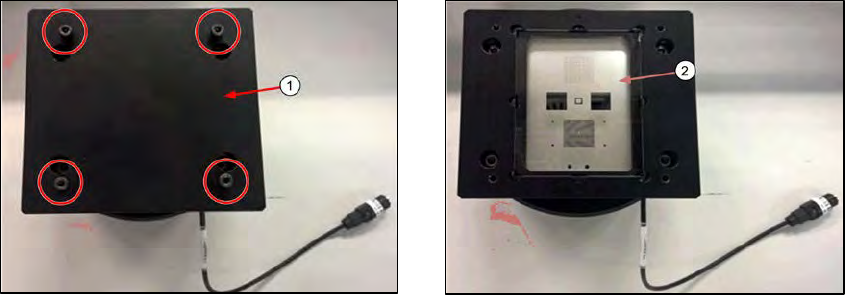
1. Remove the cover (1) by loosing the 4 screws.
2. Check the glass target (2) for scratches or damage. Clean with lint free cloth & IPA if
necessary.
ASM ProcessLens Single-lane 03/2020 Edition
66
Step 2
1.
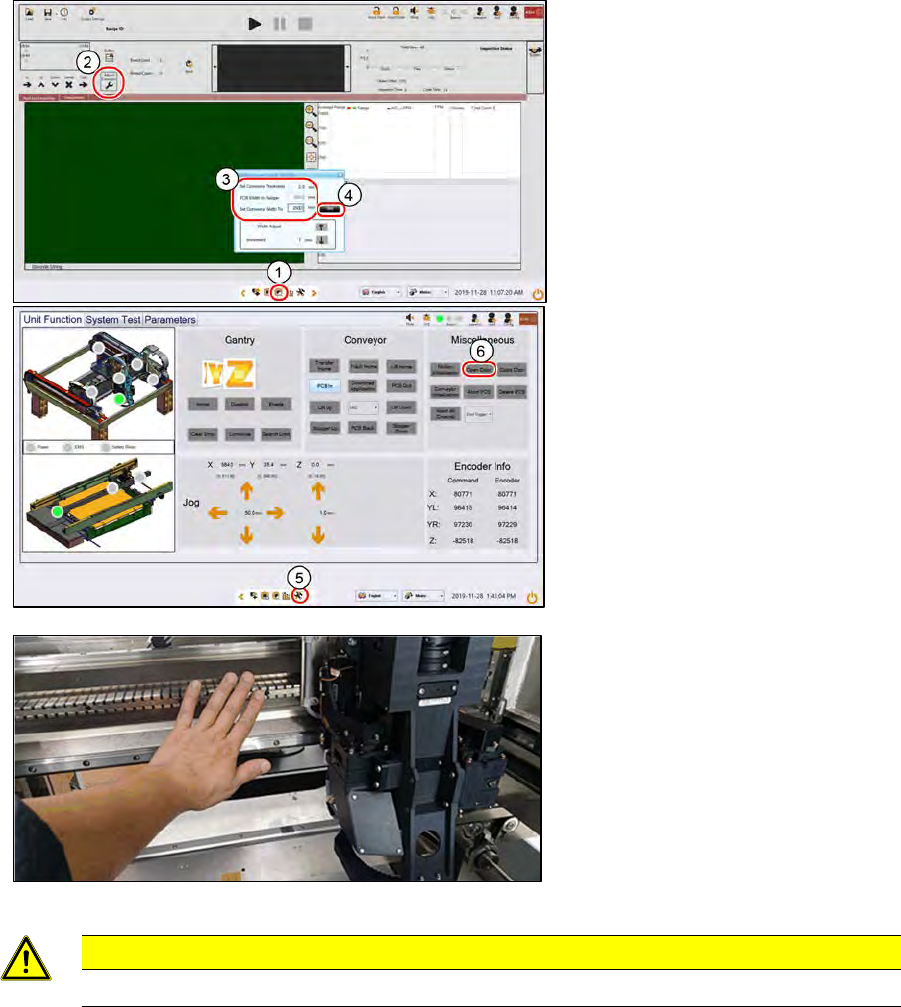
Go to Inspection Page.
2.
Click Adjust Conveyor.
3.
Set the following;
● Thickness, 4mm.
● Width, 250mm
4.
Click Set.
5.
Click Diagnostic Page.
6.
At Miscellaneous, click Open
Door.
7.
Push the gantry to the back
CAUTION
Do not push on the camera module. Remove all supporting pins.
ASM ProcessLens Single-lane 03/2020 Edition
67
Step 3
1.
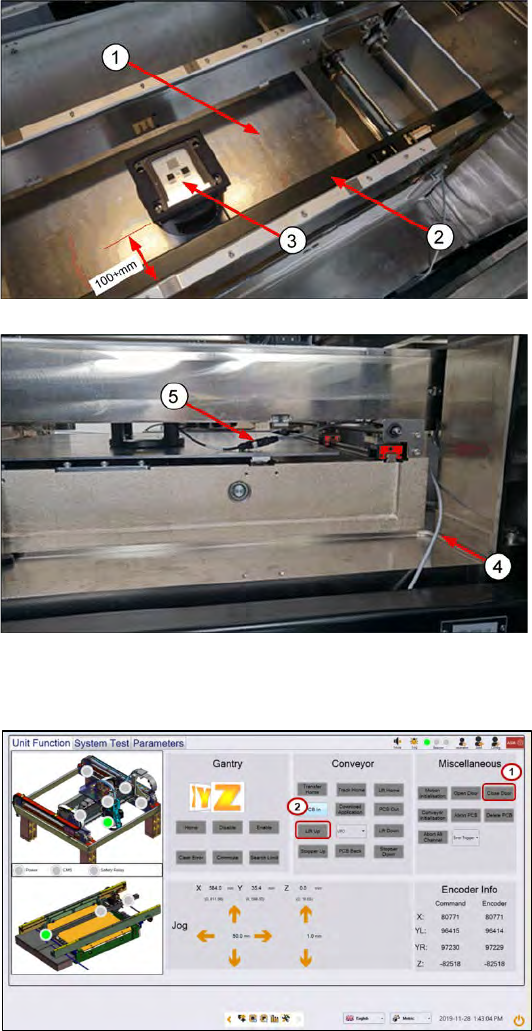
Clean the lift table of any debris.
2.
Pull the sensor bar towards the
front conveyor.
3.
Place the target on the table in
the middle of the conveyor about
100+mm away from the front
conveyor´s edge. Align the target
parallel to the conveyor.
4.
Loop the lighting cable from the
right of the lift table through the
gap and over the conveyor ball
screw as shown. This will prevent
the cable from getting crushed
when the lift table is raised.
5.
Connect the lighting cable from
the machine to the target.
Step 4
1.
Close the machine cover. Click
Close Door to lock the cover.
2.
Click Lift Up to lift up the Lifting
Table.