00900068-02_SM_ASM_ProcessLens_EN.pdf - 第82页
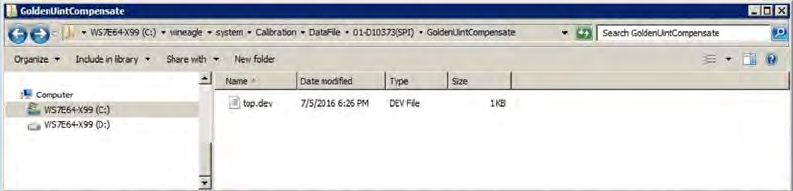
ASM Proces sLens Single - l ane 03/2020 Edit ion 82 Check the contents of the top.dev fil e: 1. Open up the top.dev f ile using a text editor. 2. Change the Expect Hei ght to be t he sam e as that st ated in the targ et´…
ASM ProcessLens Single-lane 03/2020 Edition
81
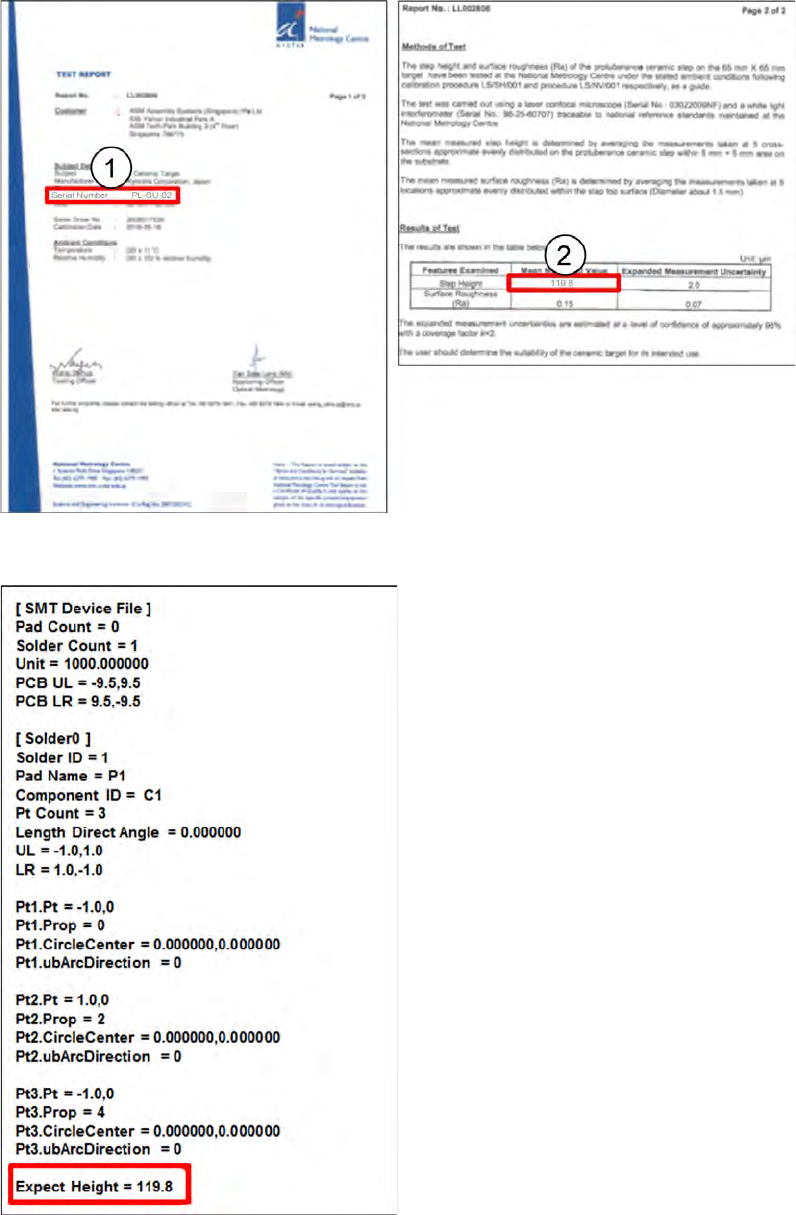
Refer to the target height certificate:
● The serial number of the target must match the serial number stated on the certificate.
● The Expect Height variable in the top.dev file must be equal to the height of the target stated in
the certificate.
ASM ProcessLens Single-lane 03/2020 Edition
82
Check the contents of the top.dev file:
1. Open up the top.dev file using a text
editor.
2. Change the Expect Height to be the same
as that stated in the target´s certificate. The
Expect Height must be equal to the
calibrated height in µm stated in the
certificate.
3. In this example, change the Expect Height
to the height of the target 119.8µm as stated
in the certificate.
ASM ProcessLens Single-lane 03/2020 Edition
83
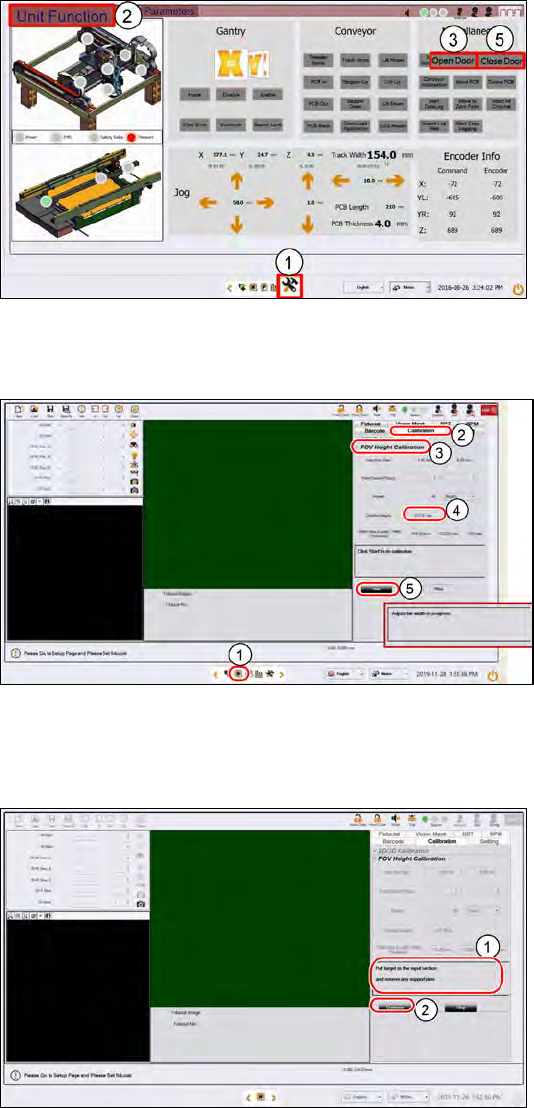
Step 2
1.
Go to the DiagnosticPage.
2.
Click Unit Function.
3.
At Miscellaneous, click Open
Door.
4.
Open the cover, remove all
support pins.
5.
Close the cover. Click Close
Door to lock the cover
Step 3
1.
Click on the Teach page.
2.
Click on Calibration.
3.
Click on FOV Height Calibration.
4.
Input the target´s Certified
height.
5.
Select Start.
The conveyor adjusts to the
width
of the target fixture.
(If there are support pins on
the
conveyor, open the cover and
remove them now.)
Step 4
1.
Place the target on the input
section.
2.
Click Continue.
The target loads to the inspection
section and the camera moves to
the centre of the target.