00192790-01.pdf - 第40页
2 PCB Camera Multicolor (Option) User Manual SIPLACE S-25 HM / HS-50 2.3 Focus Heigth: I nstall/Remove the Distance Plate Software Version SC.502.xx 11/00 I ssue 40 .H\ 1. 3 Cable tie s CAUTION Make certain th at no…
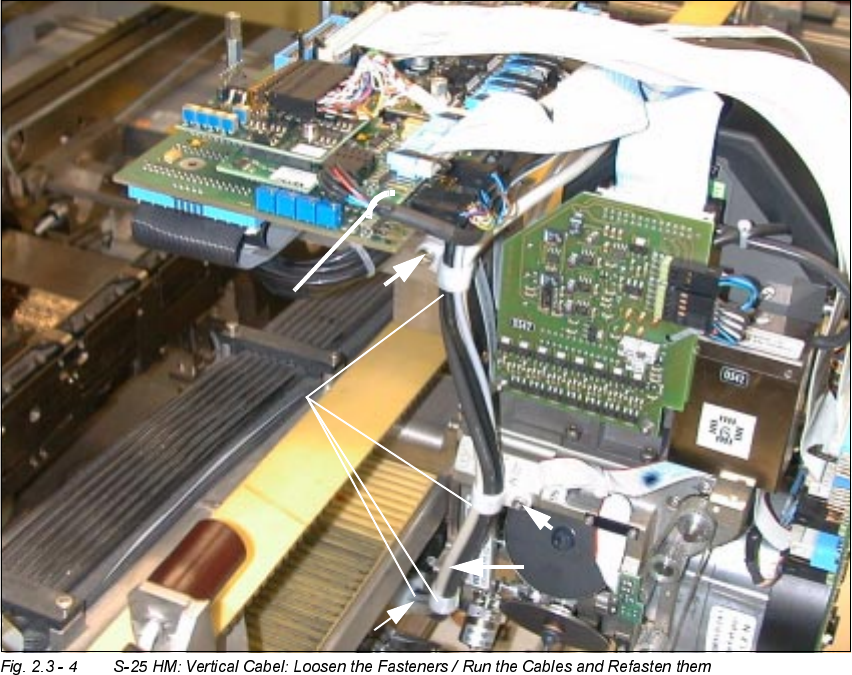
User Manual SIPLACE S-25 HM / HS-50 2 PCB Camera Multicolor (Option)
Software Version SC.502.xx 11/00 Issue 2.3 Focus Heigth: Install/Remove the Distance Plate
39
,QVW DOOLQJDQG5HPRYLQJWKH'LVW DQFH3ODWH
The distance plate (spacer) must always be removed from or installed in ALL PCB Multicolor cam-
eras.
On the HS-50, the PCB camera Multicolor is mounted on 3 bolts (L =
mm).
Removal of these bolts is not permitted. Aside from this, the steps that must be taken on the
HS-50 and the S-25 HM are the same.
.H\
1. 4 Size 6 cable clamps and M3 or M4 socket hex head cap screws, as appropriate
2. 1 Cable tie, fastened in the hole of the vision board, modular
0
0
0
0
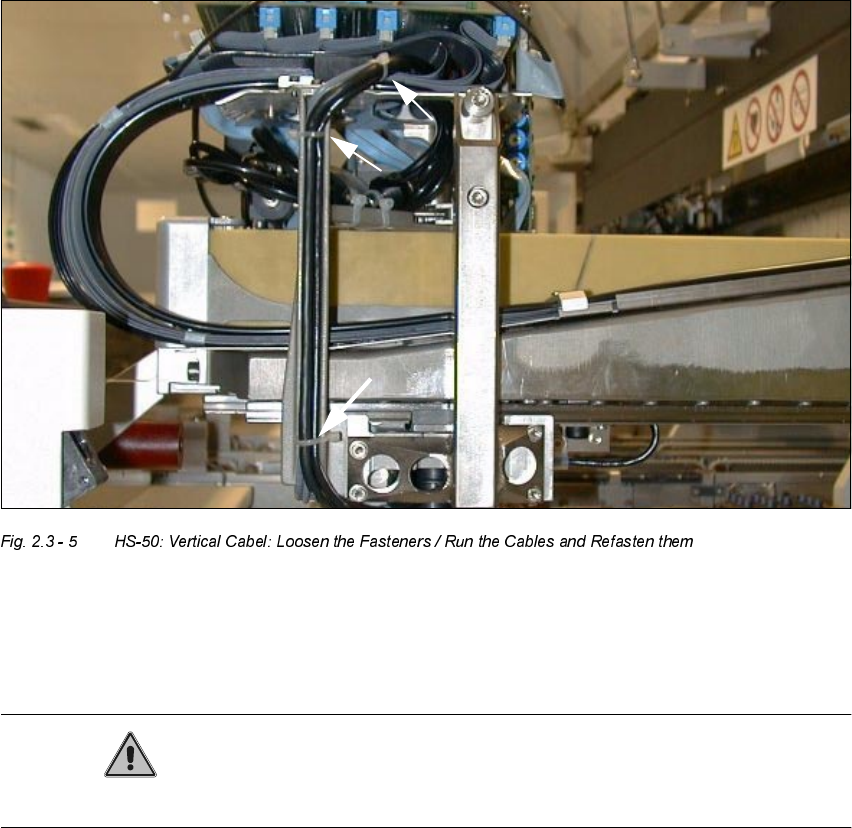
2 PCB Camera Multicolor (Option) User Manual SIPLACE S-25 HM / HS-50
2.3 Focus Heigth: Install/Remove the Distance Plate Software Version SC.502.xx 11/00 Issue
40
.H\
1. 3 Cable ties
CAUTION
Make certain that no screws, bolts, etc., fall into the machine.
Å CAREFULLY undo the cable ties on S-50 and S-25 HM as shown above.
Å In addition, remove the cable clamps (Allen wrench size 2.5 and 3) on the S-25 HM.
User Manual SIPLACE S-25 HM / HS-50 2 PCB Camera Multicolor (Option)
Software Version SC.502.xx 11/00 Issue 2.3 Focus Heigth: Install/Remove the Distance Plate
41
.H\
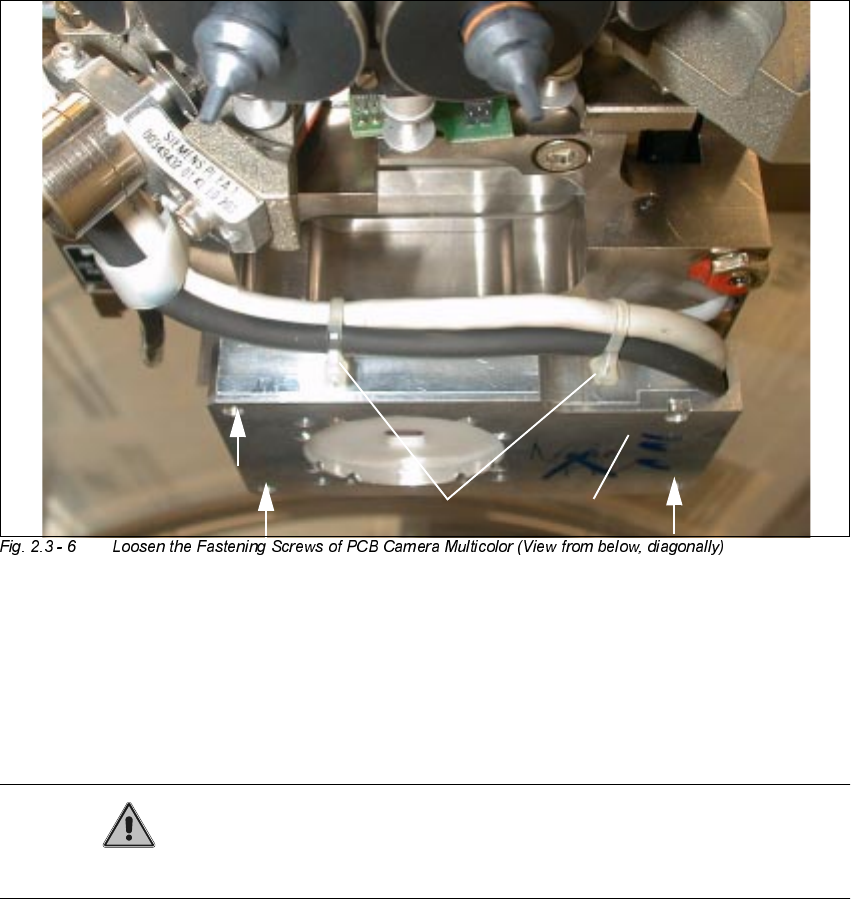
1. PCB camera Multicolor
2. Fasteners: 3 hex head cap screws M3 x 14 (captive)
3. 2 Cable ties (do not remove !)
CAUTION
Do not pull on the cables while work is in process.
Å Touch the PCB camera Multicolor only on its circumference and hold the camera tight AT ALL
TIMES.
Å Working from the bottom, use a screwdriver for hex head cap screws to undo the 3 fastening
screws M3 x 14 (captive) on the PCB camera Multicolor.
Å To prevent damage to the cables or the camera, continue to hold the camera and just move it
far enough down as absolutely imperative to insert/remove the distance plate.
2
2
21
3