00193360-02.pdf - 第29页
Retrofitting Instructions S plice Detection Basic Package S/F 11/2003 Edition 29 18 Power Supply for the HUB Unit 18 Fig. 18 - 1 Connecting the power supply for the hub : S tart at t ermin al block X 212 (Fig. 8 - 1) : C…
Retrofitting Instructions Splice Detection Basic Package S/F
11/2003 Edition
28
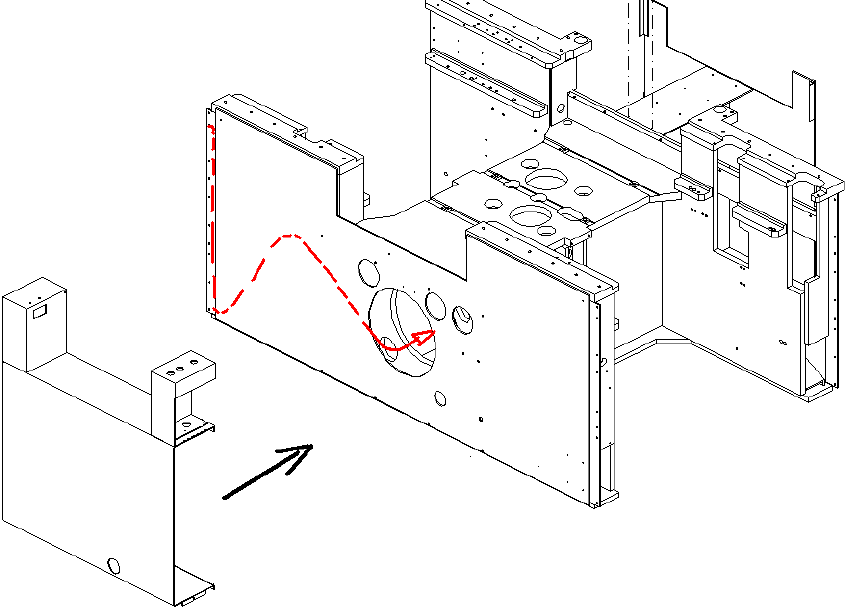
: Pull the cable further to the opening between the power supply drawer unit and the machine
frame (Fig. 7 - 6).
17
Fig. 17 - 6 Diagram of the cable route to location 3
: Pull the cable through the machine to the opening in the servo drawer unit, and on to the hub
(as for the connection for location 1).
: Fix the new U-profile at the machine.
Retrofitting Instructions Splice Detection Basic Package S/F
11/2003 Edition
29
18 Power Supply for the HUB Unit
18
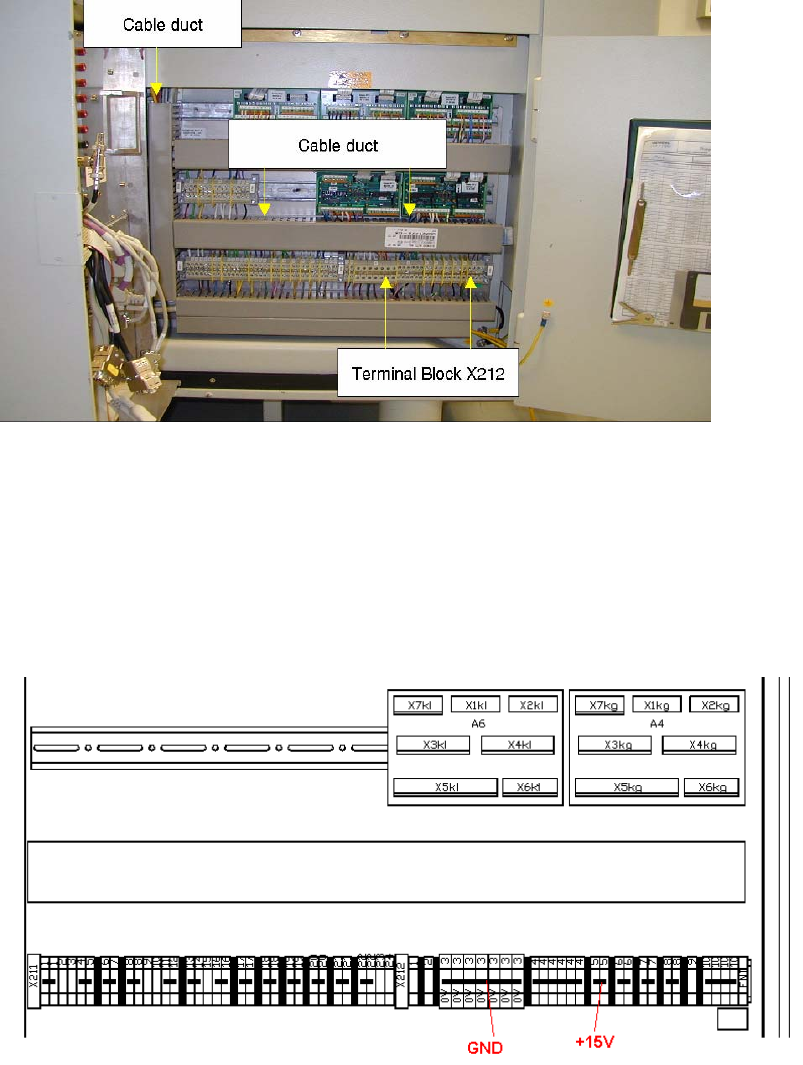
Fig. 18 - 1 Connecting the power supply for the hub
: Start at terminal block X212 (Fig. 8 - 1)
: Connect the voltage terminals as shown in Fig. 8 - 2.
: Connect the first wire (white or blue) of power supply cable to a GND terminal.
: Connect the brown wire to a +15 V terminal.
. 18
Fig. 18 - 2 Terminals for power supply
: Run the cable through the existing cable ducts to the hub.
Retrofitting Instructions Splice Detection Basic Package S/F
11/2003 Edition
30
19 Connecting to the station computer
: Plug the serial cable into the HUB.
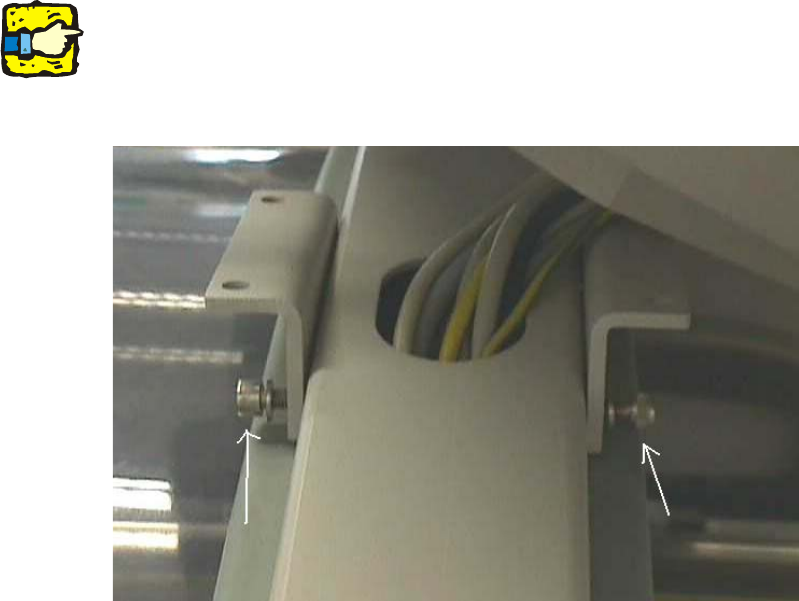
: Use the pilot wire to pull the serial cable to the station computer. Loosen the two screws at the
side to make more room for the plug (Fig. 9 - 1).
: Plug the serial cable supplied into the free COM port on the station computer
19
It is better to do this work with 2 persons. 19
19
19
19
Fig. 19 - 1 Screws for detaching the station computer mount
19
19
19
19
19
19