2OM-1086-002.pdf - 第109页
2.7 “Mark” T ab *4 *5 *6 *7 *8 *1 *2 *3 0211-005 Chapter 1 2 - 43 Tg0583-PM-D2 2.7 "Mark" T ab • Sheet Layout When you push "Mark" tab in the "Pattern Program" edit window , the following ta…
2.6 “Scr Recog” Tab
0211-005 Chapter 1 2-42-1 Tg0583-PM-D2
*4 Fiducial Mark #2
Display the ten-key window and input the values for X (width), Y
(length), Code Gain (only when the automatic gain adjustment is
not used) and Level (only when the automatic gain adjustment is
not used).
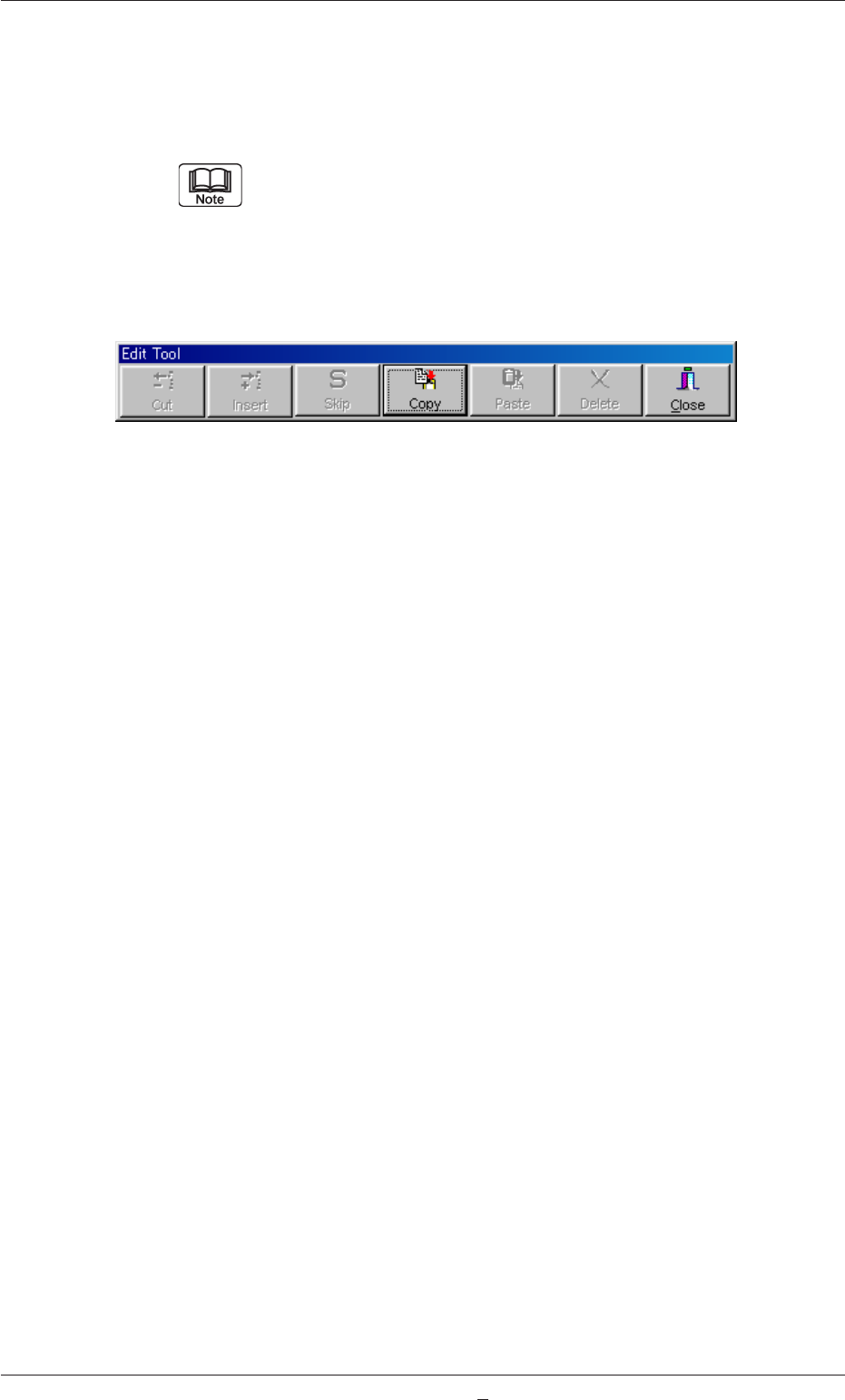
When the [Tool] button on the toolbar is pressed, the “Edit
Tool” bar appears.
When the [Copy] button on the “Edit Tool” bar is pressed,
the P.C.B. recognition coordinate data can be transferred
to the screen recognition coordinate data.
Fig. 3B90-1 "Edit Tool" Bar
*5 Auto Gain Adj.
Press the text box twice to show the lower direction arrow. Then,
select "ON" or "OFF" in the drop down list. Normally, select "ON" .
2.7 “Mark” Tab
*4
*5
*6 *7
*8
*1
*2
*3
0211-005 Chapter 1 2-43 Tg0583-PM-D2
2.7 "Mark" Tab
• Sheet Layout
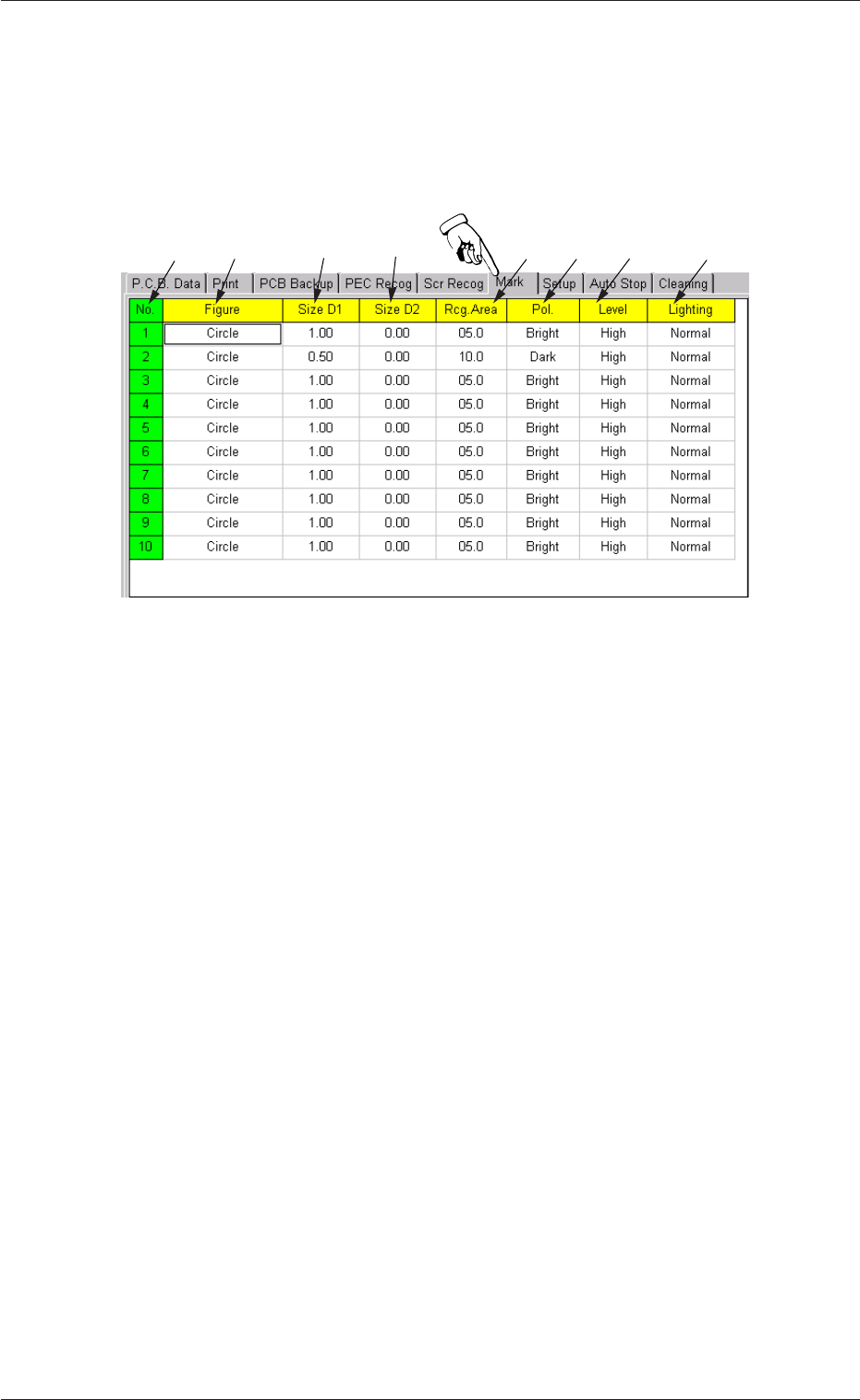
When you push "Mark" tab in the "Pattern Program" edit window, the
following tab sheet appears.
Fig. 3B91 "Mark" Tab Sheet
• Sheet Composition
*1 Code
Mark codes are displayed.
*2 Figure
Push a text box twice. The text box changes to a combo box. Push
the down arrow to open the drop-down list. Select a proper figure
(shape) of the fiducial mark from the drop-down list.
*3 Size D1
Make the ten-key window appear and enter a value in each text
box.
*4 Size D2
Make the ten-key window appear and enter a value in each text
box.
*5 Rcg. Area
Make the ten-key window appear and enter a value in each text
box.

0211-005 Chapter 1 2-44 Tg0583-PM-D2
2.7 “Mark” Tab
*6 Pol.
Push a text box twice. The text box changes to a combo box. Push
the down arrow to open the drop-down list. Select "Bright" or "Dark"
from the drop-down list.
*7 Level
Push a text box twice. The text box changes to a combo box. Push
the down arrow to open the drop-down list. Select "High", "Middle"
or "Low" from the drop-down list.
*8 Lighting
Only “Normal” can be selected for the standard machine (standard
specifications).