2OM-1086-002.pdf - 第128页
2. 5 "Info. Clear" T ab This tab sheet is provided with two buttons and each button is used to clear the management data stored in memory . • Sheet Layout When "Info. Clear" tab is pressed in the &quo…
2.4 "Sub-System Error" Tab
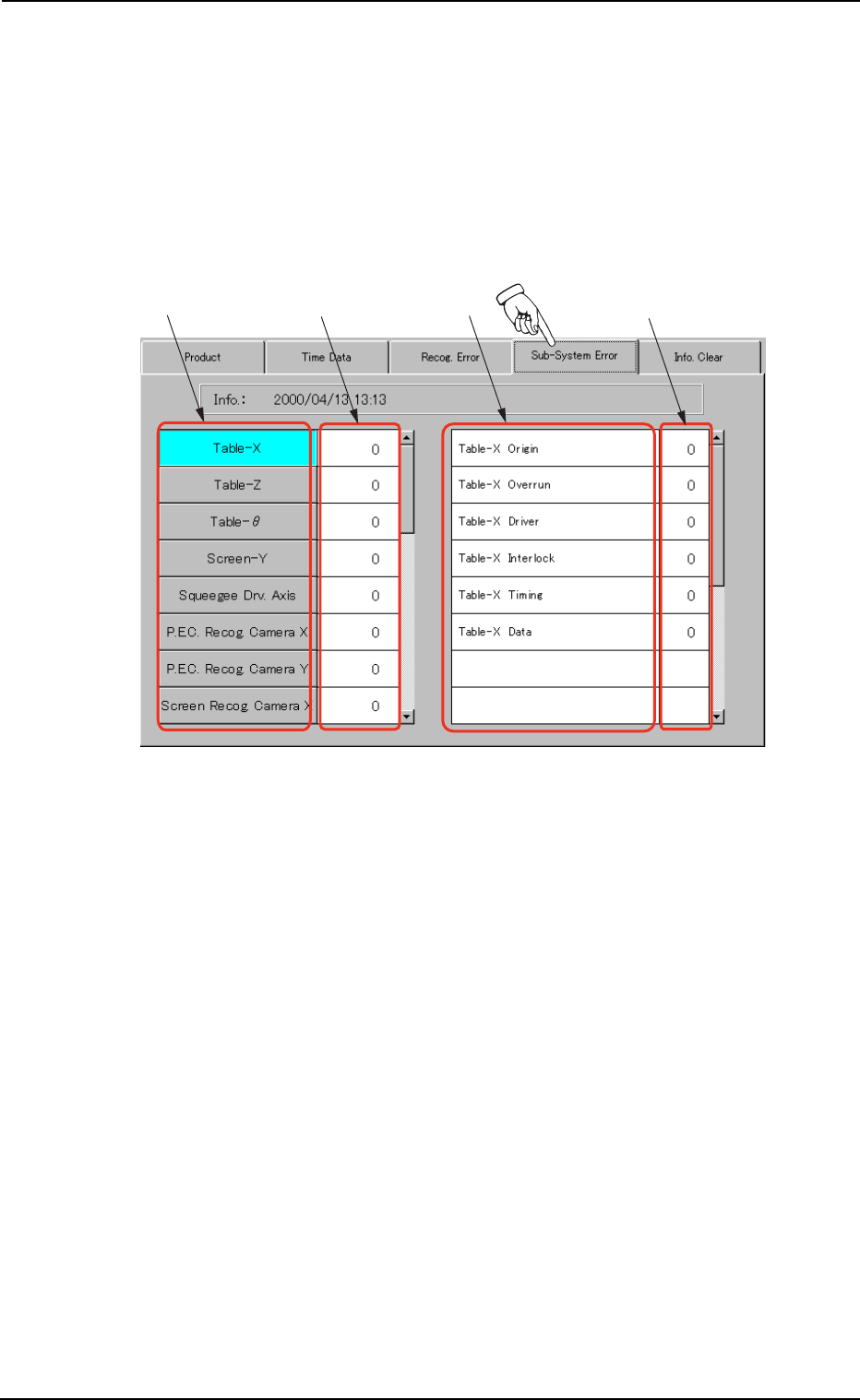
This indicates the error data on each individual units.
• Sheet Layout
When the "Sub-System Error" tab is pressed in the "MANAGE. DATA 1"
window (submenu), the following tab sheet appears.
Fig. 3C7 "Sub-System Error" Tab Sheet
• Sheet Composition
*1 Unit Selection Buttons
These buttons are used to select the units.
When a button is pressed, the indications in "*3 Contents of Er-
rors" change.
*2 Total Numbers of Errors on Each Individual Units
The indicated values represent the total numbers of errors on each
individual units.
*3 Contents of Errors
Displayed are the contents of errors on each individual units.
*4 Total Numbers of Errors
The indicated values represent the numbers of errors classified
according to the contents of errors on each individual units.
*1
*2 *3
*4
0211-005 Chapter 1 3-12 Tg0583-PM-D2
2.4
"
Sub-System Error
"
Tab
2.5 "Info. Clear" Tab
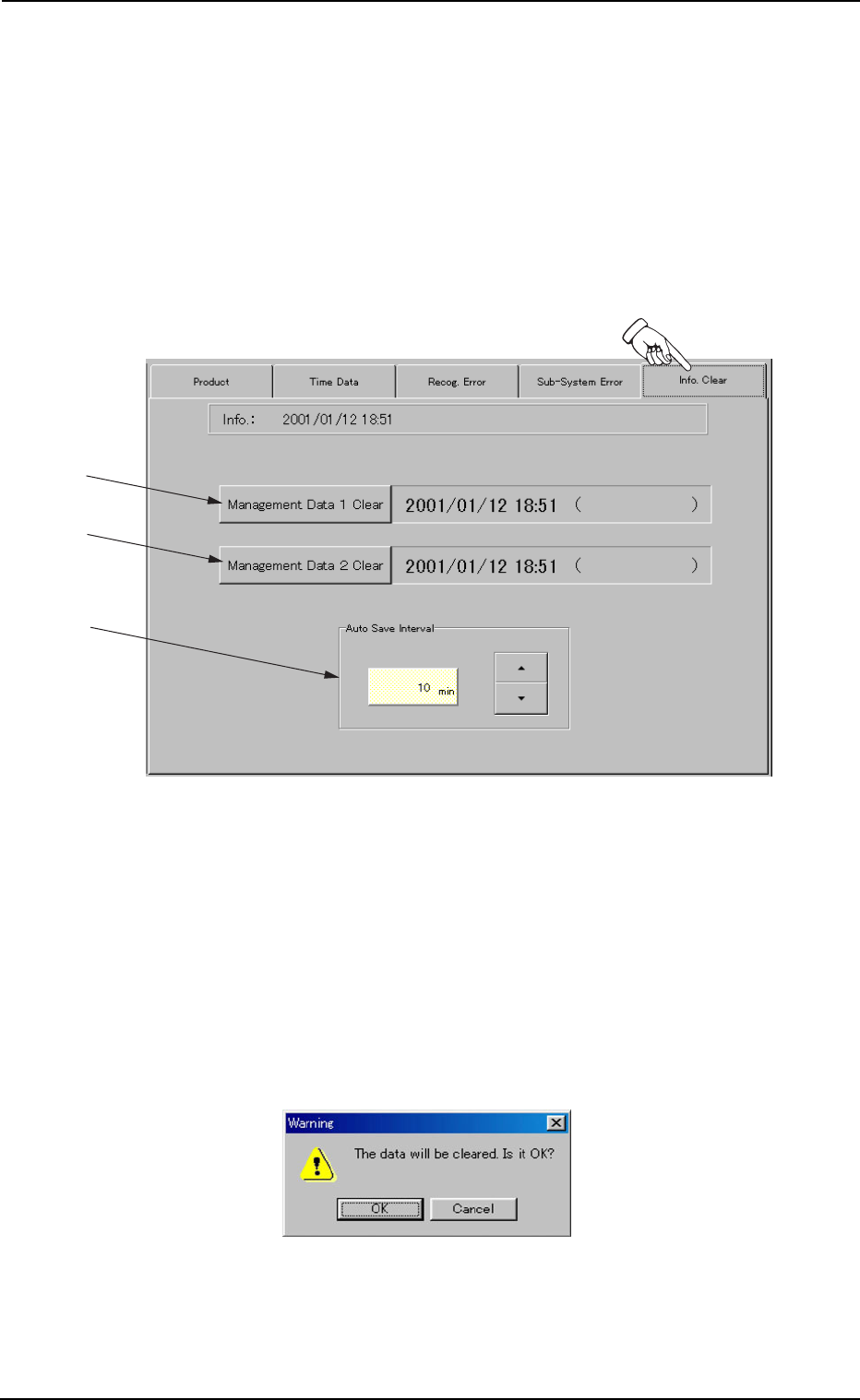
This tab sheet is provided with two buttons and each button is used to
clear the management data stored in memory.
• Sheet Layout
When "Info. Clear" tab is pressed in the "MANAGE. DATA 1" window
(submenu), the following tab sheet appears.
Fig. 3C8 "Info. Clear" Tab Sheet
• Sheet Composition
*1 [Management Data 1 Clear] Button
When the button is pressed, the following "Warning" dialog box
opens.
When the [OK] button is pressed, the contents of "Management
Data 1" are cleared and the date and time of the clear operation are
updated.
Fig. 3C9
*1
*2
*3
0211-005 Chapter 1 3-13 Tg0583-PM-D2
2.5
"
Info. Clear
"
Tab
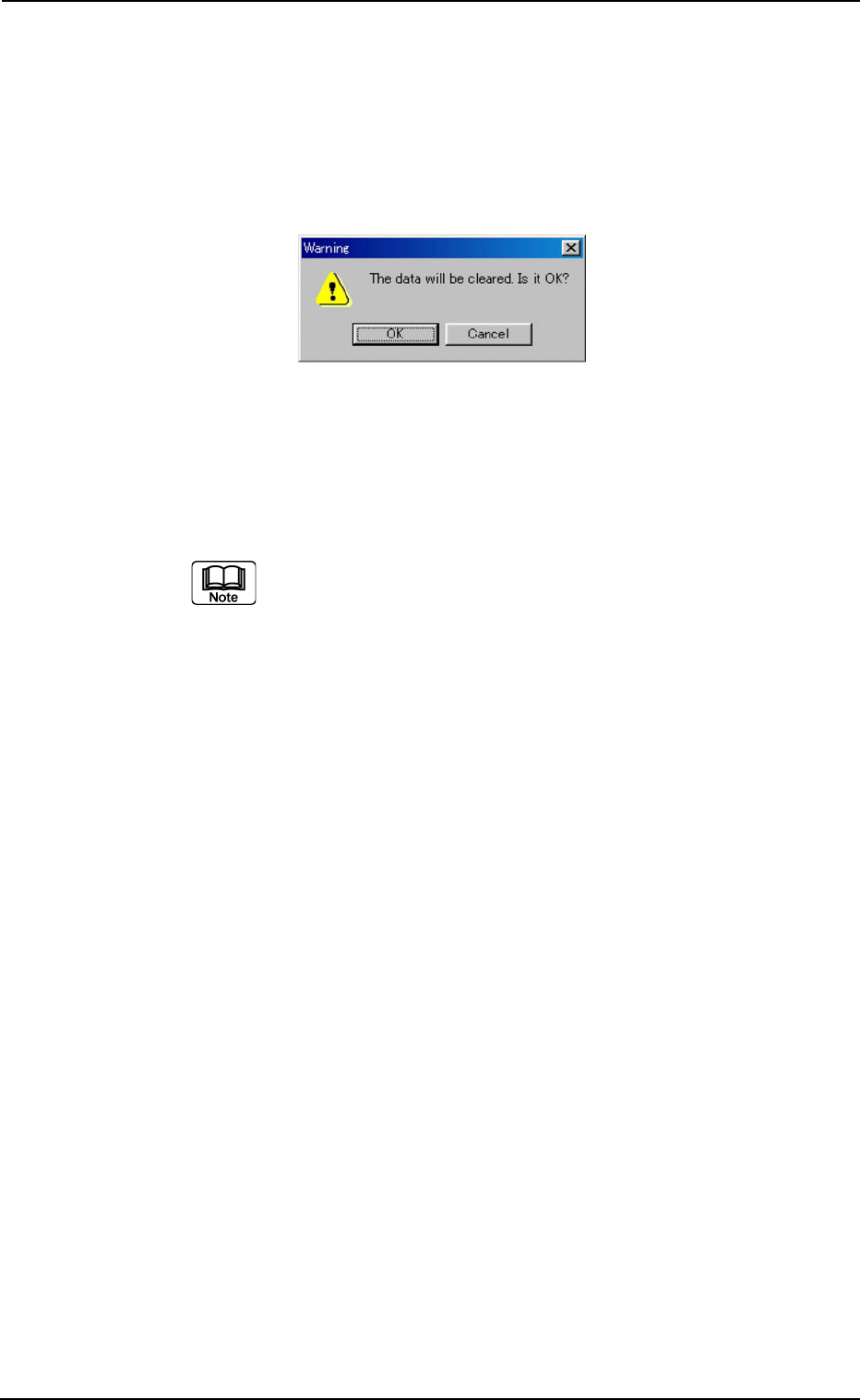
*2 [Management Data 2 Clear] Button
When the button is pressed, the following "Warning" dialog box
opens.
When the [OK] button is pressed, the contents of "Management
Data 2" are cleared and the date and time of the clear operation are
updated.
Fig. 3C10
*3 “Auto Save Interval” Group Box
Set the interval time to automatically save the management data of
the selected pattern program on the hard disk.
When the management data is set to be downloaded from
the network terminal for this machine, it is updated at the
interval specified here.
0211-005 Chapter 1 3-14 Tg0583-PM-D2
2.5
"
Info. Clear
"
Tab