2OM-1086-002.pdf - 第174页
P .C.B. T ransfer Height : Enter an offset value in the text box, based on the specified distance in the Z direction between the upper surface of the table chute at its origin and the lower surface of the P .C.B. Fig. 3D…
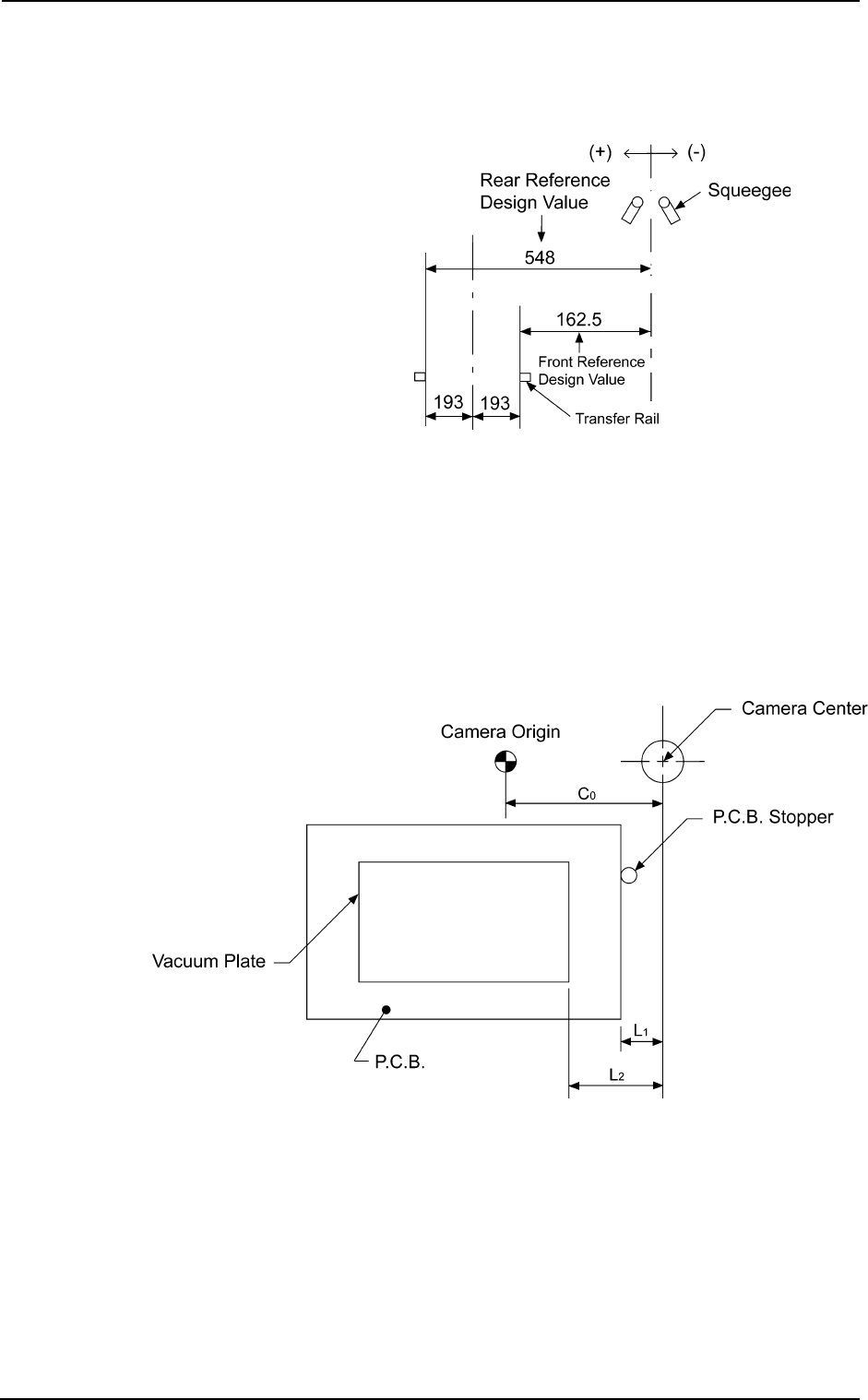
Squeegee-Screen : Enter an offset value in the text box,
based on the specified distance in the
Y direction between the squeegee ori-
gin and the screen center.
Fig. 3D13-5
Vacuum Plate : Enter an offset value in the text box,
based on the specified distance in the
X direction between the center of the
P.E.C. recognition camera and the end
plane of the P.C.B. vacuum jig.
Fig. 3D13-6
0211-005
Chapter 1 4-23 Tg0583-PM-D2
4.1
"
Machine Offset
"
Tab
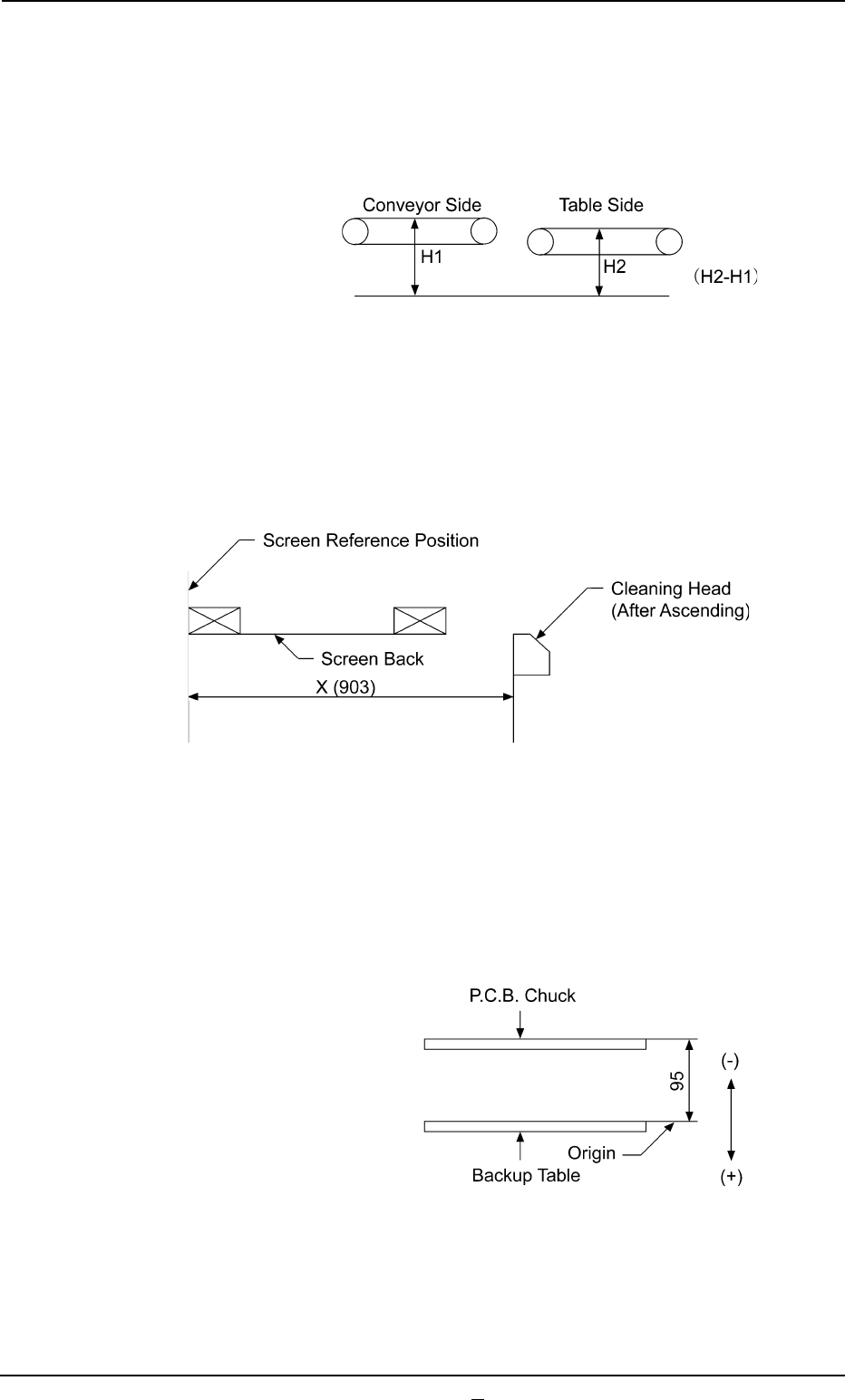
P.C.B. Transfer Height : Enter an offset value in the text
box, based on the specified distance
in the Z direction between the upper
surface of the table chute at its origin
and the lower surface of the P.C.B.
Fig. 3D13-7
Cleaning : Enter an offset value in the text box,
based on the specified distance in the
X direction between the cleaning head
at its cleaning position and the screen
center.
Fig. 3D13-8
P.C.B. Chuck Height : Enter an offset value in the text box,
based on the specified distance in the
Z direction between the P.C.B. backup
table at its origin and the lower surface
of the P.C.B.
Fig. 3D13-9
0211-005 Chapter 1 4-24 Tg0583-PM-D2
4.1
"
Machine Offset
"
Tab
4.1
"
Machine Offset
"
Tab
0211-005 Chapter 1 4-24-1 Tg0583-PM-D2
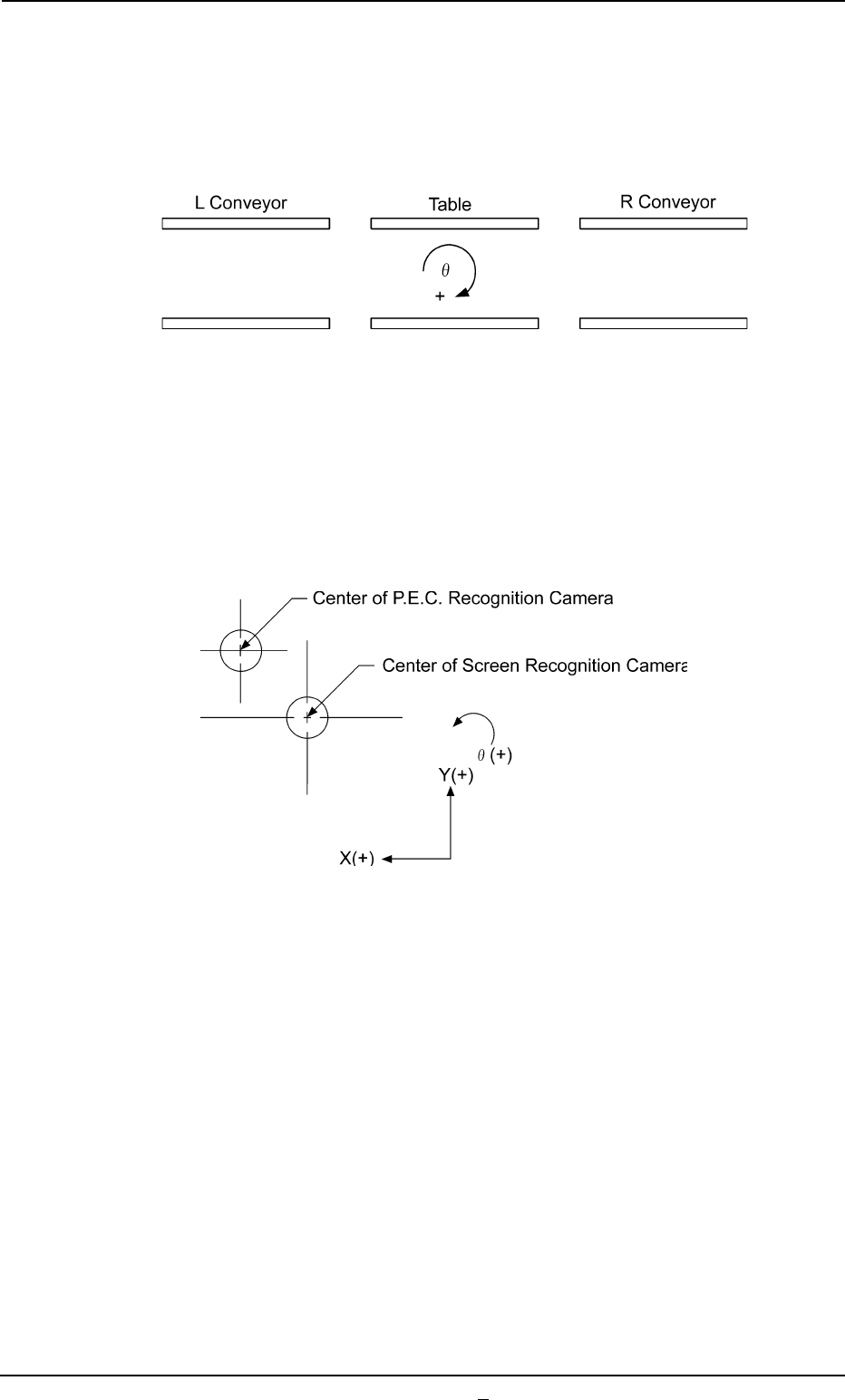
P.C.B. Transfer Angle [‘’] : Enter the offset (the deviation caused
when the table is zeroed) in the θ di-
rection between the table and the con-
veyors.
(Unit: ‘’ [second])
Fig. 3D13-10
*4 Two-Camera Offset
Enter offset values in the text boxes based on the specified ones
for each axis, regarding the relative positional deviations between
the P.E.C. and screen recognition cameras.
Fig. 3D13-11