2OM-1086-002.pdf - 第200页
Section 2 T roubleshooting on Each Section 021 1-005 Chapter 2 2 - 1 Tg0583-PM-D2 This section describes how to solve easy problems or reset the machine from abnormal condition (error dis- play) to normal one.

0211-005 Chapter 2 1-10 Tg0583-PM-D2

Section 2
Troubleshooting on Each Section
0211-005 Chapter 2 2-1 Tg0583-PM-D2
This section describes how to solve easy problems or
reset the machine from abnormal condition (error dis-
play) to normal one.
1. Easy Troubleshooting
Described below are the simple errors against which an operator (a
person in charge of machine operations) can take measures.
When an operator cannot solve a certain problem, contact the supervi-
sor (a person in charge of machine management) for his advice.
1.1 Power Operation Impossible
Table 4B1
Symptom Although the [POWER ON] button on the front operation panel is pressed,
power is not supplied.
Cause (Cause 1) The [POWER ON] button was not pressed for more than two sec-
onds.
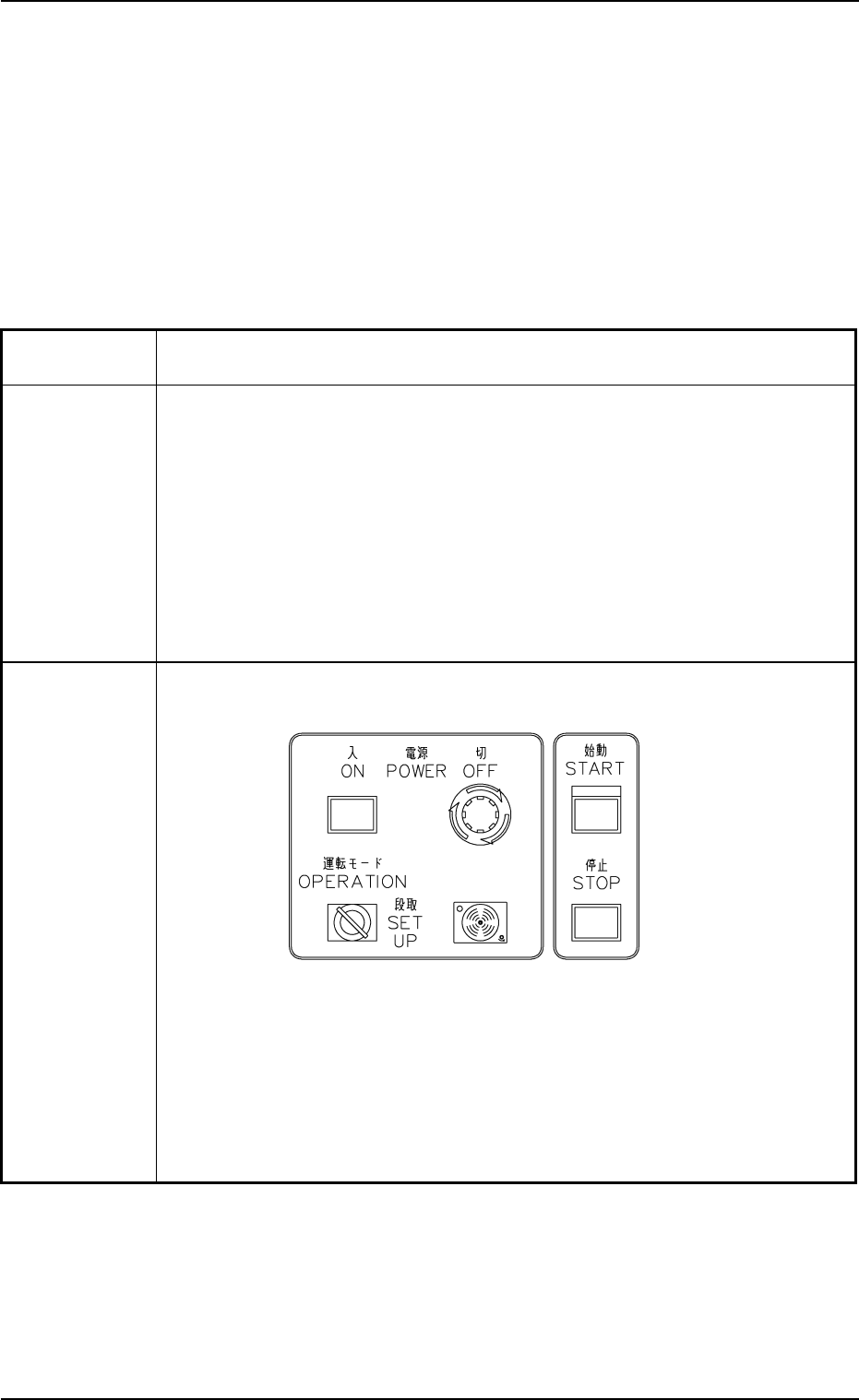
(Cause 2) The [POWER OFF] button on the front operation panel is locked
in the "OFF" mode.
(Cause 3) The power breaker is turned "OFF".
(Cause 4) The air pressure has not reached the specified one (0.39 MPa
(4 kgf/cm
2
)).
Remedy (Remedy 1) Hold down the [POWER ON] button on the front operation panel
for more than 2 seconds.
Fig. 4B1
(Remedy 2) Turn the [POWER OFF] button on the front operation panel in
the arrow direction until it is unlocked and press and hold the
[POWER ON] button for more than 2 seconds.
0211-005
Chapter 2 2-2 Tg0583-PM-D2
1. Easy Troubleshooting