CP45FVNEO Maintenance Reference (Eng, Ver3).pdf - 第18页
Samsung Component Placer CP45NEO Series Maintenance Refer ence T urn off the main switch in the lef t lowe r cover of the rear side and discon nect ai r before maintenance or repair . Caution: Safety Colors and Contrast …
Preface
v
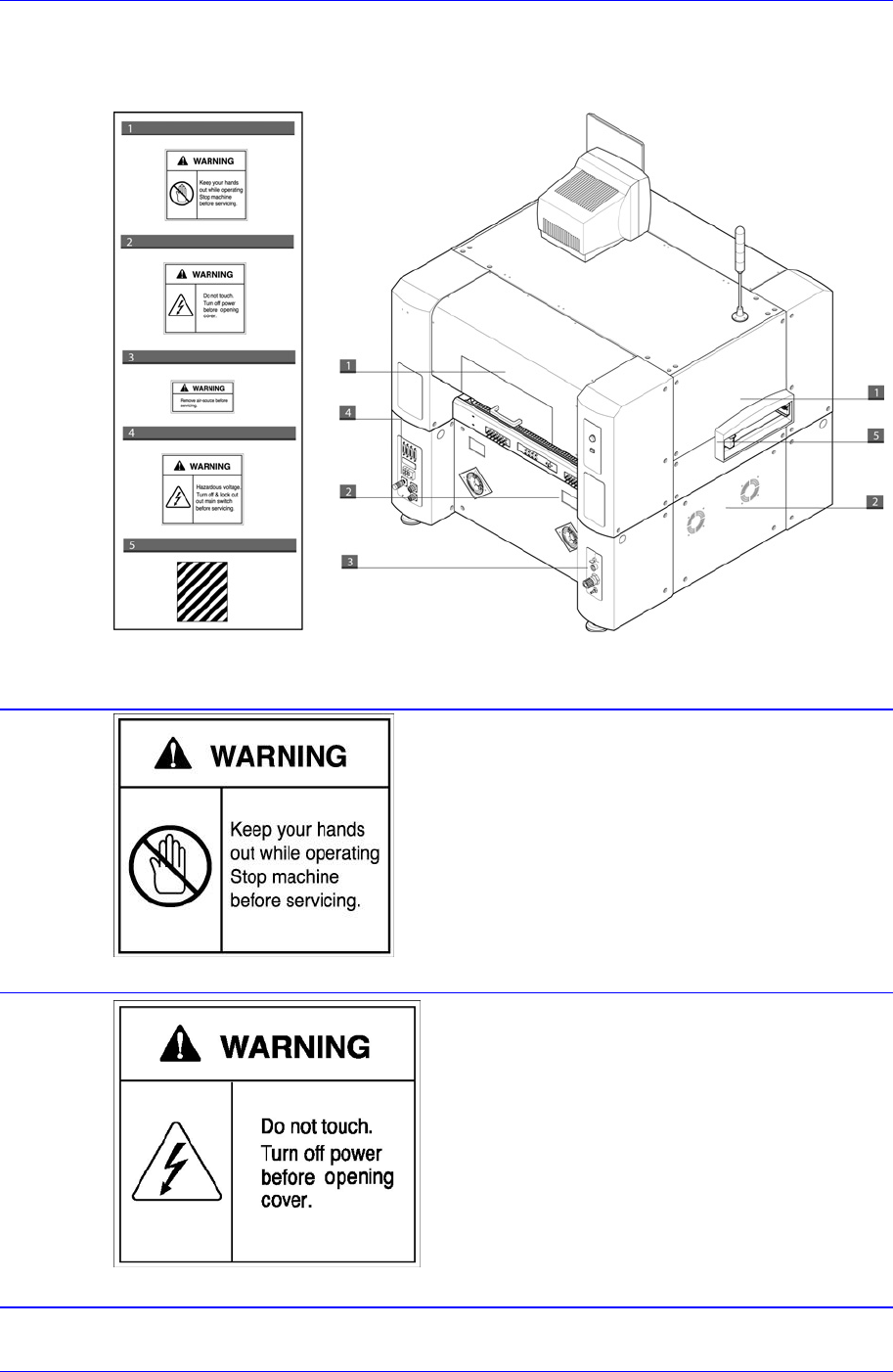
Rear View of the Machine
The following labels are attached on the rear part of this machine.
Figure 0-2. Safety labels attached on the rear part of the machine
Do not put a hand in during operation.
Part where this label is attached contains
moving parts, it is very dangerous if the use
r
disassembles any part or open the cover when
the moving part is maneuvering.
Stop the machine before servicing.
Stop the machine before repair or maintenance
or error troubleshooting.
If the cover is removed from the area
where this label is attached, it could
result in an electric shock.
When it is necessary to remove the
cover for repair or maintenance, turn of
f
the main switch in the left lower cover o
f
the rear side, wait a little while, and
remove the cover.
Samsung Component Placer CP45NEO Series Maintenance Reference
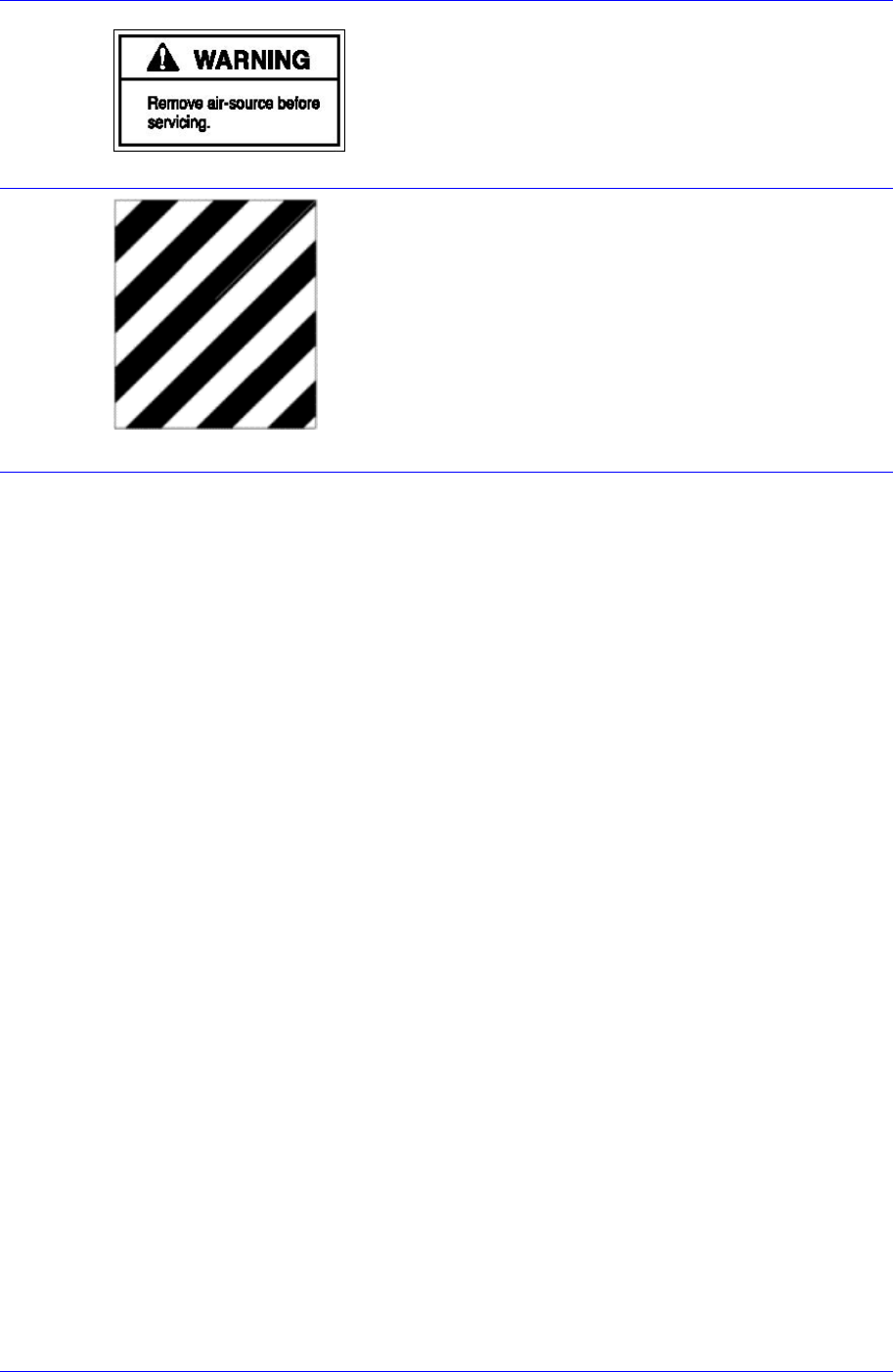
Turn off the main switch in the left lowe
r
cover of the rear side and disconnect ai
r
before maintenance or repair.
Caution: Safety Colors and Contrast Colors
Combination of Safety yellow and black may be
used to indicate temporary or permanent ris
k
locations. – locations where there is moving
part(Conveyor).
vi
Preface
vii
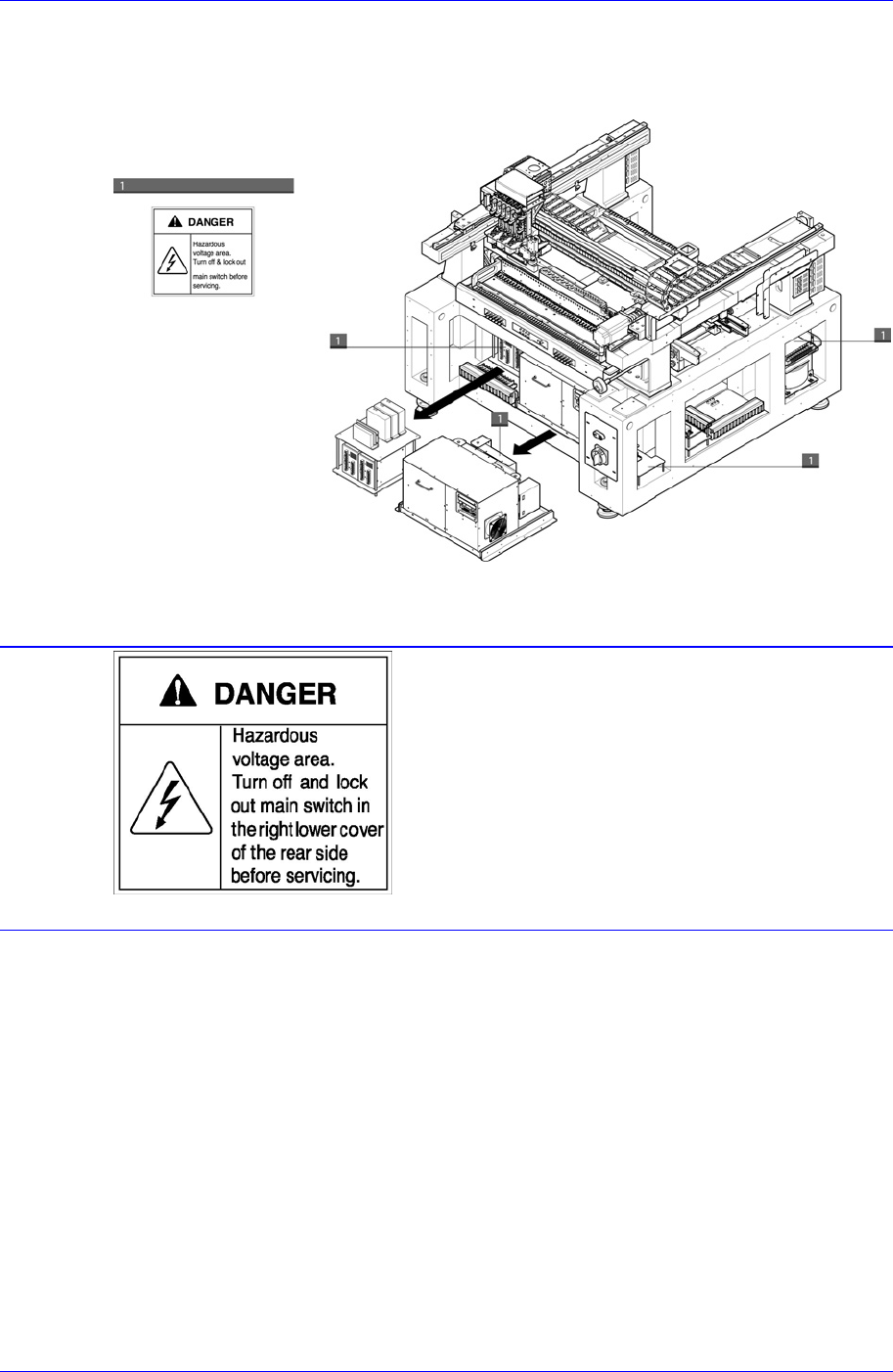
Internal Part of the Machine
The following labels are attached on the internal part of this machine.
Figure 0-3. Safety labels attached on the internal part of the machine
Where this label is attached is hazardous
voltage area, it could result in an electric
shock.
Before repair or maintenance, turn off the
main switch in the right lower cover of the
rear side, wait a little while, and remove
the cover.