CP45FVNEO Maintenance Reference (Eng, Ver3).pdf - 第39页
Daily Inspection 2-5 After pressing the nozzle 4 to 5 times to distribute the recently applied lubrication oil, return the nozzle to ANC in the a rrangement memorized in advance. 2.2. Nozzle Holder T ube Inspection Inspe…
Samsung Component Placer CP45NEO Series Maintenance Reference
Recommended cleaning liquid
Name: CHEMTECH Sticker Remover spray
Place of purchase: Samsung Techwin C/S Center
Caution
Precautions
Precautions for handling written on the container
must be followed.
Do not spray toward a flame.
Keep away from heat, sparks, and open flame.
Do not keep it in the temperature of over 40 °C.
Do not use it in a closed space.
Do not dispose the container in the fire. Remove all
gas and dispose it.
Do not inhale the vapor and avoid contact with skin,
eyes, and clothes.
After use, turn the container upside down and spray
the remaining liquid.
Keep it away from children.
Do not swallow it.
Do not use it for purposes other than cleaning the
hole, wings, and tip of the nozzle.
Please refer to Material Safety Data Sheets for
details.
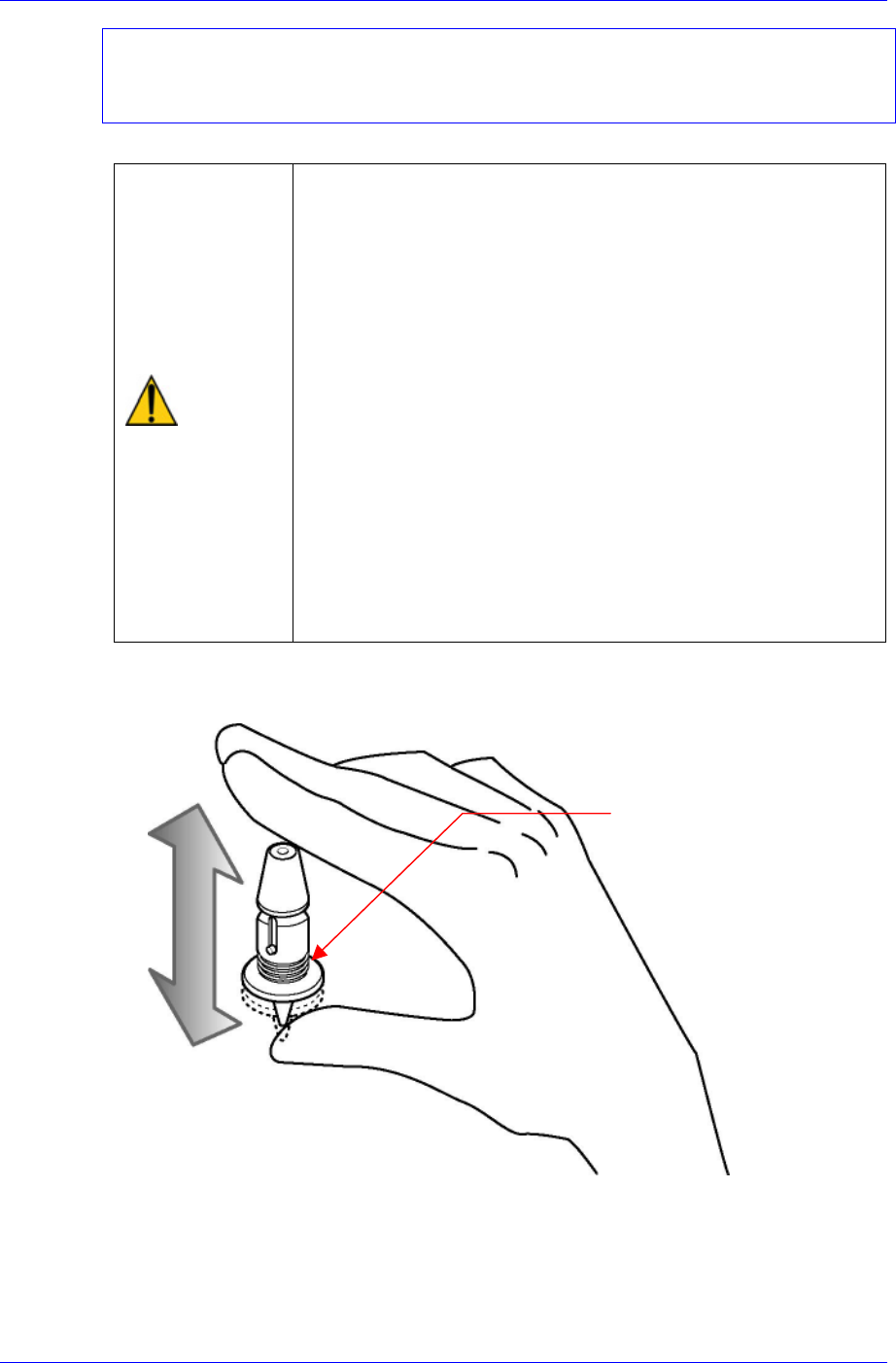
Check if the nozzle spring is adequately smooth by pressing it 2 to 3 times by hand
before returning the nozzle to ANC.
N
ozzle Spring
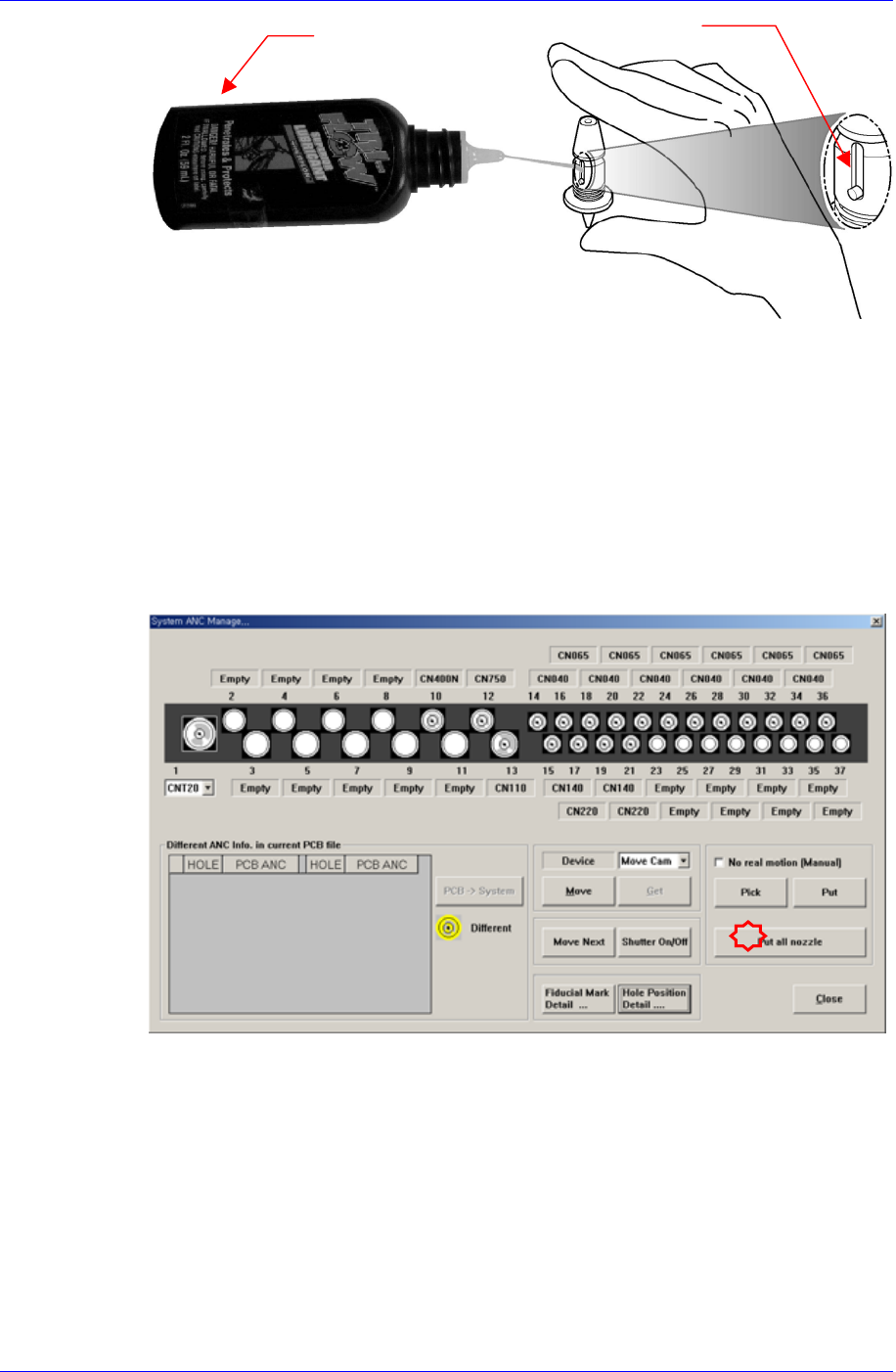
If the nozzle spring doesn’t work well, inject the provided nozzle cleaning liquid into
points of injection referring to the following figures.
2-4
Daily Inspection
2-5
After pressing the nozzle 4 to 5 times to distribute the recently applied lubrication oil,
return the nozzle to ANC in the arrangement memorized in advance.
2.2. Nozzle Holder Tube Inspection
Inspection
A hitch may arise in nozzle pickup if the nozzle holder tube is loose or cracked.
Solution
Execute the ANC dialog box and click the <Put All Nozzle> button to keep all
nozzles that are mounted on the heads in the ANC.
Points o
f
Lubrication
Lubricant
for nozzle
Samsung Component Placer CP45NEO Series Maintenance Reference
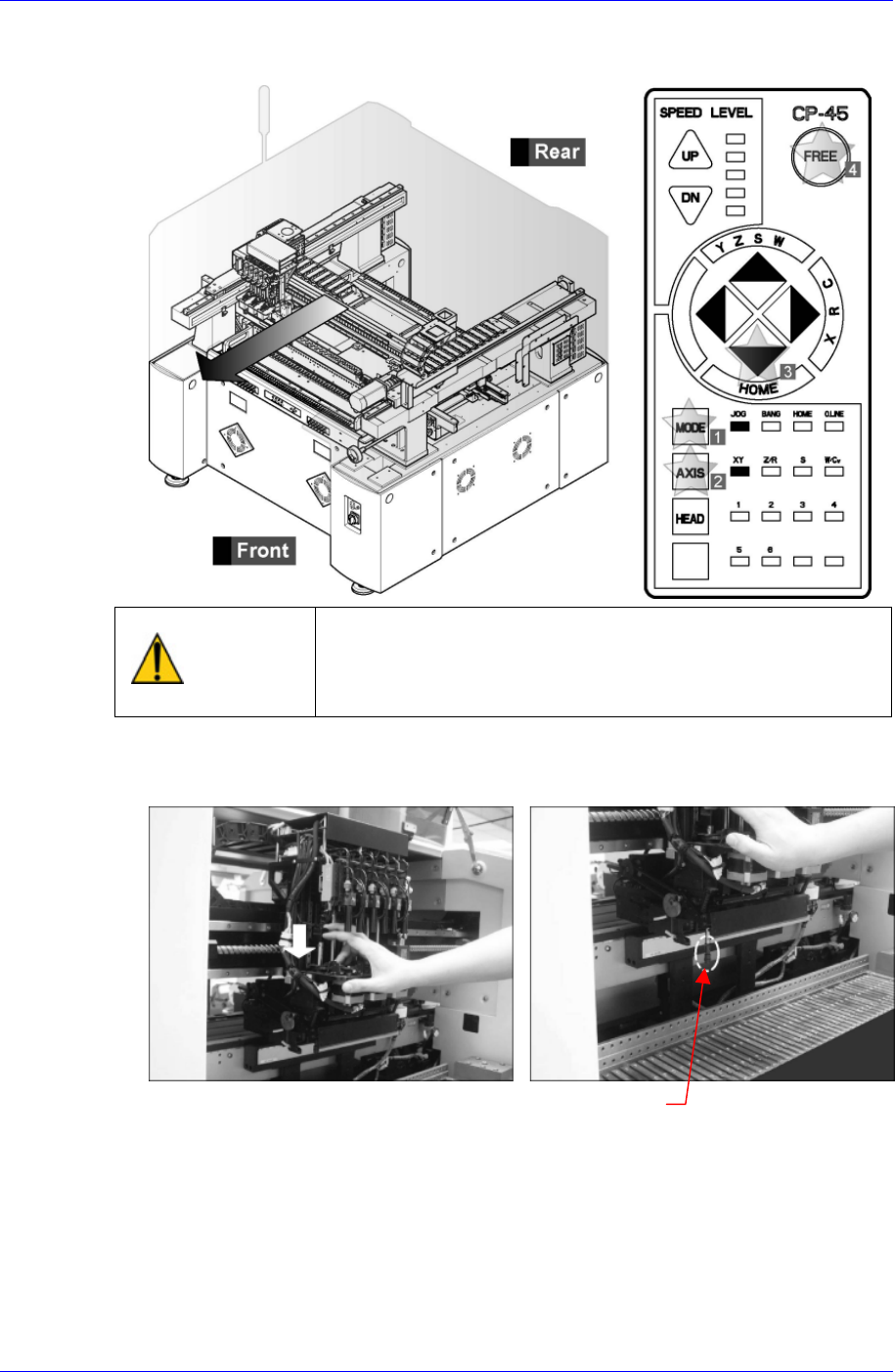
Operate the teaching box to move the Front X Frame Assembly to the rear side as far
as possible so that front and rear head assemblies do not interfere with each other.
Warning
After clicking the “Motor Free” button on the teaching box,
click the “Stop” and “Reset” buttons on the front operation
panel. Conduct inspection while the motor power supply is
turned off.
Open the window and lower the Z-axis manually to the position where the nozzle
holder of head 1 is visible by pressing the upper surface of the spindle by hand.
Nozzle Holde
r
Check if the nozzle holder tube is not too loose or that any cracks exist by touching it
by hand. In case a defect is found, replace it.
2-6