CP45FVNEO Maintenance Reference (Eng, Ver3).pdf - 第53页
W eekly Inspection 3-3 Lower the spindle to the position where a sp anner can enter into the spindle hole (A) and hexagonal part (B) of the nozzle holder . Nozzle Holder Hold the head spindle groove(A) with the 7mm s…
Samsung Component Placer CP45NEO Series Maintenance Reference
Warning
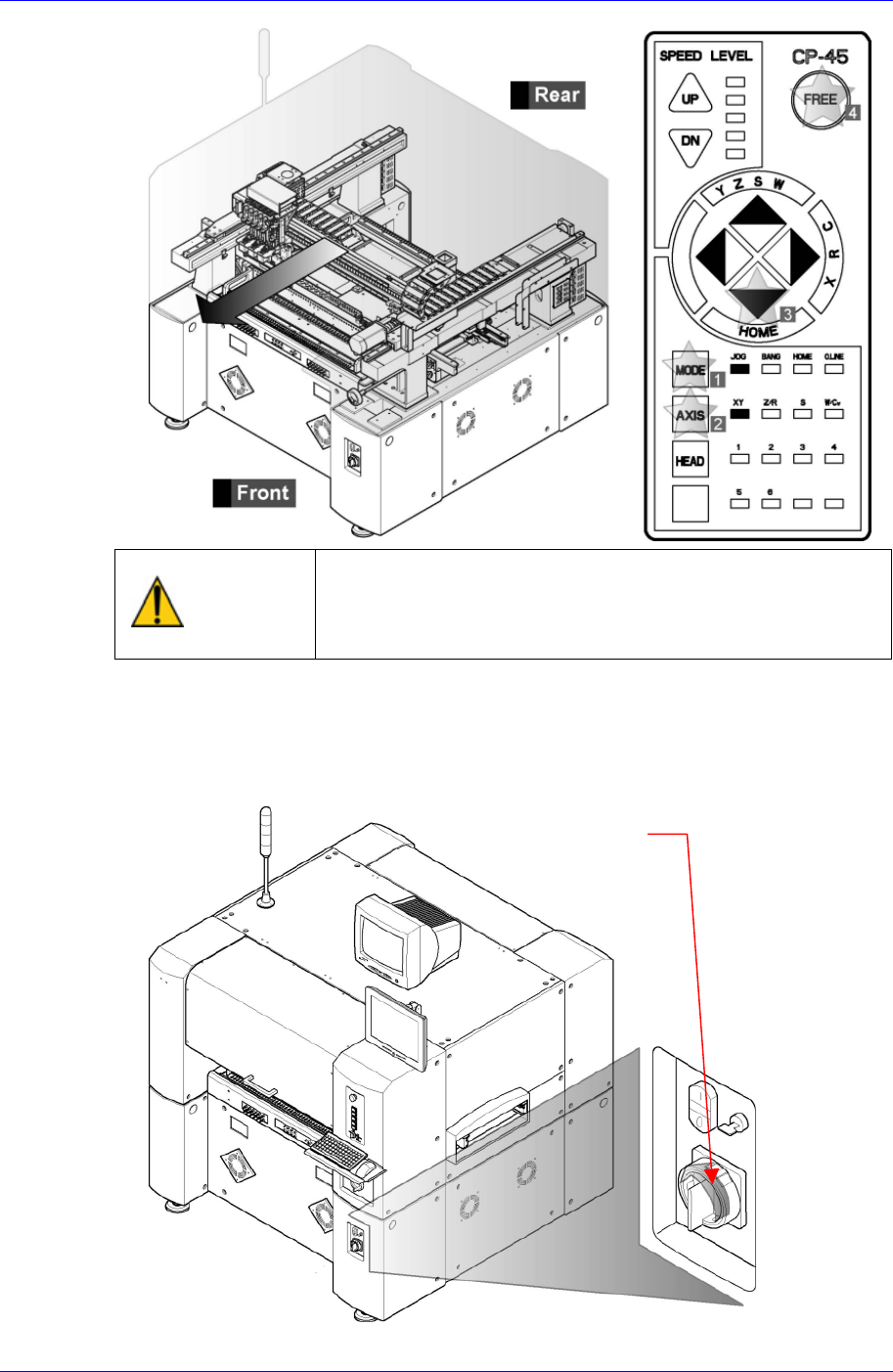
After clicking the “Motor Free” button on the teaching box,
click the “Stop” and “Reset” buttons on the front operation
panel. Conduct inspection while the motor power supply is
turned off.
If the working space is insufficient, move the head assembly manually to the front
side.
After terminating the MMI and computer, Turn off the main switch on the front side
of the machine.
Main switch turn-of
f
direction
(
counterclockwise)
3-2
Weekly Inspection
3-3
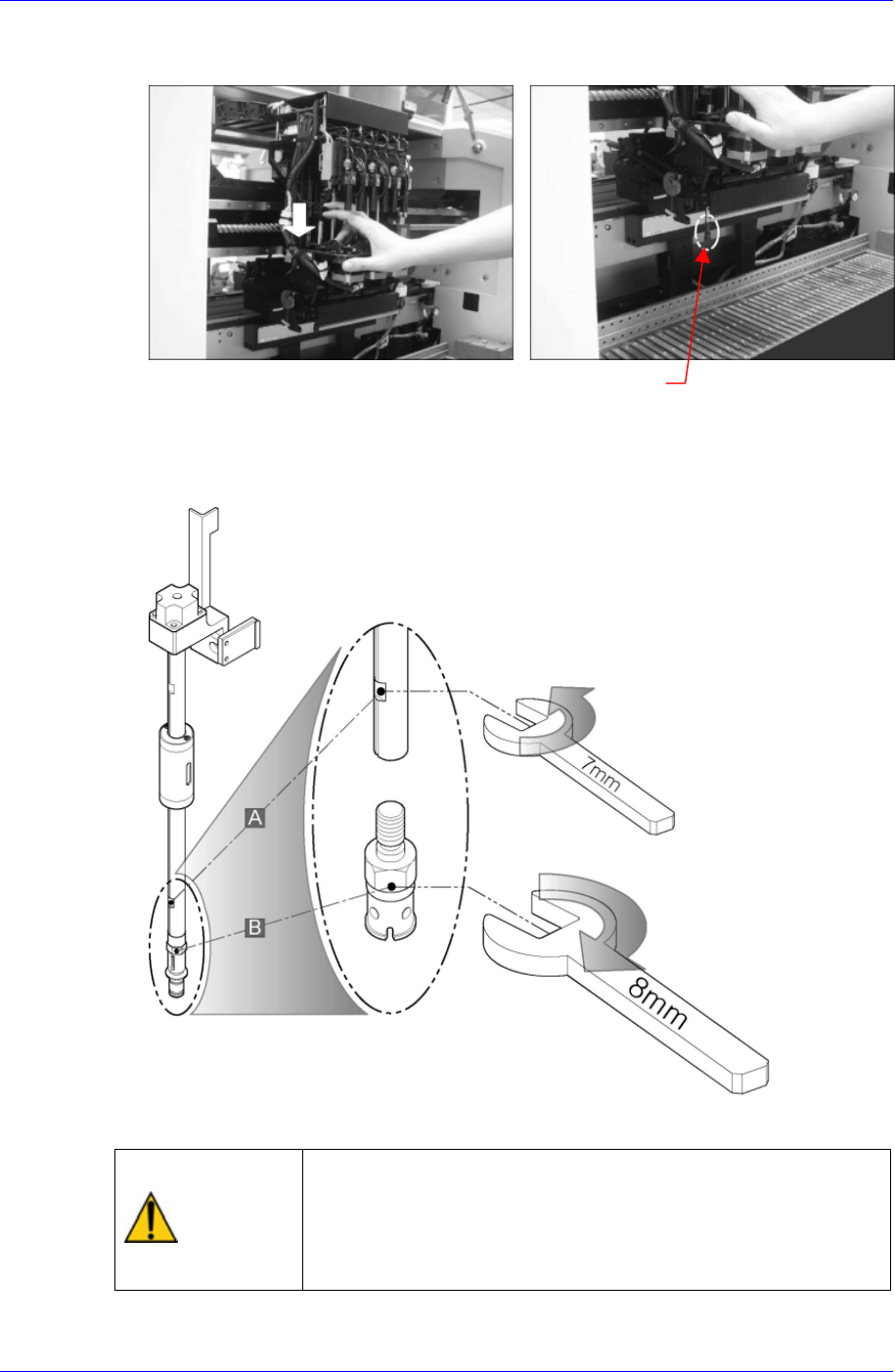
Lower the spindle to the position where a spanner can enter into the spindle hole (A)
and hexagonal part (B) of the nozzle holder.
Nozzle Holder
Hold the head spindle groove(A) with the 7mm spanner and the hexagonal area(B) of
the nozzle holder with the 8mm spanner and remove the nozzle holder by applying
force on the 7mm spanner counterclockwise while applying the same force on the
8mm spanner clockwise.
Assembling is done in the reverse order.
Caution
In case the nozzle holder is removed or assembled with the
spindle by applying too excessive force, the spindle may be
bent or excessive force may be imposed on the spindle
threads. Remove or assemble the nozzle holder applying
appropriate force
Samsung Component Placer CP45NEO Series Maintenance Reference
3.1.2. Vacuum Filter
Inspection
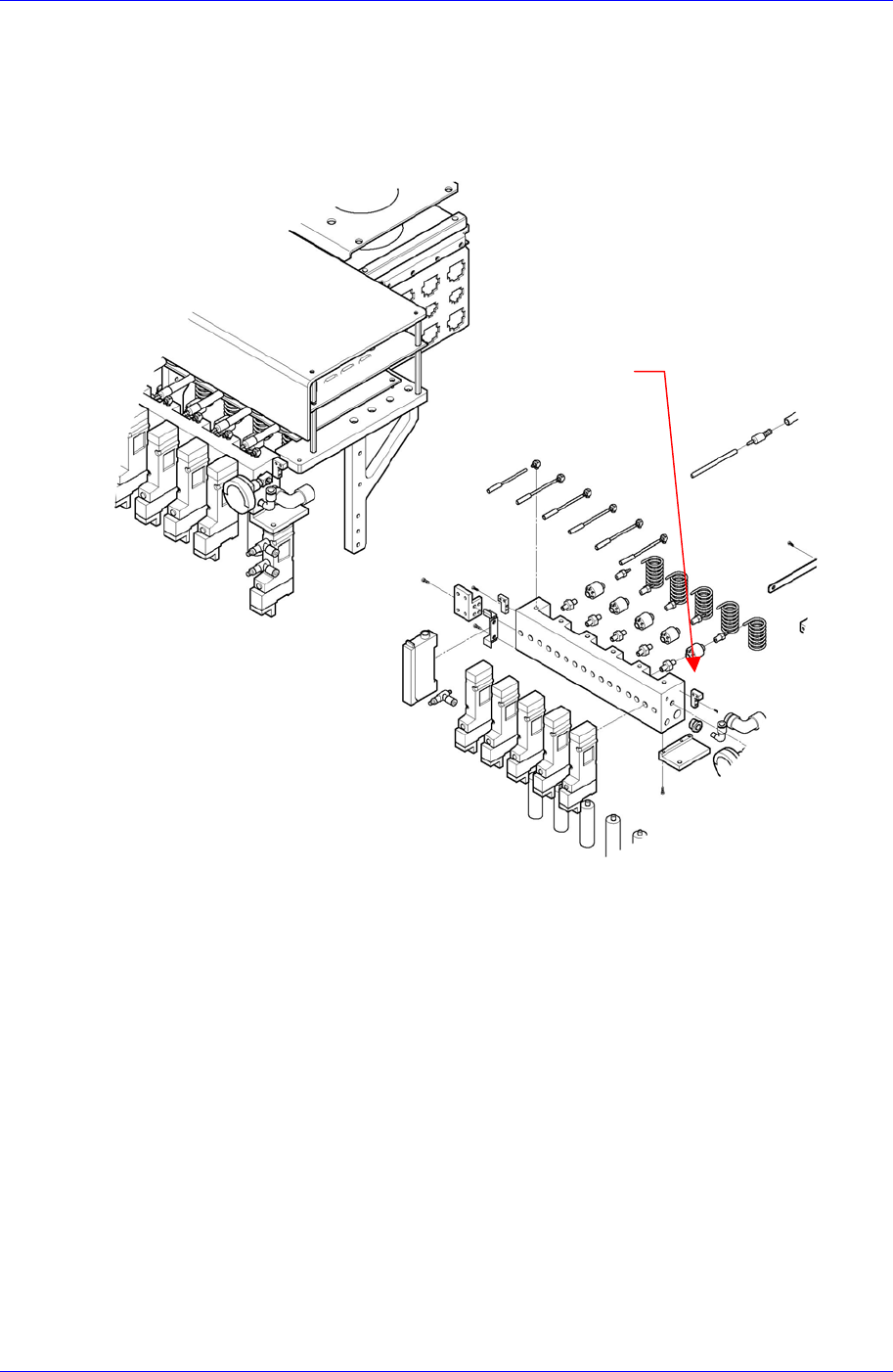
Problem to the vacuum can occur when the vacuum filter has been contaminated by dust
in the air or due to solder paste. Check the vacuum filter regularly to make sure the filter
element is free from contamination.
Figure 3-2. Vacuum Filter Inspection
Solution
Vacuum Filter
Move the nozzles installed on the spindle of the head assembly to ANC using the
“Put All Nozzle” command.
3-4