CP45FVNEO Maintenance Reference (Eng, Ver3).pdf - 第59页
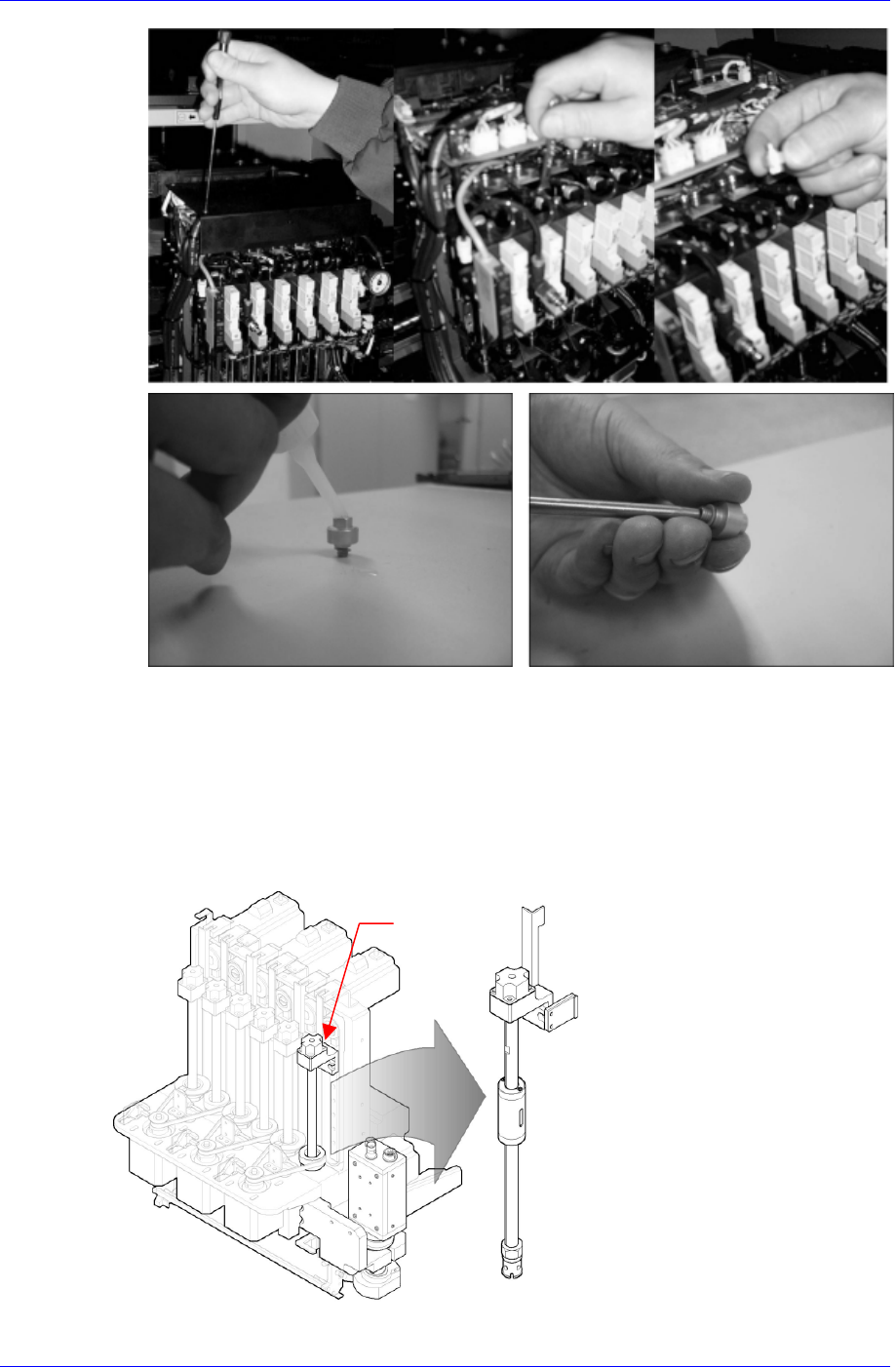
W eekly Inspection 3-9 Solution After blowing the ‘3-4 vacuum filter ’ first, turn the rotary fitting on the upper part of the spindle counterclockwise using a 6mm sp anner, and inject adequate quantit y of alcohol fro…
Samsung Component Placer CP45NEO Series Maintenance Reference
Assembling is done in the reverse order.
3.1.3. Spindle
Inspection
Contamination (such as solder paste, etc.) in the spindle can cause pickup problems. The
inside of the spindle must be cleaned in case of contamination. Perform the cleaning of
the spindle and vacuum filter at the same time.
Spindle
3-8
Weekly Inspection
3-9
Solution
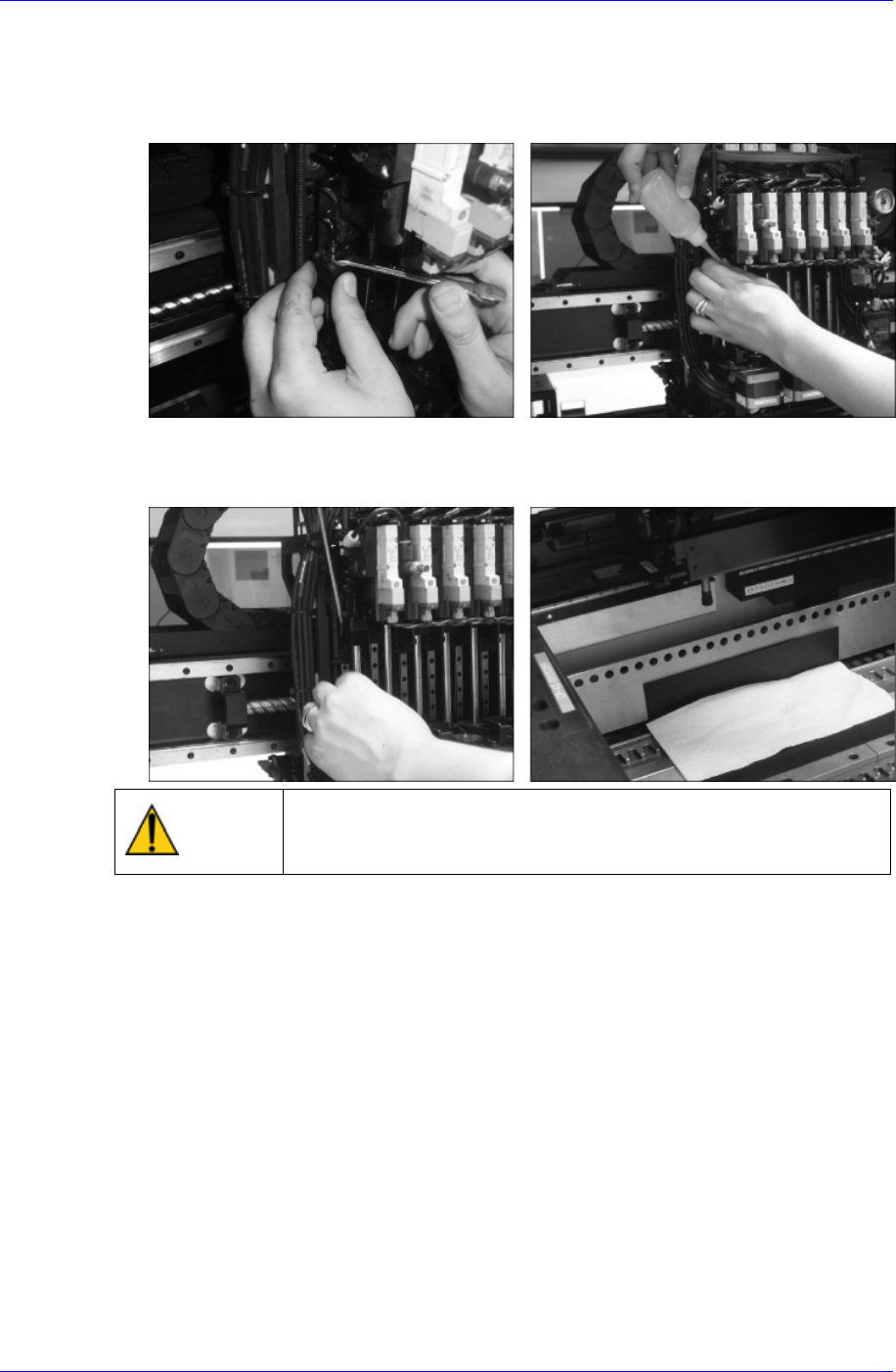
After blowing the ‘3-4 vacuum filter’ first, turn the rotary fitting on the upper part of
the spindle counterclockwise using a 6mm spanner, and inject adequate quantity of
alcohol from the cleaning kit before assembling.
Be sure to put a soft cloth on the hole under the spindle to catch any alcohol that
splashes, and completely blow out the alcohol and other impurities remaining inside
using an air gun.
Caution
Using the air gun without putting on goggles may cause injury
to the eyes of the operator. Be sure to wear goggles when
using the air gun.
After assembling the rotary fitting, Assemble the vacuum filter referring to the
vacuum filter cleaning procedure.
If problems with the vacuum generation still occur even after cleaning the filter,
contact our designated C/S company (STS) and local agent.
3.1.4. X-Y Frame
Inspection
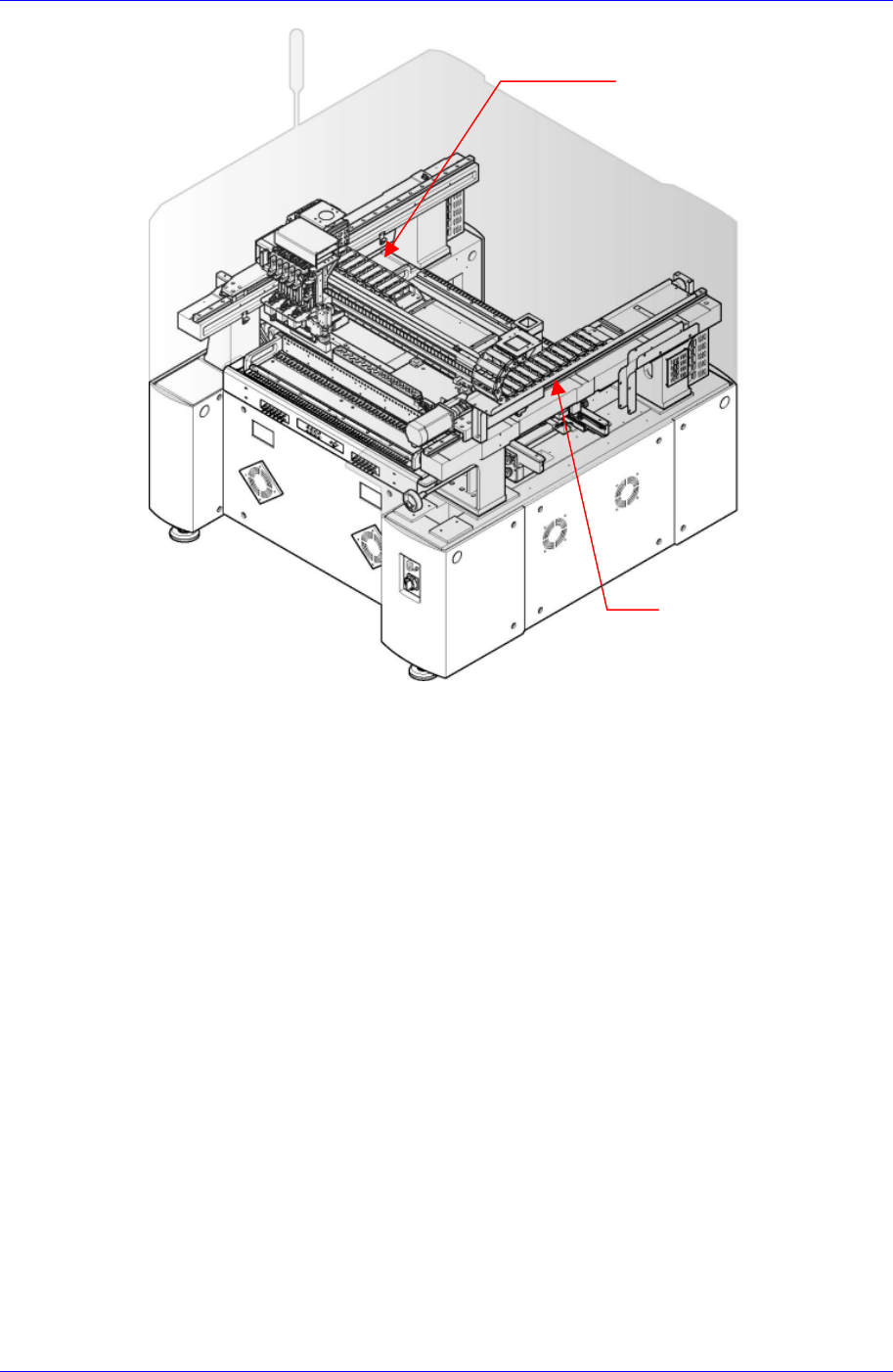
Check the wear of the cableveyor wrapping the major cable assembly and air hose of
the X frame and Y1 frame. In case of damage or wear in the cableveyor, there may be
noise in the machine and damages in the cable assembly and air hose.
Samsung Component Placer CP45NEO Series Maintenance Reference
X Frame Cableveyor
Y1 Frame Cableveyor
Check visually if there is any damage due to wear and tear in each cable assembly
and air hose installed in the X-Y frame.
Solution
In case of excessive wear or non-operation, please adjust in consultation with our
designated C/S company (STS) or local agent.
3.1.5. Conveyor System
3.1.5.1. PCB Conveyor Belt
Inspection
Check the tension of the belt to see if it is too tight or too loose.
Check the belt for abnormal wear.
Check the driving motor pulley for abnormal wear.
Check the tension idler pulley for abnormal wear.
Check the belt to see if it has shifted in position or is coming off.
3-10