CP45FVNEO Maintenance Reference (Eng, Ver3).pdf - 第79页
W eekly Inspection 3-29 3.2.4. Conveyor Scetion Check the state of contamination a nd operation over all of the conveyor . 3.2.4.1. S topper End Inspection Inspection Check if there is any wear on the PCB connection fa…
Samsung Component Placer CP45NEO Series Maintenance Reference
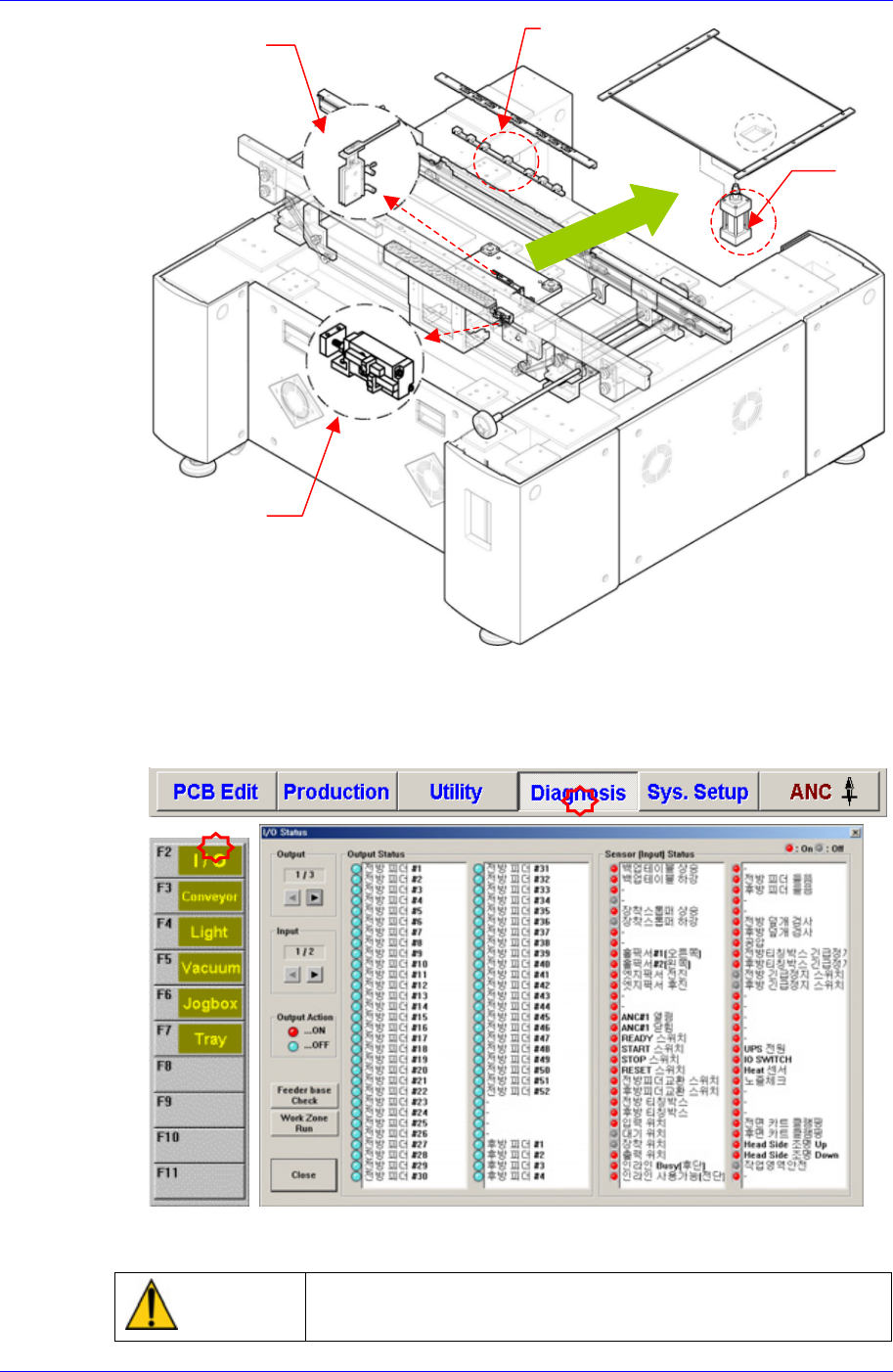
Edge Fixer
Cylinder
Stopper
Cylinder
Backup
Table
Cylinder
Checking can be done conveniently by using the ‘Manual I/O Test’ or ’Self
Diagnostic’ on the MMI screen.
After selecting the Diagnosis from the main menu tool bar in the MMI screen, select
the I/O command from the sub menu tool bar to check the sensor operation.
ANC
Cylinder
In case the Cylinder does not operate, please contact our customer satisfaction
company (STS) or local agent.
Warning
Do not insert any part of your body into the machine during
I/O testing. Otherwise, serious injury may result.
3-28
Weekly Inspection
3-29
3.2.4. Conveyor Scetion
Check the state of contamination and operation over all of the conveyor.
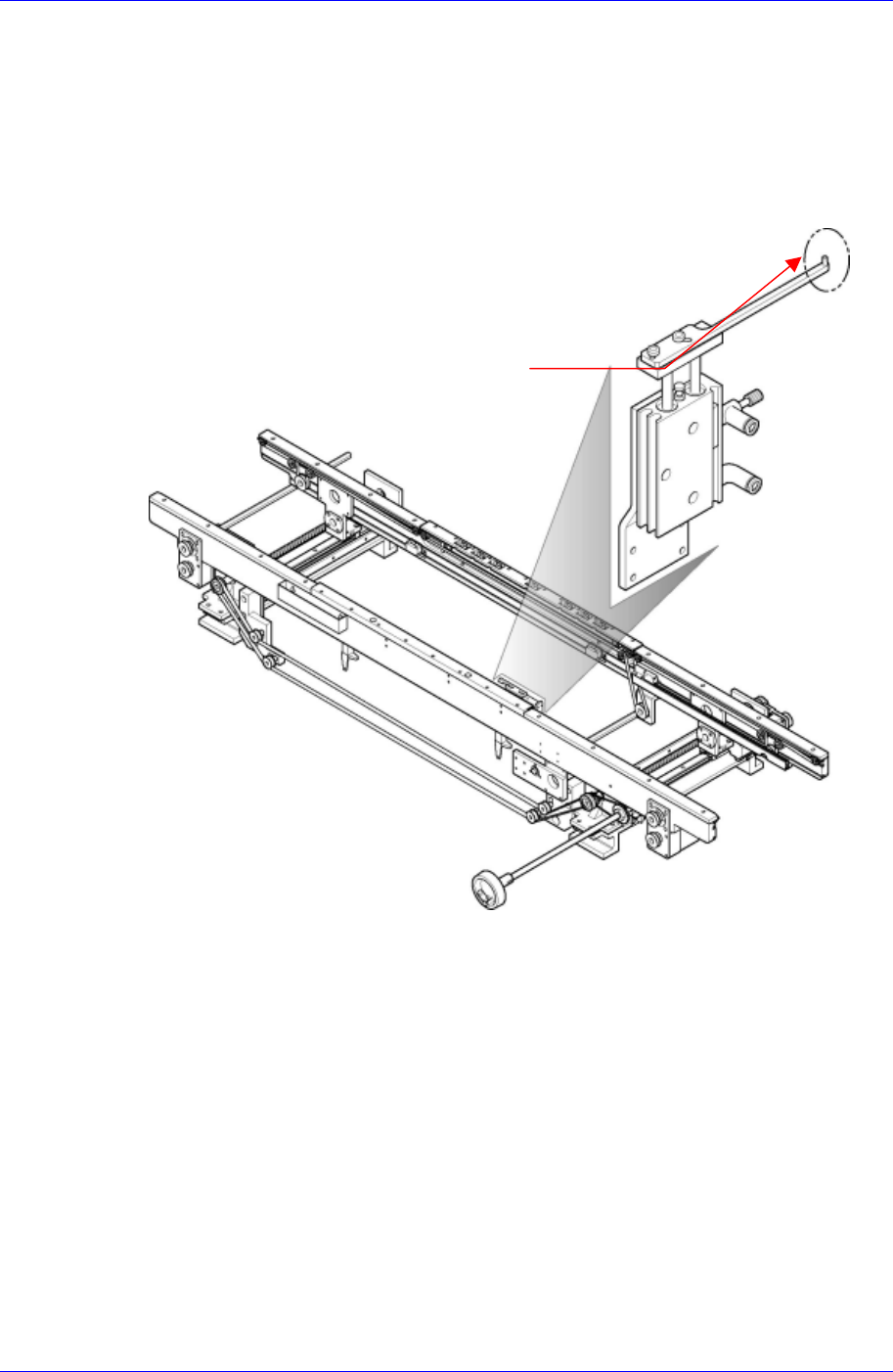
3.2.4.1. Stopper End Inspection
Inspection
Check if there is any wear on the PCB connection face above the stopper.
Checking point o
f
the Stopper En
d
Figure 3-6. Stopper Inspection
Solution
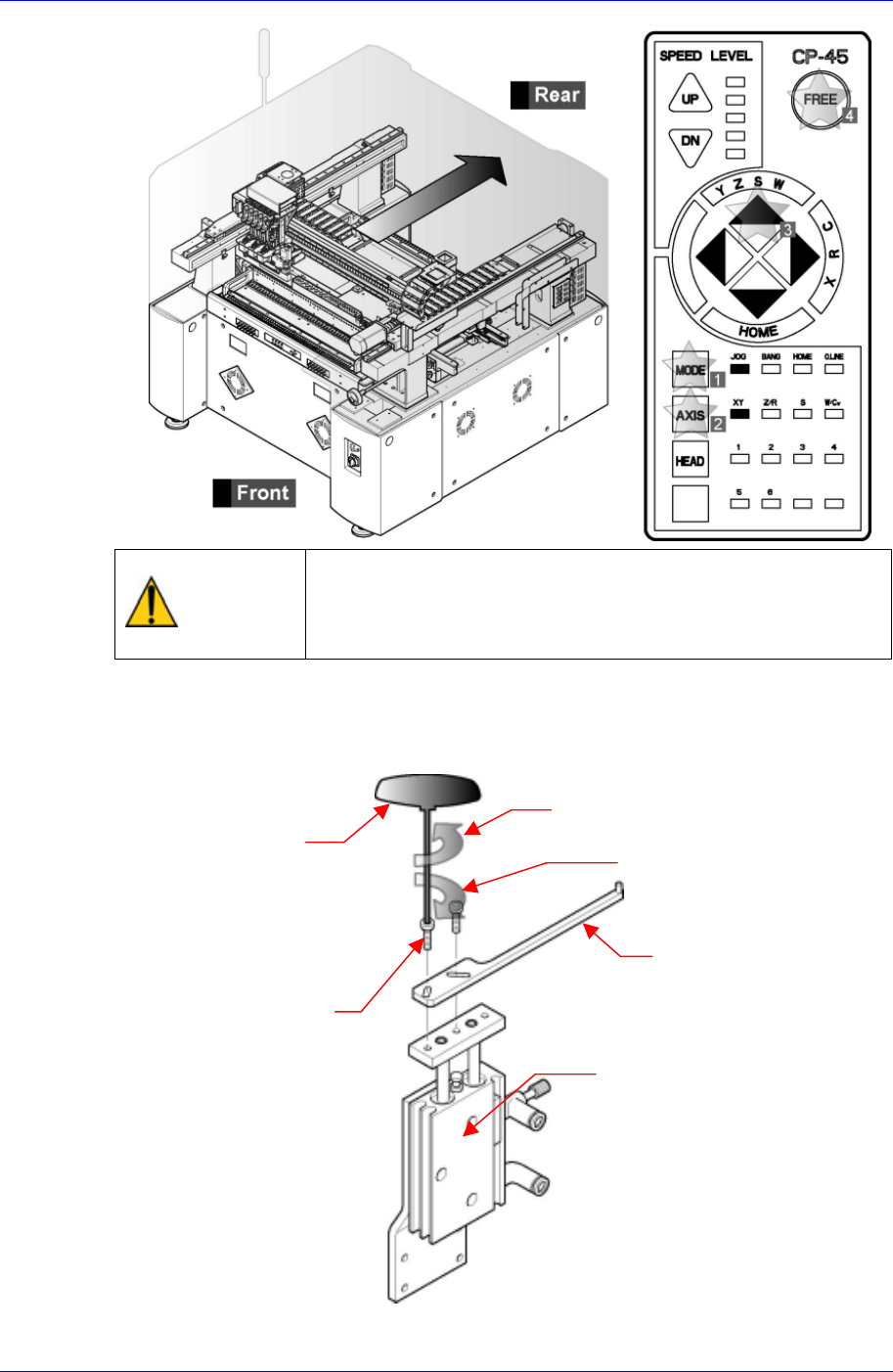
Operate the teaching box to move the X Frame Ass’y to the rear side as far as
possible.
Samsung Component Placer CP45NEO Series Maintenance Reference
Warning
After clicking the “Motor Free” button on the teaching box,
click the “Stop” button on the front operation panel.
Conduct inspection while the motor power supply is turned
off.
For replacement, remove the bolt (M3*L10) connecting the conveyor PCB stopper
cylinder and stopper upper plate using a T-wrench (2.5mm) among the tools provided
by us, and replace the stopper top plate with a new one.
Separation direction (counterclockwise)
T wrench (2.5mm)
Assembly direction (clockwise)
Stopper Upper Plate
Bolt(M3*L10)
CONV PCB Stopper Cylinder
Assembling is done in the reverse order.
3-30