00196014-0102_AI_PCI_KarteAuteRecoveryFunktionX4i_DE+EN.pdf - 第18页
2 Assembly Instructions PCI Card for SIPLACE X4I Auto Recovery Function PCI card 12/2007 Edition 18 : Loosen th e screw on the blanking plate and pull the plate ou t. Screw Blanking plate 2 : Insert the AutoReco very car…
PCI card 2 Assembly Instructions PCI Card for SIPLACE X4I Auto Recovery Function
12/2007 Edition
17
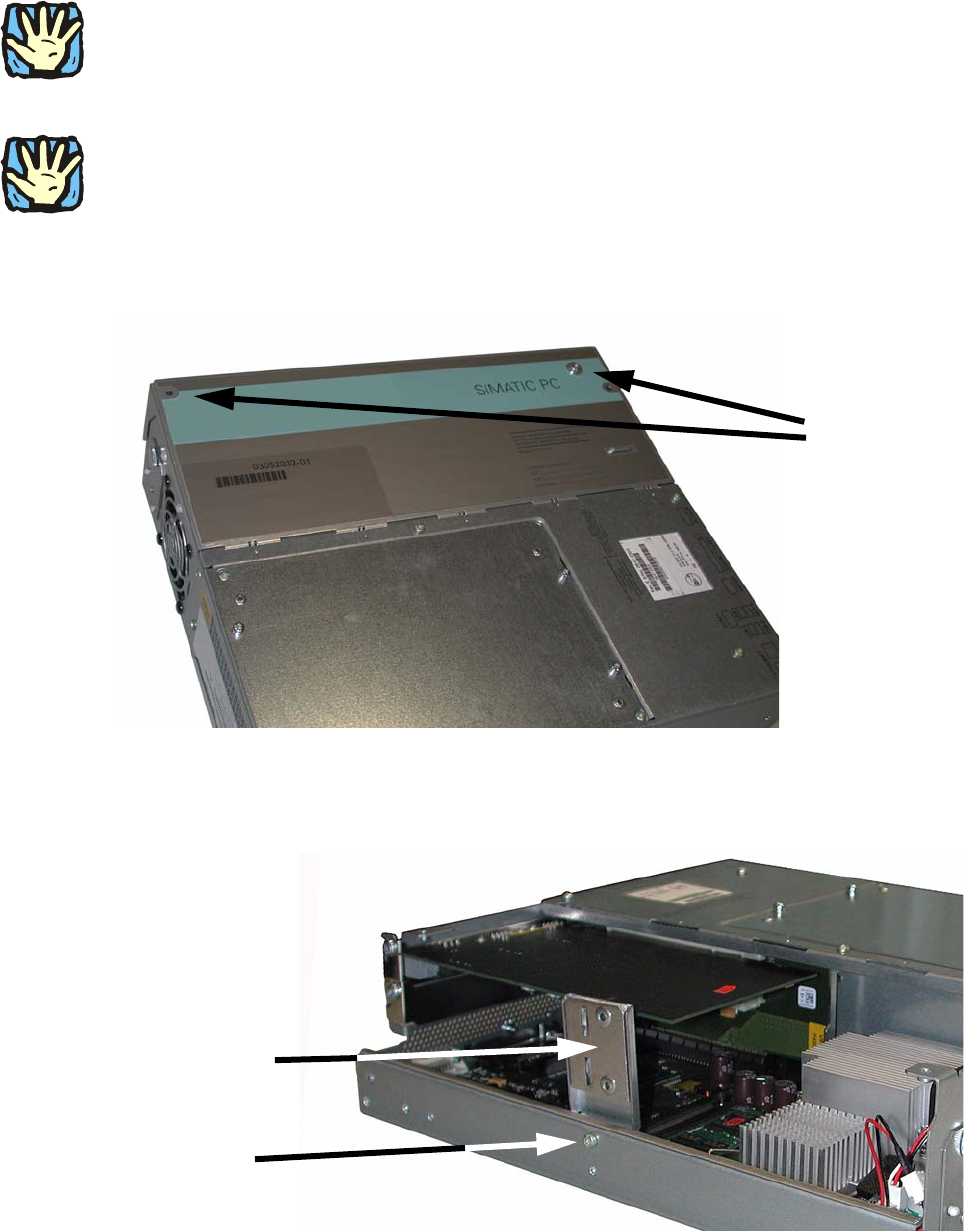
: Loosen the two screws on the cover to the BoxPC, and swivel it up.
2
CAUTION
All work on the open device must be carried out by authorized te
chnical personnel only. During
the defect liability period, you are only permitted to upgrade the hardware with memory and
cards. 2
2
CAUTION!
The device contains electronic components that can be damaged by electrostatic discharge.
You must therefore take the necessary precautions
when you open the device. These precautions
are described in the guidelines for components at risk from electrostatic discharge (ESD guide-
lines). 2
2 screws
2
2
: Loosen the screw on the retainer and remove the retainer.
Screw
Retainer
2
2 Assembly Instructions PCI Card for SIPLACE X4I Auto Recovery Function PCI card
12/2007 Edition
18
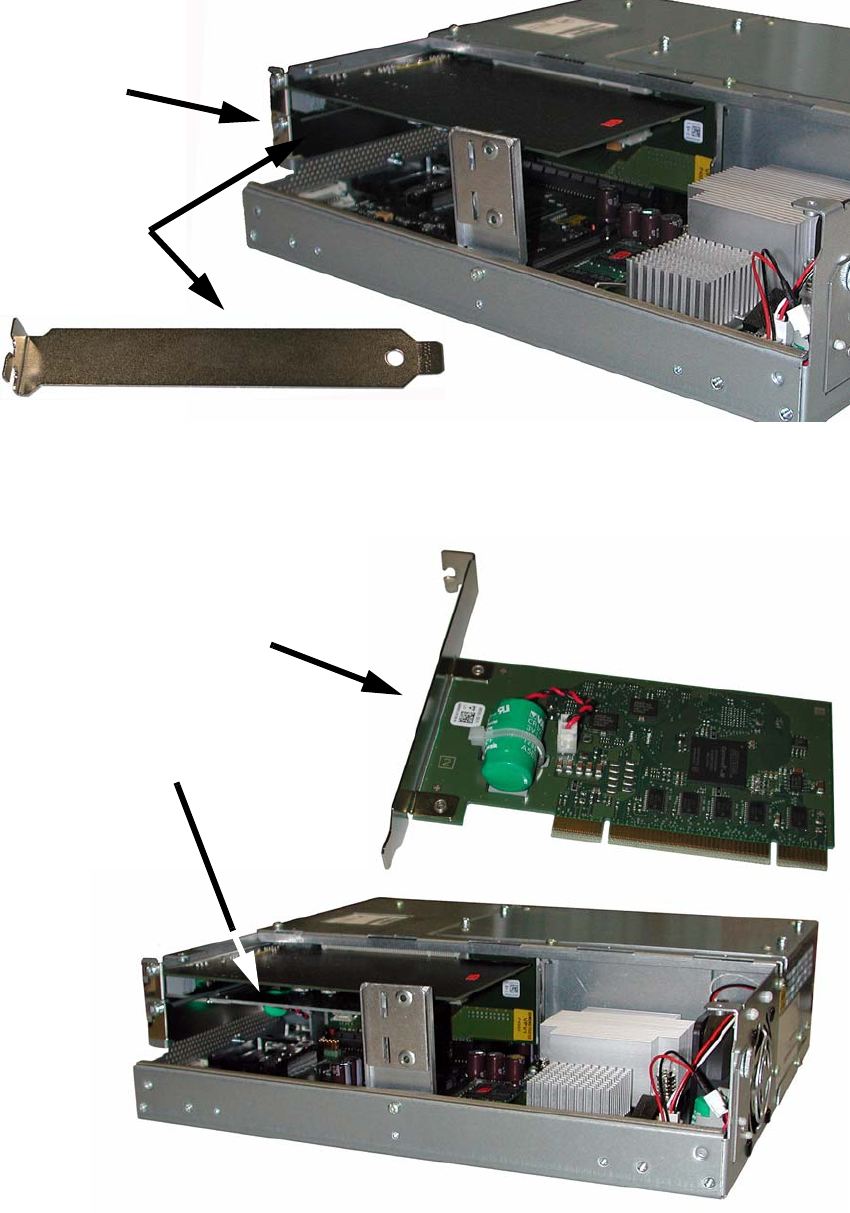
: Loosen the screw on the blanking plate and pull the plate out.
Screw
Blanking
plate
2
: Insert the AutoRecovery card in place of the blanking plate.
Press it in carefully, then screw it in place.
AutoRecovery card
AutoRecovery card installed
2

PCI card 2 Assembly Instructions PCI Card for SIPLACE X4I Auto Recovery Function
12/2007 Edition
19
: Screw on the retainer.
: Close the cover and screw
it on.
: Insert the BoxPC into the computer unit and screw it in place.
: Attach the cables in the correct order.
: Push the computer
unit back into th
e placement machine.
2
Watch out for the wiring harness!
Push it into the extension kit as far as possible b
efore you slide in the computer unit. 2
2
: Screw in the locking screw on the computer unit.
: Close the extensio
n kit cover.
2.7 Software settings
No software settings are needed for the AutoRecovery card. 2
2.8 Preventive maintenance
The "Battery Li/MnO2 CR1/2AA 3V 1000mAh" (item no. 03063235-) is a wearing part. 2
: Replace it every 5 years to guarantee the functionality.
: You can see the "Battery Li/MnO2 CR1/2AA 3V 1000mAh" (item no. 03063235-) (green with
re
d/bla
ck cable) in the middle picture on page 10.
2
2