YesAX V3.1.2 - Software User Manual - 第15页
Introduction 1-3 1.2 Automated 3D Inspection Syste m – X3 Nordson YESTECH ’s X3 AXI System is a fully automated 3D X-Ray inspection system. The X3 system is like an X2 - 2D machine but with extra 3D inspection capabiliti…
1-2 Introduction
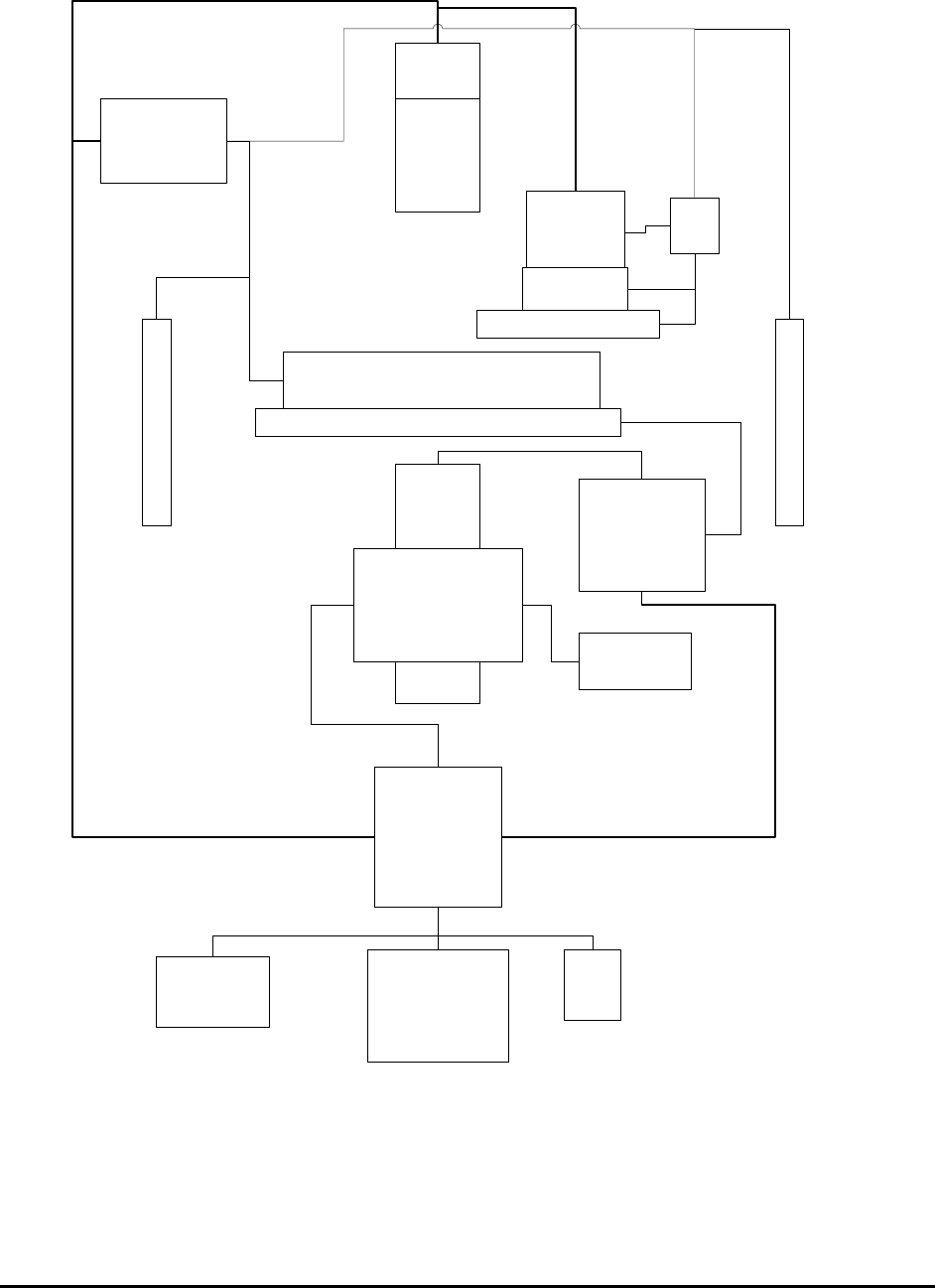
1.1.1 System Block Diagram for X2 AXI System
XY Stage
Alignment
Camera
Assembly
Top Light
Assembly
Side Light Assembly
Conveyor
EBOX 1
I/O Control
EBOX 2
Servo Motor
Control
PC
LCD
Monitor
Keyboard
Mouse
IEEE 1284
LCB
X-ray
Intensifier
X-ray
Camera
Z
Stage
X-ray Tube
X-ray Power
Supply
Left Shutter
Right Shutter
RS232
USB2
USB2
USB2
Introduction 1-3
1.2 Automated 3D Inspection System –X3
Nordson YESTECH’s X3 AXI System is a fully automated 3D X-Ray inspection system. The
X3 system is like an X2 - 2D machine but with extra 3D inspection capabilities. In other words,
the X3 can not only do a full 2D inspection of a PCB as X2 does, it can also do a 3D inspection
of the PCB. During inspection the 2D and 3D inspections are optimally combined together to
achieve both speed and capability requirement.
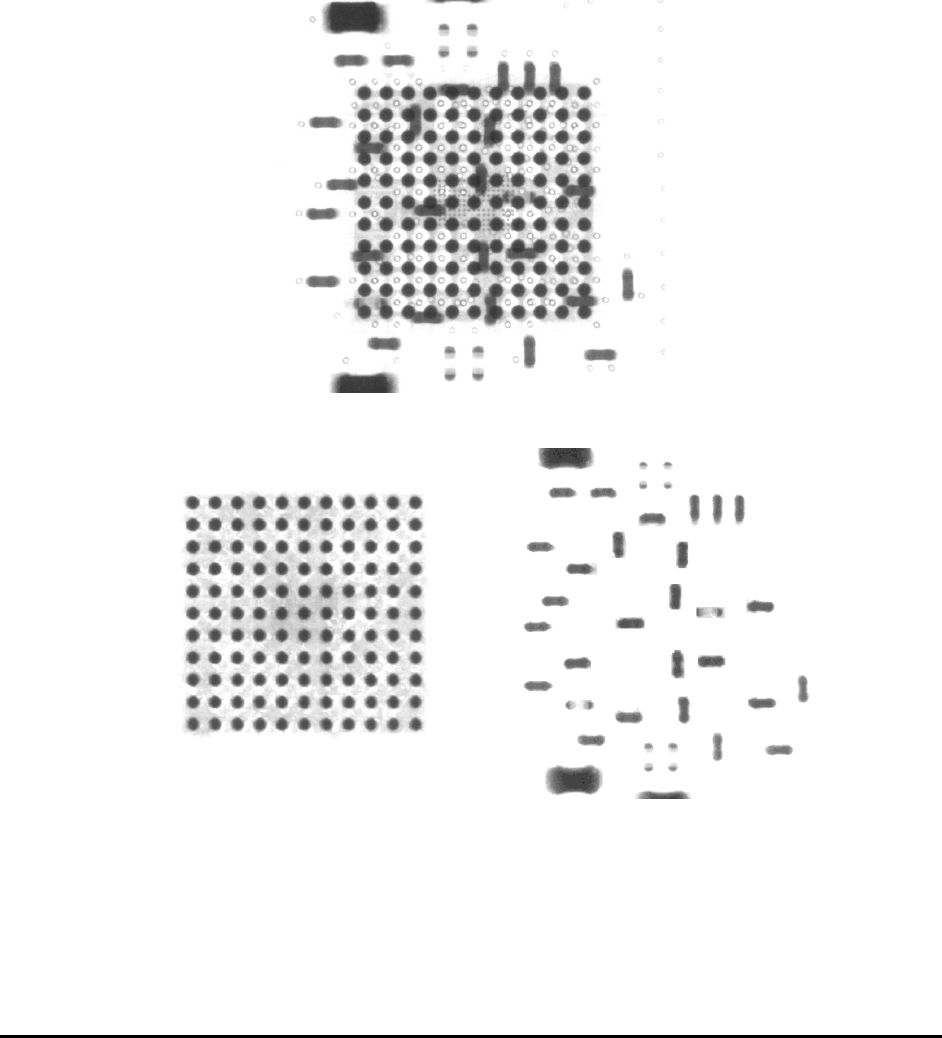
In practice the X3 “ looks” at the solder joint from 8 (or more) different angles and then, by
combining the captured image set using digital tomosynthesis reconstruction algorithms, creates
slices parallel to the board surface. These slices can separate the top side from the bottom side so
that each side of the double sided board can be independently analyzed.
2D X-ray Image
3D Top Slice 3D Bottom Slice
The height offset of the board’s top surface can be measured by using a laser device and this
information is used to compensate for board warp. It is possible to setup the parameters and the
position where the laser measurements will have to be made and the range over which the
measurement will be effective.

1-4 Introduction
Although the X3 Series AXI system is a fully automated 3D x-ray inspection system, it has
significant manual capabilities. Users can simply load a board position the part under X-rays,
select the appropriate power level, and add/edit a site to scroll through slices up and down
perpendicular to the surface of the board. Since it is easier to see the top side or the bottom side
of the board without interference from the other side and so is also useful for manual analysis of
sampled solder defects.
The X2 and X3 AXI systems share most common features but still have differences. The biggest
difference is that X2 AXI system uses a fixed X-ray camera while X3 has an X-ray
camera/detector mounted on a movable top X/Y stage. Also X2 and X3AXI systems are
equipped with different X-ray sources. The X2 system is equipped with a more powerful X-ray
tube with a narrow X-ray beam, which allows X-ray energy to focus on a small area and gives
the system more X-ray penetration power. The X3 system’s X-ray tube has a much wider X-ray
beam angle. The movable X-ray detector combined with wide angle X-ray gave the X3 AXI
system the 3D inspection capability.
1.3 System Software
YesAX is the control software for the X2 / X3 Series AXI Systems. It is specially designed for
the Microsoft Window XP operating system. The user interface is application oriented. That
means it is oriented towards SMT processes as opposed to machine vision functions. SMT
workers will find it intuitive to use. It allows users to create a complete inspection recipe in a
matter of minutes. YesAX is a powerful image processing engine that utilizes the processing
power of the PC to perform complex machine vision operations. Moreover, YesAX can be
deployed in parallel to harness the processing power of multiple PCs.
Even lots of features of X2 and X3 are the same these two are still different systems with
different functions. To separate them and still be able to use same software, different Station type
must be specified for both machines. In System Options dialog the Station Type field must be set
to “AX2” for X2 and “AX3” for X3, respectively.