YesAX V3.1.2 - Software User Manual - 第165页
3D X-Ray Inspection Methodolo gy 11 - 21 Angle View : The default step angle between each side angle views are 45° , which indicates totally 8 (360/45) side angle images will be used for 3D reconstruc tion. However, this…
11-20 3D X-Ray Inspection Methodology
Save Height Info. to File when executed will save the measurement results of every laser
references together with the related info, e.g., X/Y location, ref ID, etc… to ZMap.txt file under
current recipe folder.
Show Only Current Site IBs is a display flag user can toggle on or off. Turn it on if you want to
find out which inspection box (IB) is inspected in which site.
Inspect 3D in Dry Mode, 3D inspection is generally slow, complex boards can take many
minutes to inspect. During inspection recipe fine tuning it may need to inspect the same board
many times to determine the optimal inspection parameters. The Dry mode speed up the process
by skipping the image capturing steps; without image capturing 3D inspection is about the same
speed as the 2D inspection. User can use dry mode only when the same board is inspected
repeatedly and when there is no change to X-ray power levels.
Capture IS for Offline Program (Capture Inspection Path Image Set for Offline Programming).
This feature capture an Inspection path Image Set (as oppose to Grid Image Set) before 3D
inspection boxes are defined. This is important because it allows the time consuming portion of
the recipe development process, defining 3D inspection parameters, set 3D site offset, etc to be
done offline line without consuming machine time.
11.7 Advance 3D Options
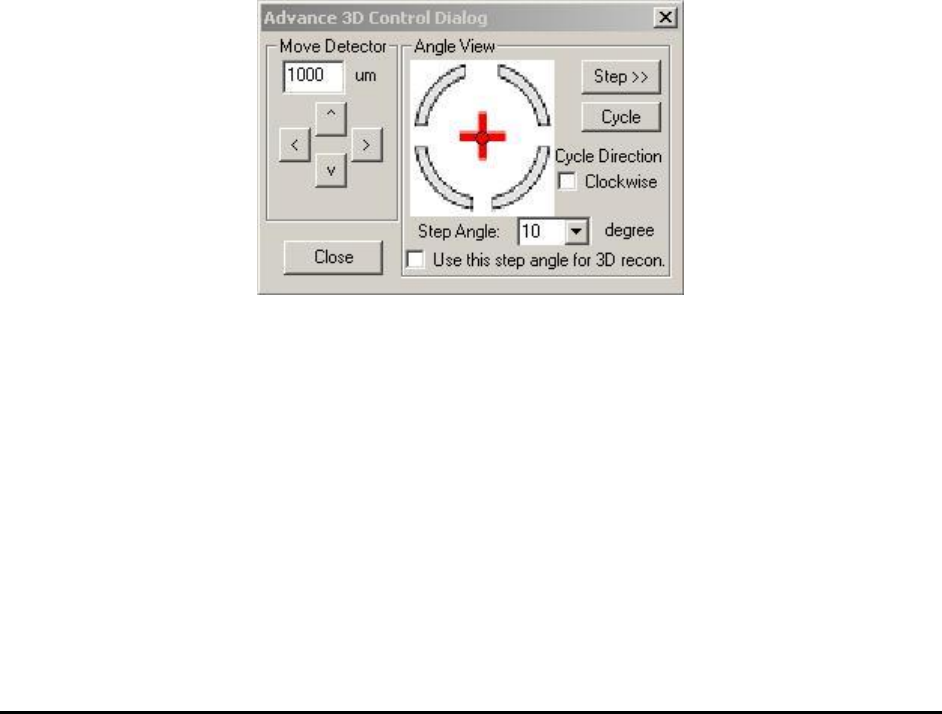
Click the Advance 3D Options in the menu above will launch the Advance 3D Control dialog,
as showing below. These are really advanced options and should be operated by person with
deep understanding of 3D X-Ray only.
Move Detector: Clicking the arrow button once will move the position of X-Ray detector to that
direction with amount specified in open field. This function is used for diagnostic and calibration
purpose by factory engineer only.
3D X-Ray Inspection Methodology 11-21
Angle View: The default step angle between each side angle views are 45°, which indicates
totally 8 (360/45) side angle images will be used for 3D reconstruction. However, this step angle
could be changed in this Angle View section. For inline inspection the step angle can be changed
to 90° so only 4 (360/90) side angle images will be used for reconstruction. In this case the
inspection speed will be doubled but the reconstructed slices may not have as good quality as
those slices reconstructed by using 8 angle images. Normally 4 side angle images are only used
for 3D sites without much overlap between top side components and bottom side components.
The step angle could also be changed to a number higher than 8. Sliced reconstructed with more
side angle images will have better image quality. Higher angle image numbers can only be used
for manual inspection purpose and cannot be applied to inline 3D programming. Whenever user
makes a change to the number of step angle, the Use this step angle for 3D recon. checkbox
must be checked to take effect. When sample board is right at certain 3D site, the change of step
angle number may affect setting of current 3D site. So please be very careful when use this
options.
11.8 3D Related Calibrations
3D inspection is much complicated compare to normal 2D inspection. It requires high precision
of moving and full calibration of X-Ray cameras. The basic steps of X-ray calibration on X3
AXI systems are similar to X2 AXI systems but with some differences and some extra steps. The
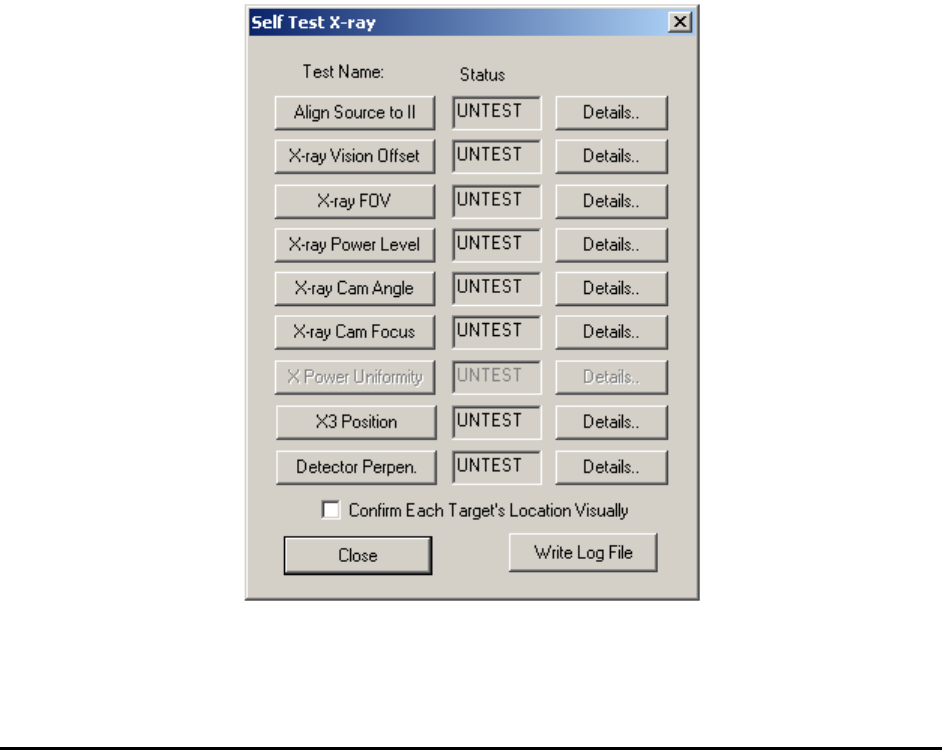
same calibration board is used for both X2 and X3 X-ray test. The Self Test X-ray dialog is
shown below.
11-22 3D X-Ray Inspection Methodology
Align Source to II is the first step of X-ray calibration. The procedure of this step is similar to
that of X2. But the actual hardware adjustments are quite different. Hardware adjustments for the
X3 AXI system are always more complicated and more difficult. The hardware adjustments are
normally done in factory before the unit is shipped.
X-ray Vision Offset, X-ray FOV, X-ray Power Level, X-ray Cam Angle and X-ray Cam
Focus these tests are quite similar for both X2 and X3.
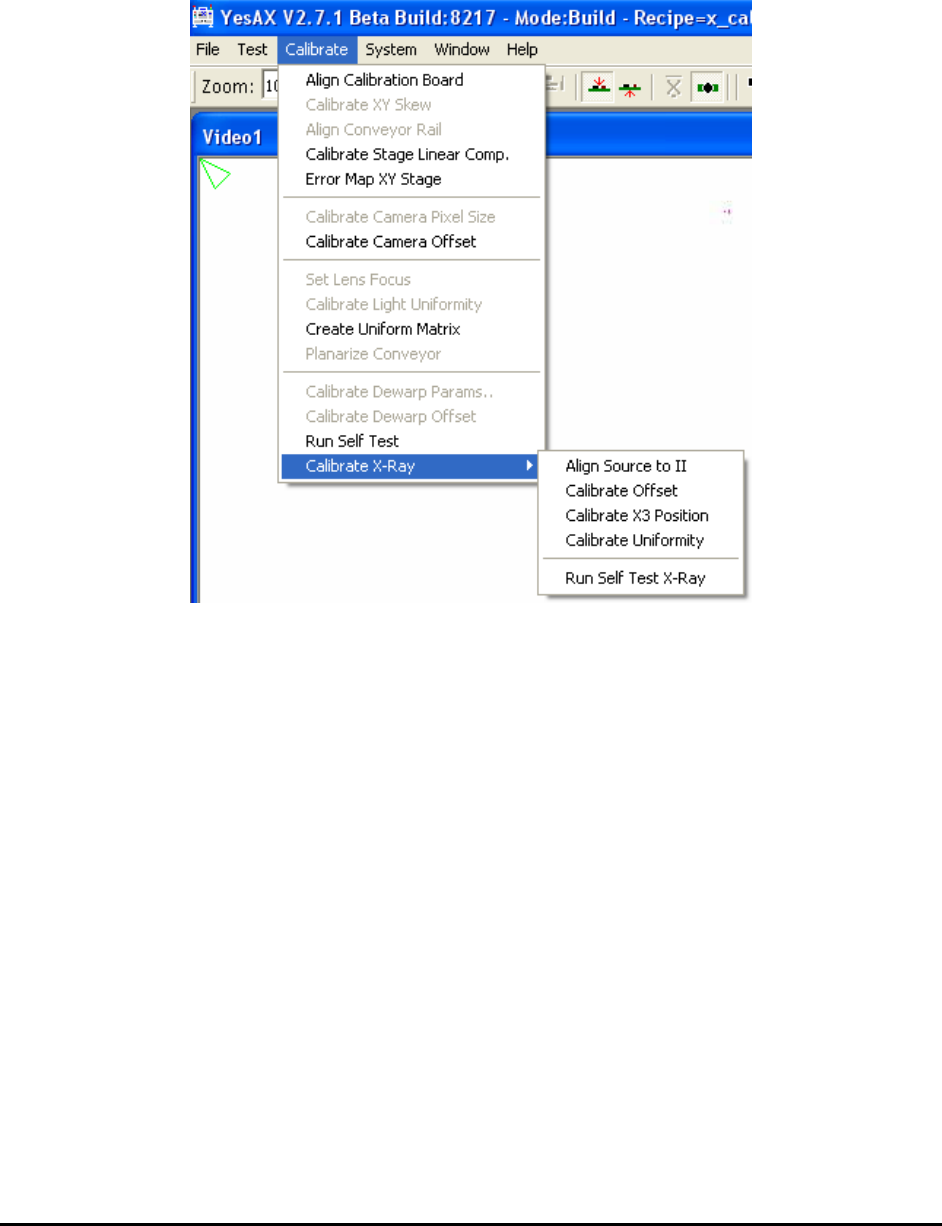
X Power Uniformity for X3 is quite different from the X Power Uniformity test for X2. For X3
this item has been grayed out in self-test dialog. To do the test, the user needs to load a special
test board (same size as X-ray calibration board, and share the same recipe file: x_cal_board.rcp)
and do the X Power Uniformity test from menu, as seen from picture in left.
X3 Position is a unique test for X3 AXI system. This one calibrates top stage positions for all 3D
side angle views. On prompt user can select to either do 8 position calibration only or do a full
calibration for all positions.
Detector Perpendicularity is also a unique test for X3 AXI system. This one tests the
perpendicularity of top detector (X-ray camera) plane and see whether the top plane is parallel to
the XY moving stage. The software test is very simple. But the actual hardware adjustments are
more complicated. Normally the hardware adjustments are done in factory before X3 is shipped
to customer site.
The Confirm Each Target’s Location Visually checkbox if checked paused after each X-ray
target’s location during the calibration process and give the user an opportunity to visually verify
the correct location of each target. The feature is especially useful when NORDSON
YESTECH’s tech-support engineers need to calibration a machine remotely via WebEx.