YesAX V3.1.2 - Software User Manual - 第175页
Other X-Ray Inspection Features 12 -9 X-ray Current X-ray Voltage Up/Down Up/Dow n To enable joystick control in the YesAX software, select the Joystick Enable checkbox on the top left corner of the System Option dialog.…
12-8 Other X-Ray Inspection Features
12.3.3 Marker command
The Marker command allows you to highlight areas of interest in the current image window by
selecting a directional arrow, positioning it and overlaying it on the image. Four directional
arrows, Marker1 - Marker 4, are provided. You can select any one under the Marker sub-menu of
the File menu. Once selected, the marker will appear at the upper left corner of the image.
As in the Annotation command, the marker can be repositioned in the image at any time. See the
Annotation command (see 12.3.1 Annotation command) for how to reposition the marker using
the mouse. The marker’s direction can be changed using the Change Marker function in the
Marker pop-up menu. Right click on the marker to open the Marker pop-up. The marker can be
deleted using the Delete function in the pop-up menu. The marker’s color can be configured
using the Change Color function.
12.3.4 Delete All command
The Delete All command allows the user to delete all the markers, annotations and annotation
stamps in the current image window. Upon entry, the user will first be prompted by a Yes/No
dialog to confirm the choice. This can prevent the user from deleting everything accidentally. If
you want to delete, select Yes. Then all the markers, annotations and annotation stamps are
removed from the current image window. Otherwise, select No and leave everything on.
This command is not available if there is no marker, annotation or annotation stamp in the
current image window.
12.4 Joystick Motion
The joystick controller is an ergonomic hand control for Nordson YESTECH YTX-3000 and
X2/X3 AXI systems. For X2/X3 AXI systems, the joystick controls the X, Y, and Z axis motion.
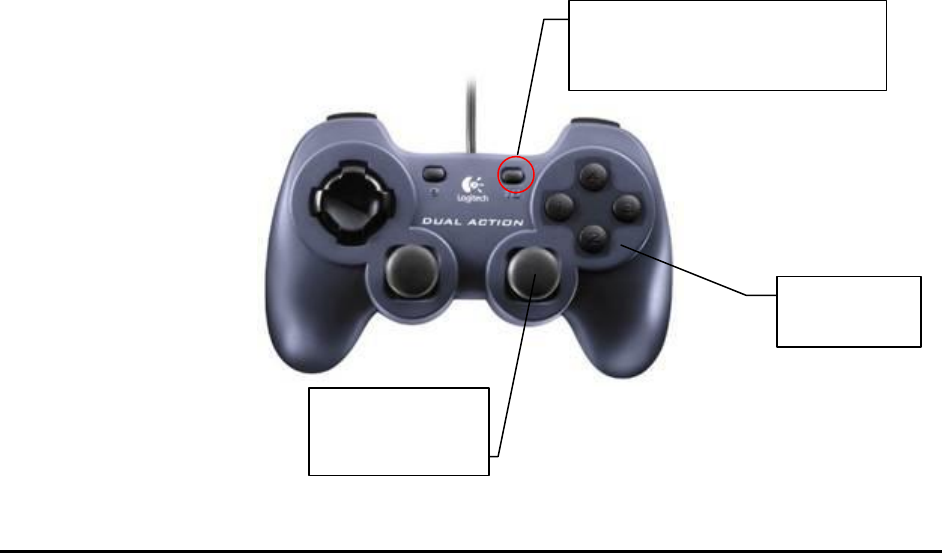
The current joystick controller used by the X2/X3 AXI system is the Dual Action from Logitech.
The following picture illustrates the functionality for each control on the controller.
Z Axes
Control
XY Axes
coarse control
On some models, press the
button so the light is off.
Other X-Ray Inspection Features 12-9
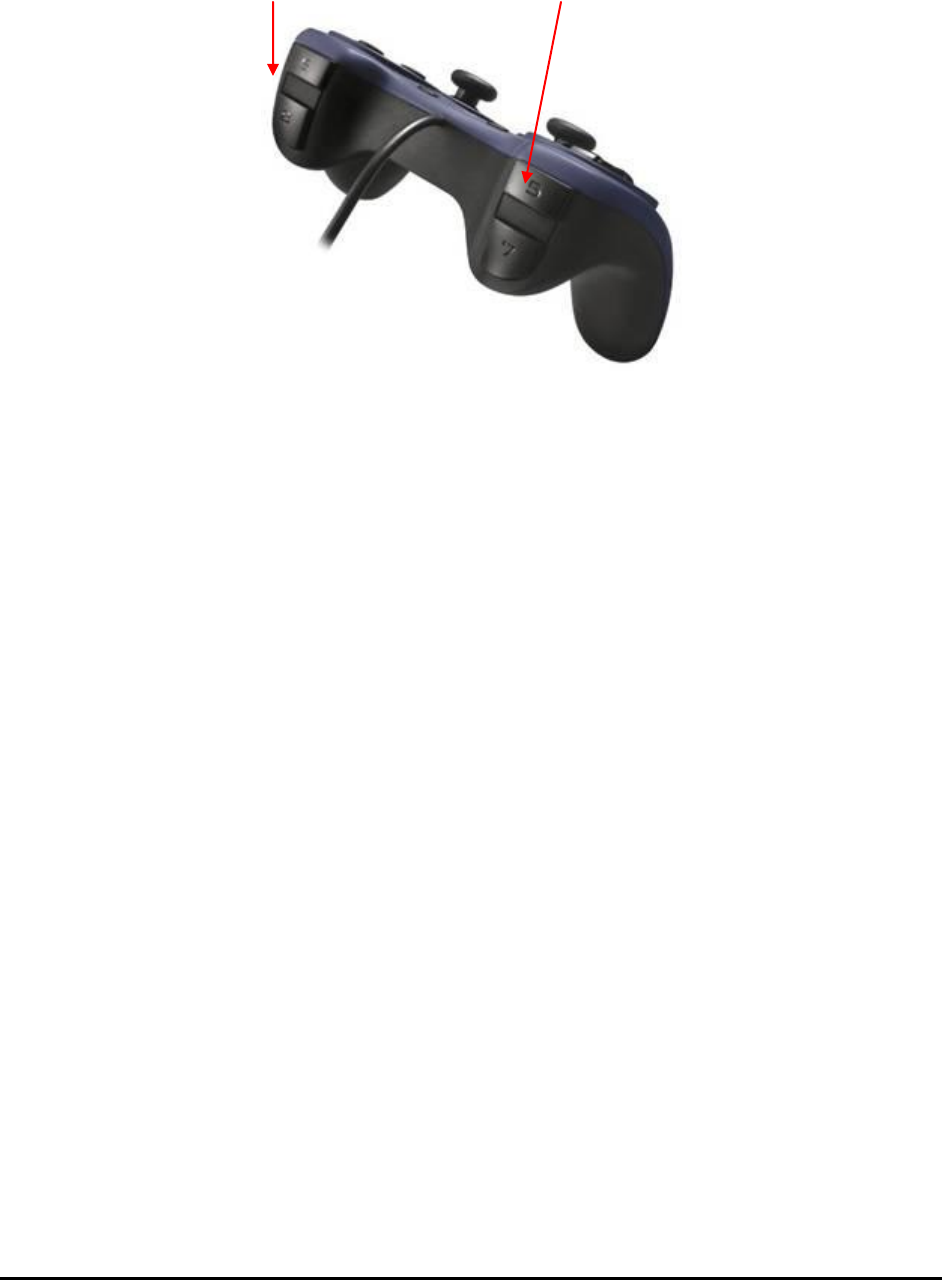
X-ray Current X-ray Voltage
Up/Down Up/Down
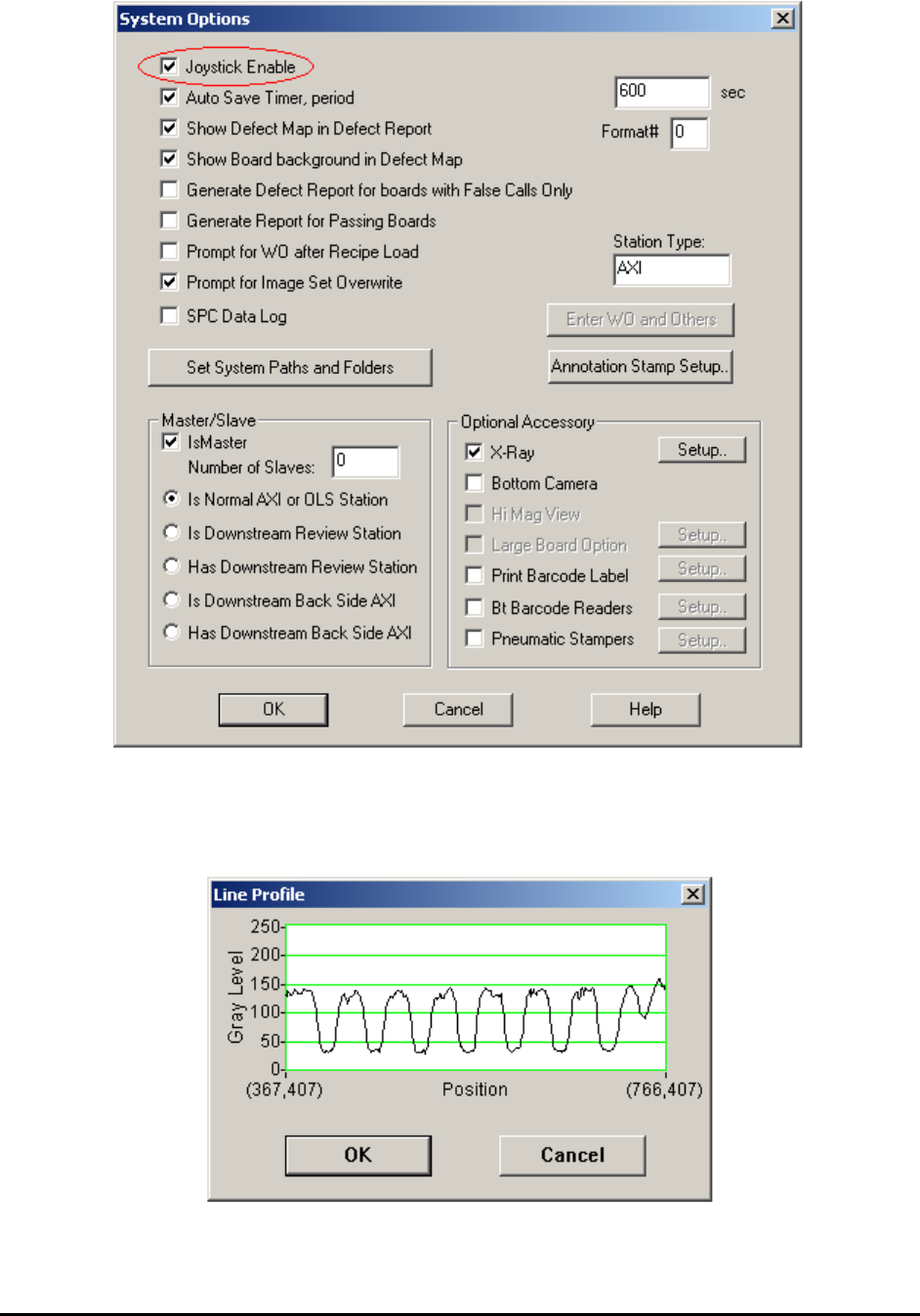
To enable joystick control in the YesAX software, select the Joystick Enable checkbox on the
top left corner of the System Option dialog. If the item has not been enabled before, close and
restart the YesAX program to activate the new setting.
12-10 Other X-Ray Inspection Features
12.5 Line Profile
The Line Profile function provides a plot of the gray levels of the image pixels along a user
selected line. This function is only available for X-ray images.