YesAX V3.1.2 - Software User Manual - 第180页
13 -2 Part List and Part Libra ries 13.2 Selected Part List The Selected window under the list view is a dynamically generated subset of the Part List. At the end of the normal inspection process the Selected page displa…
Part List and Part Libraries 13-1
13 - Part List and Part Libraries
Components on the circuit board such as resistors, capacitors, and ICs are collectively called
parts. The inspection recipe organizes information based on the concept of parts. Because of the
one to one correspondence with the parts and the “parts” on the circuit board it is an easy concept
to understand. A part can have any number of the three types of inspection: Mark, Lead Bank
and Solder.
In the recipe, parts are grouped together to form lists and libraries which are described in the
section below.
13.1 Part List
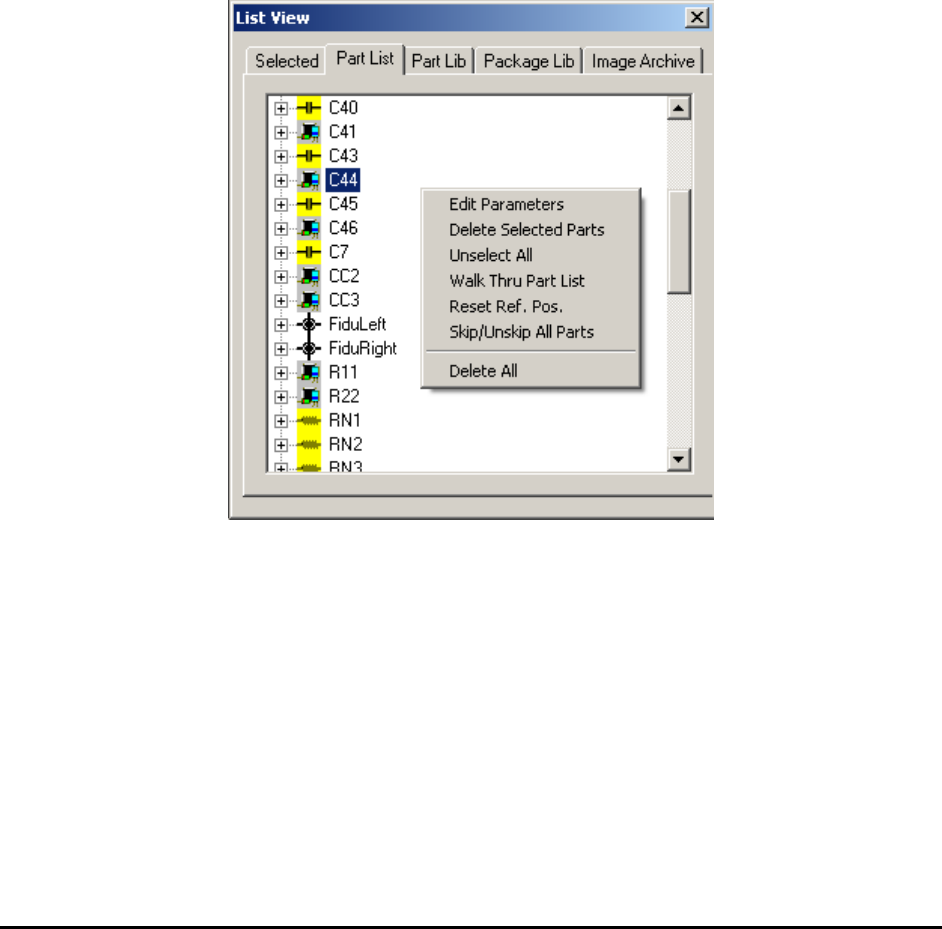
The part list page lists the reference ID for all the parts to be inspected on the board. The Part
List page in the List View shows the reference IDs in alphabetical order.
Double clicking the mouse on any of these parts will move the camera to that part on the board.
Right clicking the mouse in this view will pop up a menu.
On the Part List page it is possible to select multiple parts using a combination of the mouse and
the Shift- Ctrl keys. Skip/Unskip All Parts gives user an option to either skip or unskip all parts
during inspection. After all parts’ been skipped, if certain parts’ been enabled again then
inspection will run on these parts only. This is designed mainly for debugging and diagnosis
purpose.
13-2 Part List and Part Libraries
13.2 Selected Part List
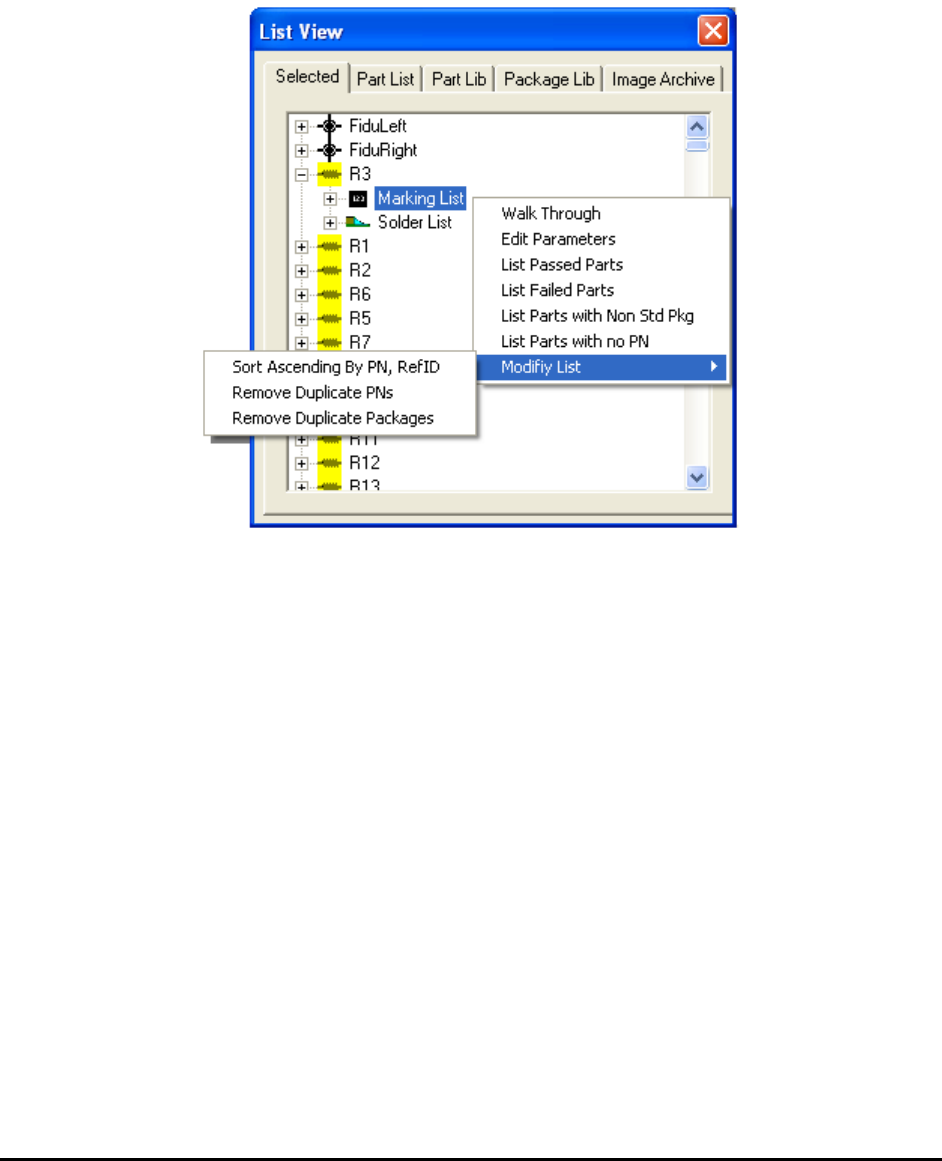
The Selected window under the list view is a dynamically generated subset of the Part List. At
the end of the normal inspection process the Selected page displays a list of the parts that failed
inspection. The list is used in the defect review process. During the Walk Through process the
list displays the parts to be walked through. The local pop-up menu selection of the Selected
page selects parts that meet certain criteria.
Part List and Part Libraries 13-3
13.3 Part Number Library
In addition to a part’s Reference ID, it usually has a part number. Part numbers identify unique
parts. For example, a part number may identify a 100 Ohm 0603 resistor. The resistors are used
in multiple locations (e.g. R1, R13, R27, etc) on the board but they are all 100 Ohm 0603
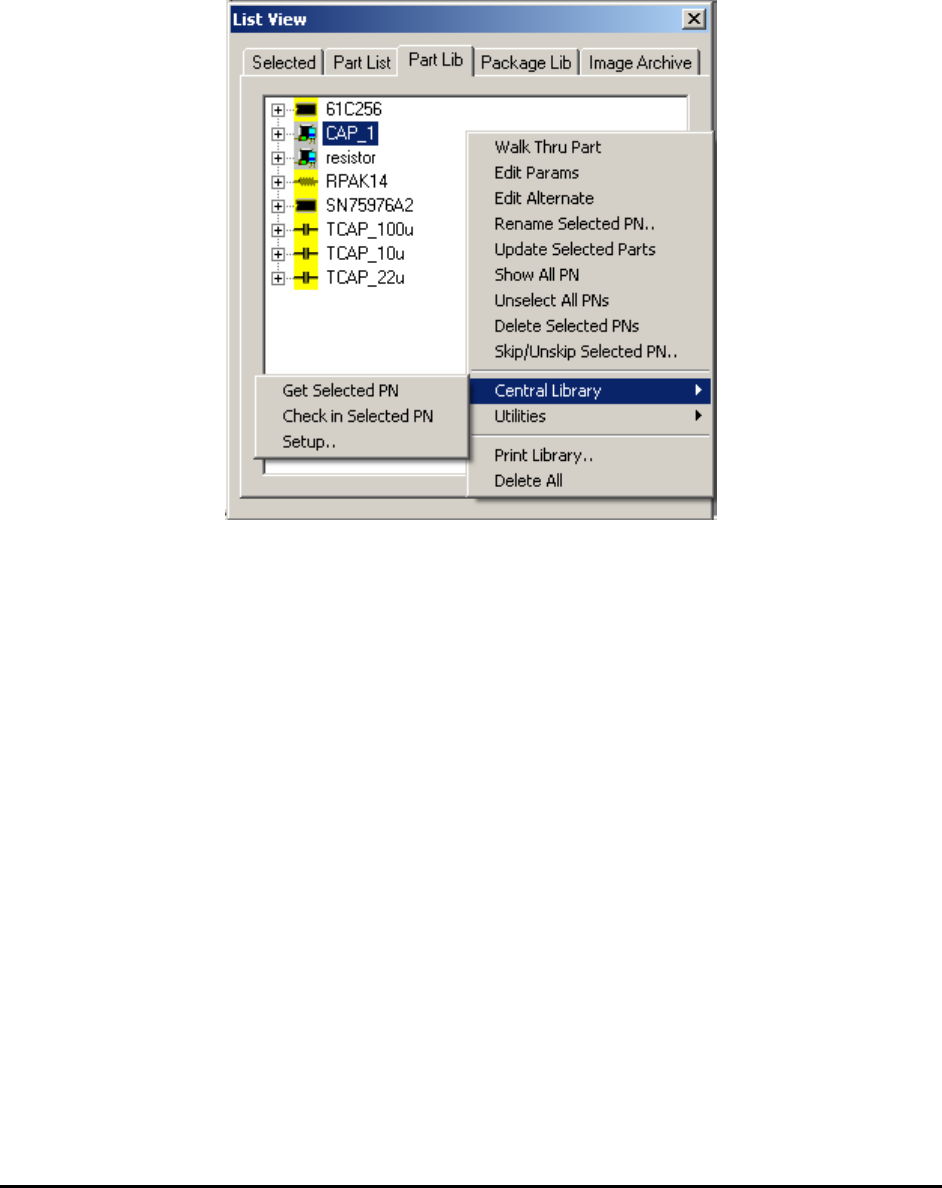
resistors. The Part Lib page lists the unique part numbers in the recipe.
Part marking templates are unique per part number. Whenever, a part number is selected in the
Part Lib page its marking templates are displayed.
On the Part Lib page it is possible to select multiple part numbers using a combination of the
mouse and the Shift- Ctrl keys.
The Part Lib page also has its own local pop-up menu. Compared to the part list, the part library
is always a smaller list for any given board. However, it is possible to have a part library that is
shared between many boards. This can allow the part library to grow quite large.
The Show All PN menu selection toggles between showing only the part numbers used by the
current recipe and all the part numbers in the library.
The Skip/Unskip Selected PN..menu selection gives you an option to either skip or unskip parts
with the specified part number during inspection.