YesAX V3.1.2 - Software User Manual - 第184页
13 -6 Part List and Part Libra ries The central library usually contains many more part numbers than the local librar y. During the CAD import process new part numbers are pulled from the ce ntral library on an as -neede…
Part List and Part Libraries 13-5
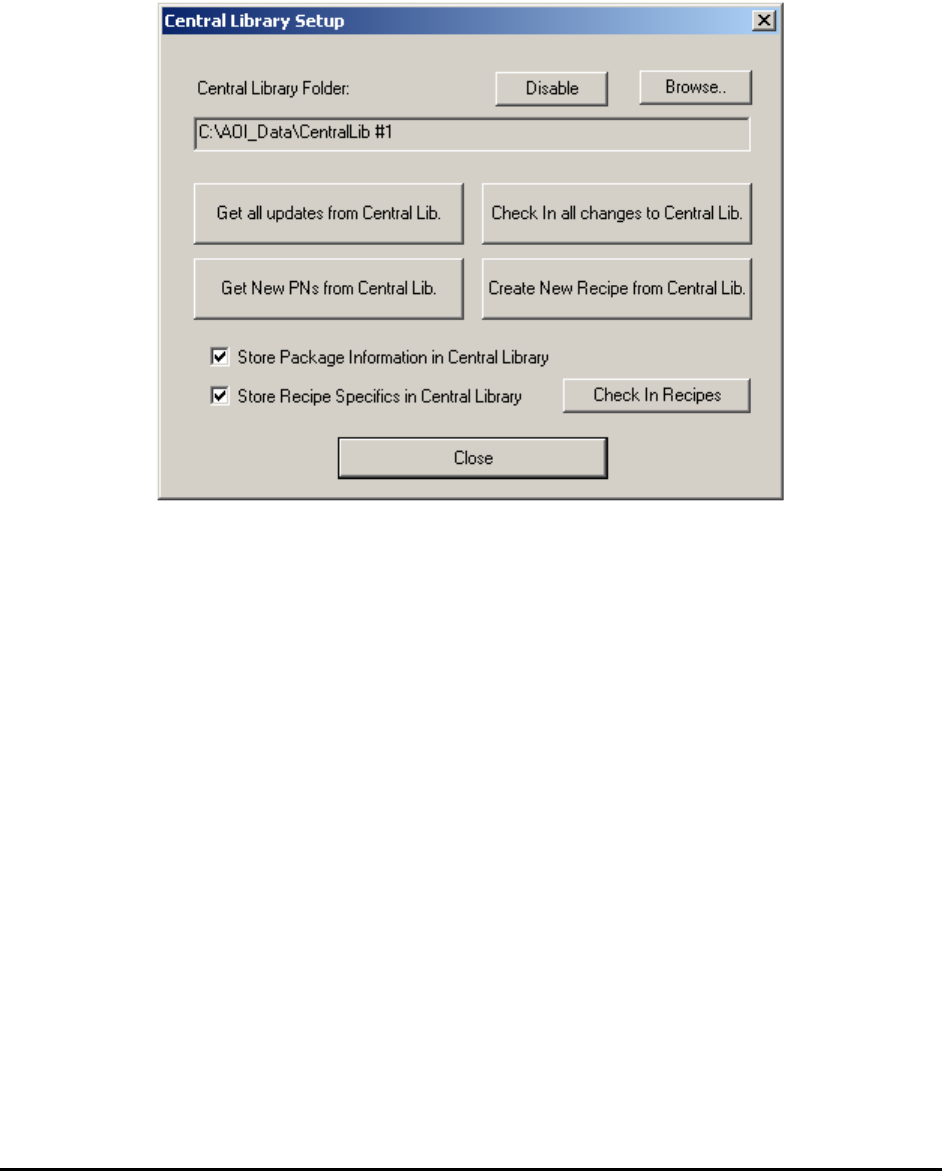
Here are the two simple steps to setup a new Central library:
1. Create a folder for the central library e.g. Central Lib#1.
2. In the YesAX software set the central library path to the folder just created by selecting
Central Library, Setup Parameters from the Part library pop-up menu.
(Central library path can also be setup from the New Recipe dialog, or using the YCD file
header)
After setting up the central library folder, the user can save and retrieve part information with the
central library. The operation that retrieves part data from the central library is called “Get” and
the operation that saves part data to the central library is called “Check In”. Part data is time
stamped whenever a modification is made to the part. Both “Get” and “Check In” operations rely
on the time stamp to ensure no inadvertent data overwrite.
13-6 Part List and Part Libraries
The central library usually contains many more part numbers than the local library. During the
CAD import process new part numbers are pulled from the central library on an as-needed basis.
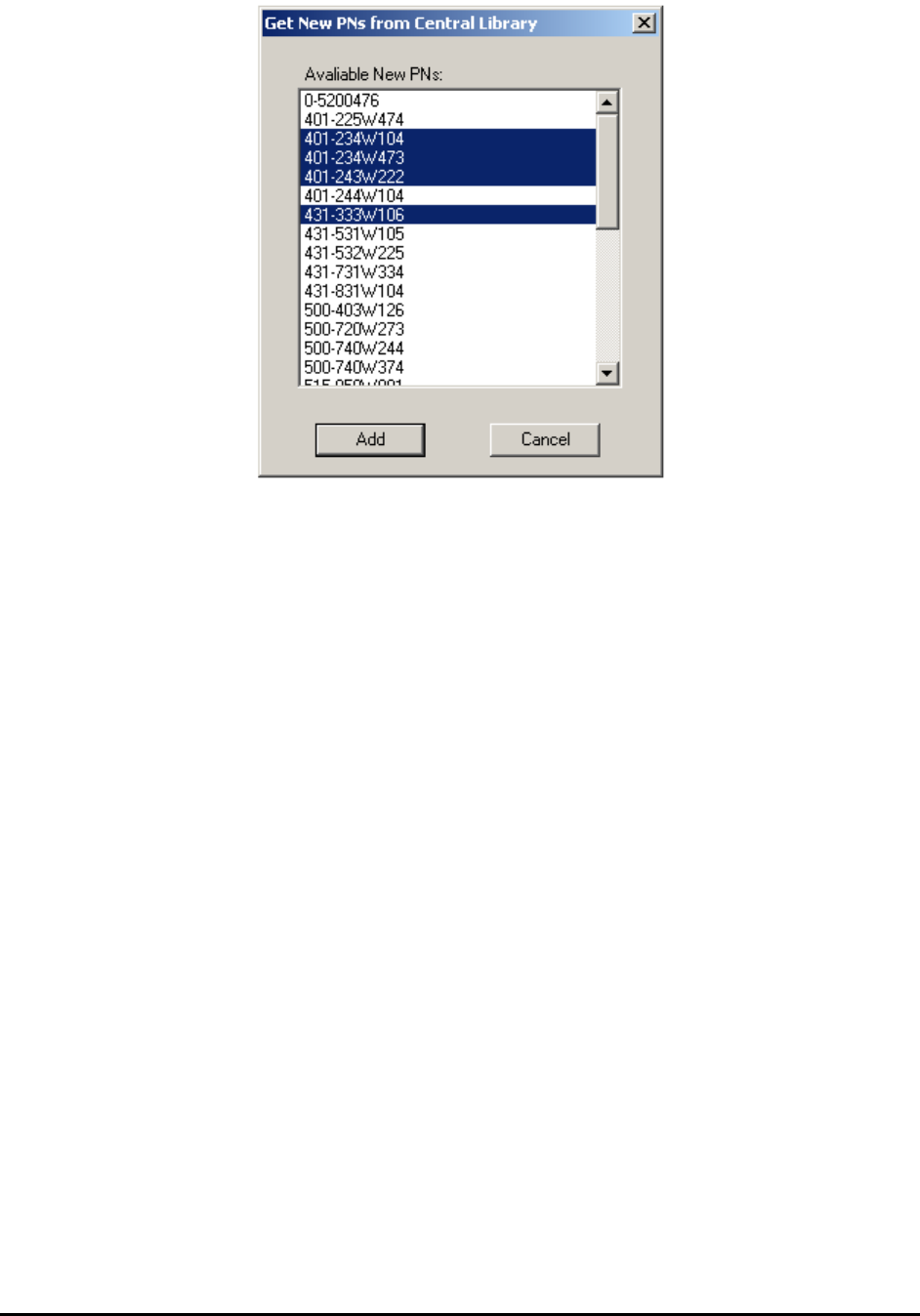
Pull in additional part numbers by using the Get New PNs from Central Lib button. Pressing
the button launches a dialog that lists all the part number in the central library that are not in the
local library. Select the part number(s) and press the Add button to pull those part definitions
from the central library and copy them into the local library.
You can optionally store part package information in the central library. It is like having a central
package library. To enable the option, check the Store Package Information in Central
Library checkbox in the Central Library Setup dialog.
NOTE
With this option enabled it is even more critical that the part rotation is consistent
across all recipes. Establishing a rotation convention is highly recommended.
User can use Appendix 27.3 Part Rotation Worksheet to help establish the
convention.
You can also optionally store recipe specifics in the central library. This includes information
such as the part lists, recipe notes, local part information and map view backgrounds. To enable
this feature, check the Store Recipe Specifics in Central Library checkbox in the Central
Library Setup dialog..
To check in the “recipe specifics” of the existing recipes into the central library, press the Check
In Recipes button. A dialog opens that lists the recipes that can be checked into the current
central library. Check in one or several recipes at a time.
Part List and Part Libraries 13-7
With recipe specifics stored in the central library, it is also possible to create new recipes from
the information stored in the central library. This feature is useful when you propagate a group of
recipes onto a new AXI machine. Press the Create New Recipe from Central Lib. button to
launch a dialog listing the available recipes stored on the central library. Select one or more
recipes to create.
Inside the central library folder part data is saved in a text file with the “.part” extension.
Appendix B Sample Central Library .part file shows a sample “.part” file.
Recipes with both local and central libraries have the best of both worlds; the flexibility offered
by the local library plus the convenience offered by the central library.
13.4.1 YesCLM
The Central Library is a very useful feature on Nordson YESTECH’s AXI machines, especially
in a high-mix production environment where many AXI recipes need to be created and managed.
YesCLM is the secondary central library management software for Nordson YESTECH’s AXI
machines. Central libraries can be managed using the YesAX software, so YesCLM is not
absolutely needed for using the central library feature. However, YesCLM makes managing
central libraries a lot easier. This is especially true for environments with multiple AXI machines
sharing multiple central libraries. The YesCLM software is provided to all Nordson YESTECH
AXI customers at no additional charge. Please refer to the document on YesCLM (YesCLM.doc)
in the document folder on the release CD.
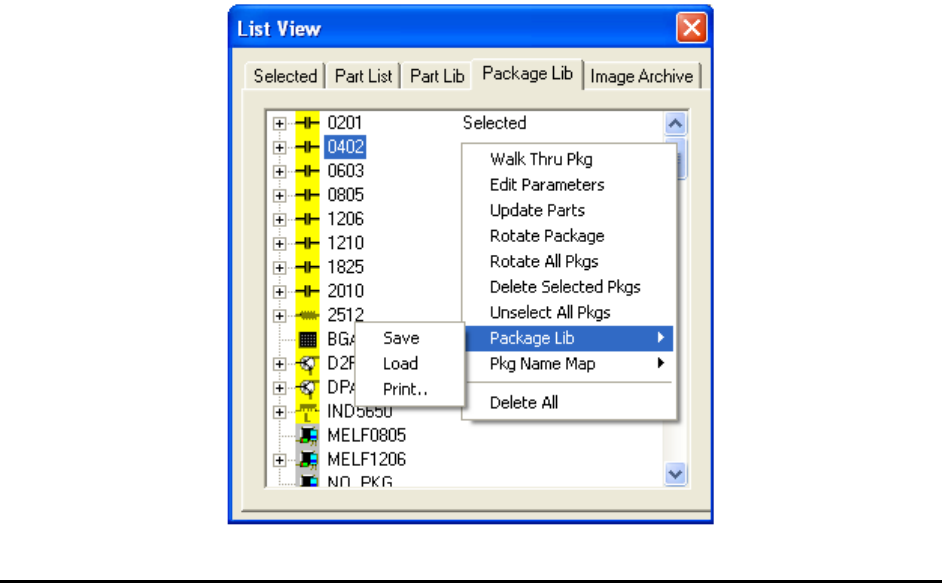
13.5 Package Library
The package of a part contains attributes such as part size, number of leads, lead pitch, etc. For
example, 0805 and 0402 are common packages for chip parts; QFP100 and SOIC16 are common
packages for ICs. The YesAX software has predefined packages that include Solder and Lead
inspection only. The user must define the part marking.