YesAX V3.1.2 - Software User Manual - 第198页
14 - 12 A dvance Inspection Features The last step is to indicate in the Run Inspection dialog whether the board being inspected is a first article board or not. Select File>Run Recipe from the Main Menu. The Run Insp…
Advance Inspection Features 14-11
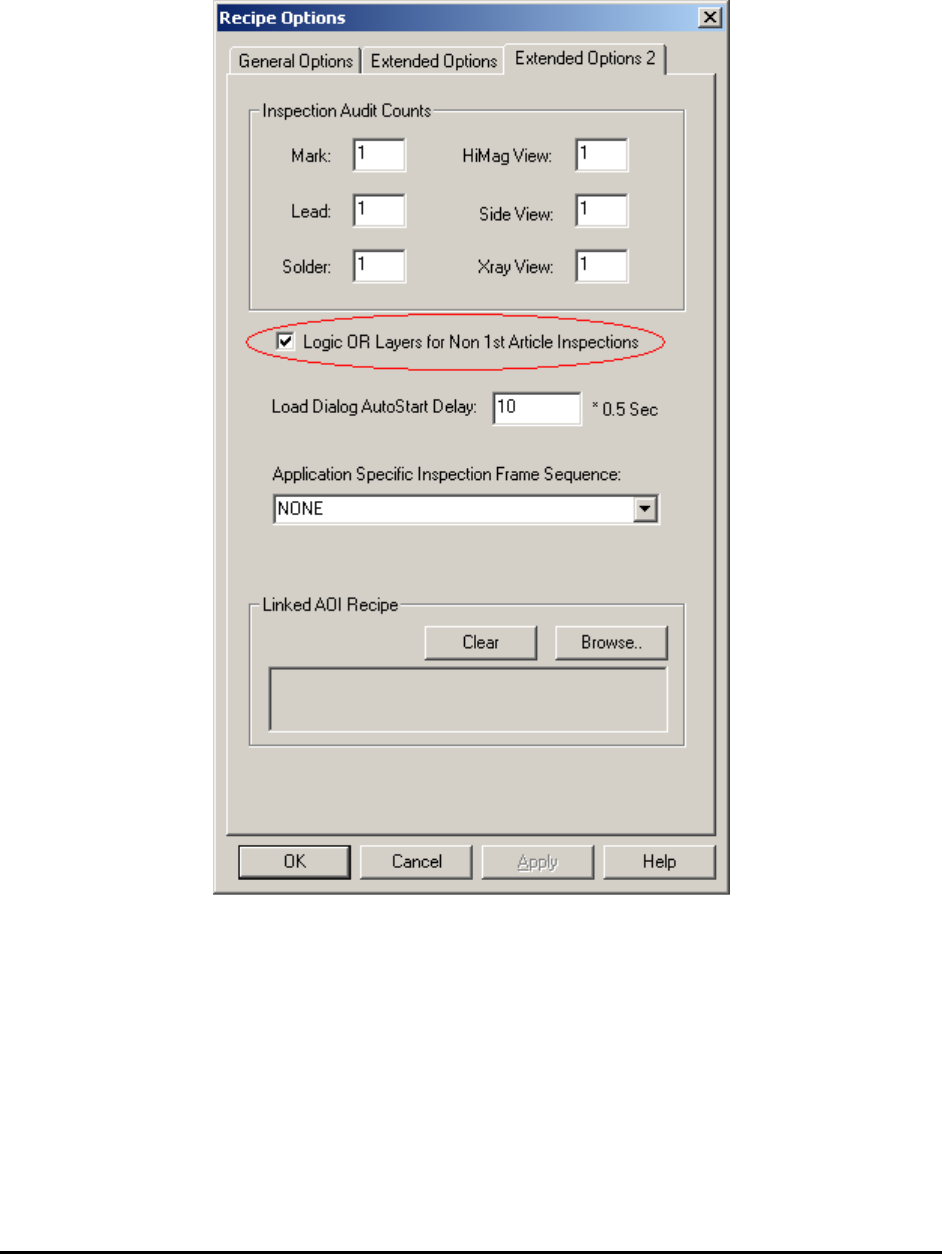
The second step is to enable the feature in the Recipe Option. Select Vision>Recipe Option
from the Main Menu. On the Extended Options 2 page, select the Logic OR layers for Non-1
st
Article Inspection checkbox to enable the feature for this recipe.
14-12 Advance Inspection Features
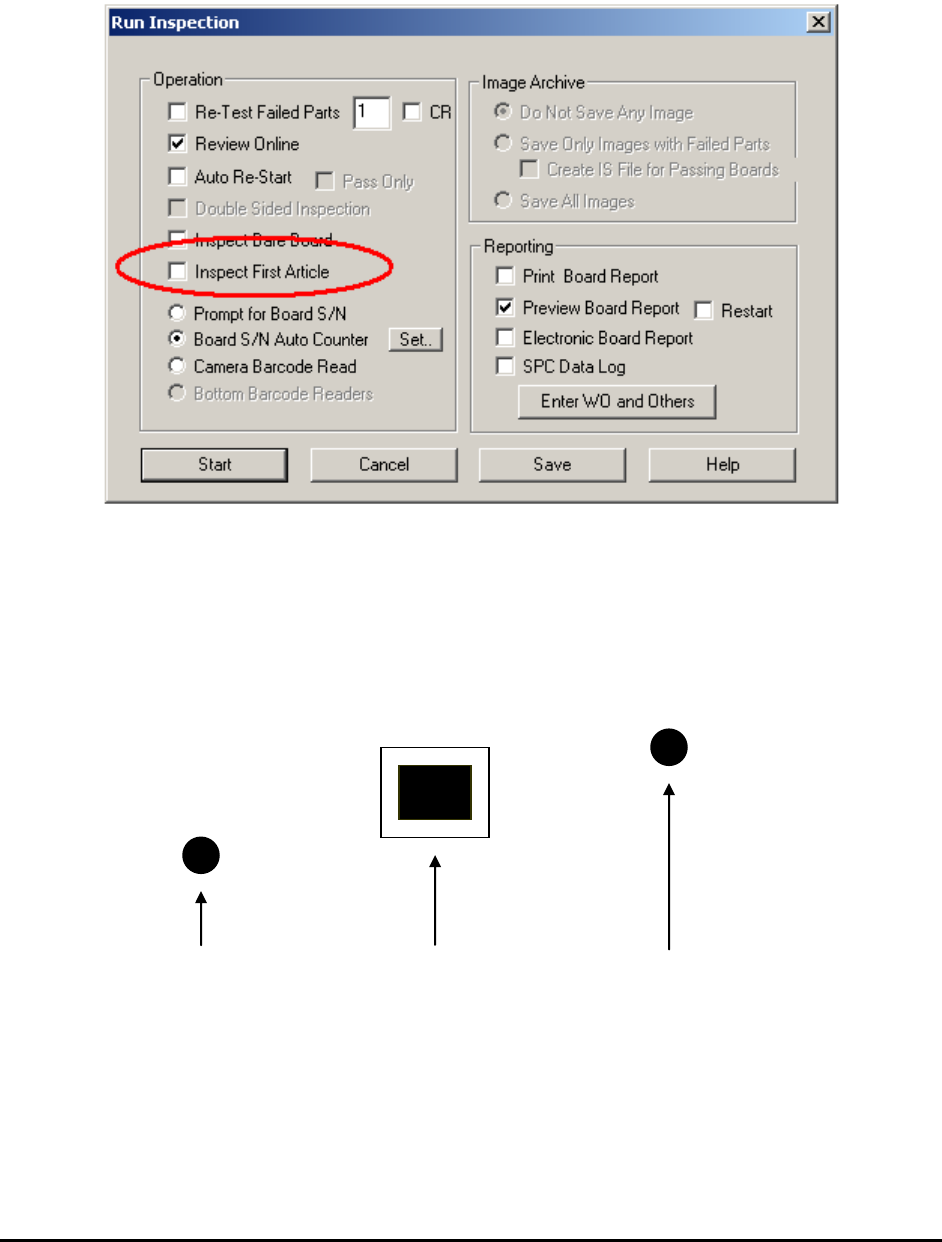
The last step is to indicate in the Run Inspection dialog whether the board being inspected is a
first article board or not.
Select File>Run Recipe from the Main Menu. The Run Inspection dialog opens.
For non-first article boards, the Inspect First Article checkbox should be un-checked.
14.7 Part Measurement Feature
This feature measures the part position relative to one or two reference points. For example, a
target part’s position needs to be determined relative to two reference marks.
Reference 1 Target Part Reference 2
Software determines the relative position from Reference 1 to Target Part and Reference 2 to
Target Part. Then it compares the relative distances to preset distances. If the difference between
the measured distance and the preset distance exceeds a predefined tolerance, a Fail status is
assigned to the target part; otherwise it is assigned a Pass status.
Advance Inspection Features 14-13
The three parts in this measurement group (Reference 1, Target Part, and Reference 2) do not
need to be in the same field of view. However, any one of the parts will need to be small enough
to fit into one field of view.
Setup for Measurement
To setup a recipe for measuring target part position as described above, train 3 separate parts and
add them into the recipe.
For example if the target part has a reference designator as U1.
Target Part -U1
Reference 1 -U1_REF1
Reference 2 -U1_REF2
For each part, train a Marking inspection box that will locate the position of the part. The
decision algorithm can either be Pattern Match or Edge Locator. Pattern Match is easy to setup
but is less accurate (about 1 pixel). Edge Locator is more accurate (about ¼ pixel) but will
require two inspection boxes to locate both horizontal and vertical edges.
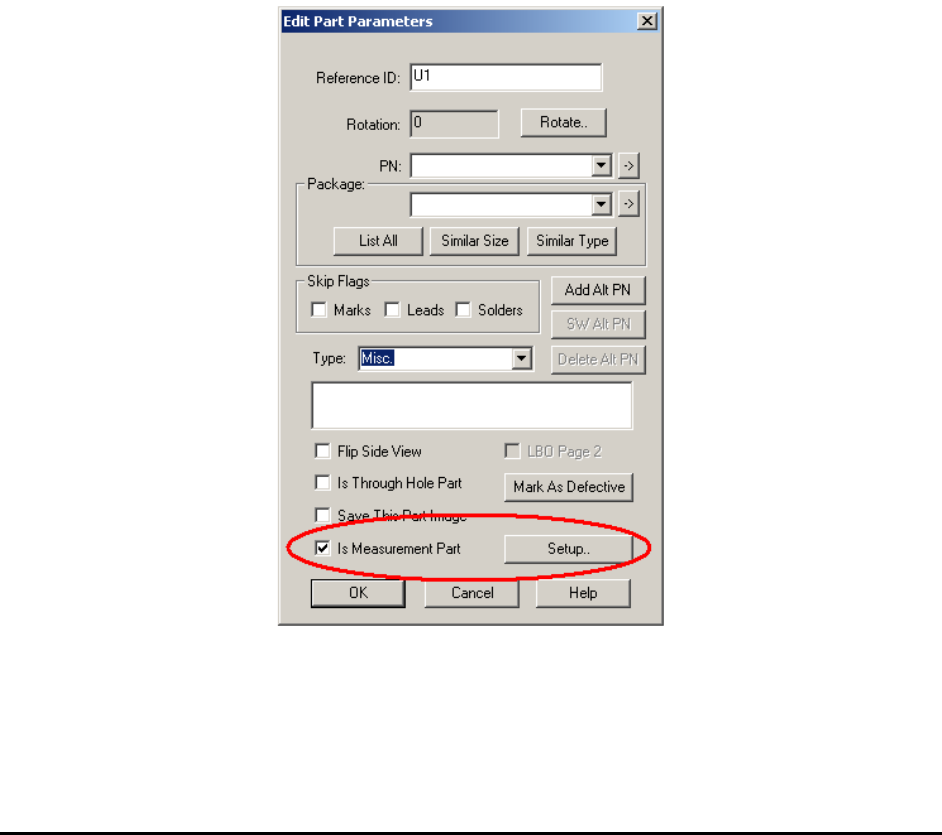
For each part, edit the part’s parameter and check the Is Measurement Part checkbox in the
Edit Part Parameters dialog.
For U1_REF1 and U1_REF2, press the Setup button on the right and launch the Set
Measurement Parameters dialog box.