YesAX V3.1.2 - Software User Manual - 第223页
SmartStart 17 -1 17 - SmartS t art 17.1 Introduction SmartStart is a feature that selects inspection recipes based on the printed circuit board’s serial number (SN from barcode) or appearance. With the he lp of a customi…
SmartStart 17-1
17 - SmartStart
17.1 Introduction
SmartStart is a feature that selects inspection recipes based on the printed circuit board’s serial
number (SN from barcode) or appearance. With the help of a customized extension DLL
(DataLogExt.DLL) it integrates with the WIP (Work in Process) tracking host system via TCP/IP
or other interfaces.
17.2 System Part List
On the YesAX software, similar to the part list for each board, there is also a system part list
which is common across all recipes. The system part list is used by SmartStart to automate the
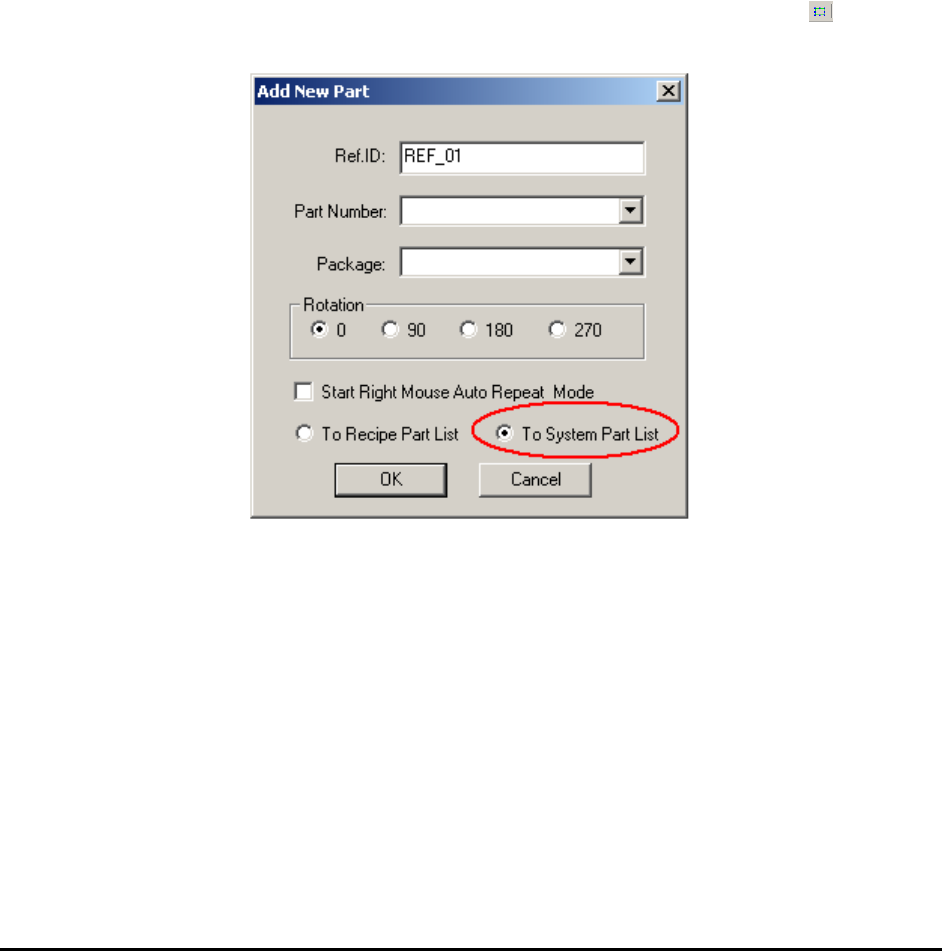
process of selecting and loading inspection recipes. Adding a part to the system part list is
similar to adding a part to board part list. It starts by pressing the Add Part button “ ” on the
toolbar.
In the Add New Part dialog, select the To System Part List radio button.
17-2 SmartStart
17.3 SmartStart Setup Parameters
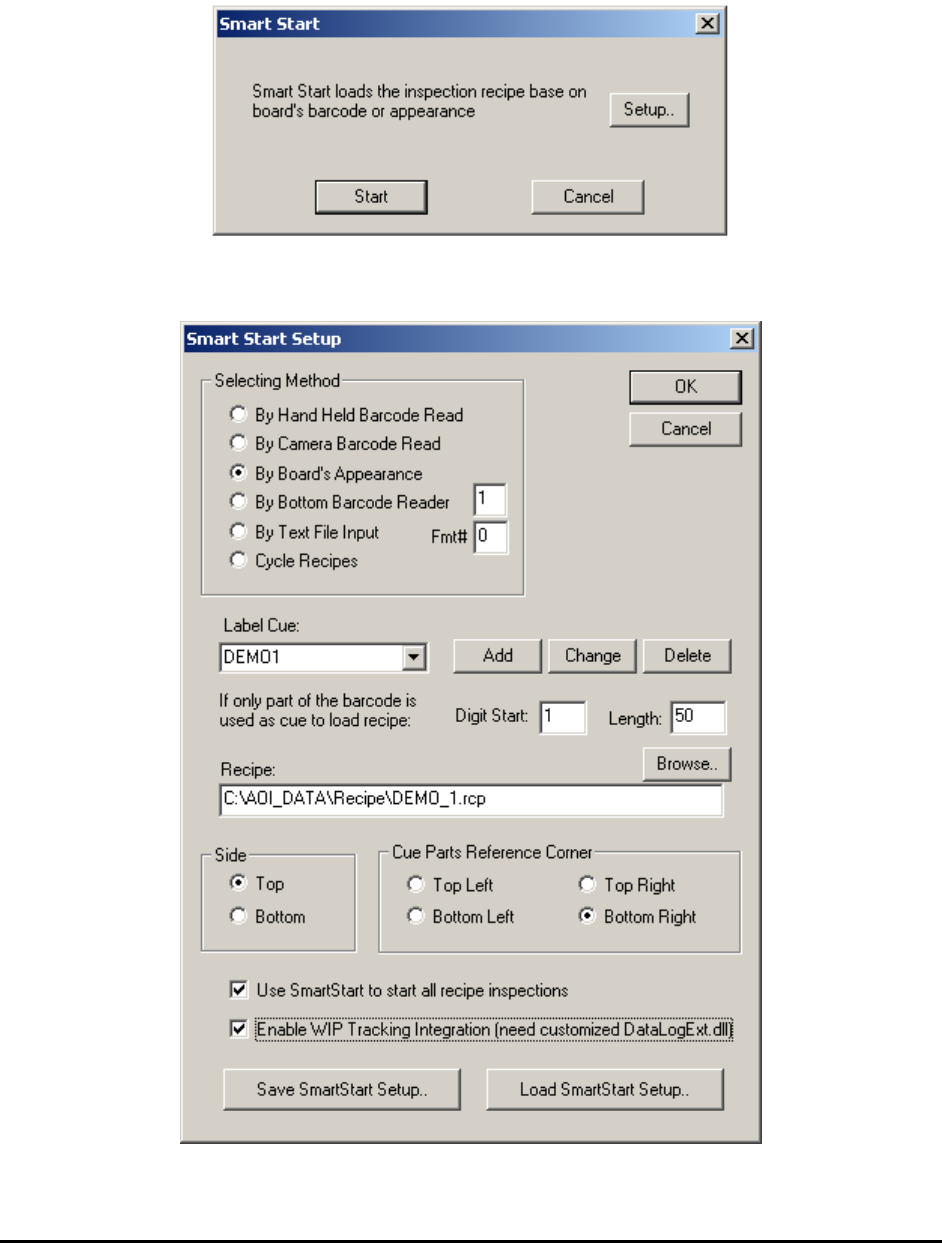
SmartStart is launched by selecting File>SmartStart from the menu. The SmartStart dialog
displays.
From this dialog press Start to start the inspection process, or press Setup to launch the
SmartStart Setup dialog.