YesAX V3.1.2 - Software User Manual - 第229页
Defect and Board D ocument ation 18 -3 18.3 Board Image The Stitch Board Image option creates a complete board image by stitching up the individual frames from an Image Set captured by the top camera. Users can select th…
18-2 Defect and Board Documentation
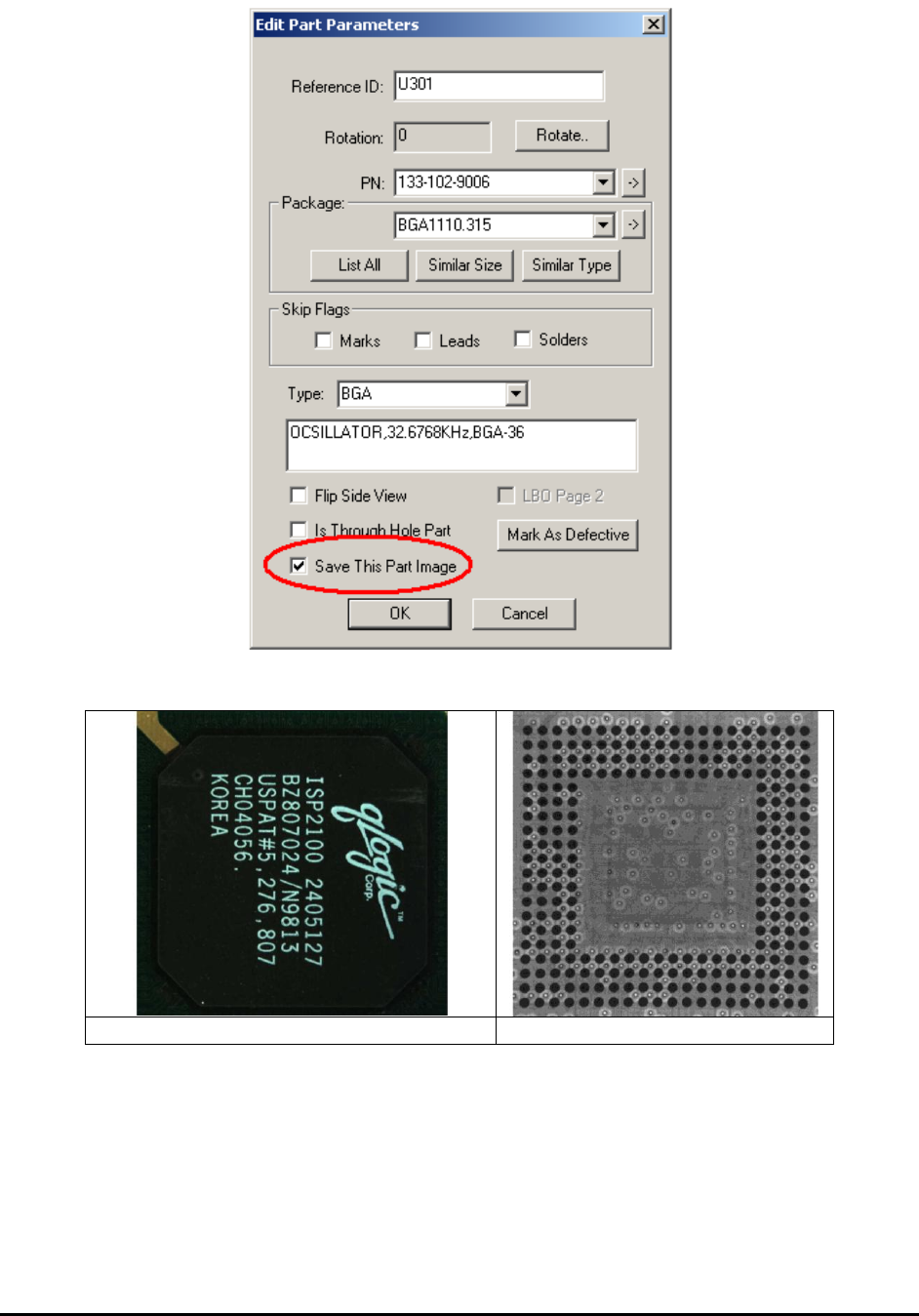
Here are some sample part images:
H1419FC_U27_Top.jpg
H1419FC_U27_X1.jpg
Defect and Board Documentation 18-3
18.3 Board Image
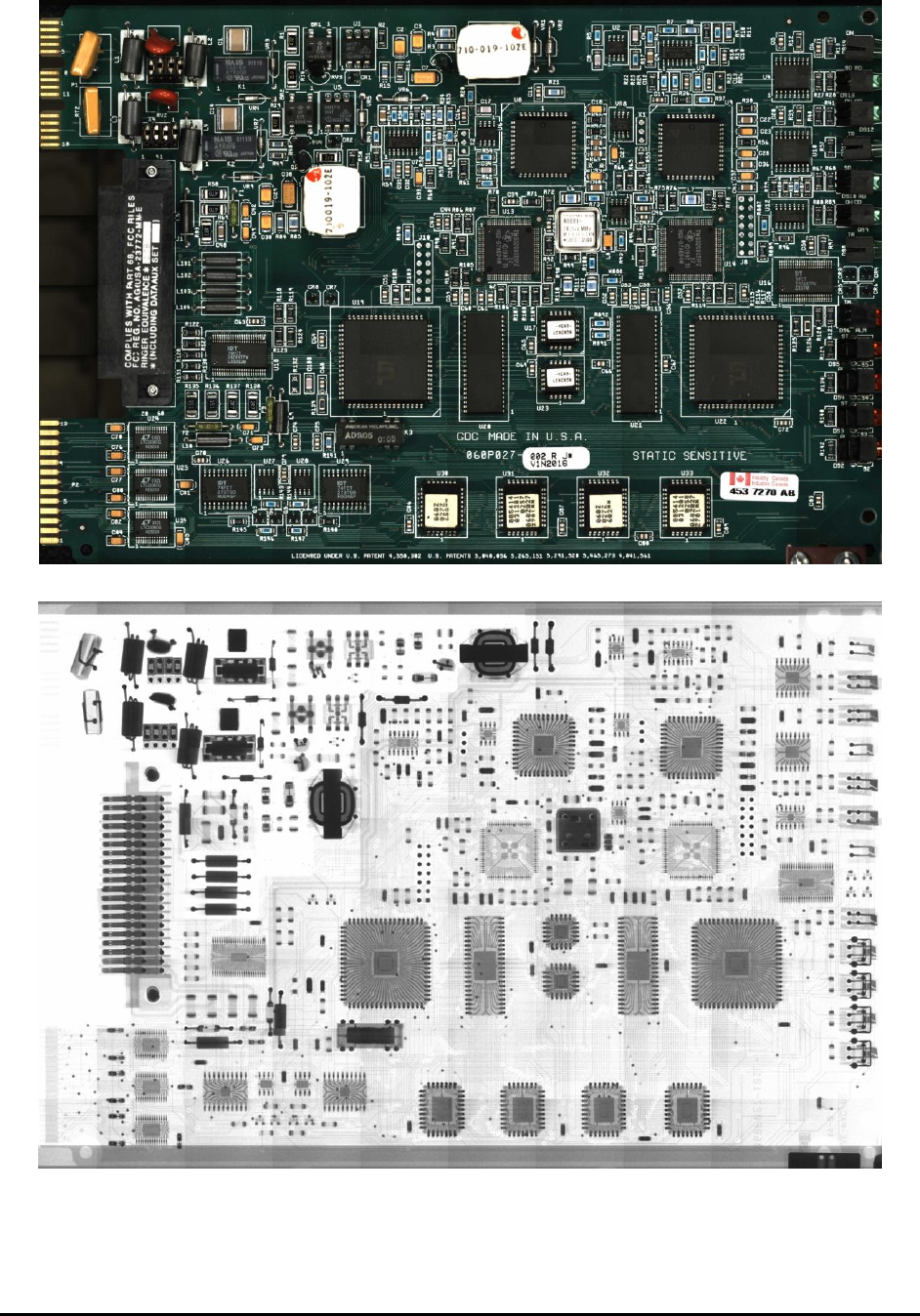
The Stitch Board Image option creates a complete board image by stitching up the individual
frames from an Image Set captured by the top camera. Users can select the size and the format of
this board image, as well as the destination file name.
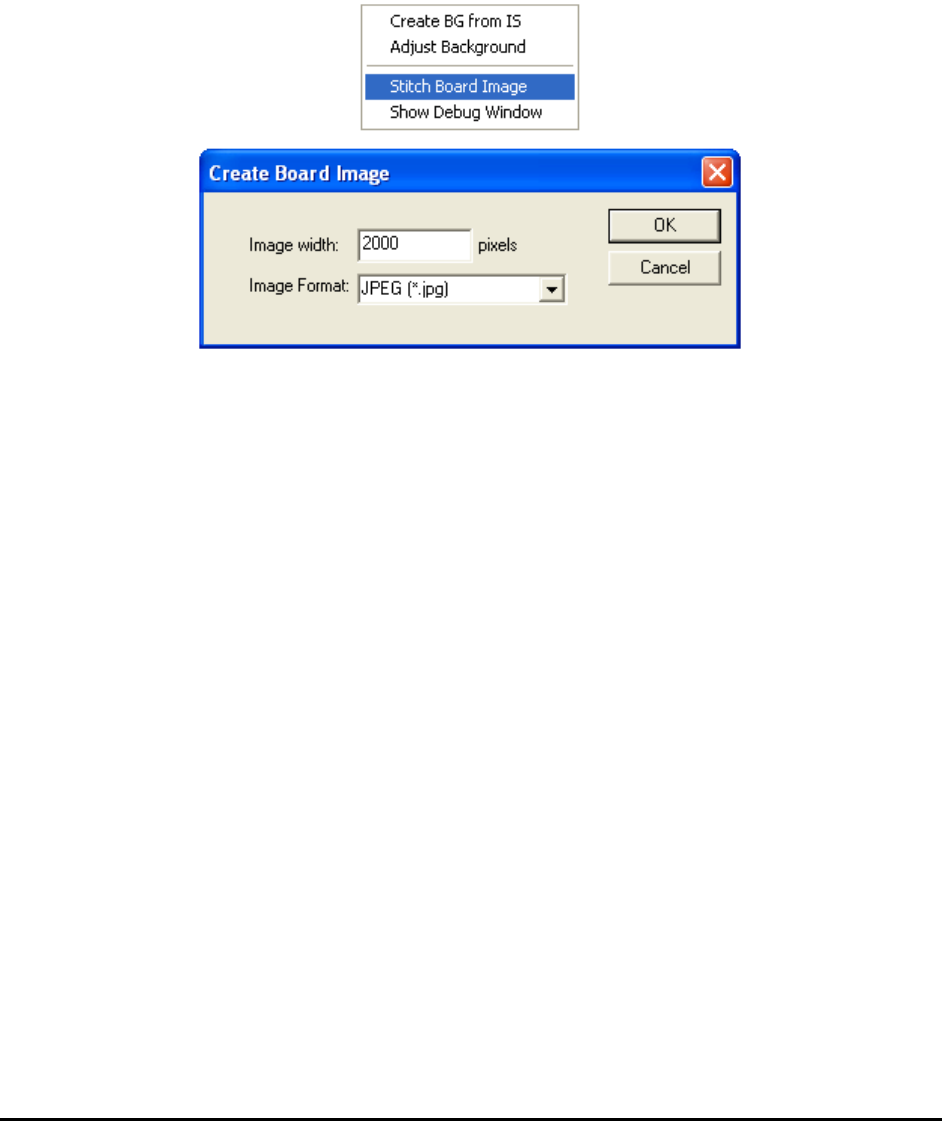
To create the board image, open the Map View menu and select Stitch Board Image. The
Create Board Image dialog opens. Specify the image width in the Image width field. Select the
image format from the Image Format drop-down list. Select OK.
The X2/X3 AXI system can also stitch together a complete X-ray image of the board from an X-
ray Image Set in Grid format.
To create an x-ray image of the board, load the Image Set, then switch the camera to X-ray view,
then select Stitch Board Image from the Map View.
18-4 Defect and Board Documentation