YesAX V3.1.2 - Software User Manual - 第243页
Image Set and Image A rchive 21 -5 During software startup the downstream review station needs to connect to the AXI machine up stream. It will prompt the user for the computer name of the up-stream AXI machine. Once the…
21-4 Image Set and Image Archive
The offline review process starts by loading the recipe from the AXI machine. From the Image
Archive, select the first board to review and double click it to load the Image Set. Select Offline
Review from the Image Archive’s pop-up menu. Offline review is very similar to online review
where users can review and classify defects. Upon completion of the review a defect report
displays and can be printed if desired. After closing the defect report, the Result dialog appears.
Click Next to repeat the review process for the next board.
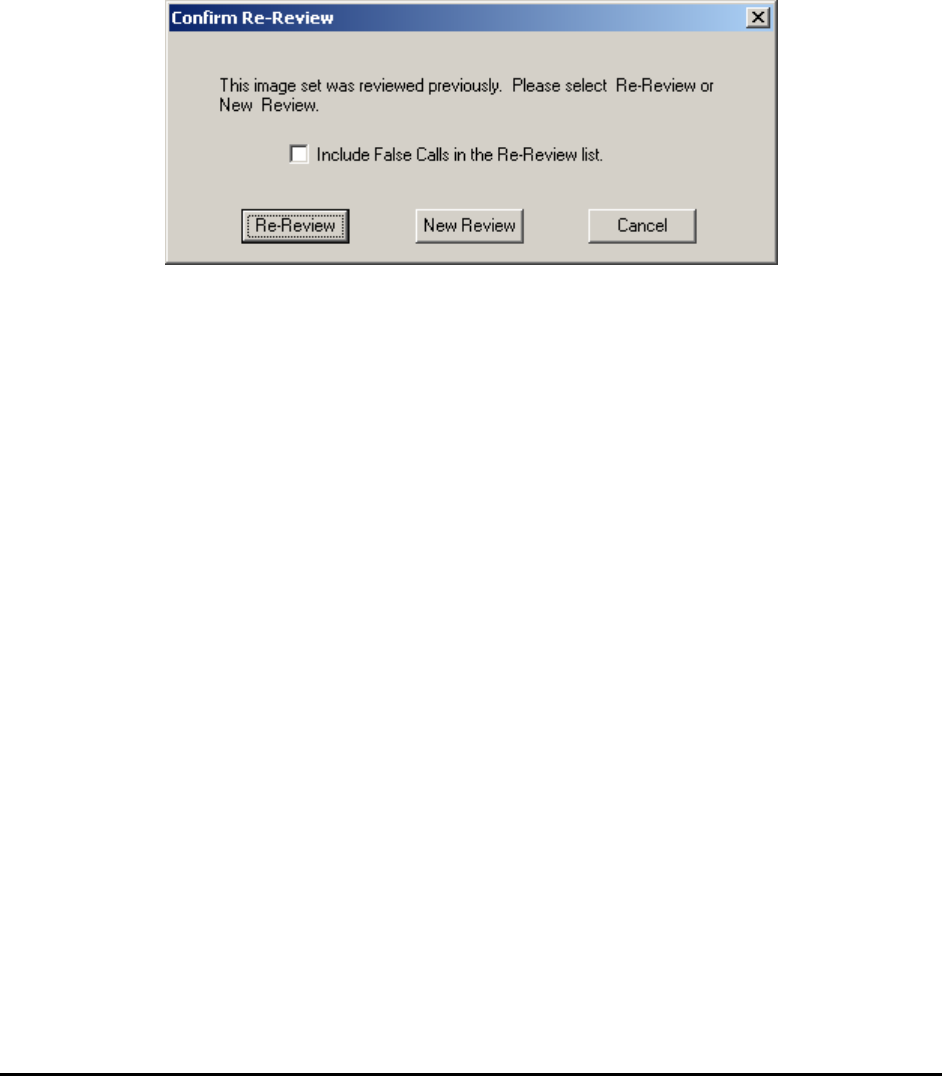
If an image set has been reviewed at least once and all defects have been classified either as true
defects or false calls, the next time customer wants to review the same image set, software will
prompt user to select either new review or re-review.
The new review will allow user to review all defects (including classified defects and false calls)
like the image set was reviewed for the very first time. The re-review will give user an option to
include those classified as false calls in the re-review list or not. If the user does not want to
include any false calls, then only classified defects will be reviewed. During re-review process,
all defects will have the updated defect info which was assigned during the initial review process.
The user can still change the defect class and this info will be saved by software automatically
once review is complete.
Unlike Offline Review which requires users to serialize the boards being reviewed with
barcodes, Downstream Review does not have that restriction. In Downstream Review, the
review station is immediately downstream to the AXI machine. The review station is connected
to the AXI machine via a computer network (LAN). The user reviews the boards in the same
sequence as the AXI machine inspects them. To setup a computer for downstream review, select
the Is DownStream Review Station checkbox in the System Option dialog. On the AXI
machine’s YesAX software, select the Has Downstream Review Station checkbox in its
System Option dialog.
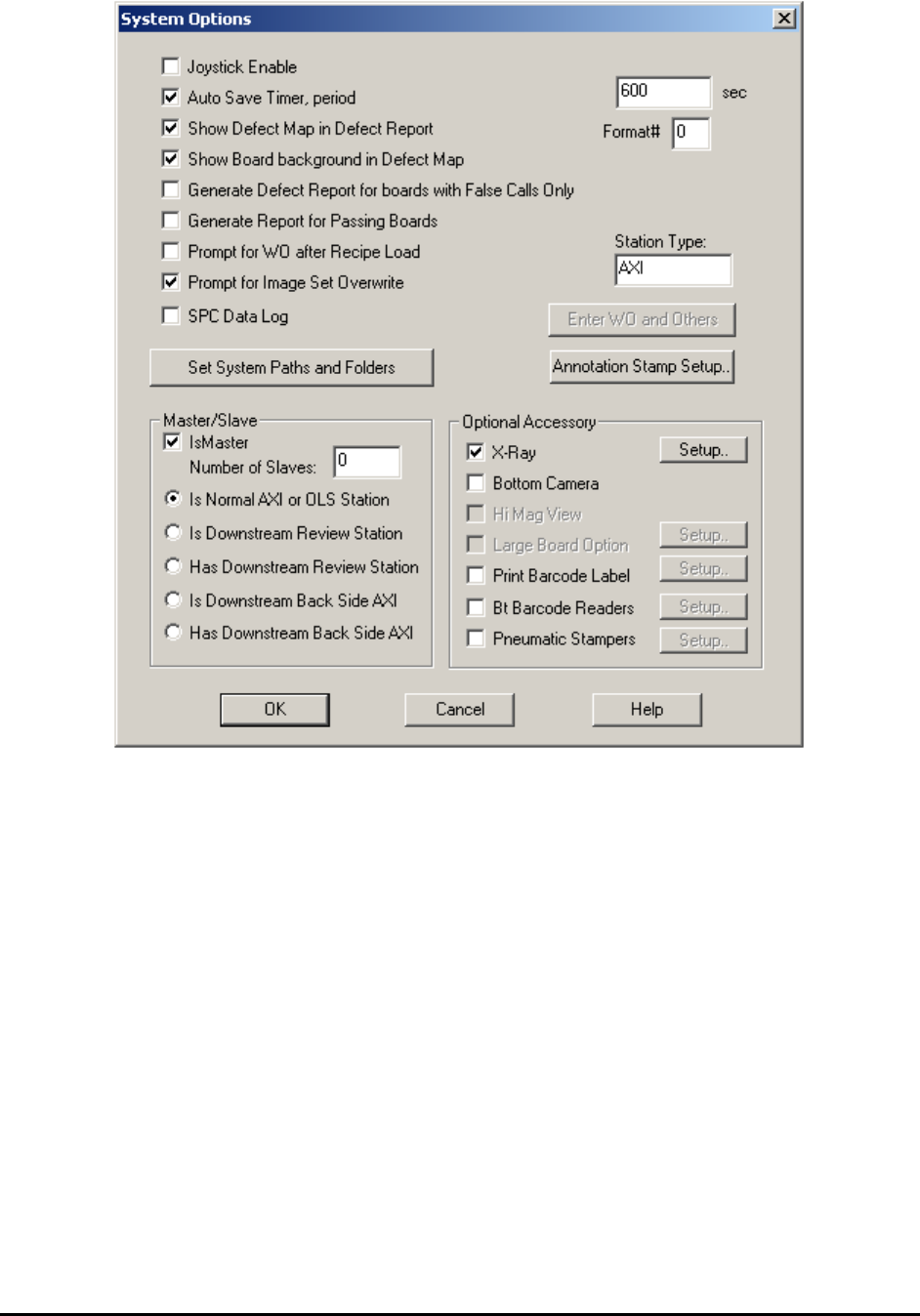
Image Set and Image Archive 21-5
During software startup the downstream review station needs to connect to the AXI machine up
stream. It will prompt the user for the computer name of the up-stream AXI machine. Once the
connection is established, the AXI machine will pass board information to the review station in
real time.
21.3 Rework Defects
A “touch up” person can rework the defective boards. The offline software assists this person in
identifying the defects on the board. The process is called offline rework. To start the process,
load the inspection recipe from the AXI machine to the offline computer station. From the Image
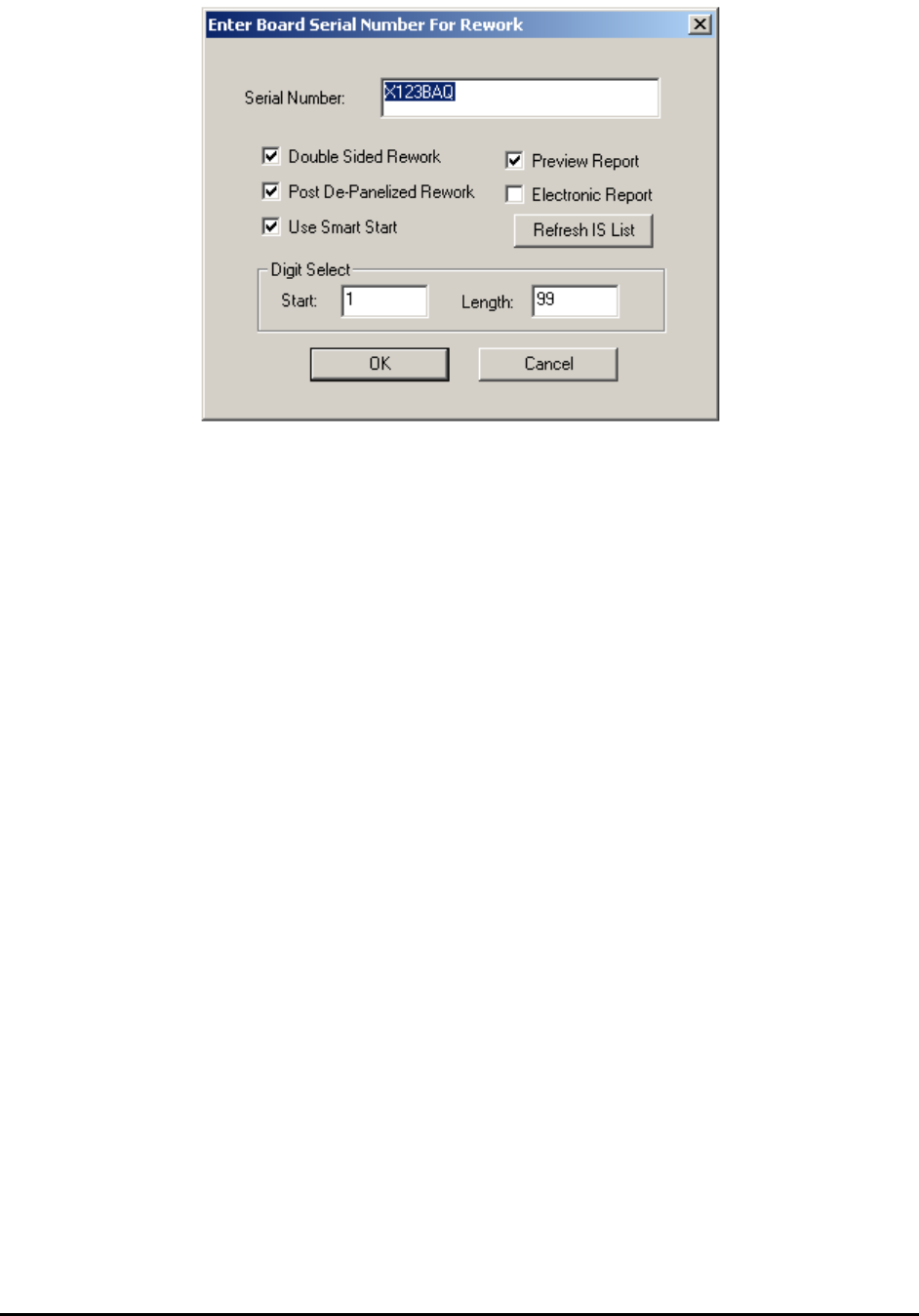
Archive menu, select Rework Defects. The Enter Board Serial Number For Rework dialog
appears where the user can enter the board’s serial number to rework. If the board is bar-coded
the user can scan in the barcode using this dialog box.
21-6 Image Set and Image Archive
The Double Sided Rework checkbox enables double sided rework mode. The software
automatically switches to the side that the defect is on, and guides the rework process. If there
are defects on both sides of the board, then top side rework will be followed by bottom side
rework processes. All the rework operator needs to do is to scan the barcode for the board to be
reworked. The software identifies which side of the board the defect is located and its position.
The Use Smart Start checkbox enables the SmartStart feature for rework. The SmartStart
feature loads the recipe based on the barcode of the board and starts the rework process. The
Post De-Panelized Rework checkbox indicates to the software that the rework (or
Review/Rework) is performed after the circuit had been separated in the depanelizing process.
The software will only show the defects associated with the barcode entered, even though the
original board inspected by the AXI is a multi-up board with multiple barcodes. The Preview
Report and Electronic Report options control report generation after the Review/Rework. The
Digit Select option is used when a barcode reader is used for data entry but not all characters of
the barcode are the serial number. Digit Select allows you to select a segment of the code as the
board’s serial number. The Refresh IS List button refreshes the image set list to include the
latest image set created.
The SPC data logging function for offline stations is controlled from the System Options dialog.
After you finish reworking the board, press the Next button on the Result dialog to repeat the
rework process for another board.
21.4 Review and Rework
For environments where the False Call rate is very low, such as a high volume OEM
manufacturing environment, it would make sense to do the defect review and rework together.