YesAX V3.1.2 - Software User Manual - 第248页
21 - 10 Image Set and Image A rchive 21.7 Yes IAM Nordson YESTECH Image Archive Manager (YesIAM) software is a separate software utilit y that manages image sets and archives for AXI/AOI machines. It can be use to delete…
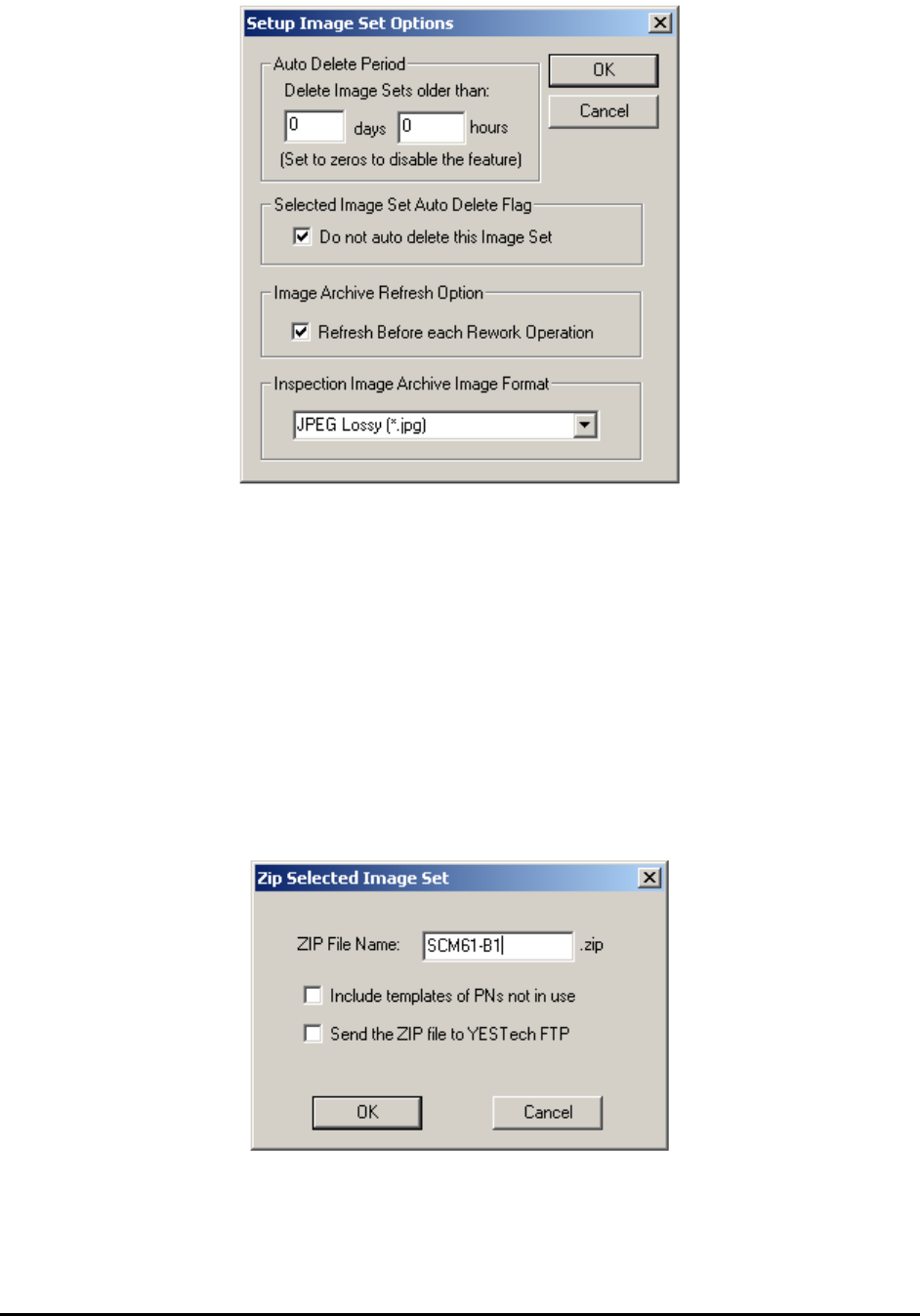
Image Set and Image Archive 21-9
User can also mark selected Image Set to be excluded them from the Auto Delete function. The
marked Image Set will not be auto deleted regardless their time of creation. The Refresh Before
each rework Operation checkbox if enable will automatically refresh the Image Set list before
the starting of each Rework to ensure the list is always up-to-date. The Inspection Image
Archive Image Format drop down list box selects the image formats for the Image Set saved
during inspection. For 2D files the default format is JPEG lossy and for 3D files the default
format is TIFF uncompressed format.
21.6.2 Zip Selected Image Set
The Zip Selected Image Set feature automatically ZIPs up the recipe plus the selected Image Set
(or Image Sets) into one single file and places it in C:\Aoi_Data\Zip folder. If Send the ZIP file
to YESTech FTP is checked, the software also automatically uploads the file to Nordson
YESTECH’s FTP site.
21-10 Image Set and Image Archive
21.7 YesIAM
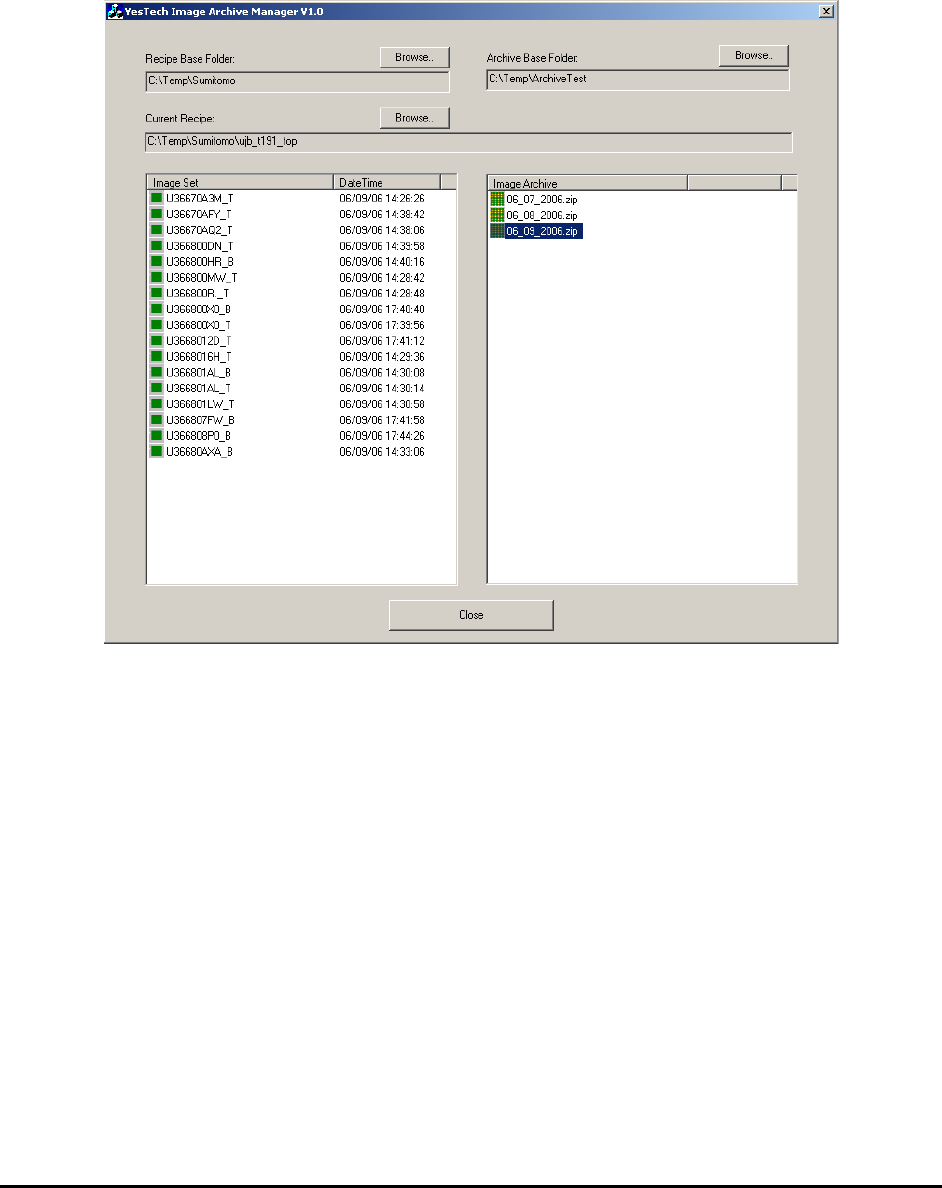
Nordson YESTECH Image Archive Manager (YesIAM) software is a separate software utility
that manages image sets and archives for AXI/AOI machines. It can be use to delete and/or
archive image sets on a user-specified schedule. Refer to YesIAM.doc in the documents folder
on the software installation CD for details of its usage.
21.8 Recipe Quality Validator (RQV)
The effectiveness of an AXI machine depends heavily on the quality of its inspection recipes. To
maintain the effectiveness of the inspection it is a good practice to routinely validate the quality
of the inspection recipes to make sure that the defect detection level is acceptable. Some
companies use a set of boards with known defects on them. They would run the boards at the
start of every shift to make sure all the defects on them are correctly detected before a new batch
of the boards are allowed to run through the AXI. This is a very good procedure but requires
great effort to have it implemented and maintained.
The YesAX software automates this process by using Image Sets. Using an Image Set of a defect
board is far more convenient than having real defect boards. It also allows the process to be
completely automated. To use the feature, collect Image Sets of boards with real defects, create
an Expected Defect List for each board, then run the RQV on them from time to time (e.g. at the
start of each shift).
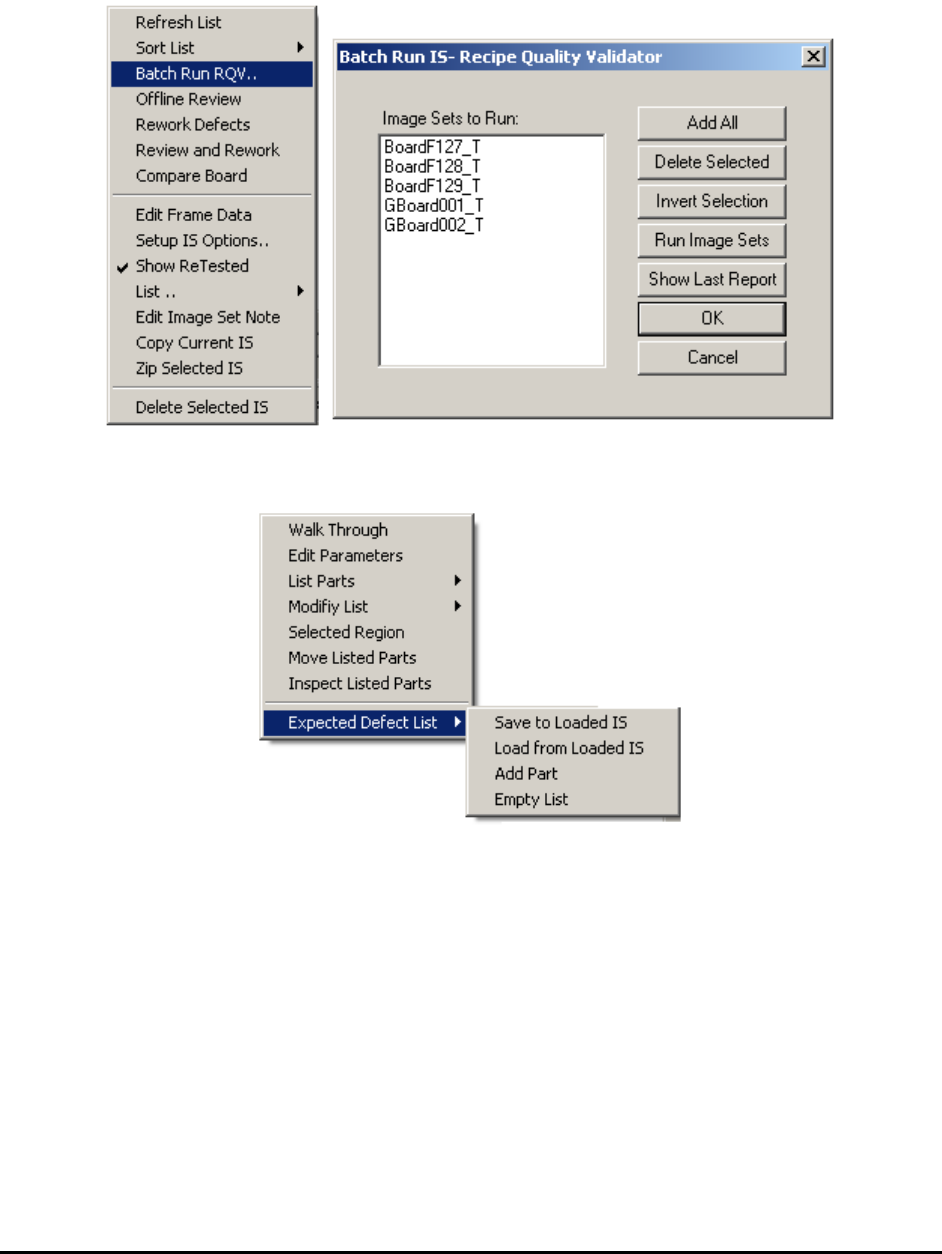
Image Set and Image Archive 21-11
RQV is a complex feature and is still being developed. It is expected to be further refined in the
next several releases. Launch the setup dialog by selecting the Batch Run RQV menu selection
from the Image Archive pop-up menu.
In the List View>Selected Page pop-up menu, the Suspected Defect List sub menu is added to
handle the Expected Defect List of the RQV feature.