YesAX V3.1.2 - Software User Manual - 第251页
Recipe Data Stora ge 22 -1 22 - Recipe Dat a S torage 22.1 Folder Structure By default inspection recipes are stored in the folder C: \AOI_Data . In the AOI_Data folder there are 4 sub-folders: CAD_Data, Recipe , StdPkg …

Recipe Data Storage 22-1
22 - Recipe Data Storage
22.1 Folder Structure
By default inspection recipes are stored in the folder C:\AOI_Data. In the AOI_Data folder
there are 4 sub-folders: CAD_Data, Recipe, StdPkg and SPC_DataLog.
The CAD_Data folder stores all the YCD files. The StdPkg folder stores the three standard
package libraries. The SPC_DataLog folder is the default location for the SPC data. The Recipe
folder is more complex since it is the top-level folder for storing all the inspection recipes.
An inspection recipe contains one text file with the extension .RCP plus a sub folder. The sub
folder contains three part lists and one or two bitmap files. The three part lists are part list, part
library and package library; the two bitmap files are the map view background for the top and
bottom side of the board. The sub folder also contains two of its own sub folders, Template and
Image Set. The template folder stores all the template files and the Image Set folder stores all the
Image Set files (*.IS) and the Image Set sub folders. For recipe ABC.RCP the folder structure
would be as follows:
C:\AOI_Data\Recipe
\ABC.RCP Recipe text files
\xxxx.RCP Other Recipe text files
…
C:\AOI_Data\Recipe\ABC
\Settings.pls Top Side part list
\Settings.plb Bottom Side part list
\Settings.lib Part Number library
\Settings.pkg Package library
\MapBG_Top.bmp Map background for top side
\Template\T000001.tpt A template file
\Template\T000001.mim An image file for the template file
\Template\Txxxxxx.tpt
\Template\Txxxxxx.mim
..
\ImageSet\Board-001_T.IS Image Set file for Board-001_T
\.. Other image set text file
\Board-001_T\*.* Sub folder for Image Set Board-001_T
\..
\Reports\xxx.jpg Electronic defect report
\..
\PartImage\xxx.jpg Part Images
22.2 Data Backup
We recommend that the users of the AXI machine backup the AOI_Data folder periodically to
prevent data loss in the unlikely event of a computer failure. In addition to the AOI_Data folder,
you may also want to backup the C:\Program Files\AOI\INI folder. This folder contains the
calibration information for the machine.
22-2 Recipe Data Storage
22.2.1 YesBackup
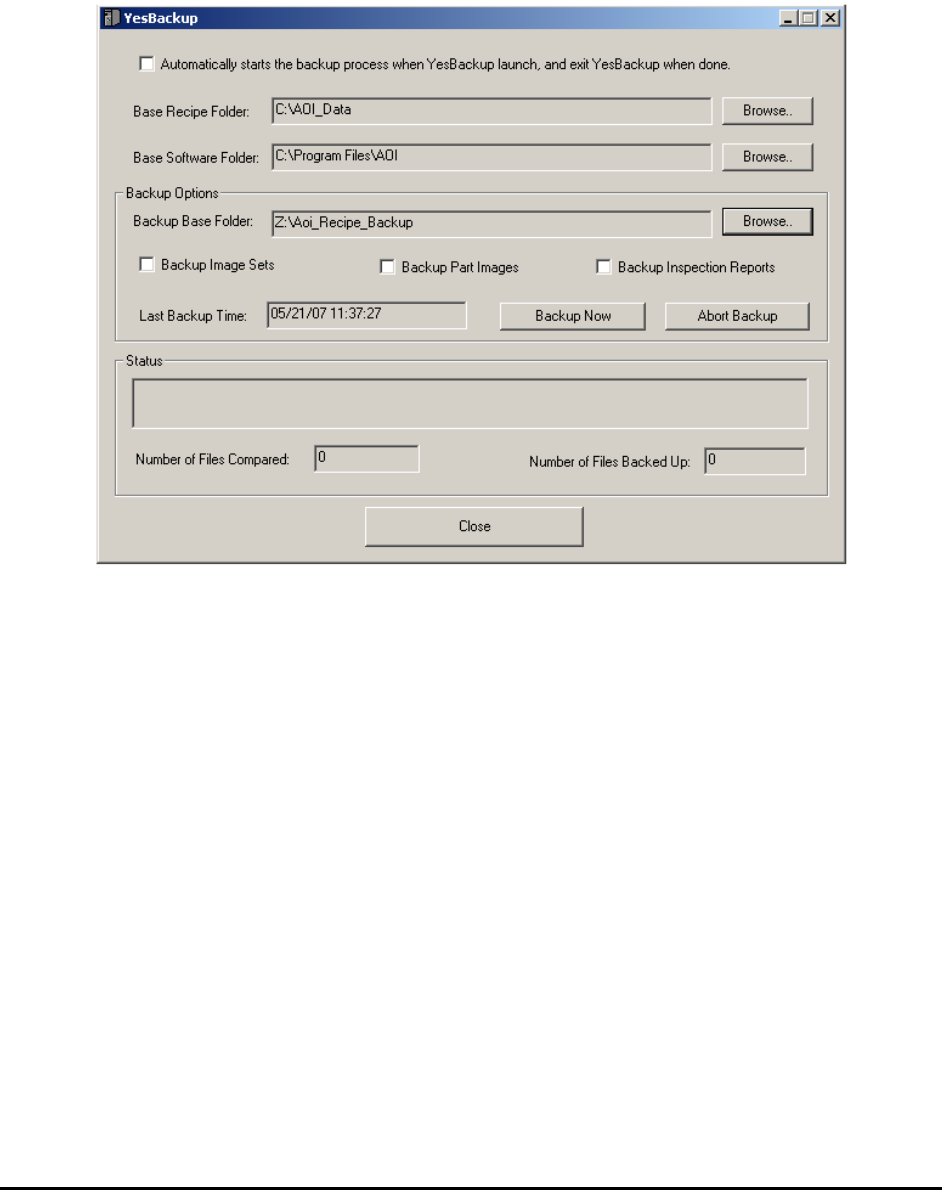
YesBackup is software utility that backs up the inspection recipes and software programs and
configurations from a Nordson YESTECH AXI machine. It is provided free of charge to all
Nordson YESTECH customers. The software will “crawl” the folders and backup any new data
it contains.
The software user interface is self explanatory. Select the Automatically starts the backup
process when YesBackup launch, and exit when done checkbox to use Windows’ scheduler to
launch this program and perform periodic backups.
22.2.2 Internal Backup Feature
The YesBackup program described in 22.2.1 YesBackup above is the recommended backup
mechanism for all YesAX users. The description for the internal backup feature here is only for
the purpose of backward compatibility.
To facilitate the backup activity the YesAX software offers a feature to automatically create a
backup copy of the recipe at a user specified location. To enable this feature, open the System
Options dialog and specify the folder location to save the backups.