YesAX V3.1.2 - Software User Manual - 第267页
Design for Manufacturing 26 -1 26 - Design for Manufacturing Nordson YESTECH AXI machines have been designed with ease of manufacturing and maintenance in mind. The software contributes to this goal by providing low-leve…
25-6 Calibration and Verification
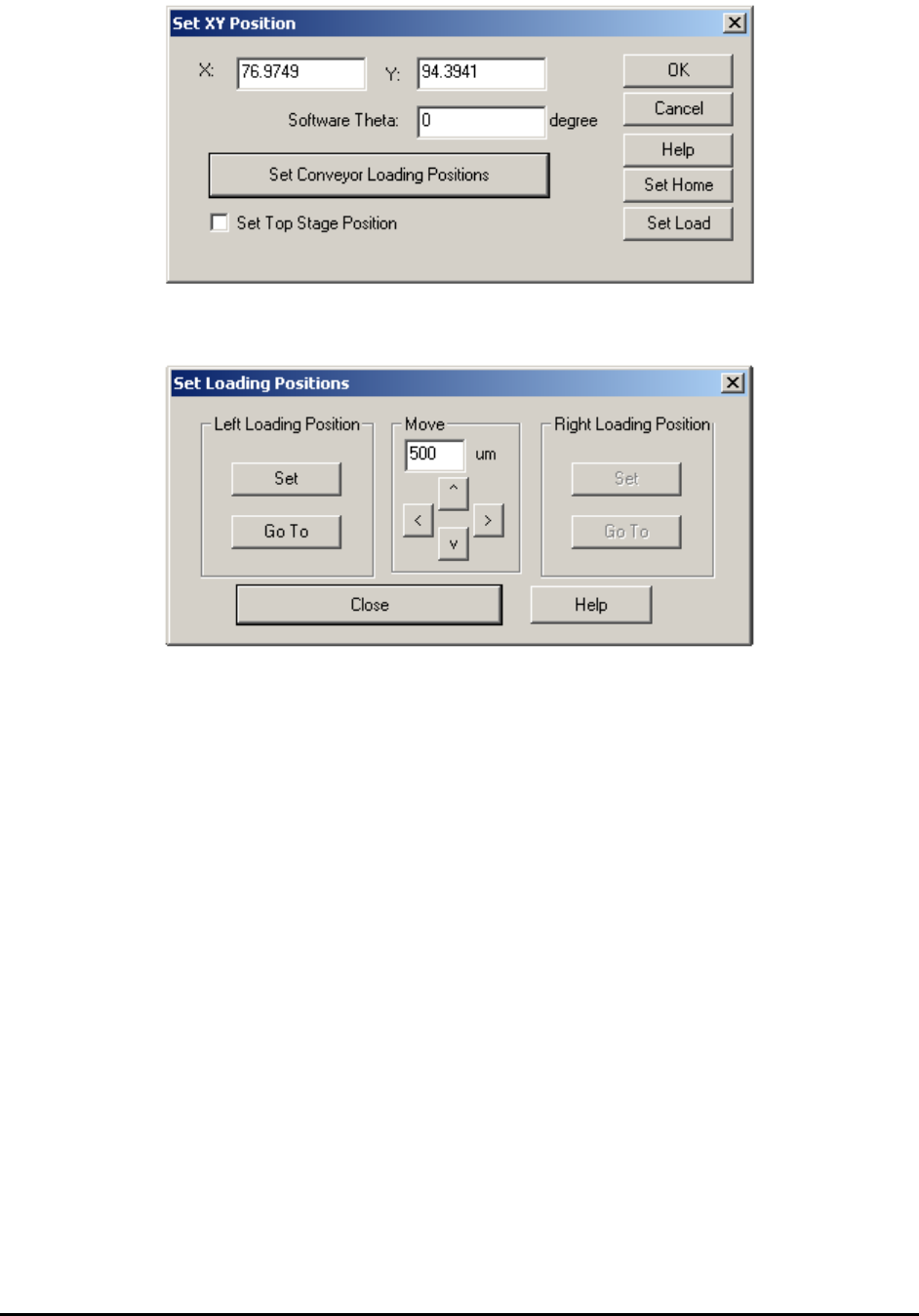
Press the Set Load button to launch the Set Loading Positions dialog. The Set Loading Positions
dialog allows you to verify and set the loading positions.
The Set button sets the current position as the corresponding loading position. The arrow buttons
in the middle jog the XY stage in small increments to facilitate fine adjustments.
Design for Manufacturing 26-1
26 - Design for Manufacturing
Nordson YESTECH AXI machines have been designed with ease of manufacturing and
maintenance in mind. The software contributes to this goal by providing low-level control
functions. These functions allow machine builders or maintenance personnel to exercise
particular hardware modules so that any problem can quickly be isolated.
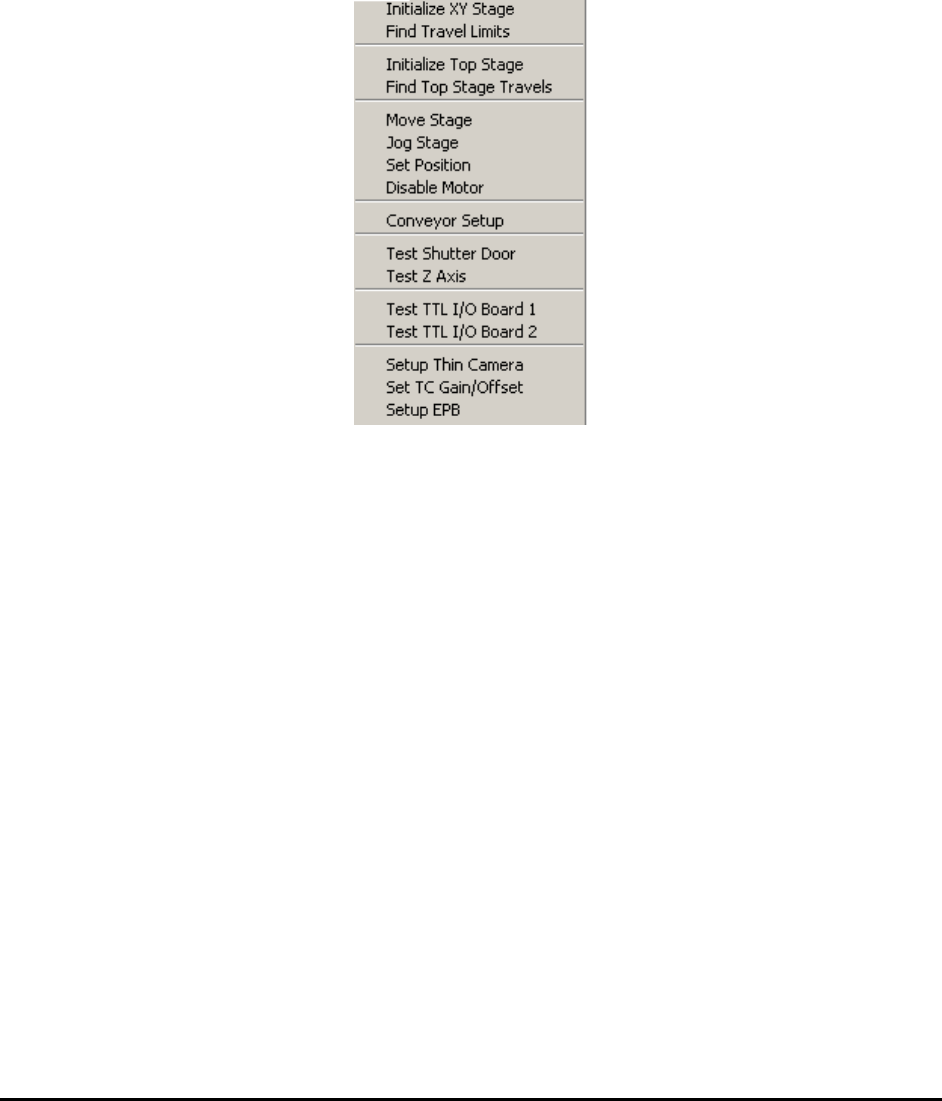
The low-level test functions can be found in the Test menu in builder mode.
26.1 Initialize XY Stage
The XY stage will initialize (or home) if the software is being started for the first time since the
servo controller was powered on. During initialization, the stage first travels to the back right
position, then travels to the front left position and then returns to the middle of the track. When
launching from the menu, the initialize XY stage will move the stage to the back right position
then back to the middle of the track without going to the front left position. This menu selection
forces the software to start the initialization routine regardless of the servo control status. It is
useful when adjusting the back and right limit switch positions.
26.2 Find Travel Limits
In addition to having hard stop bumpers and limit switches at the ends of the stage travel, the
software also has so called “Soft Limits”. With the soft limits properly set up, the software
truncates any out of bound moves. The Find Travel Limits feature finds the travel limit for the
soft limit function to work. It also tests the front and left limit switches and hard stop positions.
26-2 Design for Manufacturing
26.3 Initialize Top Stage
For X3 AXI system, the X-ray detector is driven by a TOP XY Stage. The Top stage will
initialize (or home) if the software is being started for the first time since the servo controller was
powered on. During initialization, the stage travels to the back right position, then returns to the
middle of the track. This menu selection forces the software to start the initialization routine
regardless of the servo control status. It is useful when adjusting the top back and right limit
switch positions.
26.4 Find Top Stage Travels
The Find Top Stage Travels option is for the X3 AXI system only. The function is similar to
that of the Find Travel Limits function.
26.5 Move Stage
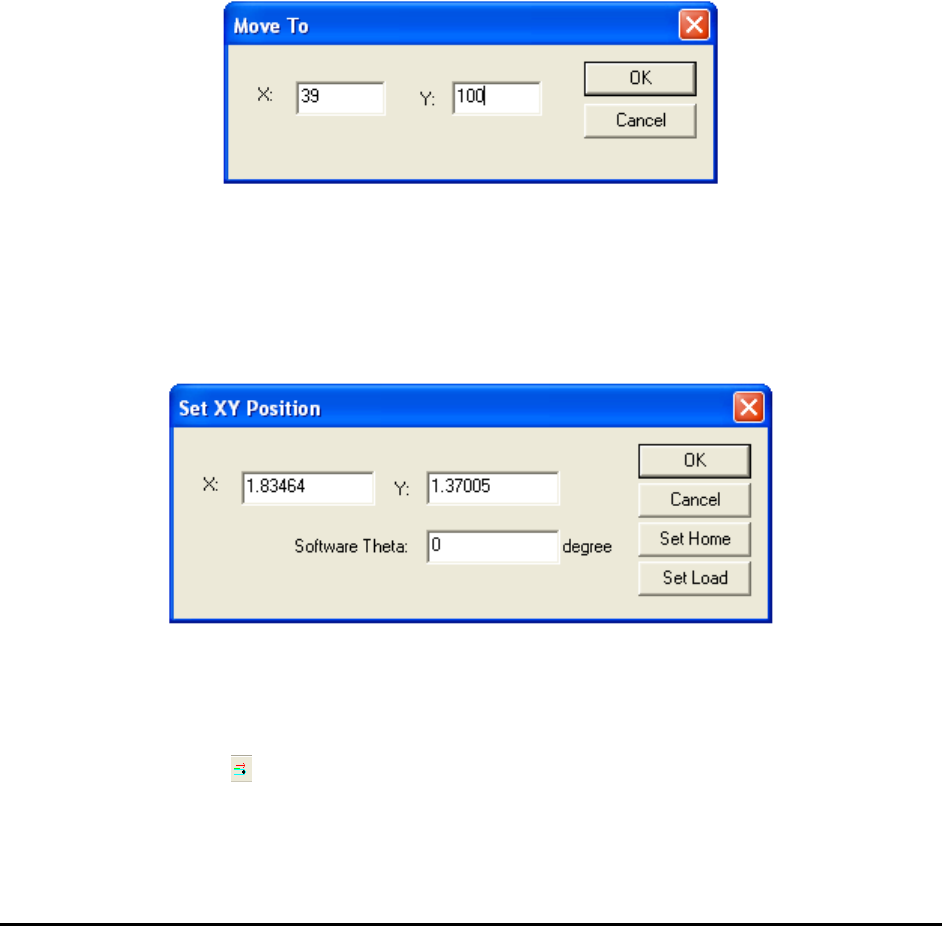
This Move Stage option launches the Move To dialog to move to an absolute stage position.
26.6 Jog Stage
The Jog Stage option launches the ControlPoint utility program to exercise the XY Stage.
26.7 Set Position
The Set Position option sets stage position to the specified values.
You can also use this dialog to set the Home and Load positions. The Home position should
always be the bottom right corner of the PCB being inspected. The Home position is recipe
dependent. The Load position is not recipe dependent. It is the position the stage moves to when
loading or unloading a PCB. If the lighting fixture is close to the conveyor’s middle sensor, press
the Feed Board button on the toolbar to move it to the load position set by this dialog.