YesAX V3.1.2 - Software User Manual - 第277页
Maintenance 27 -5 WARNING! When mov ing the stage by hand, do not mov e by applying force to th e camera or lighting assem bly. Move the stag e by pulling/push ing on the stag e itself. 6. Apply grease to the Y-axis lead…
27-4 Maintenance
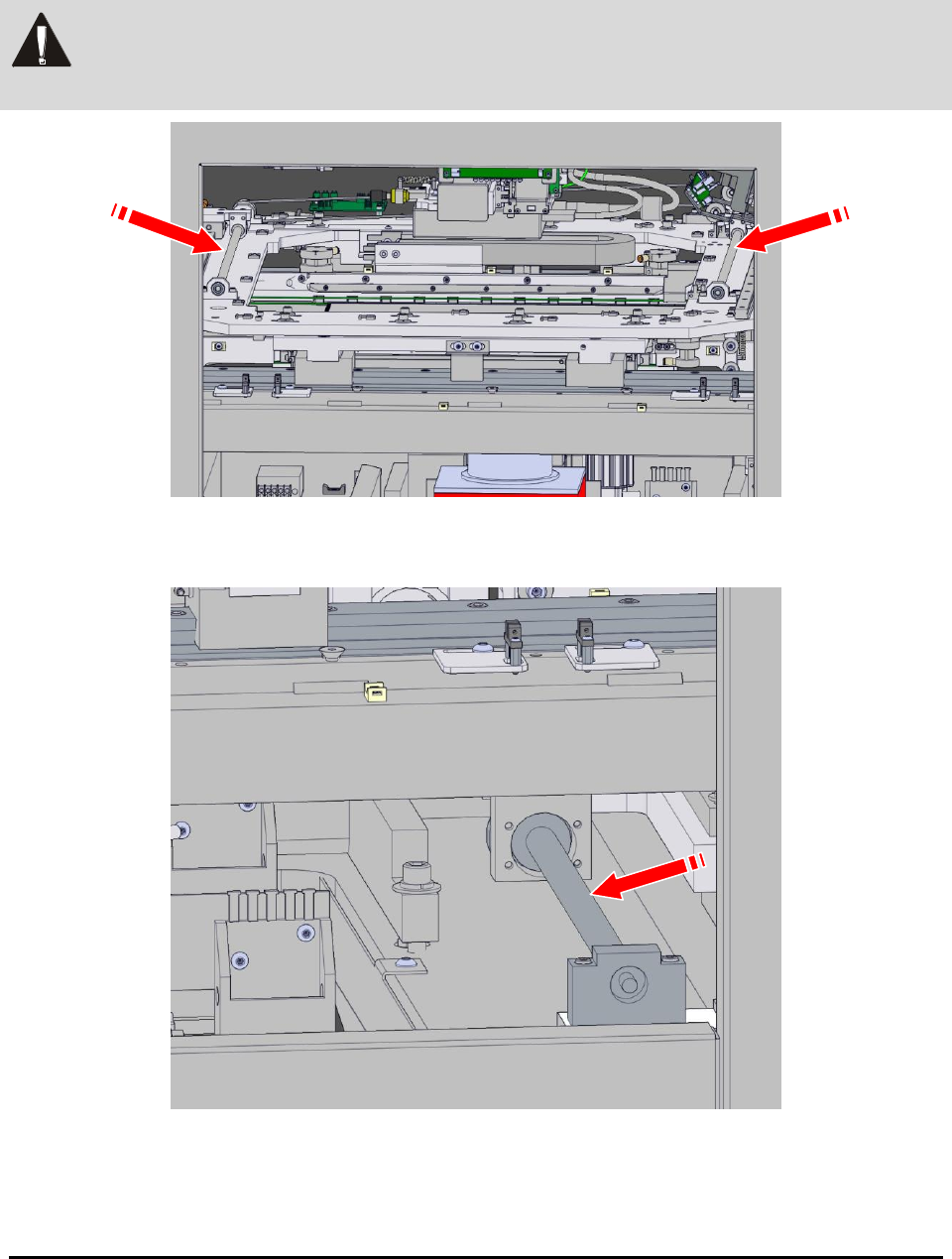
3. Apply a small amount of grease to the conveyor width adjustment X-axis lead
screws (Figure 27-2).
WARNING! Only THK AFB grease should be used on stage lead screws. Failure to do so can
cause system damage and void the system warranty.
Figure 27-2 X-axis Lead Screws for the Conveyor Width Adjustment
4. Apply grease to the X-axis lead screw for the stage.
5. Pull the stage forward manually to distribute the grease.
Maintenance 27-5
WARNING! When moving the stage by hand, do not move by applying force to the camera or
lighting assembly. Move the stage by pulling/pushing on the stage itself.
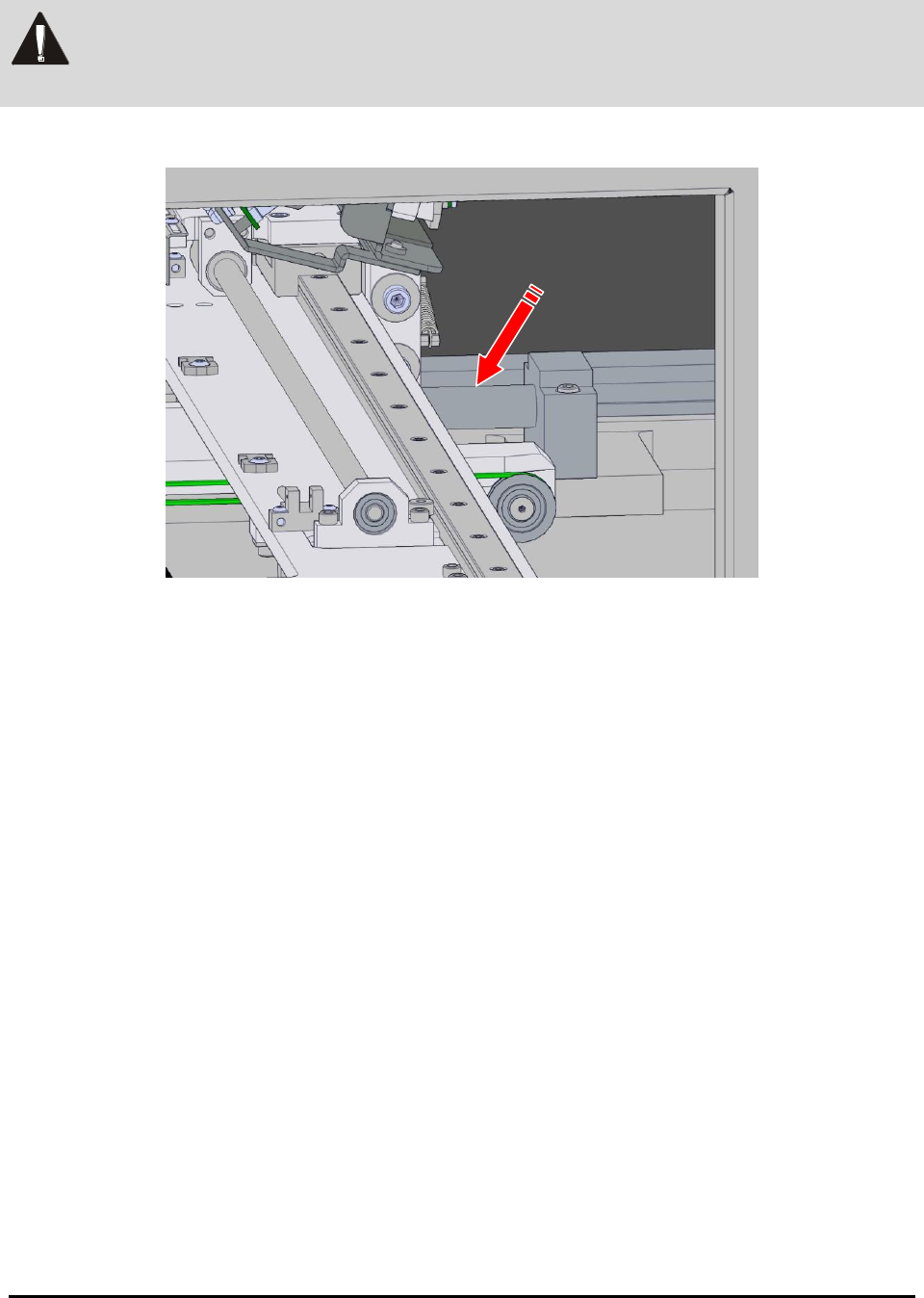
6. Apply grease to the Y-axis lead screw for the stage (Figure 27-3).
Figure 27-3 Y-axis Lead Screw
7. Close the front door
8. Power on the system.
9. Log in to the YesAX Software. See 4.1 Login for details.
10. Move the stage in all directions via the software interface several times to distribute
the grease.