YesAX V3.1.2 - Software User Manual - 第278页
在线预览 YesAX V3.1.2 - Software User Manual PDF 文档。
Maintenance 27-5
WARNING! When moving the stage by hand, do not move by applying force to the camera or
lighting assembly. Move the stage by pulling/pushing on the stage itself.
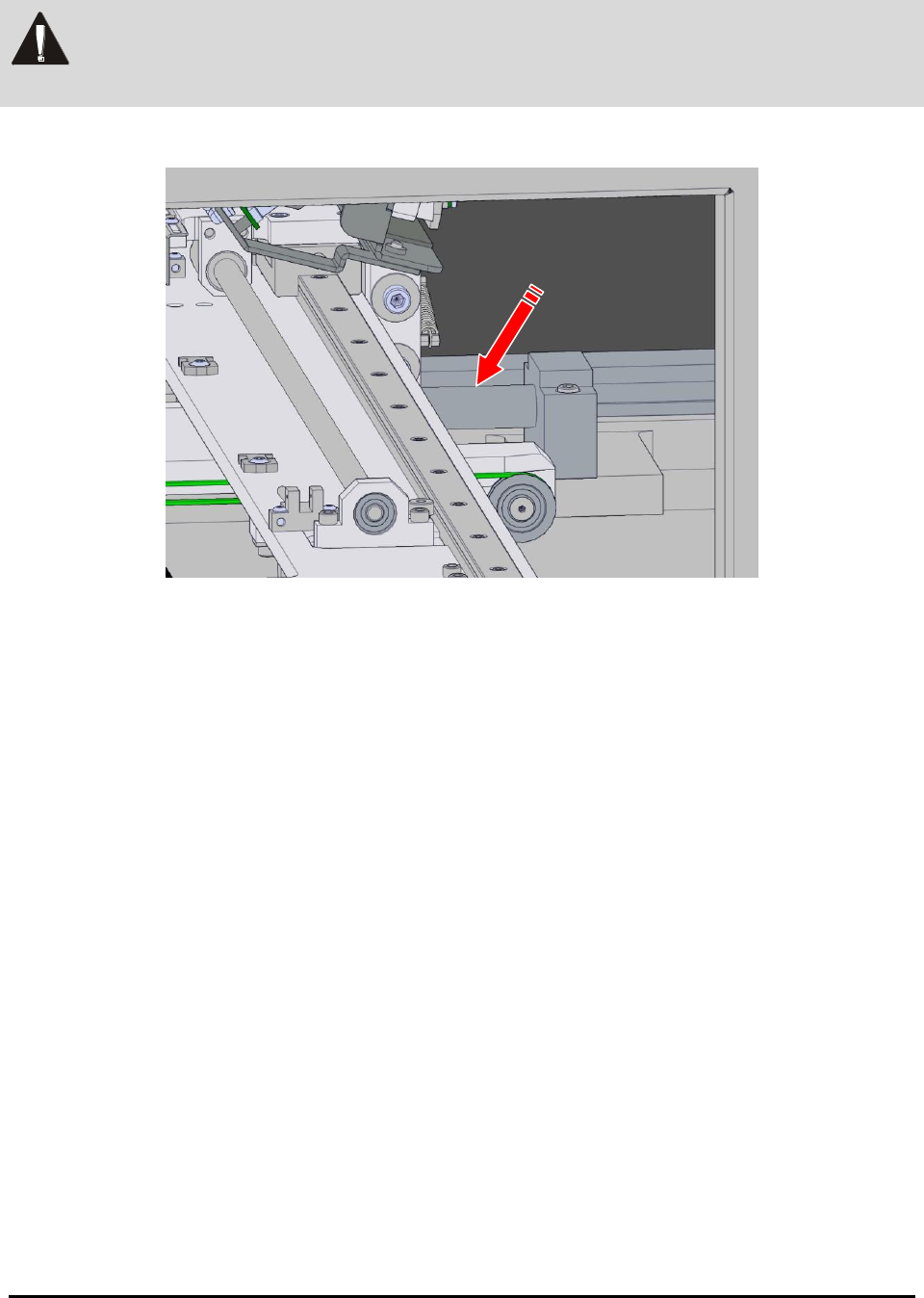
6. Apply grease to the Y-axis lead screw for the stage (Figure 27-3).
Figure 27-3 Y-axis Lead Screw
7. Close the front door
8. Power on the system.
9. Log in to the YesAX Software. See 4.1 Login for details.
10. Move the stage in all directions via the software interface several times to distribute
the grease.
Trouble Shooting 28-1
28 - Trouble Shooting
28.1 During Startup
The software performs a self checking routine during startup. If a problem is detected the
following error messages may be displayed.
Error Message: License Key not Found or Expired
The YesAX software is protected by a software license key also known as a dongle. A proper
dongle on a USB port is required for the software to run. There are two types of dongles: time
limited and permanent. A time limited dongle will expire after a period of time usually 30 days.
Time limited dongles can be extended or changed into a permanent one by a matching its locking
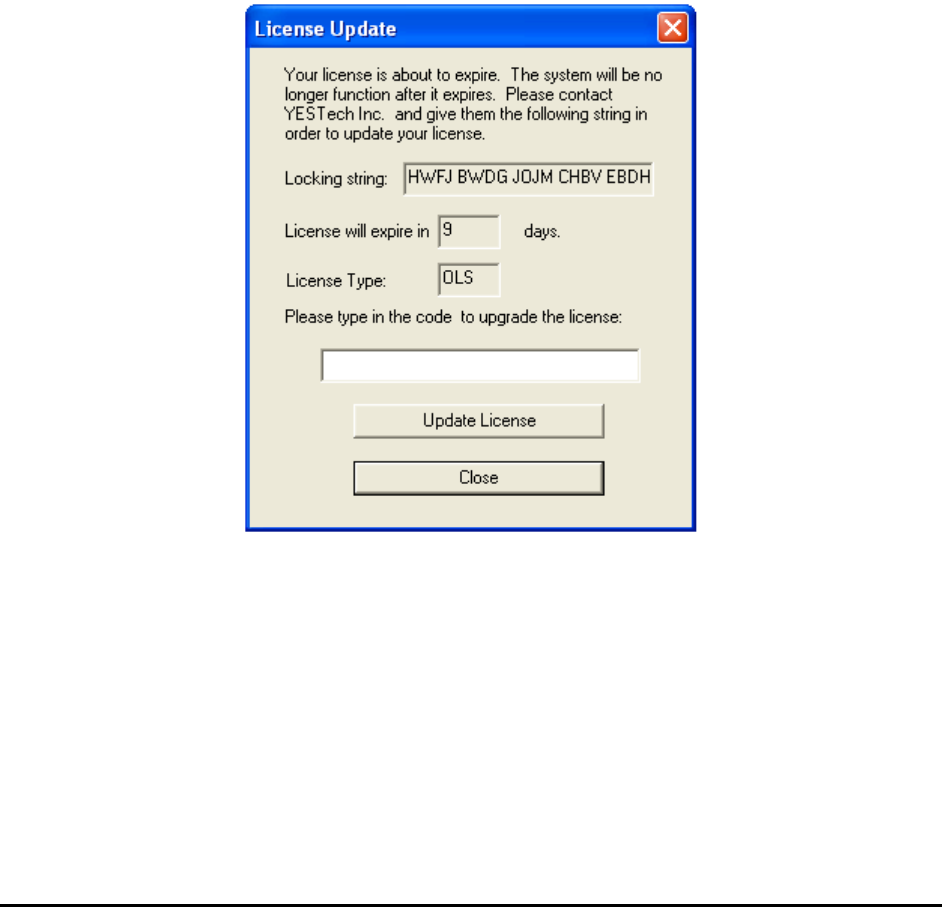
string with a licensing string. When a time limited dongle is within 10 days of its expiration, the
dialog below will display during software start up.
Users should contact Nordson YESTECH and provide Nordson YESTECH with the 20 character
locking string and the License type. Nordson YESTECH engineers will use the locking string to
generate a license string (26 characters. With the licensing string the user can update their
software license.
It is a Nordson YESTECH company policy to supply new users with a time limited dongle until
the system is paid for.
Error Message: Unable to communicate with the Teknic Servo Controller.