YesAX V3.1.2 - Software User Manual - 第69页
Recipe Creation Step by Step for 2D Re cipes 6- 11 You can create a perfectly functional AXI recipe using SmartCAD, even when the PCB is placed 90 or 180 degrees from the intended orientation. Although SmartCAD is very e…
6-10 Recipe Creation Step by Step for 2D Recipes
6.5 User Practice
You can practice the recipe creation process by using the demo ImageSets and demo CAD data
files. The sample CAD data files can be found in folder:
C:\AOI_Data\CAD_Data\Demo
The CAD data belongs to two boards: Demo_X2 and Demo X3. Demo_X2 is a single sided
board with 2 sets of CAD data files:
Demo_X2_2.ycd - contains all the information (required and optional) to create the recipe.
Demo_X2.ycd - similar to Demo_X2_2.ycd with the exception that the package names do
not match the package names in the standard package library.
Demo_X3_3 is a double sided board with 2 sets of CAD data files:
Demo_X3_3_Top.ycd - contains all the information of components on top side to create the
recipe.
Demo_X3_3_Bot.ycd – contains all the information of components on bottom side to create
the recipe.
Practice creating recipes using each of the files to see how the additional (optional) information
in the CAD data aid in the recipe creation process.
Practice creating recipes using Demo_X2.ycd to understand the usage of the package name map
feature.
6.6 SmartCAD
During normal CAD import the software requires you to correctly state the CAD data’s axis
orientation, scale, and rotation information in the header section of the YCD file. The SmartCAD
feature helps you to determine such information by asking the user to locate several parts (3 to 6)
on the board. Based on user’s input the software calculates the required information.
To use the SmartCAD feature, set the scale factor line to “Auto” in the header section of the
YCD file.
ScaleFactor=Auto
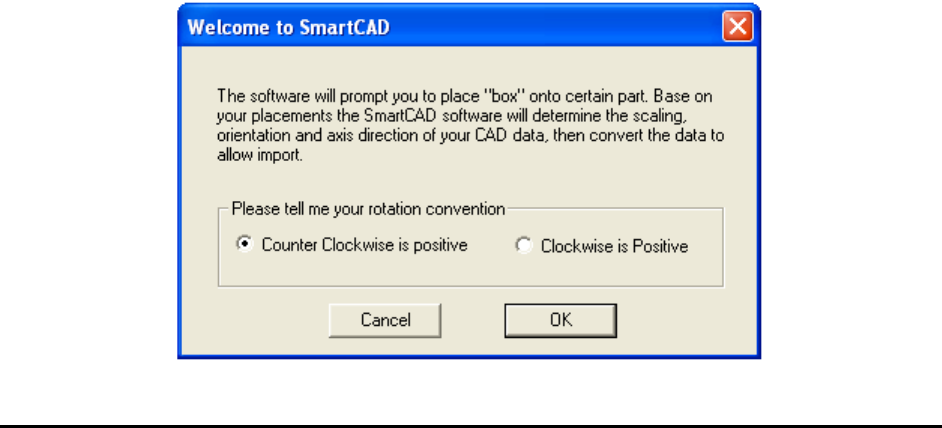
In the beginning of the CAD import process the Welcome to SmartCAD dialog displays
indicating that the software is utilizing the SmartCAD feature.

Recipe Creation Step by Step for 2D Recipes 6-11
You can create a perfectly functional AXI recipe using SmartCAD, even when the PCB is placed
90 or 180 degrees from the intended orientation.
Although SmartCAD is very efficient in determining needed information from “mystery” CAD
data, it should be used with caution. CAD data is the basis of the PCB assembly process but
SmartCAD creates usable AXI recipes without knowing much about the CAD data. This can
lead to bad consequences in the future when more advanced features are used, such as the central
library and standard package library.
Sharing part information across inspection recipes requires a consistent application of part
rotation information.