00191025-01.pdf - 第168页
6 Single Functi ons SIPLACE 80S/F/G User’s M anual 6.4 Transport Functions 80S Edition 07/97 from Software Version SR.010.xx 6 - 36 6.4.9 Measuring the Conveyor Width ● Use the c ursor keys to select th e menu ite m &quo…
SIPLACE 80S/F/G User’s Manual 6 Single Functions
Edition 07/97 from Software Version SR.010.xx 6.4 Transport Functions 80S
6 - 35
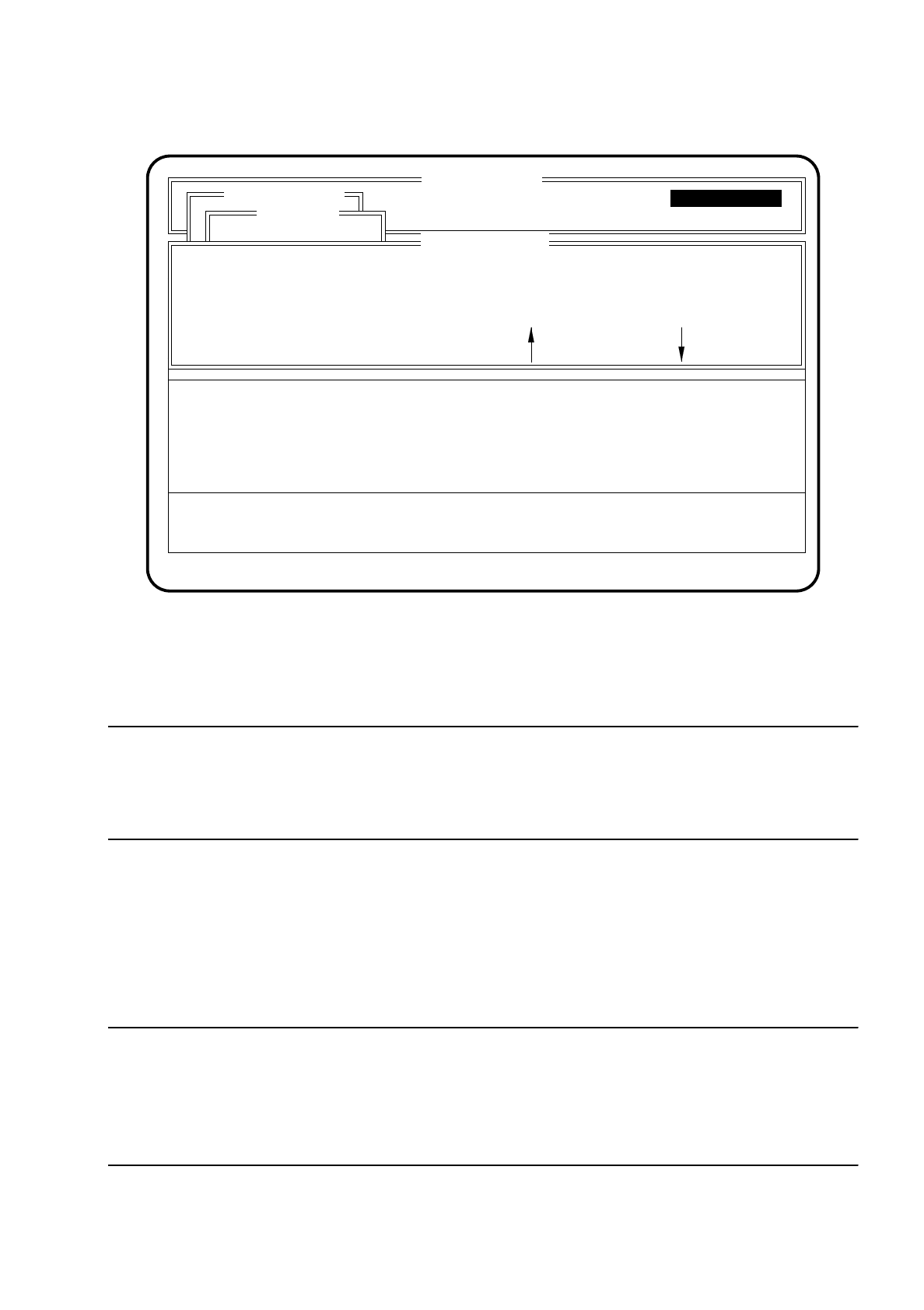
Fig. 6.4.4
You can return to the menu "Transport" by using the
Esc key
.
CAUTION
∆
!
Make sure before beginning width adjustment that there are no boards or objects in the conveyor area,
otherwise the machine and the boards could be damaged!
●
Use the
spacebar
to select the speed. You have the possibility of choosing between high and low speed.
The active speed is displayed on the top line of the menu "Adjust with motor".
●
To change the conveyor width press one of the
cursor keys
. Pressing the up arrow key increases the con-
veyor width. Pressing the down arrow key decreases the conveyor width.
●
Once you have set the desired transport width quit the menu "Adjust with motor" by pressing the
Esc key
.
NOTE
After width adjustment has been carried out, the lefthand portal performs a search run, after the menu "Adjust
with motor" has been quit, to determine the conveyor width.
The transportation width measured will be displayed in mm in the "Conveyor width" menu in the right-hand dis-
play box.
SI 80 V 10.x
Display errors
Confirm errors
Machine options
Software options
Vision system
Errorr
State
Action
:
:
:
Single functions
Transportfkt.
Breitenverstell.
Transport
Width adjustment: low conveyor speed
Esc.: abort Blank: spd. change
Adjust PCB transport width with motor
Single functions
Adjust with motor
: larger : smaller
Single functions

6 Single Functions SIPLACE 80S/F/G User’s Manual
6.4 Transport Functions 80S Edition 07/97 from Software Version SR.010.xx
6 - 36
6.4.9 Measuring the Conveyor Width
●
Use the cursor keys to select the menu item "Measure conveyor width" in the "Conveyor functions" menu.
The conveyor width will be measured and stored.

SIPLACE 80S/F/G User’s Manual 6 Single Functions
Edition 07/97 from Software Version SR.010.xx 6.5 Gantry Functions 80 F
6 - 37
6.5 Gantry Functions 80 F
The gantry functions of the SIPLACE 80F are identical with the gantry functions of the SIPLACE 80S. Differ-
ences can exist in the software version notice and also in the header of the screen menus. This does not how-
ever have any influence on the functions. In Section 6.5 "Gantry Functions 80 F" only the additional gantry
functions of the SIPLACE 80F are treated.
For all other gantry functions reference will be made in this section to Section 6.2 "Gantry Functions 80S" of
the SIPLACE 80S information. The SIPLACE 80 F is equipped with one gantry upon which one IC head and
one revolver head are mounted.
If at a later point in time function changes or additions are made which affect the SIPLACE 80S Section 6.5
"Gantry Functions 80 F" will be revised accordingly.
NOTE
With travel functions of the x or y axes the protective cover must be closed and the start button pressed to
launch the function. The gantry travels without exception only at a slow speed.
To select the menu "Gantry" proceed as follows:
●
In the menu "Single functions" use the
cursor keys
to select the menu item "Gantry".
●
Press the
return key
. The "Gantry" menu is displayed on the screen.