00191025-01.pdf - 第227页
SIPLACE 80S/F/G User’s Manual 7 Vision Systems Edition 07/97 from S oftware Version SR.010.xx 7.5 Teaching the Fiducial Line engi neer 7 - 35 7.5.3 “Teach fiducial” and “Save f iducial data” On selec ting the op tion “Te…

7 Vision Systems SIPLACE 80S/F/G User’s Manual
7.5 Teaching the Fiducial Edition 07/97 from Software Version SR.010.xx
7 - 34 Line engineer
SIPLACE 80S/F/G User’s Manual 7 Vision Systems
Edition 07/97 from Software Version SR.010.xx 7.5 Teaching the Fiducial
Line engineer 7 - 35
7.5.3 “Teach fiducial” and “Save fiducial data”
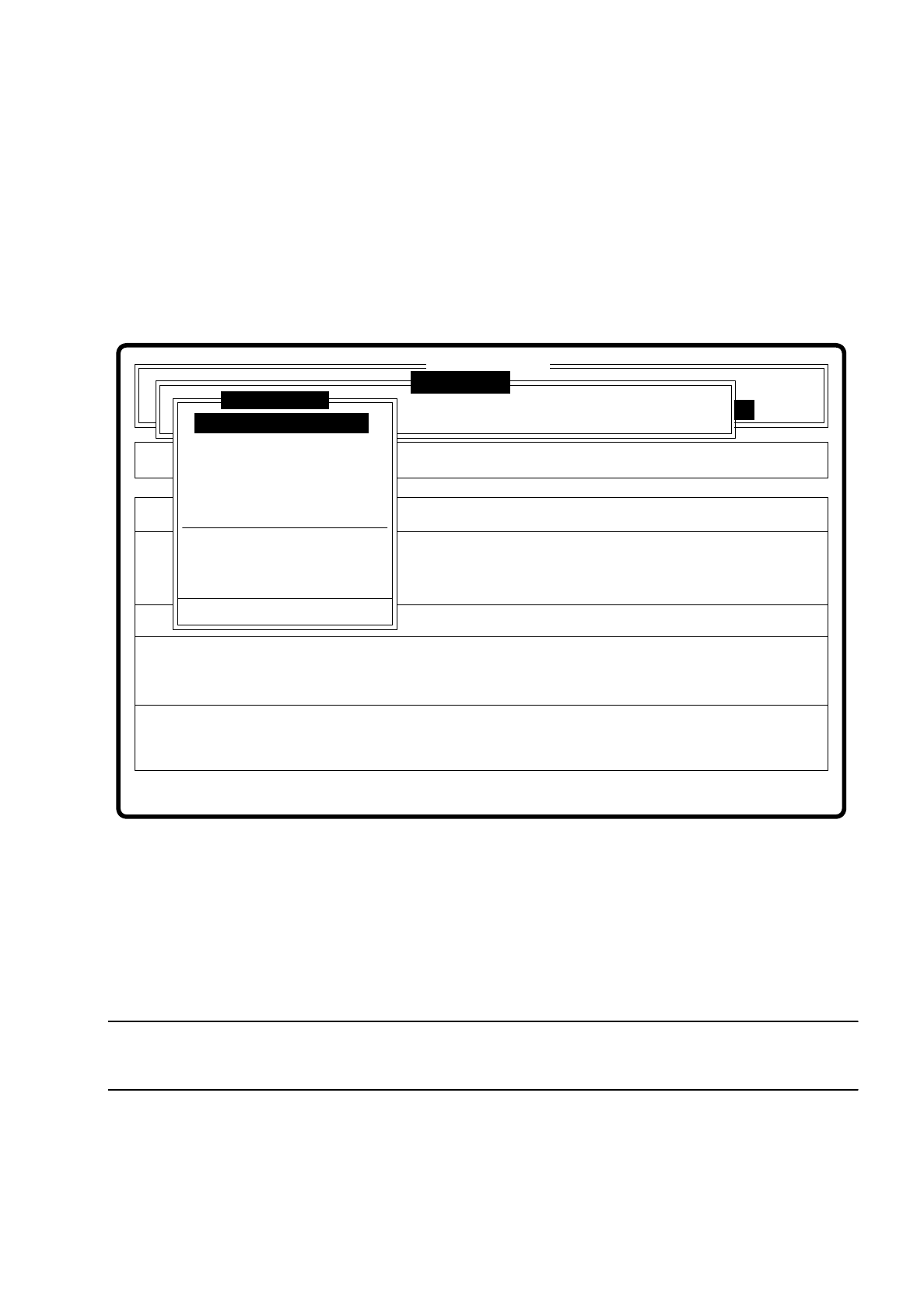
On selecting the option “Teach fiducial” in the menu “Vision system” the following actions are started:
●
In the station computer the functions are implemented for the vision system.
●
The menu “Teach fiducial” drops down.
●
If you select the option “Enter fiducial number”, the station computer will request the fiducial numbers list
plus commentaries from the line computer. The transformation tables for the color graduation are saved
locally in the station computer.
Fig. 7.5.2
The menu offers you, as the diagram shows, a selection of 10 options in all. Via the option “Edit fiducial” you
reach the next level down to the menu “Edit fiducial” and so on. If you have modified the fiducial data or taught
a new fiducial, when you quit the menu “Teach fiducial” the menu “Save fiducial data” drops down. You now
have the choice of saving or discarding the modified or newly created data.
NOTE
The menu "Display error" is described in Chapter 5.5 "Error menus".
Error
State
Action
Enter fiducial number to be processed
Single functions
:
:
:
Vision system
Vision system
Fehler anzeigen
Rüstung:
Maschinenoptionen
Softwareoptionen
BE - Zuführung
Cluster:
SI80 V 10.x
Vision system
ersion: 2133
Enter fiducial number
New fiducial
Edit fiducial
Center fiducial
Test fiducial
Travel x/y axes
PCB to center conveyor
PCB to output conveyor
Choose gantry
Display errors
Teach fiducial
7 Vision Systems SIPLACE 80S/F/G User’s Manual
7.5 Teaching the Fiducial Edition 07/97 from Software Version SR.010.xx
7 - 36 Line engineer
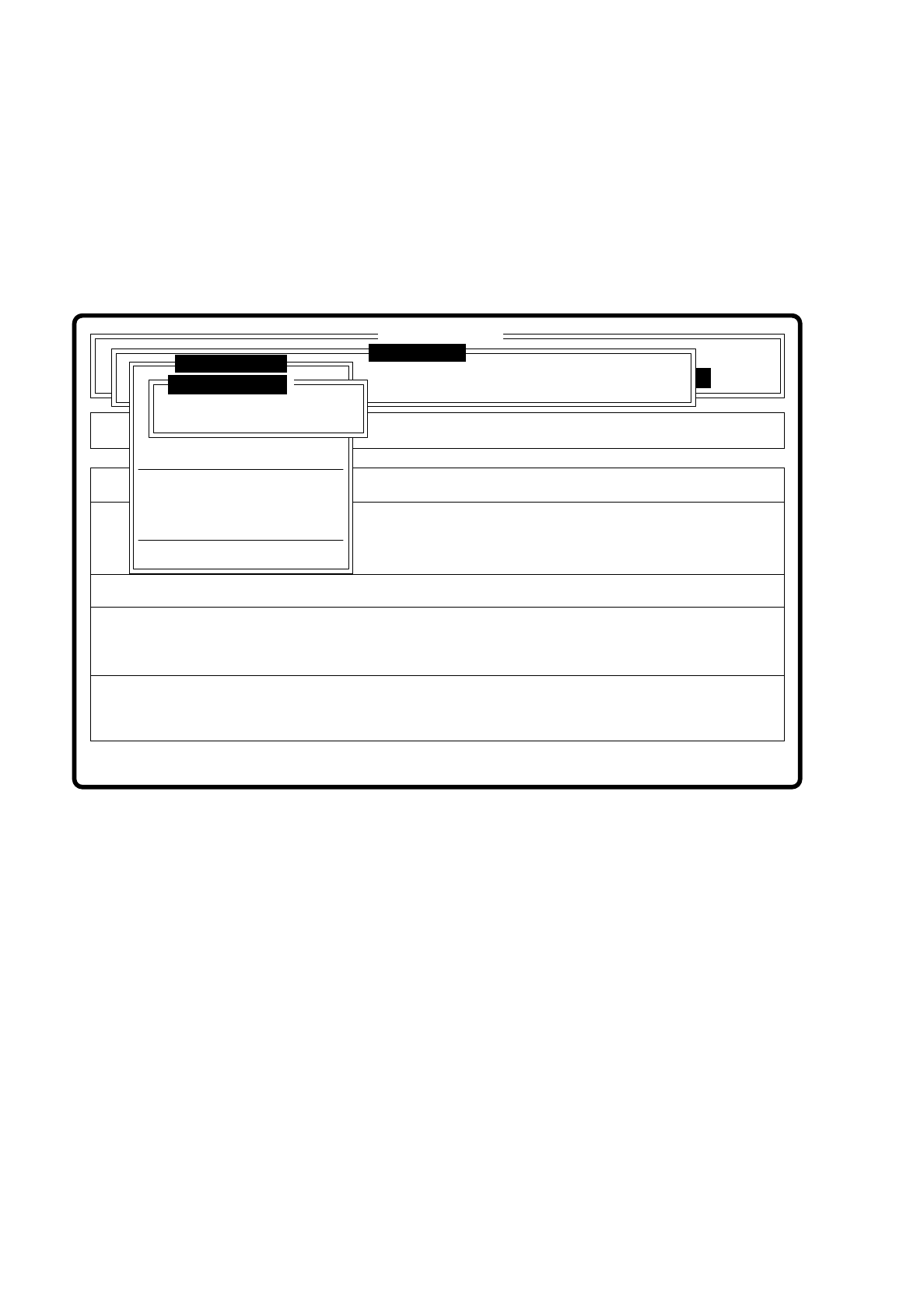
By selecting the option “Save fiducial” you make the station computer send the fiducial data to the line com-
puter, save them there and update the fiducial numbers list.
The station computer sends the fiducial data to the line computer. The fiducial numbers list is not transferred
to the line computer since this performs a correction itself of the list on the basis of the modified fiducial data
and then updates the modified fiducial data for the other stations too. The transformation tables are kept
locally in the station computer.
Fig. 7.5.3
Setup
Error
State
Action
Save fiducial
Single functions
:
:
:
SI80 V 10.x
Vision system
Vision system
Rüstung:
Maschinenoptionen
Softwareoptionen
BE - Zuführung
Cluster:
Vision system
Version: 2133
Move x/y axes
PCB to center conveyor
PCB to output conveyor
Choose gantry
Display errors
Marke ändern
Marke testen
Marke zentrieren
Rüstung:
Save fiducial
Discard fiducial
Teach fiducial
Teach fiducial