00191025-01.pdf - 第231页
SIPLACE 80S/F/G User’s Manual 7 Vision Systems Edition 07/97 from S oftware Version SR.010.xx 7.5 Teaching the Fiducial Line engi neer 7 - 39 Initiali zation of the teach parameter ta kes pla ce – in case 1 with standa r…
7 Vision Systems SIPLACE 80S/F/G User’s Manual
7.5 Teaching the Fiducial Edition 07/97 from Software Version SR.010.xx
7 - 38 Line engineer
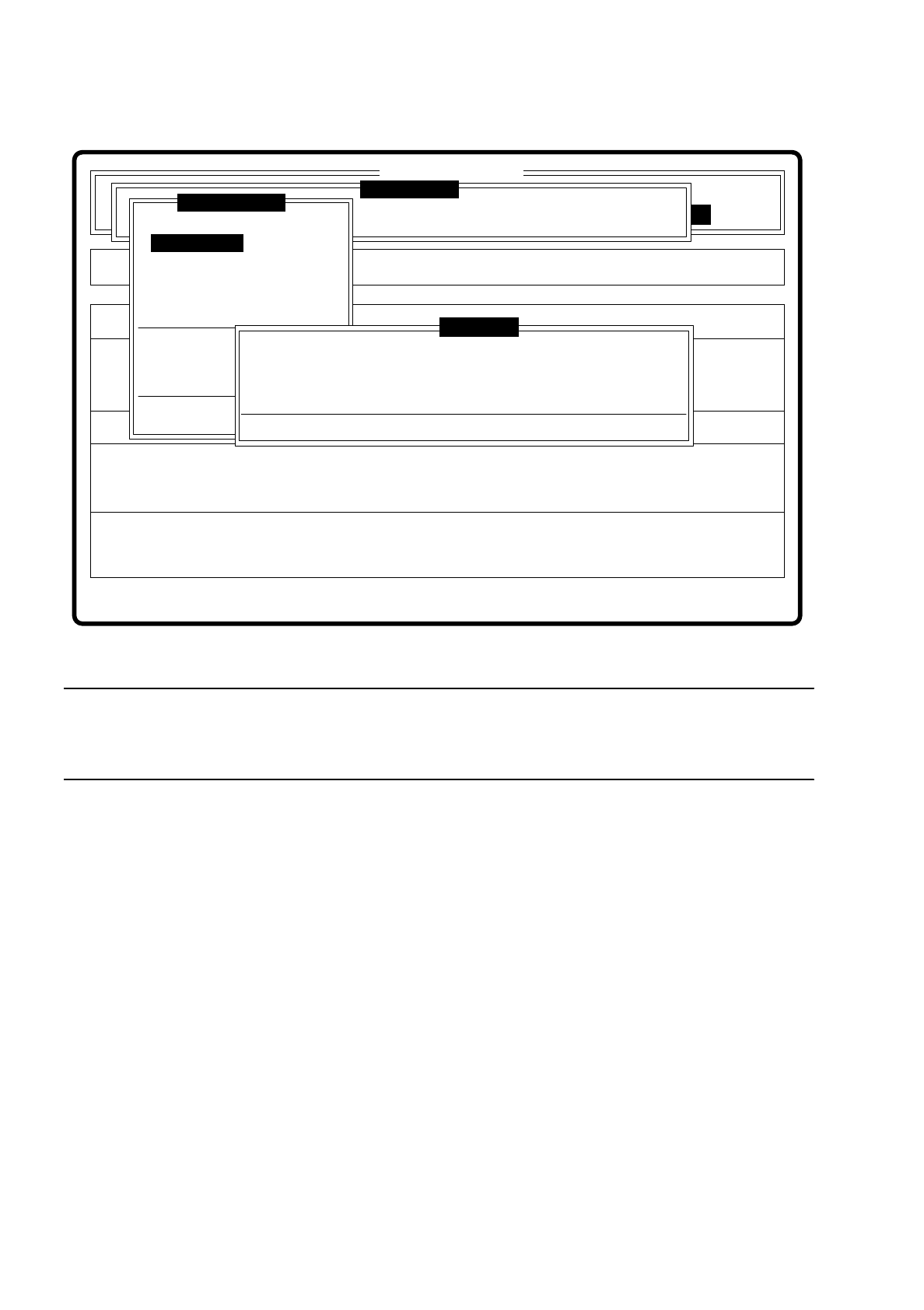
Fig. 7.5.5
NOTE ON KEYBOARD CONTROL IN THE DIALOG BOX
For your information here is a brief survey of the keyboard assignments for a dialog box. An overview of all
keyboard assignments is given in Section 2.2.2 “Control of the machine with the keyboard”.
●
With the tab key you can jump between input box and list box.
●
With the arrow keys you can select the position in the individual boxes.
●
With the space bar you can mark a fiducial in the list box.
●
With “RETURN” the data are transferred to the program, the dialog box closed. You return to the menu
“Teach fiducial”.
●
With “ESC” you can quit the dialog without saving and return to the menu “Teach fiducial”.
There are three variants to the option “Enter fiducial number”:
1. Fiducial number and name are entered for the first time.
2. An already existing fiducial is selected.
3. The fiducial name of an existing fiducial is overwritten.
In cases 2 and 3 the station computer requests from the line computer the fiducial data of the selected fidu-
cial. The pattern structure field and search area are sent to the machine controller which then downloads
them into the memory of the MVS system. After this, the teach parameter structure is initialized in the station
computer.
Error
State
Action
Define new fiducial
Single functions
:
:
:
SI80 V 10.x
Vision system
Vision system
Rüstung:
BE - Zuführung
Setup:
Version: 2133
Cluster:
Vision system
Enter fiducial number
New fiducial
Edit fiducial
Center fiducial
Test fiducial
Move x/y axes
PCB to center conveyor
PCB to output conveyor
Teach portal
Display errors
Rüstung:
Press space bar.
First enter fiducial number, please.
Warning
Teach fiducial
SIPLACE 80S/F/G User’s Manual 7 Vision Systems
Edition 07/97 from Software Version SR.010.xx 7.5 Teaching the Fiducial
Line engineer 7 - 39
Initialization of the teach parameter takes place
–
in case 1 with standard values ('Default' values),
–
in cases 2 and 3 with the current values (see also Section 7.5.4 Menu “Edit fiducial”.)
7.5.3.2 Option “New fiducial”
NOTE
Before you can activate this option, you must have already entered a fiducial number. If this is not the case, a
message is displayed which asks you to enter a fiducial number.
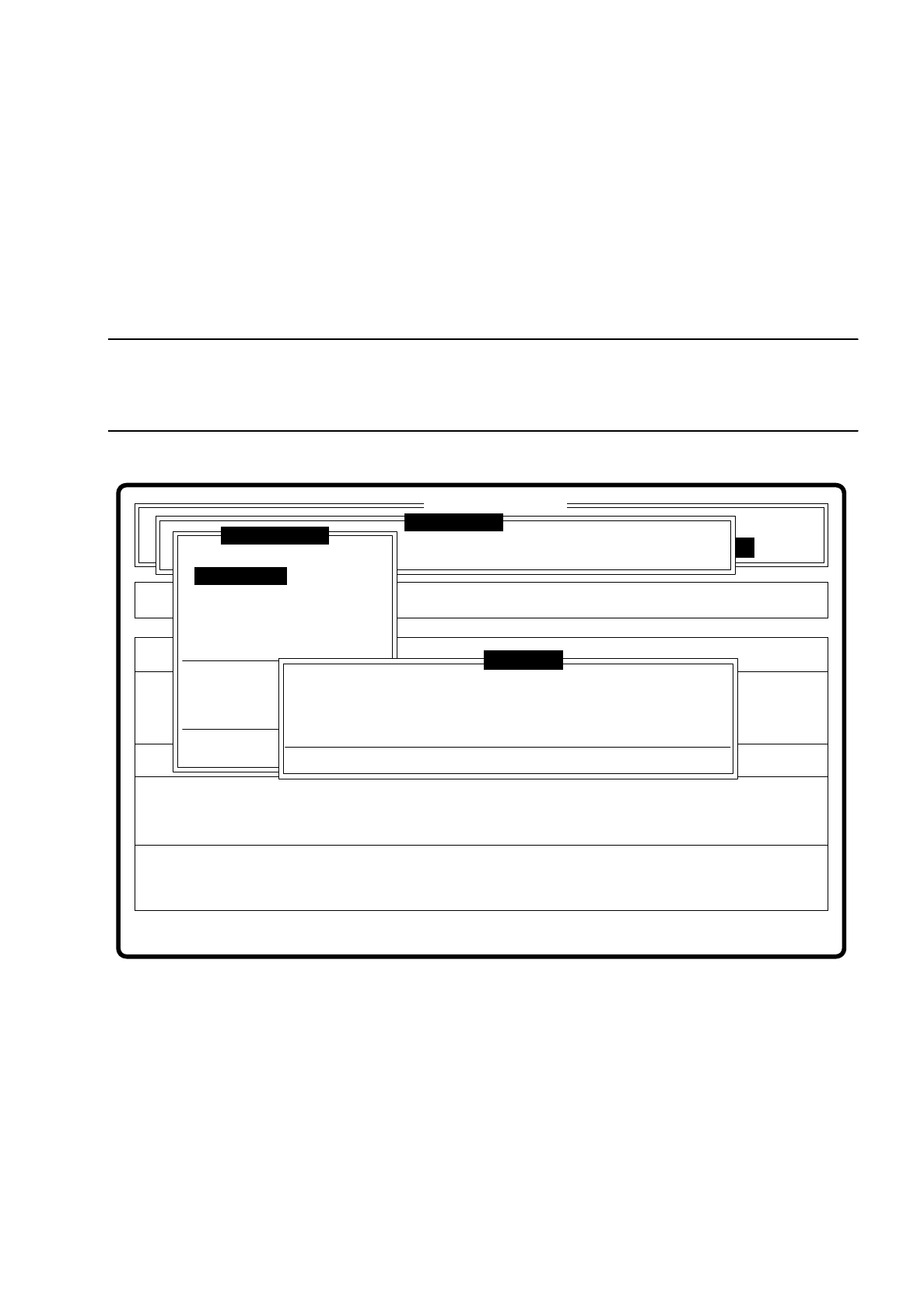
Fig. 7.5.6
When this option is activated the following actions are started:
–
The menu disappears.
–
The video image appears on the screen
–
Head and footer lines with commentaries, measurement results, command sequences and keyboard
assignment are displayed.
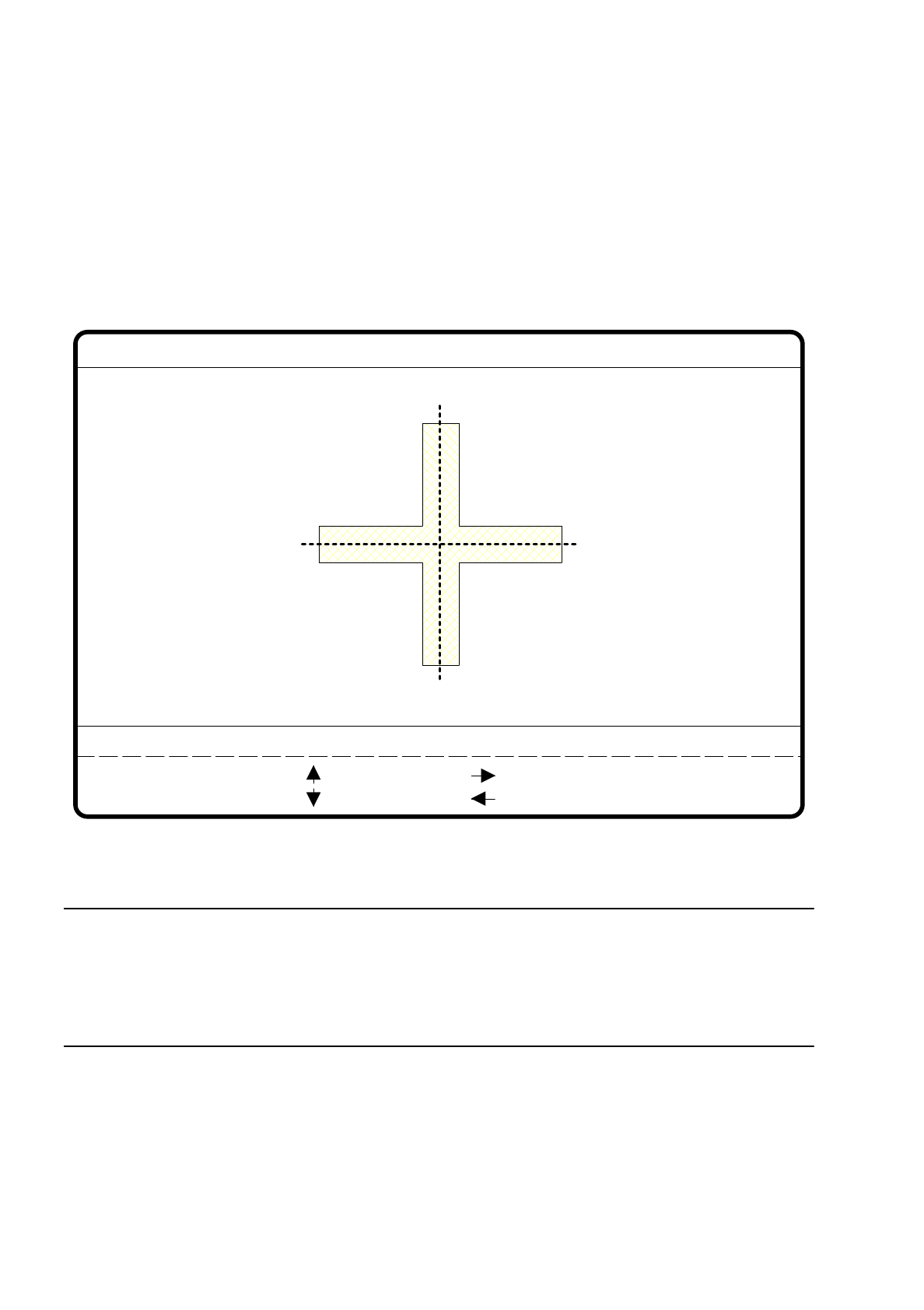
Then the teach process is started with the default values. The result of the teach process appears as unique
value in the header line of the video image.
Error
State
Action
Define new fiducial
Single functions
:
:
:
SI80 V 10.x
Vision system
Vision system
Rüstung:
BE - Zuführung
Setup:
Version: 2133
Cluster:
Vision system
Enter fiducial number
New fiducial
Edit fiducial
Center fiducial
Test fiducial
Move x/y axes
PCB to center conveyor
PCB to output conveyor
Teach portal
Display errors
Rüstung:
Press space bar.
First enter fiducial number, please.
Warning
Teach fiducial
7 Vision Systems SIPLACE 80S/F/G User’s Manual
7.5 Teaching the Fiducial Edition 07/97 from Software Version SR.010.xx
7 - 40 Line engineer
The unique value indicates the discrimination quality of the fiducial in contrast to other structures found in the
vicinity of the fiducial. The display varies between
–
0 = inadequate and
–
100 = very good discrimination.
Experience shows that a unique value should be achieved of at least 60 for fiducials and ink dots.
Fig. 7.5.7
NOTE
Should you nevertheless want to use a fiducial with a low unique value, you should ensure a good quality
value for the fiducial (see Section 7.5.3.5 Option “Test fiducial”).
If in addition the quality too is bad, it is better you select another fiducial (see Criteria for the creation of fidu-
cials in Section 7.2.5).
●
With the arrow keys modify the camera position. By entering the numbers 1 ... 6 you can vary the incre-
ment.
●
With “RETURN” you can repeat the teach process.
●
With “ESC” you terminate the teach process. The video image disappears and the menu “Teach fiducial” is
displayed once more.
teach
1..6 : x/y step
Fiducial No. = 8 Uniqueness = 70
Ret :
New fiducial
x/y step width = ...
: x axis +
: x axis -
: y axis +
: y axis -