00191025-01.pdf - 第232页
7 Vision Systems SIPLACE 80S /F/G User’s Manual 7.5 Teaching the F iducial Ed ition 07/97 from Software Version SR.010.xx 7 - 40 Line engine er The uniqu e value ind icates the dis crimination quality of the fid ucial in…
SIPLACE 80S/F/G User’s Manual 7 Vision Systems
Edition 07/97 from Software Version SR.010.xx 7.5 Teaching the Fiducial
Line engineer 7 - 39
Initialization of the teach parameter takes place
–
in case 1 with standard values ('Default' values),
–
in cases 2 and 3 with the current values (see also Section 7.5.4 Menu “Edit fiducial”.)
7.5.3.2 Option “New fiducial”
NOTE
Before you can activate this option, you must have already entered a fiducial number. If this is not the case, a
message is displayed which asks you to enter a fiducial number.
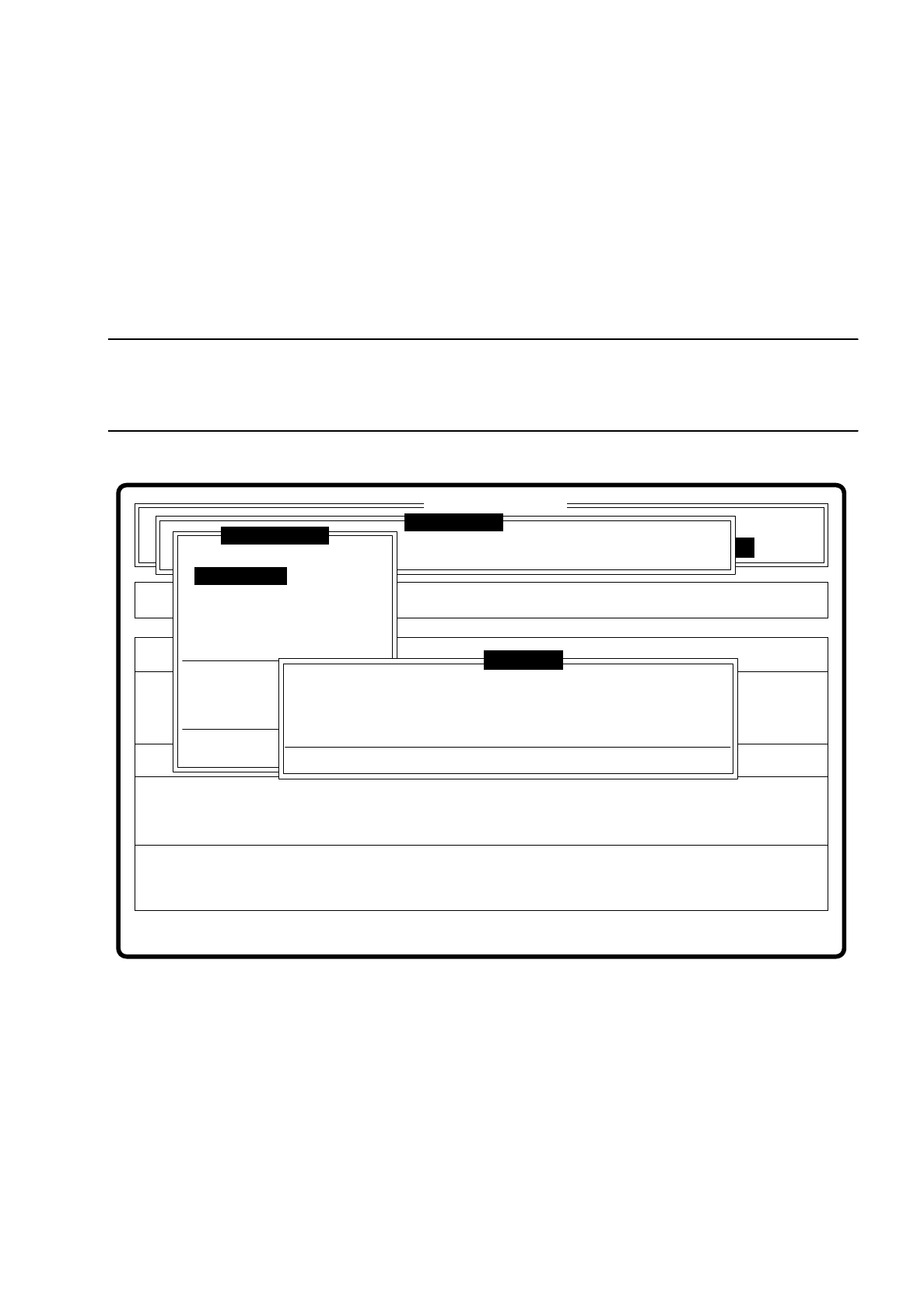
Fig. 7.5.6
When this option is activated the following actions are started:
–
The menu disappears.
–
The video image appears on the screen
–
Head and footer lines with commentaries, measurement results, command sequences and keyboard
assignment are displayed.
Then the teach process is started with the default values. The result of the teach process appears as unique
value in the header line of the video image.
Error
State
Action
Define new fiducial
Single functions
:
:
:
SI80 V 10.x
Vision system
Vision system
Rüstung:
BE - Zuführung
Setup:
Version: 2133
Cluster:
Vision system
Enter fiducial number
New fiducial
Edit fiducial
Center fiducial
Test fiducial
Move x/y axes
PCB to center conveyor
PCB to output conveyor
Teach portal
Display errors
Rüstung:
Press space bar.
First enter fiducial number, please.
Warning
Teach fiducial
7 Vision Systems SIPLACE 80S/F/G User’s Manual
7.5 Teaching the Fiducial Edition 07/97 from Software Version SR.010.xx
7 - 40 Line engineer
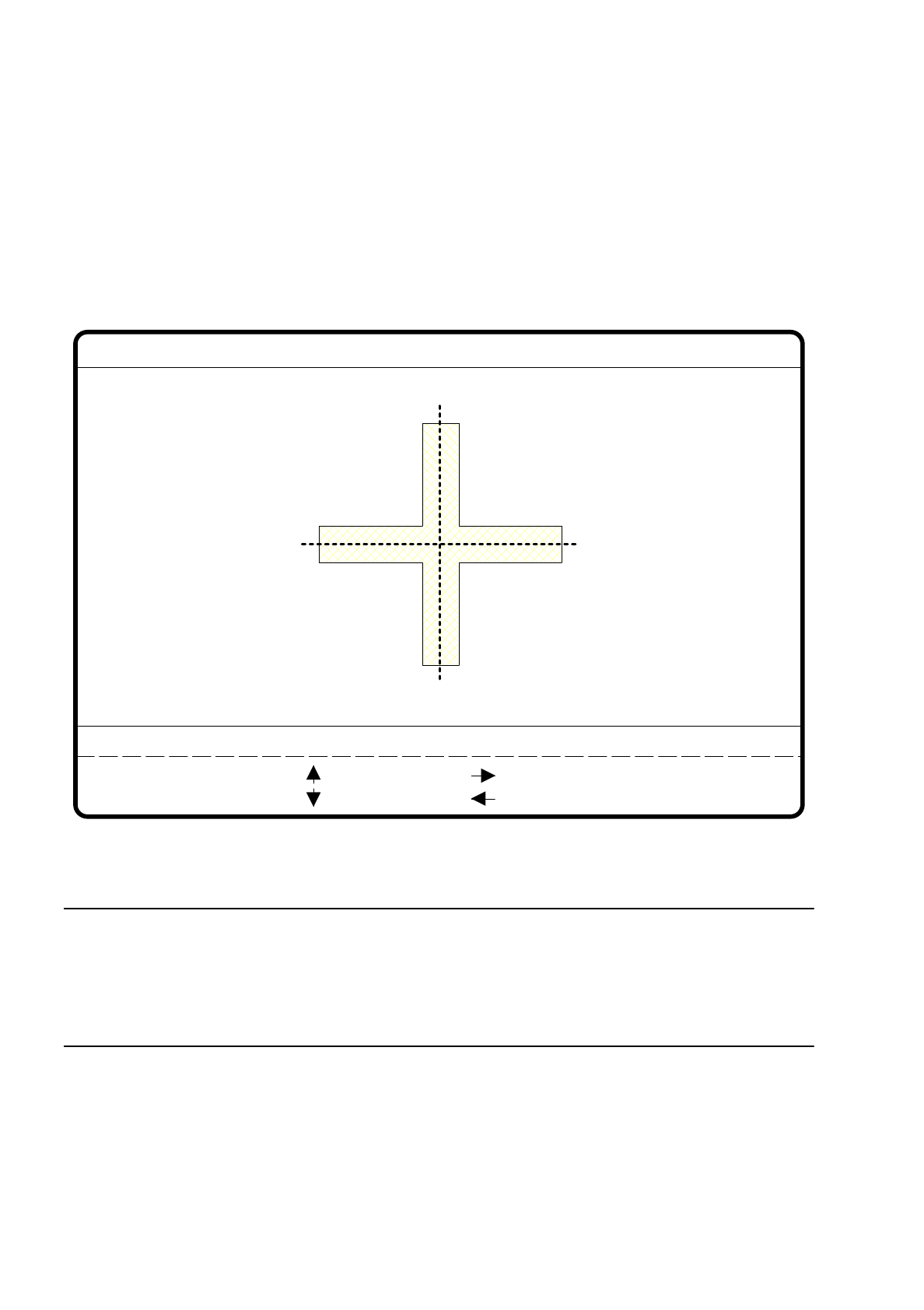
The unique value indicates the discrimination quality of the fiducial in contrast to other structures found in the
vicinity of the fiducial. The display varies between
–
0 = inadequate and
–
100 = very good discrimination.
Experience shows that a unique value should be achieved of at least 60 for fiducials and ink dots.
Fig. 7.5.7
NOTE
Should you nevertheless want to use a fiducial with a low unique value, you should ensure a good quality
value for the fiducial (see Section 7.5.3.5 Option “Test fiducial”).
If in addition the quality too is bad, it is better you select another fiducial (see Criteria for the creation of fidu-
cials in Section 7.2.5).
●
With the arrow keys modify the camera position. By entering the numbers 1 ... 6 you can vary the incre-
ment.
●
With “RETURN” you can repeat the teach process.
●
With “ESC” you terminate the teach process. The video image disappears and the menu “Teach fiducial” is
displayed once more.
teach
1..6 : x/y step
Fiducial No. = 8 Uniqueness = 70
Ret :
New fiducial
x/y step width = ...
: x axis +
: x axis -
: y axis +
: y axis -
SIPLACE 80S/F/G User’s Manual 7 Vision Systems
Edition 07/97 from Software Version SR.010.xx 7.5 Teaching the Fiducial
Line engineer 7 - 41
7.5.3.3 Option “Edit fiducial”
NOTE
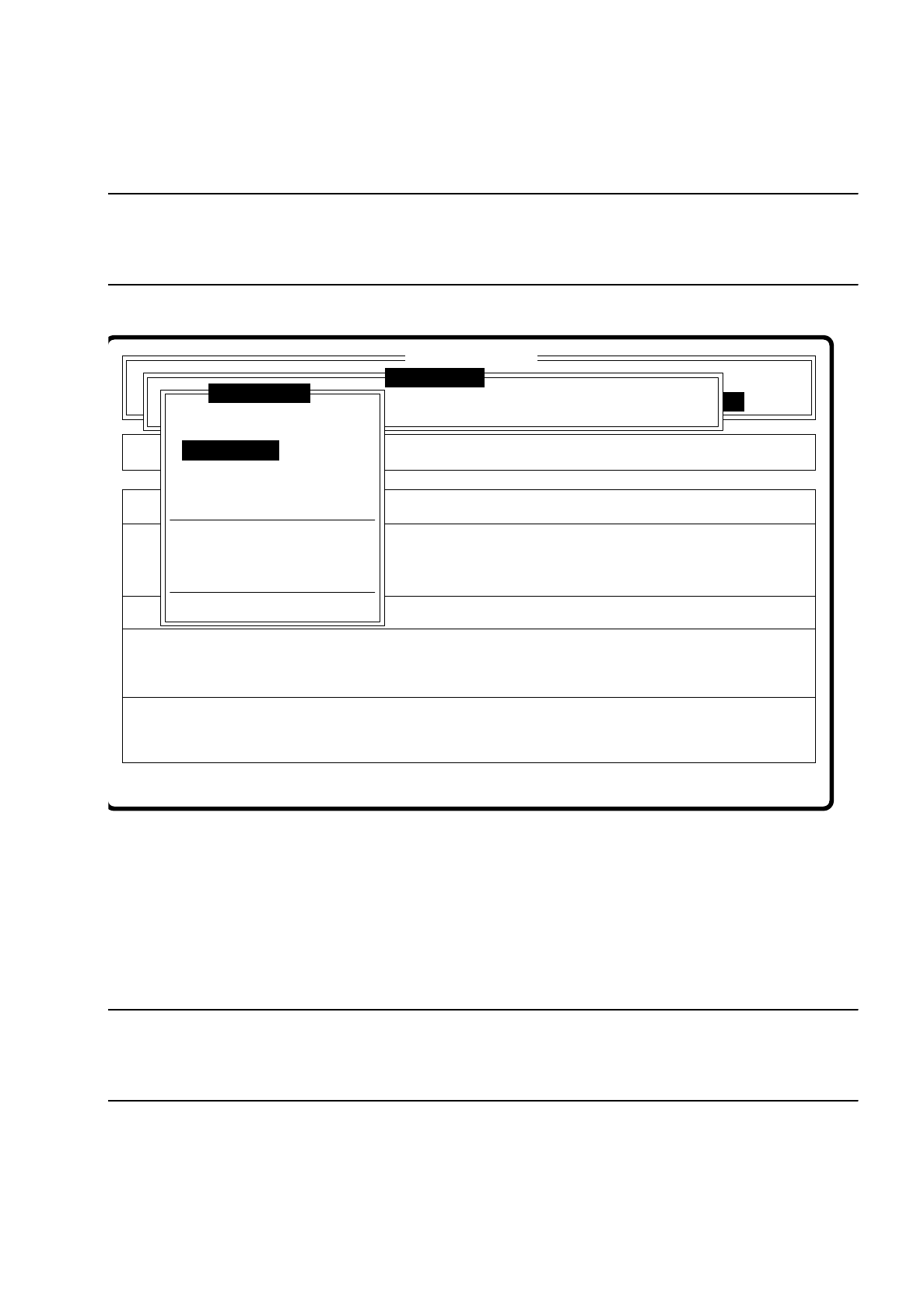
The menu “Edit fiducial” is only activated if you have already entered a fiducial number and a definition already
exists for the number selected.
Fig. 7.5.8
A description of the menu with its options can be found in Section 7.5.4.
7.5.3.4 Option “Center fiducial”
NOTE
The option “Center fiducial” can only be activated if you have already entered a fiducial number and a defini-
tion already exists for the number selected.
If these conditions are met, the menu “Teach fiducial” disappears and the video image is displayed on the
screen. The figure shows the 2D fiducial structure and the row and column profiles of the 1D structure for
exact determination of the center of the fiducial. In addition the header and footer lines are displayed.
Setup:
Fehler anzeigen
Error
State
Action
Edit existing fiducial
Rüstung:
Maschinenoptionen Single functions
Fehler quittieren Softwareoptionen
:
:
:
BE - Zuführung
Cluster:
SI80 V 10.x
Vision system
Vision system
Vision system
Version: 2133
Teach fiducial
Enter fiducial number
New fiducial
Edit fiducial
Center fiducial
Test fiducial
Move x/y axes
PCB to center conveyor
PCB to output conveyor
Choose gantry
Display errors