00191025-01.pdf - 第245页
SIPLACE 80S/F/G User’s Manual 7 Vision Systems Edition 07/97 from S oftware Version SR.010.xx 7.5 Teaching the Fiducial Line engi neer 7 - 53 7.5.4.3 O ption “Color graduation” When thi s option is selected th e menu “co…
7 Vision Systems SIPLACE 80S/F/G User’s Manual
7.5 Teaching the Fiducial Edition 07/97 from Software Version SR.010.xx
7 - 52 Line engineer
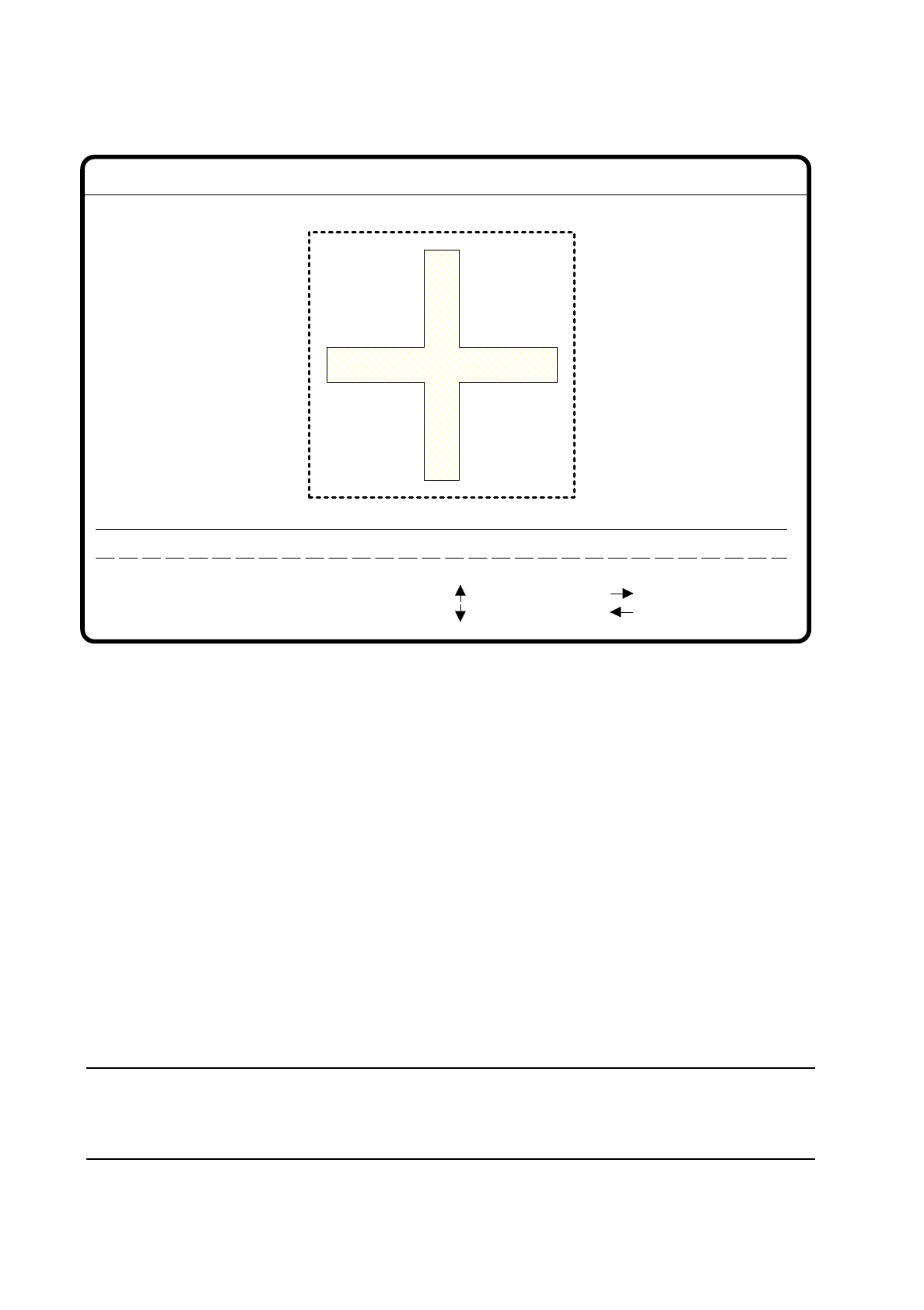
Fig. 7.5.17
●
With the arrow keys you can vary the position of the camera. The increment is specified by entering num-
bers 1 ... 6.
●
With the “>” and “<” signs you can shift the fiducial structure limits and teach simultaneously. Here you can
use the space bar to switch from the horizontal to the vertical direction. The field increments can be
changed from 1 pixel to 10 pixels and vice versa using the “TAB” key.
●
With “RETURN” the teach process is initiated.
The unique value is displayed on the screen as the measurement result. This can vary between
–
0 = inadequate and
–
100 = very good discrimination.
In our experience you should attain a minimum value of 60 for fiducial and ink dot.
●
Run the teach process repeatedly with modified field variables. You can thereby optimize the unique value.
●
With “ESC” you can quit this option.
NOTE
The relationship between clarity and quality factor for a fiducial is described in Section 7.5.3.2 Option
“New fiducial”.
Fiducial No. = 8 Uniqueness = 70
Blank: hor./vert.
< : smaller
Tab : step width
Change search area
1..6 : x/y step
: x axis +
: x axis -
: y axis +
: y axis -
x/y step width = ...Direction = ...
Field step = ...
Ret: teach
> : larger
SIPLACE 80S/F/G User’s Manual 7 Vision Systems
Edition 07/97 from Software Version SR.010.xx 7.5 Teaching the Fiducial
Line engineer 7 - 53
7.5.4.3 Option “Color graduation”
When this option is selected the menu “color graduation” appears with new functions. A description of the
menu with its options can be found in Section 7.5.5 Menu “Color graduation”.
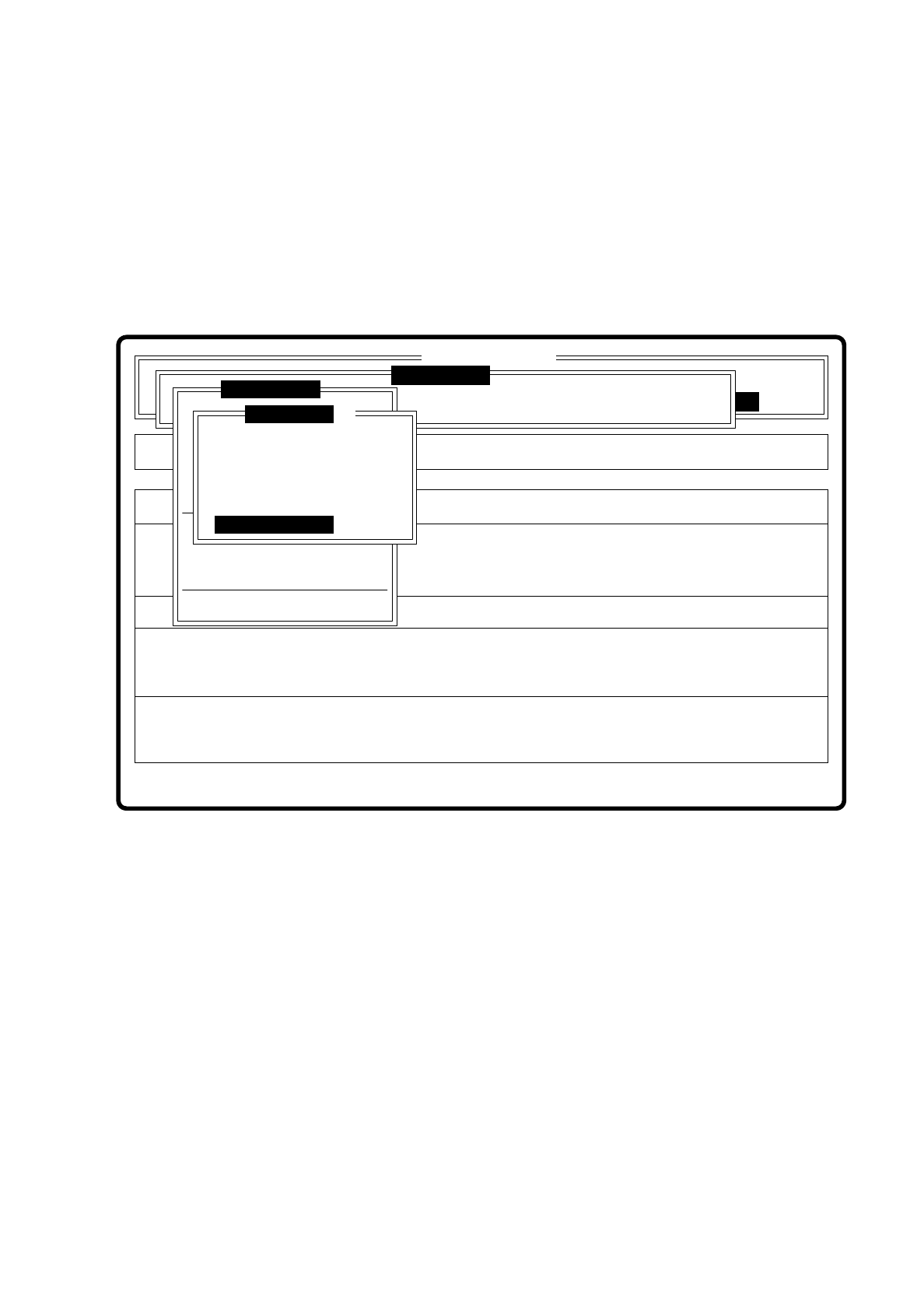
7.5.4.4 Option “Standard values”
Fig. 7.5.18
Error
State
Action
Teach fiducials with standard values
Single functions
:
:
:
Vision system
Vision system
Rüstung:
BE - Zuführung
Version: 2133
Marke testen
x/y - Achsen verfahren
LP ins Mittenband
Choose gantry
Marke zentrieren
Teach fiducial
Marke neu
Marke ändern
Edit fiducial
Template high res.
Template medium res.
Template low res.
Change search area
Color graduation
Standard values
Display errors
PCB to output conveyor
SI80 V 10.x
Vision system
7 Vision Systems SIPLACE 80S/F/G User’s Manual
7.5 Teaching the Fiducial Edition 07/97 from Software Version SR.010.xx
7 - 54 Line engineer
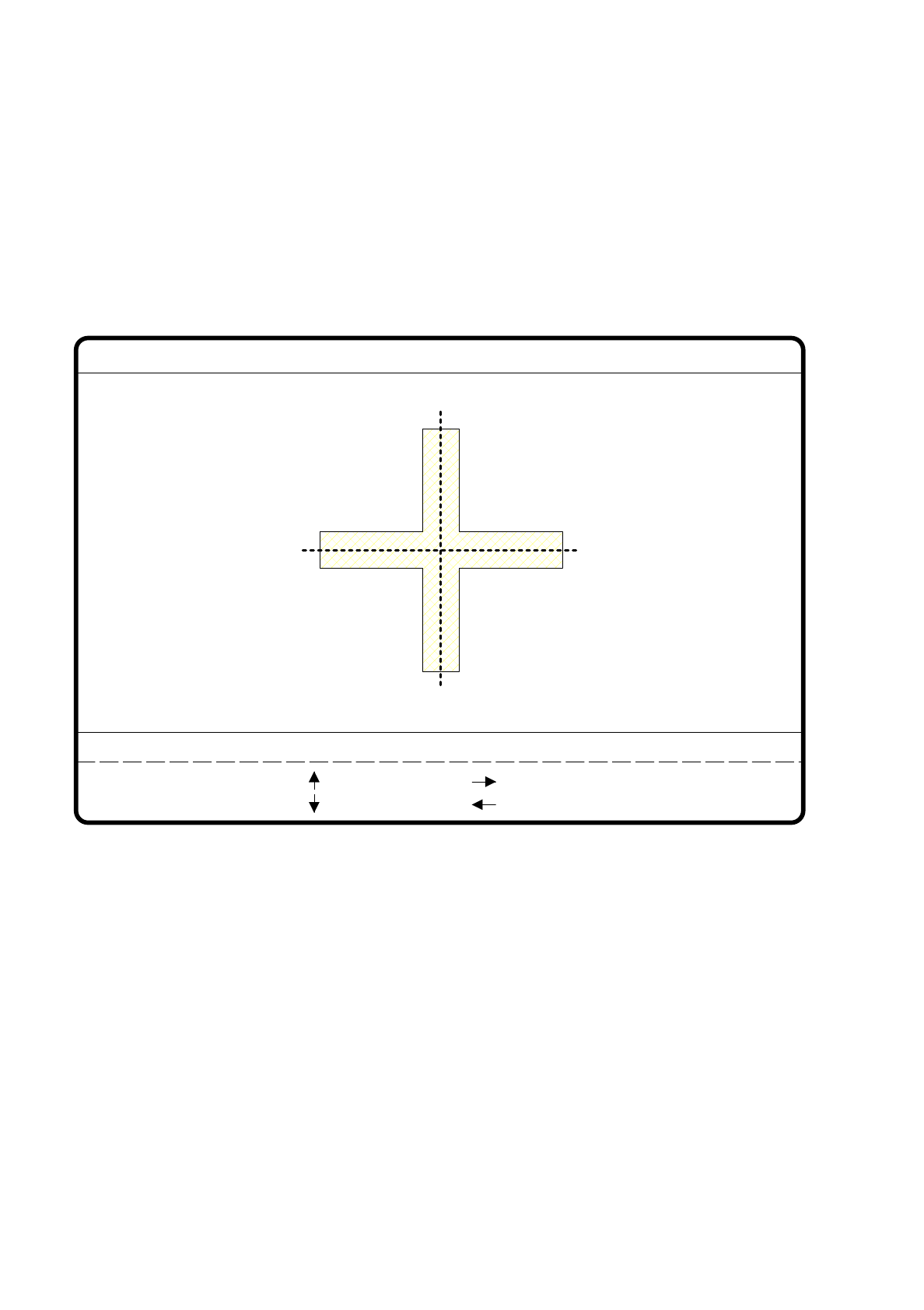
When this option is selected
–
the menu disappears.
–
the teach process is started.
–
the video image is displayed with fiducial, fiducial structure field, and uniqueness value.
–
header and footer lines are displayed with commentary, measurement result, keyboard assignment and
command sequences.
Fig. 7.5.19
●
Use the arrow keys to position the camera; the increment can be selected using numbers 1 ... 6.
●
With “RETURN” you can repeat the teach process.
●
With “ESC” you can quit this option. The menu reappears on the screen.
teach
1..6 : x/y step
Fiducial No. = 8 Uniqueness = 70
Ret :
Standard values
x/y step width = ...
: x axis +
: x axis -
: y axis +
: y axis -